
Best Gaming Monitor in Nepal 2026: 144Hz, 165Hz or 240Hz, Which Should You Buy?
Short answer: the best gaming monitor in Nepal for most PC players is a 24-inch 1080p screen at 144Hz or faster, because 1080p is where an RTX 5060-class card runs at high refresh rates. Move to 27-inch 1440p with an RTX 5070 or faster. For a PS5, any monitor that takes 120Hz over HDMI will do, since the console stops at 120Hz.
Shop at Quality Computer
Gaming monitors, keyboards, mice and headsets View all →
Gaming monitors in stock at Quality Computer
These are the high refresh rate monitors in our gaming monitor range that were in stock on our website on 7 November 2026. Every one runs at 144Hz or faster. We've grouped them by size and resolution, because that decides which graphics card you need.
24-inch, 1080p (Full HD)
| Model | Refresh rate | Panel | Our price |
|---|---|---|---|
| AIWA MF2425-V (23.8") | 144Hz | IPS | Rs 18,900 |
| BenQ Zowie XL2411K (24") | 144Hz | TN | Rs 28,500 |
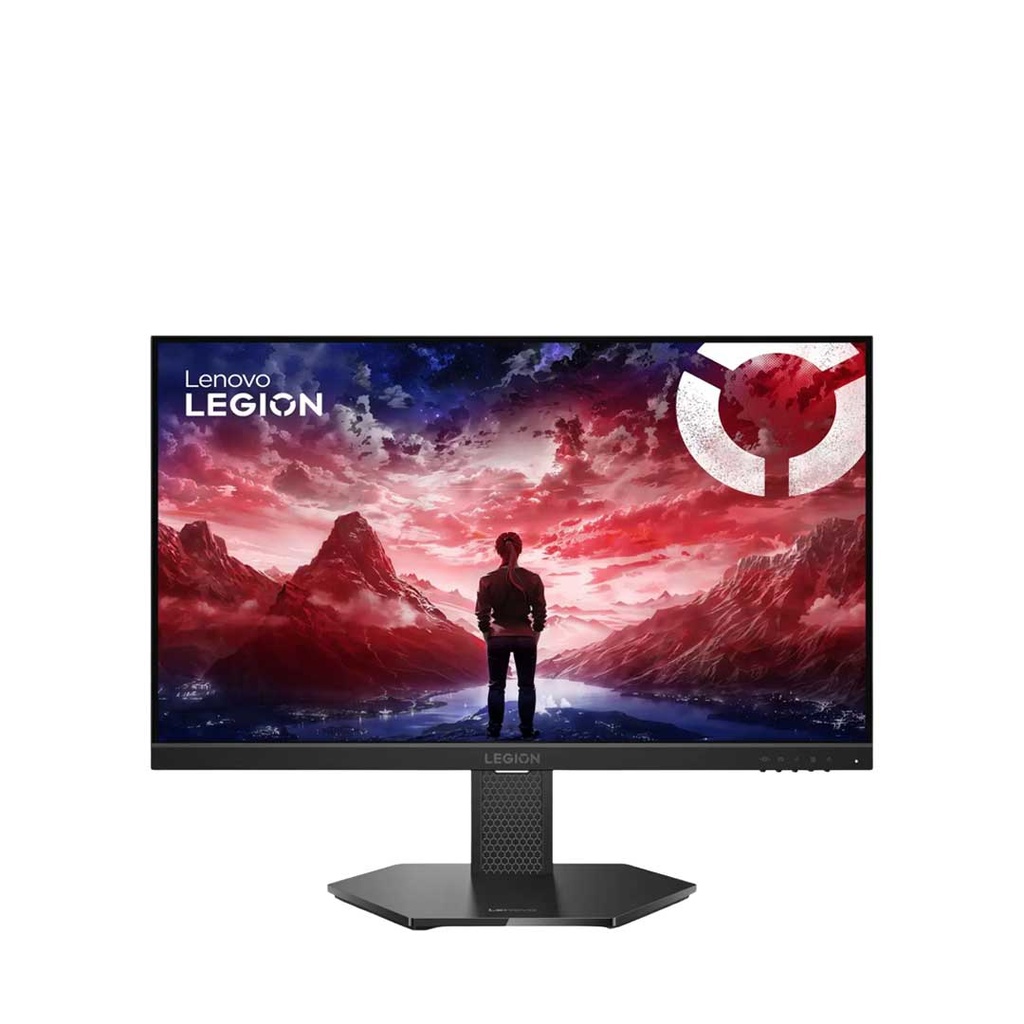
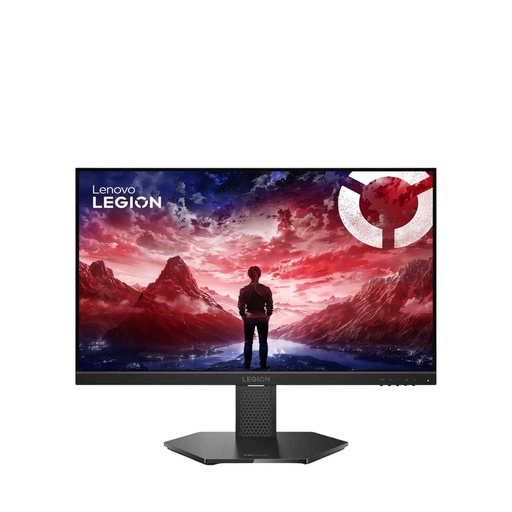
| Lenovo Legion 24-10 (23.8") | 240Hz | IPS | Rs 29,999 |
27-inch and 32-inch, 1440p (QHD)
| Model | Refresh rate | Panel | Our price |
|---|---|---|---|
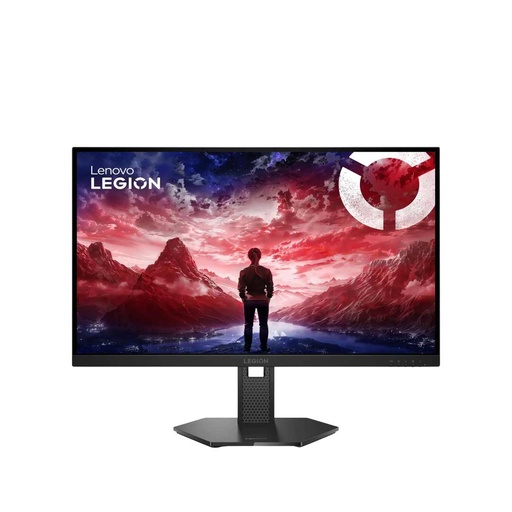
| Lenovo Legion 27Q-10 (27") | 240Hz | IPS | Rs 46,999 |
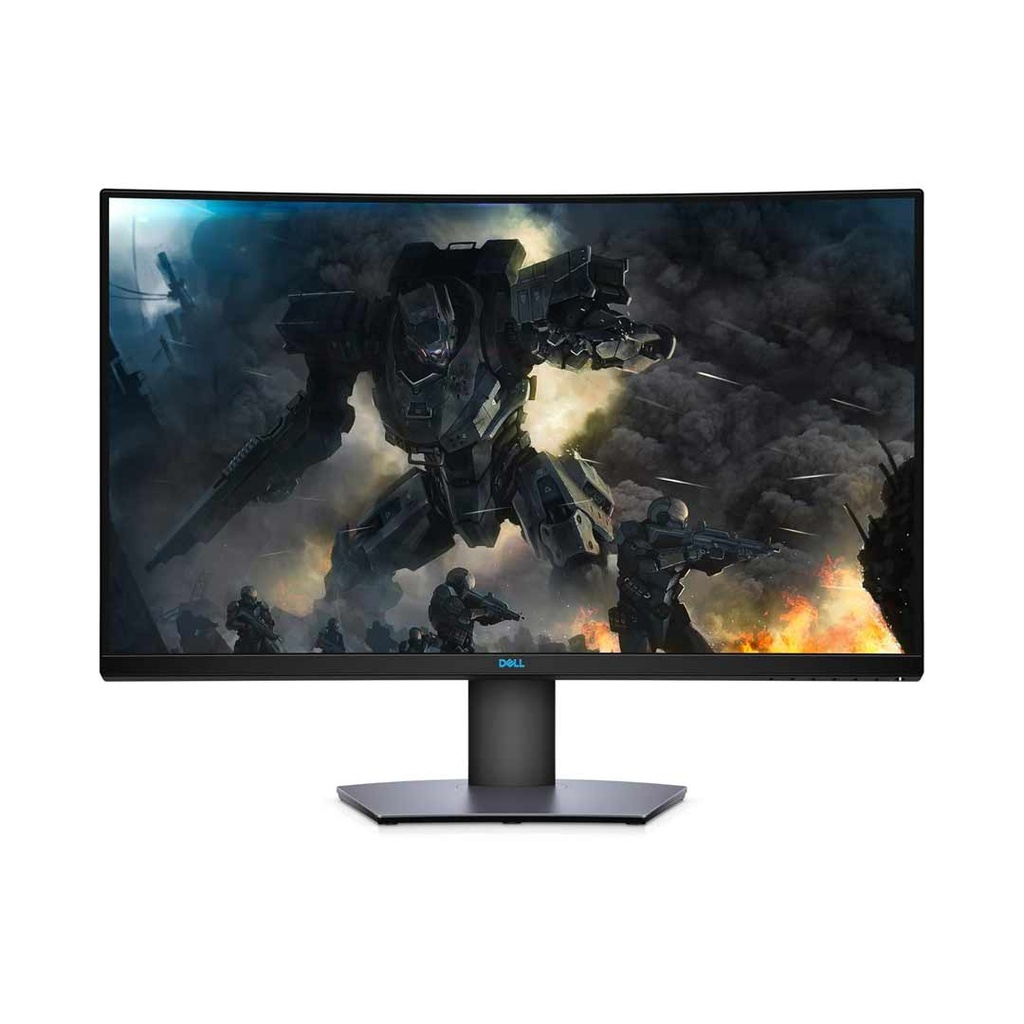
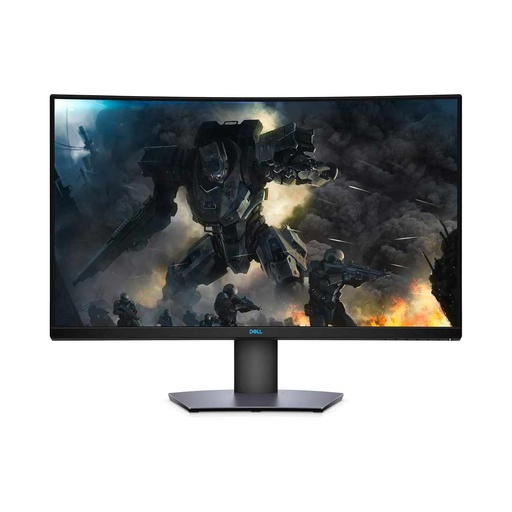
| Dell S3220DGF (31.5", 1800R curved) | 165Hz | VA | Rs 64,999 |
Prices checked on 7 November 2026. All five were available on our website that day.
Our 180Hz models (MSI G255F, MSI G255PF E2 and the 1440p MSI MAG 275QF) and the 165Hz MSI Optix G273QF were out of stock on our website when we checked. Call 9863609150 to ask about them.
Some 75Hz and 100Hz monitors are sold as gaming monitors, ours included, like the MSI Optix G241V (75Hz) and BenQ GW2491 (100Hz). They suit casual games and office work; for competitive play, start at 144Hz. Our monitor buying guide covers everyday monitors like these.
Which refresh rate do you need: 144Hz, 165Hz or 240Hz?
Refresh rate is how many times a second the screen draws a new picture. It only helps if your graphics card makes that many frames. Feed a 240Hz monitor 90 frames per second and you see 90, not 240.
Tom's Hardware's June 2026 tests give a useful yardstick. At 1080p ultra settings, the RTX 5060 averaged 88.5 fps across its test games, the RTX 5070 132.6 fps and the RTX 5070 Ti 155.4 fps. At 1440p ultra, the same cards managed 59.8, 96.4 and 116.8 fps.
Drop the settings from ultra and those numbers rise. That's why Tom's Hardware says any current card from the RTX 5060 up is good enough for high-refresh 1080p, and an RTX 5070 gives the same experience at 1440p.
| Your graphics card or console | What it suits | Buy this |
|---|---|---|
| RTX 3050, RTX 5060 or similar | 1080p at high settings | 24-inch, 144Hz to 165Hz |
| RTX 5060 or faster, esports above 200 fps | Competitive shooters at 1080p | 24-inch, 240Hz |
| RTX 5070, RTX 5070 Ti or faster | 1440p | 27-inch, 165Hz to 240Hz |
| PS5 | Up to 120Hz | Any 120Hz-capable monitor with HDMI |
Our rule: buy 144Hz or 165Hz unless your main game already runs above 200 fps. Turn on the in-game frame counter and check before you pay for 240Hz. 180Hz sits in between and is worth it when it costs the same as 165Hz.
Not sure what your card can do? Our graphics card guide compares the RTX 5060, 5060 Ti and 5070 Ti, and our gaming PC build guide picks parts at Rs 1, 1.5 and 2 lakh. Gaming laptops follow the same rule; our best gaming laptops list covers models from the RTX 2050 up to the RTX 5060.
Response time and panel type: IPS vs VA vs TN
Response time is how fast a pixel changes from one shade to the next. Slow pixels leave a smear behind moving objects. Makers quote it two ways, and the two numbers aren't comparable.
- GtG (grey to grey) is the pixel change itself. Dell rates the S3220DGF at 4 ms GtG.
- MPRT is a motion-blur figure, quoted with a blur-reduction mode switched on. The Legion 24-10's 0.5 ms MPRT is that kind of mode, and Lenovo notes that turning it on disables FreeSync. Its normal overdrive levels run from 1 ms to 4 ms.
BenQ's DyAc on the Zowie XL2411K is also a blur-reduction mode, and BenQ notes that it lowers brightness when it's on.
| Panel | Strong at | Weak at | In stock at QC |
|---|---|---|---|
| IPS | Colour and 178° viewing angles; now about as fast as VA | Contrast (Lenovo lists 1000:1) and dark scenes | Lenovo Legion 24-10, Legion 27Q-10, AIWA MF2425-V |
| VA | Contrast: Dell lists 3000:1 for the S3220DGF | Not as fast as TN, so less suited to competitive play | Dell S3220DGF |
| TN | Speed and price | Narrow colour; limited viewing angles cause colour shift off-centre | BenQ Zowie XL2411K |
The strengths and weaknesses above follow BenQ's panel guide. Verdict: IPS is the safe pick for mixed gaming and everyday use. Pick VA for slower single-player games in a dark room. TN only makes sense for esports players who want speed above everything. Our IPS vs VA monitor guide goes deeper on panel types.
G-Sync or FreeSync: does it matter?
Adaptive sync lets the monitor follow your graphics card's frame rate instead of refreshing at a fixed rate. The HDMI Forum describes variable refresh rate as reducing or removing lag, stutter and frame tearing. On a gaming monitor, treat it as a must.
AMD splits FreeSync into tiers. Under AMD's current rules, FreeSync Premium needs low framerate compensation (LFC) and at least 200Hz on screens under 3440 pixels wide, or 120Hz on ultrawides. FreeSync Premium Pro adds HDR on top. Before AMD raised the bar in March 2024, Premium needed only 120Hz at Full HD; the 165Hz Dell S3220DGF dates from before that change.
Got an NVIDIA GeForce card? A FreeSync or VESA Adaptive-Sync monitor will usually work with it in G-SYNC Compatible mode. MSI's setup guide lists the conditions: a GTX 10-series card or newer, driver 417.71 or later, a DisplayPort cable, and FreeSync switched on in the monitor's menu.
- Lenovo Legion 24-10 and 27Q-10: FreeSync Premium and VESA Adaptive Sync.
- Dell S3220DGF: FreeSync Premium Pro, 48 to 164Hz over DisplayPort and 48 to 144Hz over HDMI.
- AIWA MF2425-V: Adaptive-Sync/FreeSync, according to our listing.
- BenQ Zowie XL2411K: BenQ lists DyAc but no adaptive sync.
Verdict: look for FreeSync Premium or better, whether you run AMD or NVIDIA. At these prices, a G-Sync badge isn't worth paying extra for.
Are HDR gaming monitors worth it?
Many gaming monitors list HDR10. That only tells you the monitor accepts an HDR signal; VESA counts HDR10 support as the baseline for every tier, not a tier itself.
VESA's DisplayHDR certification is the real test. DisplayHDR 400 needs at least 400 nits peak brightness, DisplayHDR 600 needs 600 and DisplayHDR 1000 needs 1,000. VESA also warns that a label like HDR-400 without the DisplayHDR name probably doesn't meet its requirements.
Only one of our in-stock gaming monitors has a DisplayHDR certificate: the Dell S3220DGF is on VESA's certified list at DisplayHDR 400, the entry tier, with 400 nits. Lenovo lists 300 nits and HDR10 for both Legion models, below the 400-nit minimum for any DisplayHDR tier.
Verdict: treat HDR10 as a free extra, not a reason to spend more. If HDR matters to you, look for DisplayHDR 600 or higher.
DisplayPort or HDMI: which port should you use?
On a PC, use DisplayPort. DisplayPort 1.4 handles 4K at 120Hz with HDR, according to VESA, and it's the connection MSI's G-SYNC Compatible guide tells NVIDIA users to use.
With HDMI, the version decides what you get. HDMI 2.1 raised bandwidth to 48Gbps and added 4K at 120Hz. Some monitors cap HDMI below their full refresh rate, so check before you plug in.
| Monitor | DisplayPort | HDMI | Top refresh over HDMI |
|---|---|---|---|
| Lenovo Legion 24-10 | 1 × DP 1.4 | 2 × HDMI 2.1 (TMDS) | 240Hz at 1080p |
| Lenovo Legion 27Q-10 | 1 × DP 1.4 | 2 × HDMI 2.1 (TMDS) | 144Hz at 1440p expected (Lenovo's documents disagree; use DisplayPort for 240Hz) |
| Dell S3220DGF | 1 × DP 1.4 | 2 × HDMI 2.0 | 144Hz |
| BenQ Zowie XL2411K | 1 × DP 1.2 | 1 × HDMI 2.0, 2 × HDMI 1.4 | 144Hz on the HDMI 2.0 port |
| AIWA MF2425-V | DisplayPort (version not listed) | HDMI (version not listed; our listings disagree on VGA) | Not listed |
Sources: Lenovo and Dell spec sheets, BenQ's XL2411K page and our AIWA listing. On the Zowie, plug into the HDMI 2.0 port or DisplayPort, because BenQ rates 144Hz on those two only. On the Legion 27Q-10, use the included DisplayPort cable for 240Hz.
Which gaming monitor is best for PS5?
A PS5 connects over HDMI and outputs up to 120Hz, so a 144Hz or 240Hz monitor won't run any faster on a console (BenQ). What matters is the resolution and the HDMI port.
- 1080p at 120Hz works over HDMI 2.0. BenQ lists exactly that for PS5 and Xbox Series X on the Zowie XL2411K.
- 1440p needs a monitor that supports 1440p at 60Hz, or 60Hz and 120Hz, according to Sony. The Legion 27Q-10 is our in-stock 1440p pick, and Lenovo lists console support.
- VRR on PS5 needs an HDMI 2.1 VRR-compatible display, and Sony added 1440p VRR in a 2023 system update. None of the spec sheets or listings for our in-stock monitors mention HDMI VRR, so plan on playing without it. Only BenQ confirms a PS5 refresh rate (1080p at 120Hz on the Zowie XL2411K). Lenovo lists console support on both Legion models without naming modes, so check that 120Hz is offered under Settings > Screen and Video once you connect.
- 4K at 120Hz needs HDMI 2.1 and a 4K screen. We had no 4K gaming monitor in stock on 7 November.
Verdict: for a PS5 alone, the BenQ Zowie XL2411K or Lenovo Legion 24-10 at 1080p is plenty. If you also game on a PC with an RTX 5070 or better, the Legion 27Q-10 covers both. Need the console? See our PS5 price guide. Rather play on a big screen from the sofa? Our TV price list covers that.
Best gaming monitor in Nepal by budget
Under Rs 20,000: AIWA MF2425-V
At Rs 18,900, this is the cheapest 144Hz IPS monitor on our website: 23.8 inches, 1080p and FreeSync, with a 1-year warranty, according to our listing. We couldn't find a maker spec sheet for it, so call 9863609150 to confirm stock and ports before you buy.
Buy it if you have an entry-level card like the RTX 3050 and want smooth motion for the least money. Skip it if you want a height-adjustable stand; our listing mentions VESA mounting but no height adjustment.
Rs 28,000 to 30,000: Lenovo Legion 24-10 (our top pick)
Rs 29,999 gets you 240Hz on a 23.8-inch IPS panel, FreeSync Premium, two HDMI 2.1 ports and a stand that tilts, swivels, pivots and rises 135 mm. Our listing includes a 3-year authorised warranty.
Buy it if you play esports or fast shooters on an RTX 5060 or better. For most gamers, this is the one to get.
The BenQ Zowie XL2411K (Rs 28,500) is the alternative for CS2 and Valorant players who want a TN panel with DyAc. For everyone else, the Legion costs Rs 1,499 more and adds 240Hz, IPS colour and adaptive sync.
Around Rs 47,000: Lenovo Legion 27Q-10
27 inches, 1440p, 240Hz and an IPS panel covering 99% sRGB and 90% DCI-P3. At 109 pixels per inch, it's sharper than a 24-inch 1080p screen at about 92.
Buy it if you have an RTX 5070 or faster. Skip it on an RTX 5060, which Tom's Hardware measured at 59.8 fps at 1440p ultra.
Around Rs 65,000: Dell S3220DGF
A 31.5-inch 1800R curved 1440p VA screen with 3000:1 contrast, DisplayHDR 400 and FreeSync Premium Pro. It runs 165Hz over DisplayPort and 144Hz over HDMI.
Buy it for single-player games, racing and films in a dark room. Skip it for competitive shooters, where a 24-inch 240Hz screen is the better tool.
Finish the setup with a proper seat: our gaming chair guide compares Fantech gaming chairs and office chairs. If you'd rather stay with MSI, our MSI monitor price list covers their range.
Quick verdict: most PC gamers should buy the Lenovo Legion 24-10 (240Hz, Rs 29,999). On a tight budget, the AIWA MF2425-V gives you 144Hz IPS for Rs 18,900. With an RTX 5070 or faster, go 1440p with the Legion 27Q-10 (Rs 46,999).
You can buy any of these on EMI: 20% down at 10% interest with a Nabil Bank or Machhapuchchhre Bank credit card. We deliver across Nepal, or you can visit our store in Birtamode, Jhapa.
Gaming monitors and gear in our store
Every monitor in this guide that was in stock on 7 November, plus a keyboard, mouse and headset to go with it.
| Product | What it is | Our price |
|---|---|---|
| Lenovo Legion 24-10 | 23.8-inch 1080p IPS, 240Hz | Rs 29,999 |
| Lenovo Legion 27Q-10 | 27-inch 1440p IPS, 240Hz | Rs 46,999 |
| Dell S3220DGF | 31.5-inch 1800R curved 1440p VA, 165Hz | Rs 64,999 |
| BenQ Zowie XL2411K | 24-inch 1080p TN, 144Hz, DyAc | Rs 28,500 |
| AIWA MF2425-V | 23.8-inch 1080p IPS, 144Hz | Rs 18,900 |
| Fantech ATOM87S MK877S Keyboard | 87-key wired RGB mechanical keyboard | Rs 2,975 |
| Logitech G102 LIGHTSYNC Mouse | Wired RGB gaming mouse, up to 8,000 DPI | Rs 3,770 |
| Fantech HG11 Pro Headset | Wired headset, 50mm drivers, virtual 7.1, vibration | Rs 4,230 |
Prices checked on 7 November 2026.
In our store
Lenovo Legion 24-10
Lenovo Legion 27Q-10
Dell S3220DGF
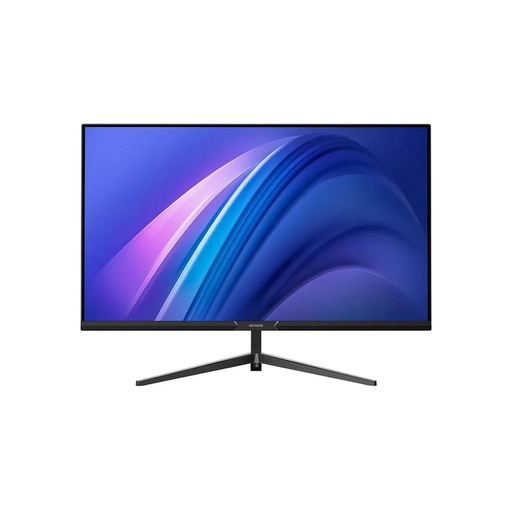
AIWA MF2425-V
Frequently asked questions
Which is the best gaming monitor in Nepal right now?
For most PC gamers, the Lenovo Legion 24-10: a 23.8-inch 1080p IPS monitor at 240Hz with FreeSync Premium, Rs 29,999 at Quality Computer on 7 November 2026. With an RTX 5070 or faster, the 27-inch 1440p Legion 27Q-10 at Rs 46,999 is the better match.
Is 144Hz enough for gaming?
Yes, for most players. Tom's Hardware measured the RTX 5060 at 88.5 fps on average at 1080p ultra, well inside what a 144Hz screen can show. Pay for 240Hz only if your main game already runs above 200 fps.
Is 240Hz worth it over 165Hz?
Only if your graphics card can feed it. In esports games running above 200 fps, 240Hz shows more of those frames. In heavy games at 80 to 120 fps, it shows the same frames a 165Hz screen would.
Can I use a gaming monitor with a PS5?
Yes, over HDMI. The PS5 outputs up to 120Hz, so a monitor that accepts 1080p or 1440p at 120Hz is all you need. VRR on PS5 needs an HDMI 2.1 VRR-compatible display, and none of the monitors we had in stock list HDMI VRR.
Should I use DisplayPort or HDMI for a gaming monitor?
Use DisplayPort on a PC, especially with an NVIDIA card, because MSI's G-SYNC Compatible guide calls for a DisplayPort connection. Use HDMI for a console. Check the HDMI version too: the Dell S3220DGF runs 165Hz over DisplayPort but 144Hz over its HDMI 2.0 ports.
What size gaming monitor should I buy?
Buy 24 inches for 1080p and 27 inches for 1440p. A 24-inch 1080p screen works out to about 92 pixels per inch and a 27-inch 1440p screen to about 109. Stretch 1080p to 27 inches and density drops to about 82 pixels per inch, so text and edges look softer.
Sources
- The GPU benchmarks hierarchy 2026, Tom's Hardware, 24 June 2026
- Legion 24-10 Monitor datasheet, Lenovo PSREF, 2025
- Legion 27Q-10 Monitor datasheet, Lenovo PSREF, 2025
- Dell S3220DGF Monitor User's Guide (Rev. A03), Dell, November 2020
- Dell S3220DGF Gaming Monitor Review: High-Performance Work and Play, Tom's Hardware, 3 January 2020
- ZOWIE XL2411K, BenQ ZOWIE, checked 7 November 2026
- VA vs. IPS vs. TN: Which Monitor Panel is Best for Gaming?, BenQ, 31 March 2025
- DisplayHDR performance tiers, VESA, checked 7 November 2026
- DisplayHDR certified products, VESA, checked 7 November 2026
- VESA Publishes DisplayPort Standard Version 1.4, VESA, 1 March 2016
- HDMI Forum Releases Version 2.1 of the HDMI Specification, HDMI Licensing Administrator, 28 November 2017
- AMD FreeSync tier specifications, AMD (amd.com/freesync), checked 7 November 2026
- AMD updates FreeSync minimum requirements, Tom's Hardware, 7 March 2024
- How to enable G-SYNC compatible function on MSI Gaming Monitor, MSI, checked 7 November 2026
- Best Monitors for PS5: 3 Essential Buying Tips for Gamers, BenQ, checked 7 November 2026
- Variable Refresh Rate support for PS5 is rolling out this week, PlayStation Blog, 25 April 2022
- New PS5 system software update is out globally today, PlayStation Blog, 7 September 2022
- PS5 system software update rolls out globally today, PlayStation Blog, 2 February 2023, updated 8 March 2023
- QC prices: qualitycomputer.com.np, 7 November 2026.