
Which Monitor to Buy? IPS vs VA, 60Hz vs 144Hz, and What Size
Updated 29 October 2026. Prices are Quality Computer’s website prices that day. Panel and refresh-rate facts are from LG, TechSpot, Plugable, HP, NVIDIA and AMD.
Short answer: For office and study, a 22- or 24-inch IPS monitor is plenty; for gaming, a 24-inch 144Hz monitor is the usual step up; and a 27-inch QHD gives more room for work if you sit close. IPS gives better colours and viewing angles, VA deeper blacks. Every monitor with today's price is on our monitor price in Nepal page.
Monitors we stock
Our website prices on 29 October 2026:
| Monitor | Size and spec | Our price |
|---|---|---|
| Intex IT-1902 | 19-inch, 60Hz | Rs 4,500 |
| Acer K202Q | 20-inch | Rs 10,500 |
| Dell E2020H | 19.5-inch | Rs 13,000 |
| UNV MW-LC22-IPS2 | 22-inch Full HD IPS, 100Hz | Rs 11,900 |
| MSI Pro MP225 | 22-inch Full HD, 100Hz | Rs 13,499 |
| ViewSonic VA2215-H | 22-inch Full HD | Rs 14,500 |
| Dell SE2225HM | 22-inch | Rs 15,900 |
| AIWA MF2425-V | 24-inch Full HD, 144Hz | Rs 18,900 |
| AIWA MD2425-V | 23.8-inch Full HD IPS, 144Hz | Rs 18,900 |
| BenQ GW2491 | 24-inch Full HD IPS | Rs 19,700 |
| MSI PRO MP251L E2 | 120Hz | Rs 20,900 |
| AIWA MF2725-V | 27-inch Full HD IPS, 120Hz | Rs 21,500 |
| Lenovo Legion 24-10 | 23.8-inch Full HD gaming | Rs 29,999 |
| MSI Pro MP275QPG | 27-inch QHD, 100Hz | Rs 40,800 |
| Lenovo Legion 27Q-10 | 27-inch QHD gaming | Rs 46,999 |
| Hikvision DS-D5028UC | 28-inch 4K UHD | Rs 64,000 |
| Dell S3220DGF | 32-inch QHD curved, 165Hz | Rs 64,999 |
Call us on 9863609150 to check availability. Looking at MSI only? See our MSI monitor price guide.
IPS, VA, TN or OLED?
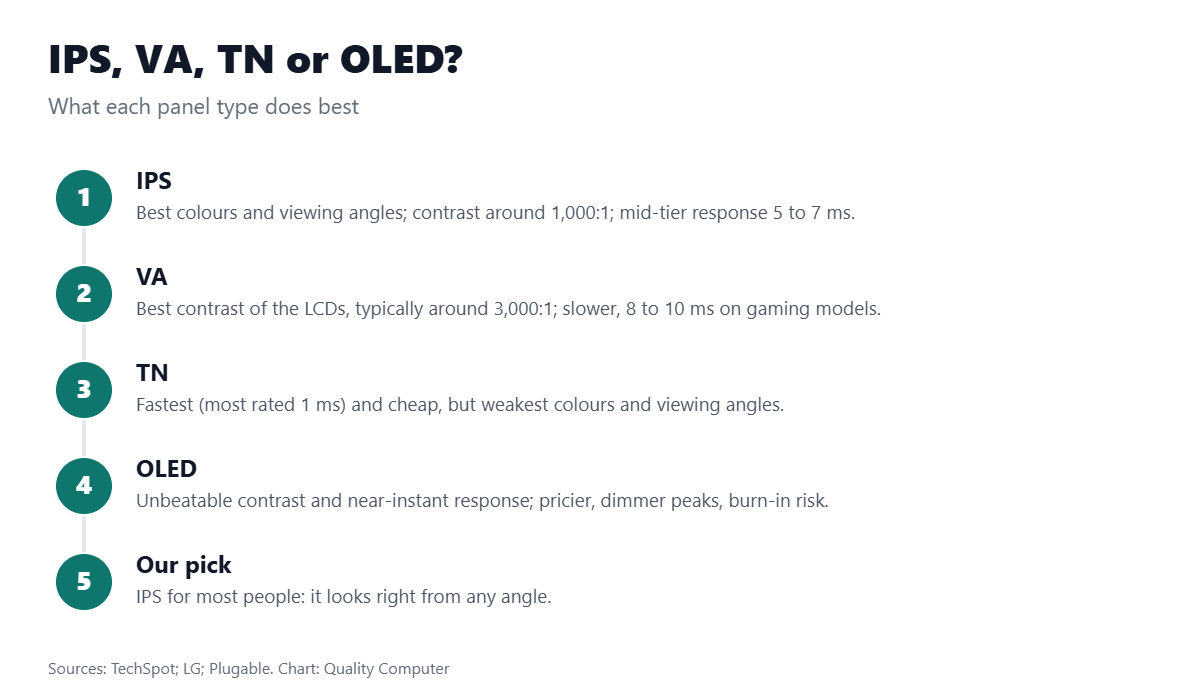
LG says IPS monitors offer the best image quality and colour, which stays right at different angles. VA panels are the best at contrast. TN panels have low input lag and fast response but reproduce colour less well and need to be viewed straight on. TechSpot puts typical contrast at about 1,000:1 for IPS and 3,000:1 for VA, and response times at around 1 ms for most TN panels, 5 to 7 ms for mid-tier IPS and 8 to 10 ms for VA gaming monitors. OLED has unbeatable contrast and near-instant response, but costs more, is dimmer at peak than LED-backlit panels and can suffer burn-in from static images.
60Hz, 100Hz or 144Hz?
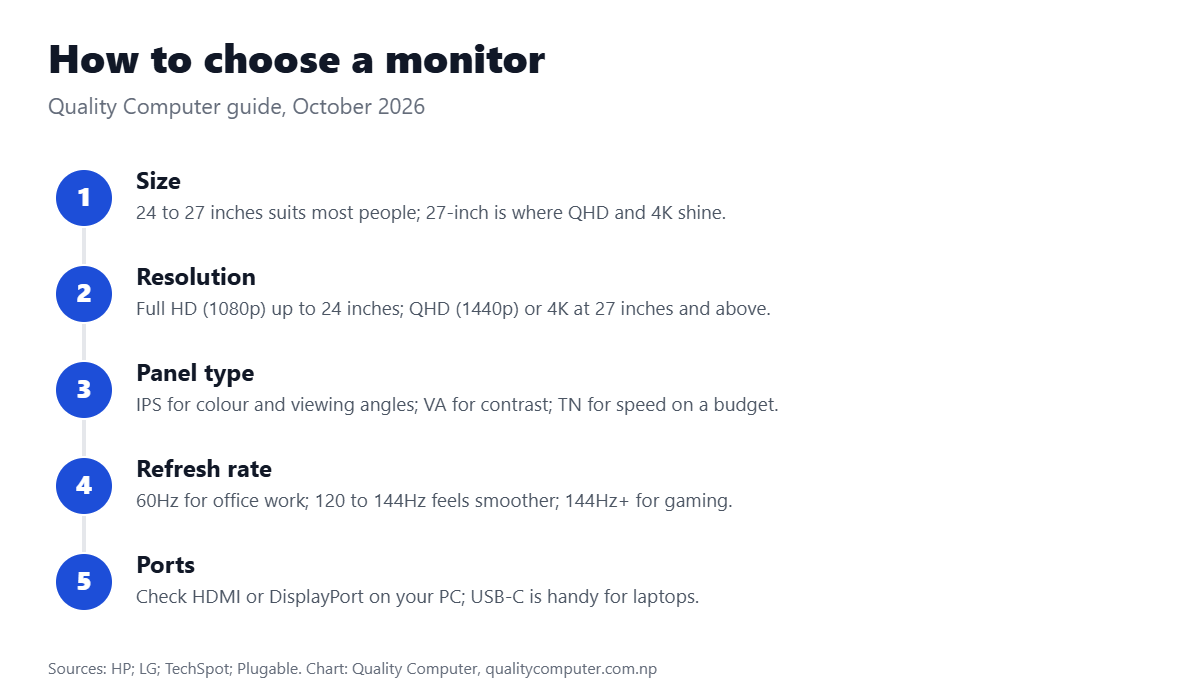
Refresh rate is how often the screen updates per second. Plugable says 60Hz is standard for office work, and 120Hz or 144Hz makes cursor movement and scrolling feel much smoother; 240Hz is usually unnecessary for office use. For gaming, HP suggests at least 144Hz and around 1 ms response time.
Gaming monitors often support adaptive sync, which matches the screen’s refresh rate to your graphics card’s frame rate to stop tearing. NVIDIA calls it G-SYNC (G-SYNC Compatible works with GTX 10-series cards and newer) and AMD calls it FreeSync; FreeSync Premium needs at least 120Hz at Full HD. Many FreeSync monitors also run in G-SYNC Compatible mode on NVIDIA cards.
Video: Monitor refresh rates explained (Techquickie)
A quick explainer on refresh rates and whether you need 144Hz.
More display guides: colour gamut explained (sRGB vs DCI-P3) and desktop computer prices.
Frequently asked questions
Where can I see today's monitor prices?
Every monitor we stock is listed with today's price on our monitor price in Nepal page.
What size monitor should I buy?
HP says 24 to 27 inches suits most users; 27-inch works well with QHD and 4K resolutions.
Is IPS better than VA?
IPS gives better colours and viewing angles; VA gives deeper contrast (about 3,000:1 vs 1,000:1 per TechSpot).
Do I need a 144Hz monitor?
For office work, 60 to 100Hz is fine. For gaming, HP suggests at least 144Hz.
Sources
- Monitor types explained, LG
- Display tech compared: TN vs VA vs IPS, TechSpot
- Monitor panel types explained, Plugable, 15 May 2026
- Monitor buying guide, HP, 24 January 2021
- Variable refresh rate (G-SYNC), NVIDIA
- AMD FreeSync technology, AMD, 3 March 2025
- FreeSync monitor glossary, Tom’s Hardware, 9 June 2022
- Monitor prices: Quality Computer website, 29 October 2026.