







PC Components Price in Nepal
PC components buying guidePC components FAQ
PC components buying guide: how to find the right part
Building or upgrading a PC starts with the processor. Pick it first, then choose the parts that fit it, roughly in the order below. Each category has its own buying guide, and you can also build your own PC on our website.
1. Processor and motherboard
The processor and the motherboard must share a socket, such as AM4 or AM5 for AMD and LGA1700 or LGA1851 for Intel. Choose the chip on processor price in Nepal, then a board that fits it on motherboard price in Nepal. Both guides explain how to match them.
2. RAM
The motherboard decides the RAM type, DDR4 or DDR5, so pick the board before the memory. See desktop RAM price in Nepal, or go straight to 8GB RAM price in Nepal, 16GB RAM price in Nepal or DDR4 3200MHz RAM price in Nepal. For an older PC, see DDR3 RAM price in Nepal.
3. Graphics card
You need one for gaming, or if your processor has no built-in graphics, like the Intel i5-9400F (Intel) or AMD Ryzen 5 5600X (AMD). See graphics card price in Nepal.
4. Power supply
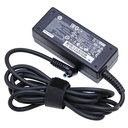
Size it from your graphics card, because the card maker lists the wattage the whole PC needs, and check it has the right cables. See power supply price in Nepal.
5. Case and cooling
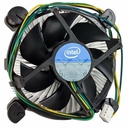
The case must take your board size, graphics card length and cooler height; see PC case price in Nepal. If your processor has no cooler in the box, or you want a cooler and quieter PC, see cooling fan price in Nepal for CPU coolers, liquid coolers and case fans.
6. Sound card
The audio built into the motherboard is fine for most people. For high-end headphones or recording, see sound card price in Nepal.
Buying from Quality Computer
Every product comes with a VAT bill. We usually deliver all over Nepal in 2 to 5 days, and delivery is free within 15 km on products over Rs 5,000. You can also visit our store on Bhadrapur Road, Birtamode, or call 023-530150 or 9863609150.
More reading: DDR4 vs DDR5 RAM · SATA vs NVMe SSD · Desktop or laptop
PC components FAQ
Which parts do I need to build a PC?
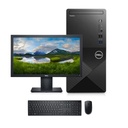
A processor, motherboard, RAM, storage such as an SSD, a power supply and a case. Add a graphics card for gaming or if the processor has no built-in graphics, and a CPU cooler if none comes in the box.
How do I know the parts will work together?
Check five things: the processor and motherboard share a socket, the RAM type matches the board, the board size fits the case, the power supply covers the graphics card, and the card and cooler fit inside the case. Each category's buying guide explains the check.
Can I upgrade my old PC instead of buying a new one?
Often, yes. More RAM, an SSD or a graphics card can give an older PC a few more years, as long as the board and power supply support them. A new processor usually means a new motherboard, and sometimes new RAM.
Do you deliver PC components outside Birtamode?
Yes. We usually deliver all over Nepal in 2 to 5 days, and delivery is free within 15 km on products over Rs 5,000.
|
|
|
|
|
|
|
|
|
|
|
|
|
|
|
|
|
|
|
|
|
|
|
|
|
|
|
|
|
|
|
|
|
|
|
|
|
|
|
|