Best Monitor or TV for PS5 and GTA 6 in Nepal (2026): 1440p, 120Hz and HDMI 2.1 Explained
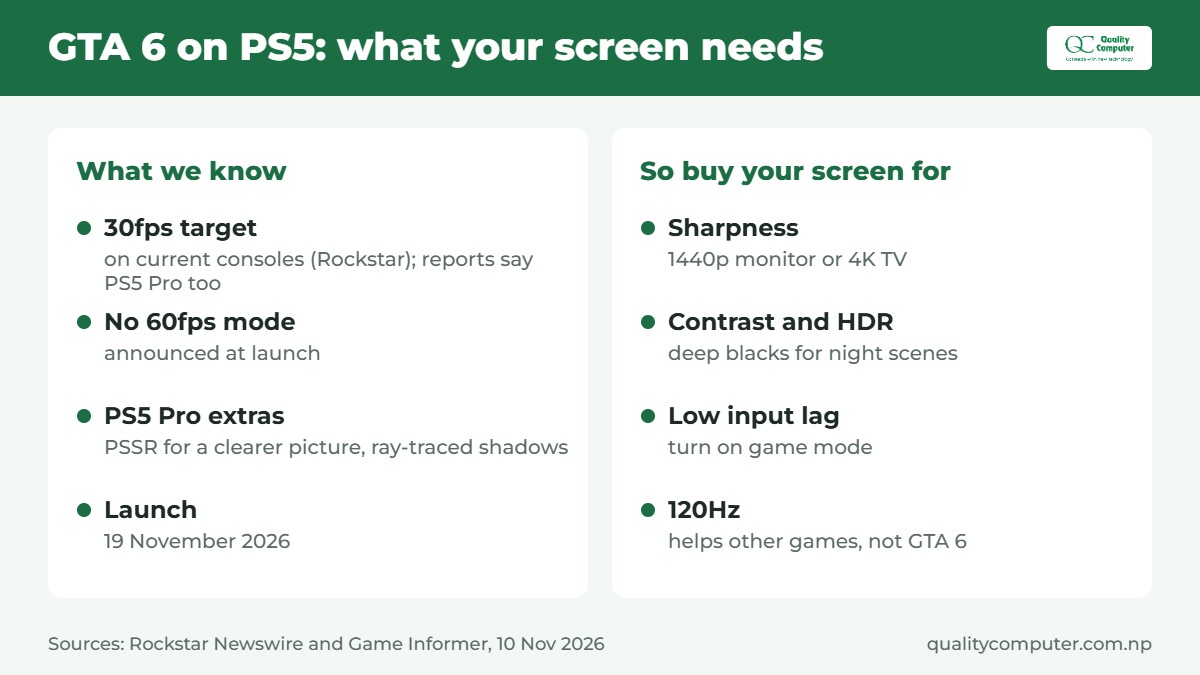
Short answer: The best monitor for PS5 is the one that matches what your games actually output. Rockstar says GTA 6 targets 30 frames per second on current consoles, and reports say that includes the PS5 Pro, so for GTA 6 a sharp, bright screen matters more than a high refresh rate. For a desk setup, a 27-inch 1440p monitor whose HDMI port carries 1440p at 120Hz or more is the sweet spot, because the PS5 can output 1440p and plenty of other games run at 60 or 120fps. For a living-room TV, look for 4K at 120Hz on an HDMI 2.1 port, and don't trust an "HDMI 2.1" sticker on its own: a monitor can be labelled HDMI 2.1 and still carry only HDMI 2.0 bandwidth.
Shop at Quality Computer
Gaming monitors for PS5 View all →
GTA 6 runs at 30fps: what that means for your screen
GTA 6 launches on 19 November 2026 on PS5 and Xbox Series X|S. In its pre-load post, Rockstar says the game was built "targeting 30 frames per second" on current consoles. The upgrades it lists for the PS5 Pro are "improved clarity through PlayStation Spectral Super Resolution (PSSR)", plus ray-traced shadows only on the Pro, not a higher frame rate. Game Informer reports 30fps on all consoles, Pro included (Rockstar Newswire, Game Informer, 10 November).
So here's the honest advice before you spend anything: a 144Hz or 240Hz monitor won't make GTA 6 smoother. A game capped at 30fps looks the same at 60Hz as at 240Hz. For GTA 6, what you'll notice is:
- Sharpness: a 1440p monitor or a 4K TV shows the detail Rockstar packed into the city. On a PS5 Pro, PSSR is meant to make the picture cleaner, which should show best on a higher-resolution screen.
- Contrast and HDR: night driving and neon look far better on a screen with deep blacks. VA panels and OLED beat basic IPS panels here.
- Input lag: turn on the TV or monitor's game mode, so the 30fps you do get feels responsive.
A high refresh rate still earns its money in other PS5 games that offer 60fps or 120fps modes, and on a PC if you ever connect one. That's why we'd still buy a 120Hz-capable screen, just not for GTA 6 alone. For the game itself, see our GTA 6 guide.
What the PS5 can output: 1080p, 1440p, 4K, 120Hz and VRR
Sony built the PS5 around HDMI 2.1. Its launch spec sheet lists an HDMI out port with "support of 4K 120Hz TVs, 8K TVs, VRR (specified by HDMI ver.2.1)" (PlayStation Blog). Here's what each mode needs from your screen.
1080p and 4K
These have worked since launch. A 1080p screen is the cheapest way to play, and 1080p at 120Hz is within reach of HDMI 2.0 monitors. BenQ, for example, lists 1920 x 1080 at 120Hz for PS5 over HDMI 2.0 on its ZOWIE XL2411K (BenQ ZOWIE).
1440p
Sony added 1440p HDMI output in a September 2022 update (PlayStation Blog). Sony's note says "1440p video output on PS5 requires a TV or PC monitor that supports 1440p/60Hz, or 1440p/60Hz and 120Hz", and you can check yours under Settings > Screen and Video > Video Output > Test 1440p Output (PlayStation Blog). This is why a 1440p monitor is the best value for a PS5 at a desk.
120Hz
120Hz only helps in games that offer a 120fps or "performance" mode, and the screen has to accept 120Hz at the resolution you choose. 4K at 120Hz is the demanding one: it needs real HDMI 2.1 bandwidth (more on that below).
VRR (variable refresh rate)
VRR matches the screen's refresh rate to the game's frame rate, which cuts tearing and stutter. Sony says it works when the PS5 is connected to "an HDMI 2.1 VRR-compatible TV or PC monitor" and the game supports it (PlayStation Blog), and since 2023 it also works at 1440p on "a VRR-compatible HDMI 2.1 display" (PlayStation Blog). Sony only lists HDMI 2.1 VRR, so FreeSync on a monitor's spec sheet isn't enough on its own.
The HDMI 2.1 trap: TMDS vs FRL
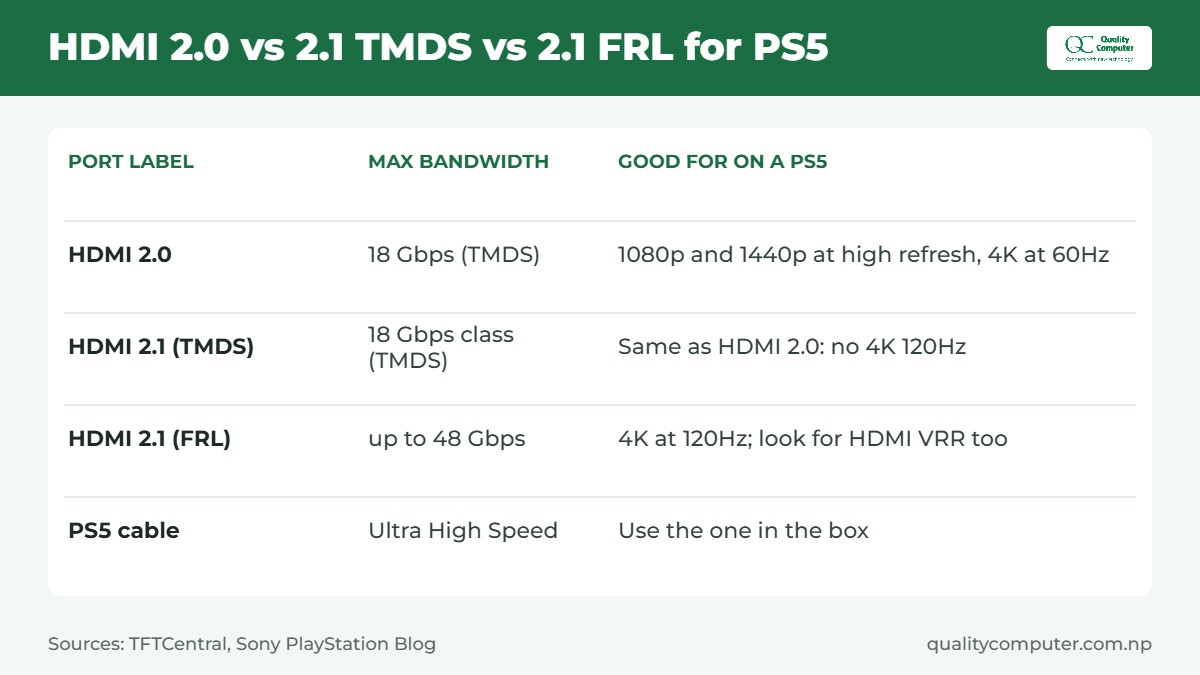
This is the mistake we see most. HDMI 2.0 tops out at 18Gbps using a signalling method called TMDS, which is enough for 4K at 60Hz but "nowhere near sufficient" for 4K at 120Hz with 10-bit colour. HDMI 2.1 adds FRL (Fixed Rate Link), which raises the ceiling to 48Gbps (TFTCentral).
The catch: a port can be labelled HDMI 2.1 and still run only TMDS. TFTCentral found exactly that, and the HDMI licensing body confirmed the new features are optional. So read the small print:
- "HDMI 2.1 (TMDS)" means HDMI 2.0-class bandwidth. Fine for 1080p and for 1440p up to about 144Hz, but not 4K at 120Hz.
- "HDMI 2.1 (FRL)", often listed as 40Gbps or 48Gbps, or "4K 120Hz over HDMI" is what you need for 4K 120Hz from a PS5.
Our Lenovo Legion monitors are a good example. Lenovo's own datasheets say the Legion 27Q-10's HDMI ports support "2560 x 1440 @ 144Hz as specified in HDMI 2.1 TMDS", and the Legion 24-10's support "1920 x 1080 @ 240Hz as specified in HDMI 2.1 TMDS" (Lenovo 27Q-10, Lenovo 24-10). That's honest, and it's plenty for a 1440p or 1080p PS5 setup, because neither monitor is 4K anyway.
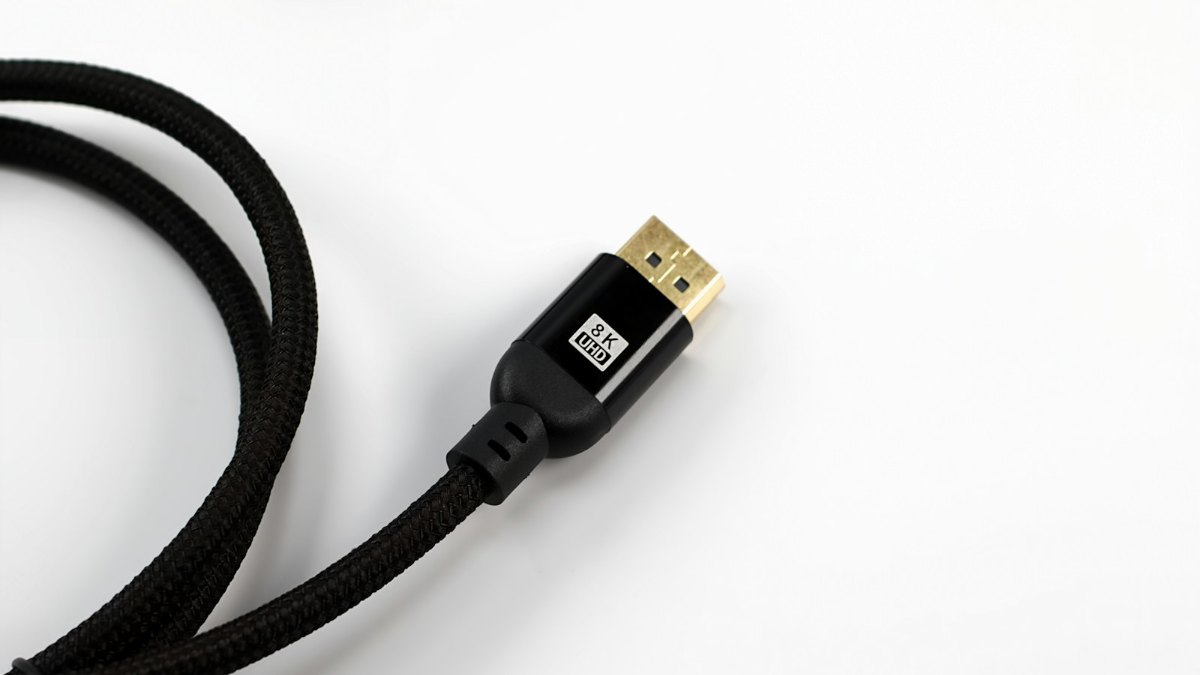
The cable matters too. The PS5 comes with an HDMI cable "compatible with Ultra High Speed defined by HDMI v2.1", and Sony recommends using it, or another Ultra High Speed HDMI cable (PS5 FAQ). For the older ports and cables in your house, see HDMI vs VGA.
Monitor or TV for PS5?
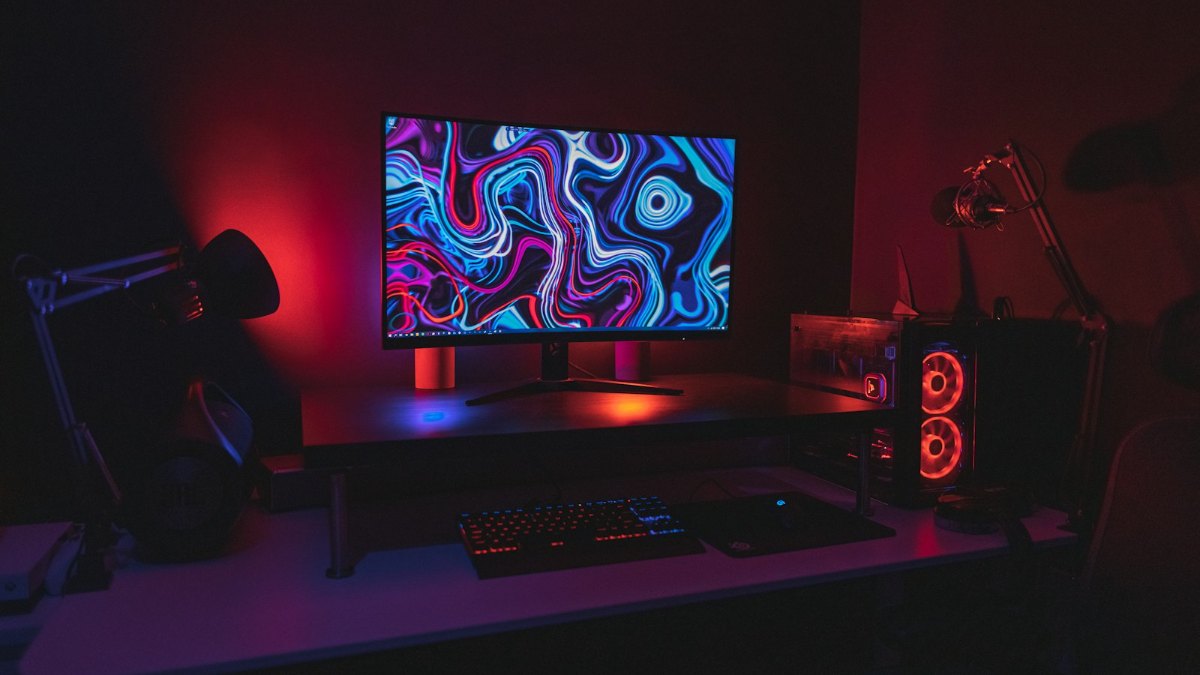
In most Nepali homes the choice comes down to where you'll sit.
- A monitor suits a desk in a bedroom or hostel room, where you sit about an arm's length away. A 24-inch 1080p or 27-inch 1440p screen looks sharp from there, costs far less than a big 4K TV, and doubles as a PC or laptop screen. Most monitors have weak built-in speakers or none, so plan for a gaming headset or a small soundbar.
- A TV suits a sofa a couple of metres away, where you need a bigger screen and 4K starts to matter. It's also the better choice if the whole family will watch on it.
Our view: if you'll play GTA 6 mostly alone at a desk, a 27-inch 1440p monitor is the best value. If the PS5 lives under the family TV, spend on a 4K TV with a real HDMI 2.1 port instead.
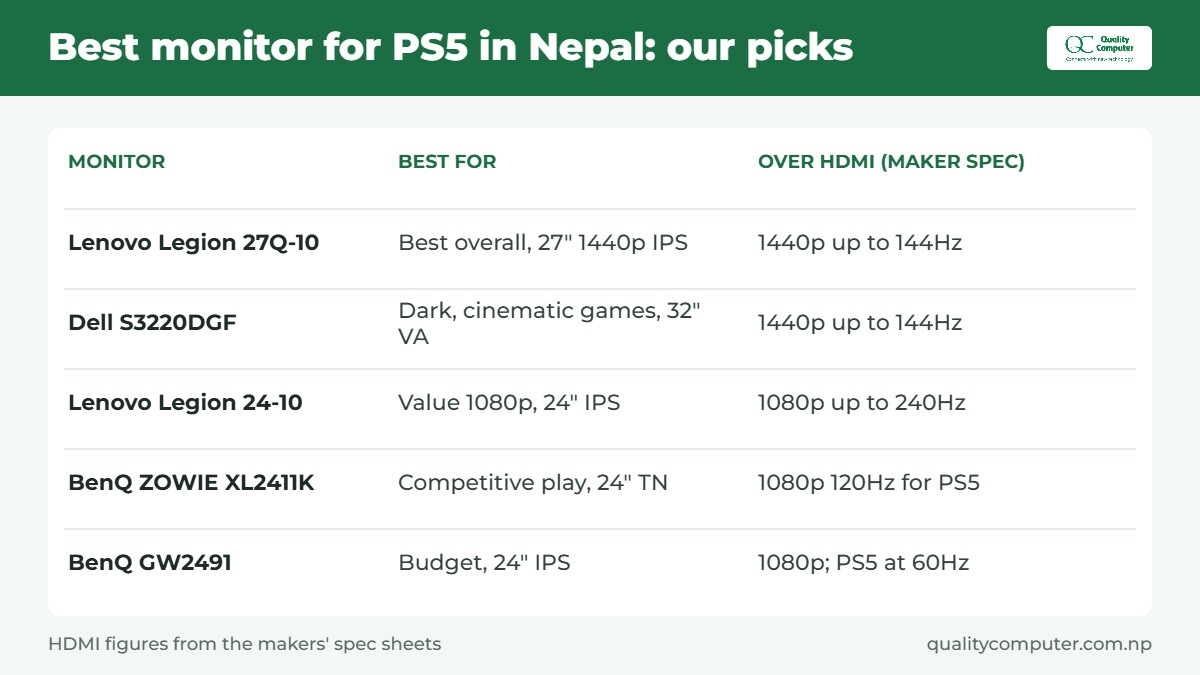
Best monitor for PS5 in Nepal: our picks
These are monitors we stock, picked for how they work with a PS5. Specs are from the makers' own pages; check our gaming monitor range for the full list.
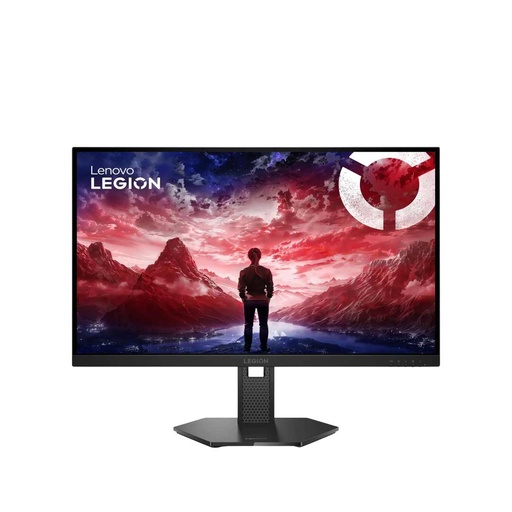
Best overall for PS5: Lenovo Legion 27Q-10
Lenovo Legion 27Q-10, 27-inch, 2560 x 1440 IPS, up to 240Hz over DisplayPort. Its two HDMI ports carry 1440p at up to 144Hz, Lenovo lists console support, and that covers the PS5's 1440p mode at 120Hz on paper, and it supports HDR10 (Lenovo). It's a sharp, fast 27-inch for both GTA 6 and 120fps games, with a stand that tilts, swivels, pivots and adjusts in height. Watch for: HDMI is TMDS, so no 4K input, and Lenovo doesn't list HDMI VRR for consoles, so don't count on VRR. Run the PS5's 1440p test once it's connected.
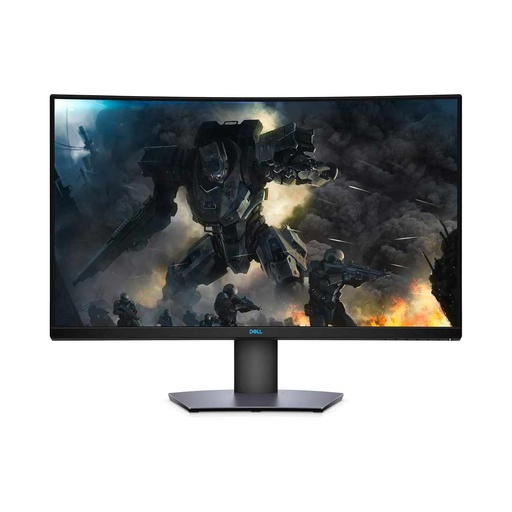
Best for GTA 6's night city: Dell S3220DGF
Dell S3220DGF, 31.5-inch curved VA, 2560 x 1440. Dell lists 1440p at 144Hz over HDMI (165Hz over DisplayPort), 3000:1 contrast and 400 nits (Dell user guide), and it carries the VESA DisplayHDR 400 badge (Tom's Hardware). A VA panel's deeper blacks suit a dark, cinematic game like GTA 6 better than most IPS screens. Watch for: its HDMI ports are HDMI 2.0, and DisplayHDR 400 is the entry level of HDR, so highlights won't pop like a good TV.
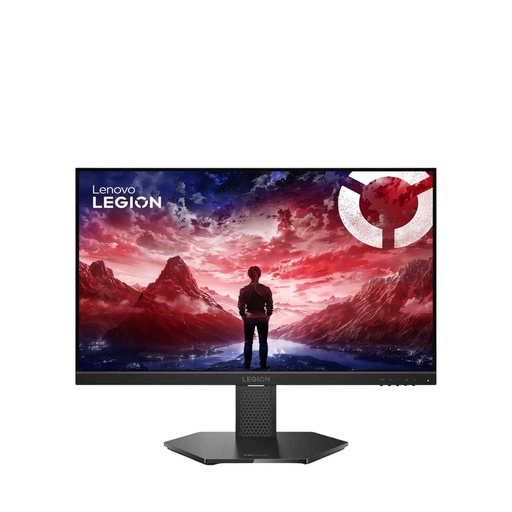
Best value 1080p: Lenovo Legion 24-10
Lenovo Legion 24-10, 23.8-inch 1080p IPS, up to 240Hz, HDR10, with HDMI rated for 1080p at 240Hz (Lenovo). On a PS5 it runs 1080p, at 120Hz in games that offer it. Good if you also play fast shooters on a PC. Watch for: 1080p looks softer than 1440p in a detailed game like GTA 6.
For competitive players: BenQ ZOWIE XL2411K
BenQ ZOWIE XL2411K, 24-inch 1080p TN, 144Hz. BenQ lists 1920 x 1080 at 120Hz for PS5 over its HDMI 2.0 port (BenQ ZOWIE), and it's built for esports, with motion-clarity tech (DyAc). Watch for: only one of its three HDMI ports is HDMI 2.0 (the other two are 1.4), so plug the PS5 into that one. TN panels also have weaker colours and viewing angles, so it's a poor pick if GTA 6 is your main game.
Budget pick: BenQ GW2491
BenQ GW2491, 23.8-inch 1080p IPS, 100Hz, with one HDMI 1.4 port and one DisplayPort (BenQ). On a PS5 expect 1080p at 60Hz, which is all GTA 6 needs at 30fps. Its 99% sRGB IPS panel and eye-care features make it a good everyday and study monitor too. Watch for: no 120Hz on a PS5.
Quick verdict
- GTA 6 targets 30fps on consoles, so for it, buy sharpness and contrast, not refresh rate.
- At a desk, a 27-inch 1440p monitor such as the Lenovo Legion 27Q-10 is the best all-round PS5 screen.
- For dark, cinematic games, a VA panel like the Dell S3220DGF gives deeper blacks.
- On a budget, any decent 1080p monitor works; 120Hz only helps in games that offer it.
- "HDMI 2.1 (TMDS)" isn't 4K 120Hz. For that, look for FRL or "4K 120Hz over HDMI".
Best TV for PS5: what to check
We don't carry 4K TVs at the moment, so here's the checklist we'd use in any shop. Ask to see the TV's spec sheet or manual, not just the box.
- 4K at 120Hz on an HDMI 2.1 port. Some TVs offer it on only some of their HDMI ports, so check the manual and plug the PS5 into the right one. Avoid TVs whose panel is only 60Hz if you want 120fps modes.
- HDMI VRR. Sony says VRR needs an "HDMI 2.1 VRR-compatible" TV or monitor (PlayStation Blog).
- A game mode with low input lag. Turn it on for the PS5's input.
- Real HDR brightness and contrast. An HDR logo on a dim TV doesn't add much. OLED and Mini-LED TVs do HDR best.
- Size for your room. Measure where you sit before you choose.
For TV prices and sizes in Nepal, see our TV price guide.
PS5 settings to change on day one
- Run the 1440p test on a 1440p monitor: Settings > Screen and Video > Video Output > Test 1440p Output.
- Check resolution and 120Hz under Settings > Screen and Video > Video Output. If 120Hz games don't run at 120Hz, the screen, the port or the cable is the limit.
- Leave VRR on (it's under Screen and Video) if your screen supports HDMI VRR.
- Adjust HDR once on a new screen: Settings > Screen and Video > Video Output > Adjust HDR.
- Turn on game mode on the monitor or TV itself.
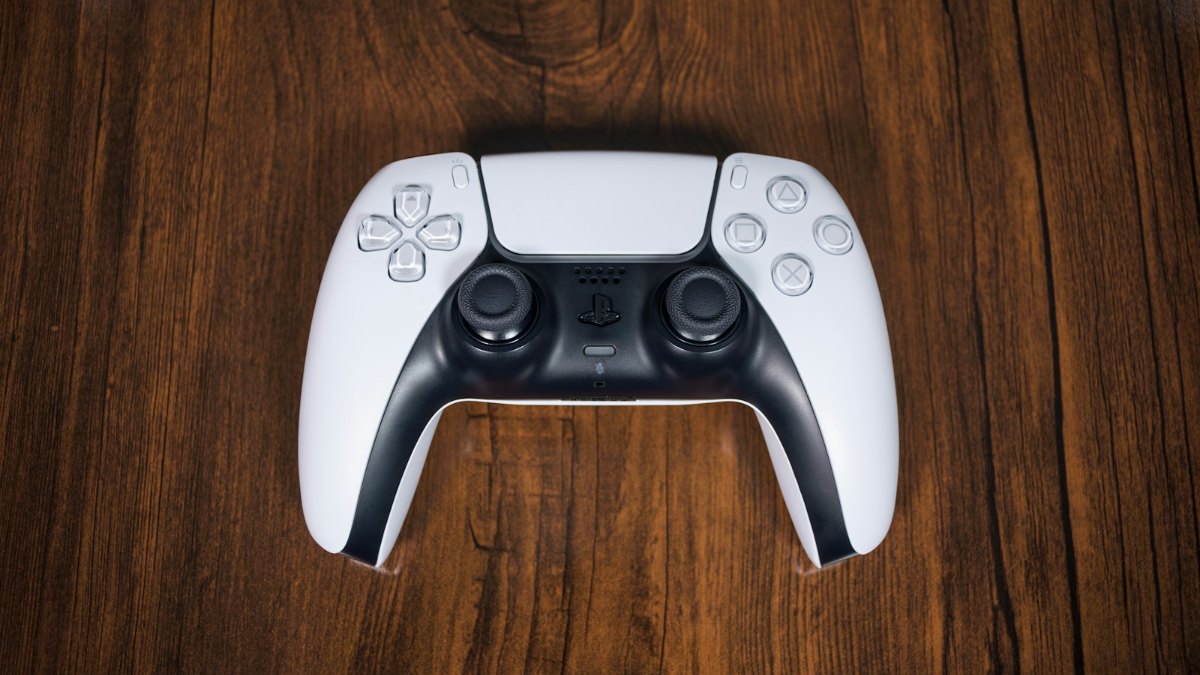
Playing GTA 6 with a headset? Our gaming headphones guide covers what works on a PS5, and our PS5 controller guide covers spare pads. Thinking of buying the console? See PS5 price in Nepal.
Gaming monitors and PS5 extras in our store
Monitors for a PS5 desk setup, plus a headset, a soundbar and a spare pad. All in stock when we checked.
| Product | What it is | Our price |
|---|---|---|
| Lenovo Legion 27Q-10 | 27" 1440p IPS gaming monitor, up to 240Hz | Rs 46,999 |
| Dell S3220DGF | 31.5" 1440p curved VA gaming monitor, up to 165Hz | Rs 64,999 |
| Lenovo Legion 24-10 | 23.8" 1080p IPS gaming monitor, up to 240Hz | Rs 29,999 |
| BenQ ZOWIE XL2411K | 24" 1080p TN esports monitor, 144Hz | Rs 28,500 |
| BenQ GW2491 | 23.8" 1080p IPS monitor, 100Hz | Rs 19,700 |
| Vartex VT24 GX120 | 24" 1080p IPS monitor, 120Hz, built-in speakers | Rs 14,900 |
| Creative Stage 2.1 | Under-monitor soundbar with subwoofer | Rs 19,999 |
| Fantech ORBIT HG25 | 7.1 virtual surround USB gaming headset | Rs 2,499 |
| Rapoo VH800 | Dual-mode wireless gaming headset | Rs 7,435 |
| Fantech EOS MINI WGP17 | Wireless mini gamepad | Rs 1,980 |
Prices checked on 17 November 2026 on our website.
In our store
Lenovo Legion 27Q-10
Dell S3220DGF
Lenovo Legion 24-10
Frequently asked questions
What is the best monitor for PS5 in Nepal?
For most players at a desk, a 27-inch 1440p monitor whose HDMI port accepts 1440p at 120Hz or more, such as the Lenovo Legion 27Q-10. On a tight budget, a 1080p monitor works fine, especially for 30fps games like GTA 6.
Does GTA 6 run at 60fps or 120fps on PS5?
No. Rockstar says GTA 6 targets 30 frames per second on current consoles, and reports say that includes the PS5 Pro. The Pro upgrades Rockstar lists are PSSR for a clearer picture and ray-traced shadows, not a higher frame rate.
Do I need a 120Hz or 144Hz monitor for GTA 6?
Not for GTA 6, because it targets 30fps. A high refresh rate helps in other PS5 games with 60fps or 120fps modes. For GTA 6, sharpness, contrast and low input lag matter more.
Does the PS5 support 1440p monitors?
Yes. Sony added 1440p HDMI output in 2022 and VRR at 1440p in 2023. Sony says the monitor must support 1440p at 60Hz, or at 60Hz and 120Hz. Check it with Test 1440p Output in the PS5's Video Output settings.
Do I need HDMI 2.1 for PS5?
Only for 4K at 120Hz, and Sony ties VRR to HDMI 2.1 VRR-compatible screens. For 1080p or 1440p, HDMI 2.0-class bandwidth is enough. Beware that some ports labelled HDMI 2.1 run only TMDS, which is HDMI 2.0 bandwidth.
Is a TV or a monitor better for PS5?
A monitor is better at a desk: it's sharper up close, cheaper and doubles as a PC screen. A 4K TV with HDMI 2.1 is better for a sofa a couple of metres away or for family viewing.
Which HDMI cable should I use for PS5?
The one in the box. Sony says it's compatible with Ultra High Speed as defined by HDMI 2.1, and recommends it, or any Ultra High Speed HDMI cable.
Sources
- Pre-load Grand Theft Auto VI now, Rockstar Newswire, November 2026
- Grand Theft Auto VI will run at 30 FPS on all consoles, Game Informer, 10 Nov 2026
- PlayStation 5 launches in November, PlayStation Blog, 16 Sep 2020
- PS5: The Ultimate FAQ, PlayStation Blog, 9 Nov 2020
- Variable Refresh Rate support for PS5 is rolling out this week, PlayStation Blog, 25 Apr 2022
- New PS5 system software update is out globally today, PlayStation Blog, 7 Sep 2022
- PS5 system software update rolls out globally today, PlayStation Blog, 2 Feb 2023 (updated 8 Mar 2023)
- When HDMI 2.1 isn't HDMI 2.1, TFTCentral
- Legion 27Q-10 datasheet and Legion 24-10 datasheet, Lenovo PSREF
- Dell S3220DGF user's guide, Dell
- Dell S3220DGF review, Tom's Hardware
- ZOWIE XL2411K, BenQ
- GW2491 specifications, BenQ