PS5 Controller Guide: DualSense, Edge, PC and Phone Gamepads (2026)
Short answer: Sony doesn't publish a PS5 controller price for Nepal, and its India site shows none either. Its own stores list the standard DualSense at $74.00 in the US and £64.99 in the UK, and the DualSense Edge at $199.00 and £199.99 (checked 13 November 2026); shop prices in Nepal vary with import costs. For PS5 games you need a DualSense, a DualSense Edge or a controller officially licensed for PS5, because Sony says a PS4 DualShock 4 works only with supported PS4 games. On a PC or phone, a DualSense or Xbox controller connects by USB or Bluetooth, but some features need a cable or game support.
Shop at Quality Computer
PC and phone gamepads View all →
PS5 controller price in Nepal: what Sony lists
Sony doesn't publish a Nepali rupee price for its controllers. Its India site doesn't show one either: the DualSense page on PlayStation India has a Buy now button but no price. The closest official figures come from Sony's own stores in the US and the UK.
| Sony store | DualSense (standard colours) | DualSense Edge |
|---|---|---|
| PlayStation Direct US | $74.00 | $199.00 |
| PlayStation Direct UK | £64.99 | £199.99 |
| PlayStation India site | No price shown | No price shown |
Some colours cost more. In the UK, the Chroma colours, Sterling Silver, Cobalt Blue and Volcanic Red are £69.99, and limited editions and some special colours £74.99. In the US, Sterling Silver is $79.00. These are Sony's own list prices, checked on 13 November 2026, before shipping, customs or a shop's margin.
In Nepal, the price depends on how the controller was imported and who sells it, so it varies from shop to shop. Ask whether the price comes with a bill and a warranty. One detail catches people out: Sony's DualSense page says "Cable not included" for a controller bought on its own. You charge it with the USB cable that came with your PS5. For console prices, see our PS5 price in Nepal guide.
DualSense vs DualSense Edge
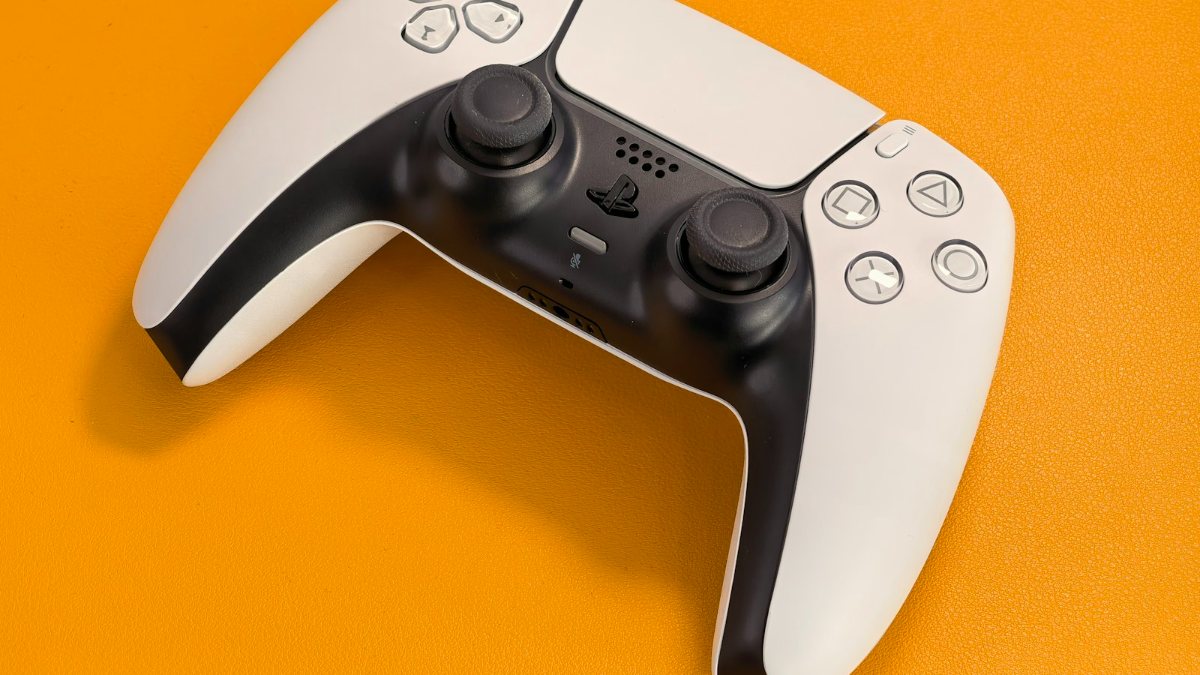
The DualSense is the standard PS5 controller. What Sony says it does:
- Haptic feedback: "dual actuators which replace traditional rumble motors". It can simulate anything from your surroundings to the recoil of different weapons.
- Adaptive triggers: L2 and R2 push back with "varying levels of force and tension", like pulling a tight bowstring or braking a fast car.
- A built-in microphone for chat, a built-in rechargeable battery and a USB-C port.
Both headline features only work "when supported by game", and on a PC they may need a USB cable.
The DualSense Edge controller (often searched as the PS5 Edge controller) keeps all of that and adds parts for people who tune their controls. Sony says it was "made with input from developers and pro players".
- Two sets of back buttons, half dome and lever, that you can map to other buttons.
- Trigger stops: the L2 and R2 stop sliders set a long, medium or shallow stroke. Sony notes that at medium or shallow, the trigger effect doesn't work (PlayStation Support).
- Replaceable stick modules: if a stick stops working properly, you swap in a new module, sold separately, instead of replacing the controller (Sony's steps). Sony's US store lists the module at $19.00.
- Profiles that save button assignments, stick sensitivity, dead zones and vibration. You switch between them by holding Fn and pressing a face button (PlayStation Support).
- In the box: a braided USB cable with a housing that locks it in place, extra stick caps, both sets of back buttons and a carry case you can charge it in.
Is the Edge worth it? Only if you'll use those extras. In Sony's US store it costs $199.00, against $74.00 for the DualSense. Sony's product pages don't give battery life for either controller.
Looking for a PS5 Pro controller? There isn't a separate one. Sony's PS5 Pro page says the console "uses the DualSense wireless controller" and is compatible with others "such as the DualSense Edge".
Which controllers work on a PS5
Before you buy any PlayStation 5 controller not made by Sony, read Sony's backward compatibility page:
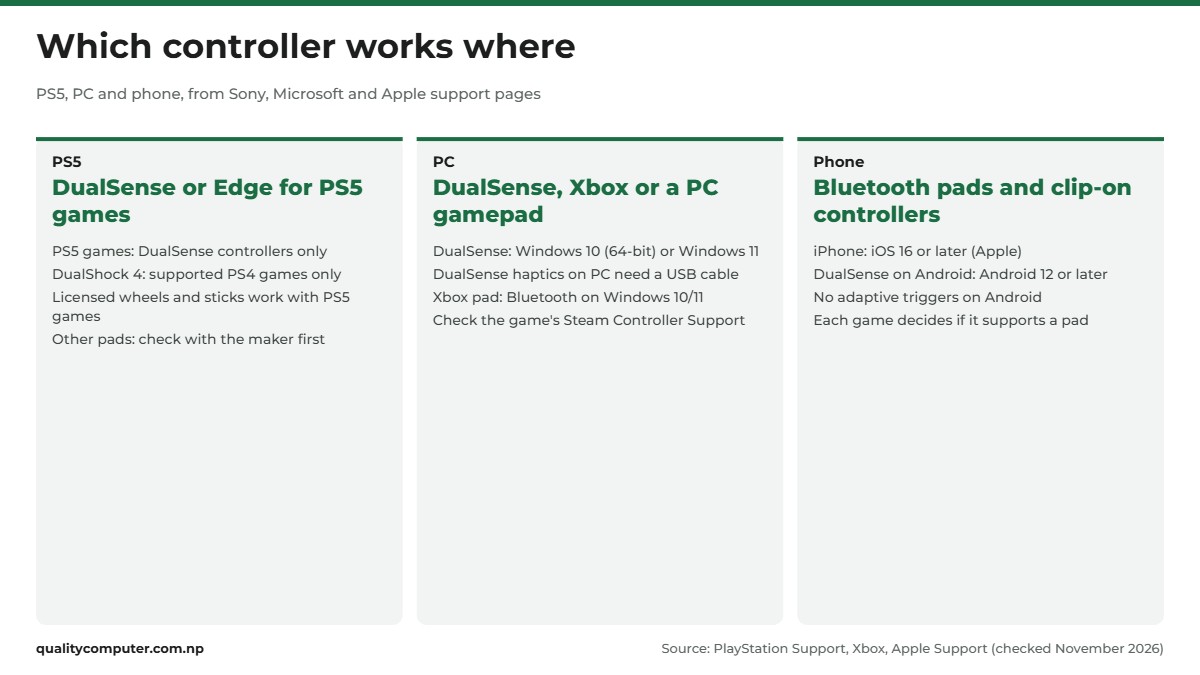
- "PS5 games can only be played with DualSense wireless controllers." The DualSense Edge counts; Sony badges it as PS5 compatible.
- A DualShock 4 (the PS4 controller) and officially licensed third-party gamepads work on a PS5 with supported PS4 games.
- Officially licensed racing wheels, arcade sticks and flight sticks work with PS5 games and supported PS4 games.
- "Not all PlayStation officially licensed or third-party controllers may work on PS5." Sony recommends checking with the maker.
Sony's own shop is less strict than that first line. Its accessories page lists a few officially licensed controllers from other brands, such as the Nacon Revolution 5 Pro and the Victrix Pro BFG Reloaded, as "PS5 and PS4 compatible", and its US store sells them. So the safe rule for PS5 games: buy a DualSense, a DualSense Edge, or a pad whose maker says it is officially licensed for PS5, and check it works with the games you play.
A cheap pad sold as "for PS4" is at best a PS4-games controller on a PS5, and Sony says not even every licensed pad is sure to work. If you already own a DualShock 4, keep it: it's still useful for PS4 games, and Sony recommends it for PS VR on PS5.
Controllers for PC: wired, Bluetooth or 2.4 GHz
On a PC, what matters is how the pad connects and which input standard your games expect.
Three ways to connect
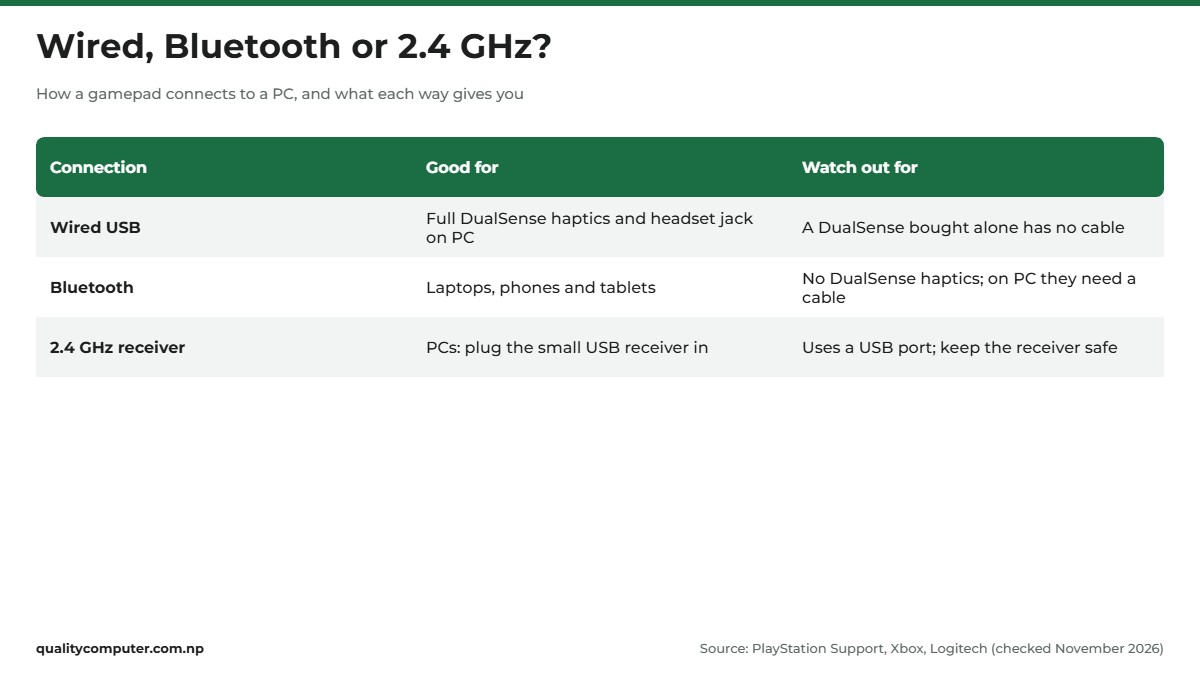
Wired (USB) is the simplest and gives the most features. Sony says the DualSense's haptic feedback "requires a USB connection on PC", and its headset jack needs a wired connection to a PC or Mac (PlayStation Support).
Bluetooth suits laptops. To pair a DualSense, unplug its cable and make sure the player indicator is off, hold the Create button, then press and hold the PS button until the light bar blinks, and choose it in your PC's Bluetooth list. Sony supports Windows 10 (64-bit) and Windows 11. To use it on your PS5 again, plug it into the console with a USB cable and press the PS button. Microsoft's Xbox Wireless Controller also connects to Windows 10/11 PCs over Bluetooth.
2.4 GHz wireless uses a small USB receiver that plugs into the PC. Logitech, for example, describes its F710 as using "2.4 GHz wireless via USB nano receiver" (Logitech). It takes up a USB port, so check the box for which systems it supports.
XInput and DirectInput, simply
Windows games read gamepads through one of two standards. XInput is Microsoft's controller standard. It expects two sticks, two analogue triggers, a D-pad and eight buttons, and handles up to four controllers at once (Microsoft Learn). DirectInput is the older standard; Microsoft now calls these "legacy DirectInput devices".
Why it matters: Microsoft says a game that supports only XInput "will not work with legacy DirectInput devices" (Microsoft). Logitech calls XInput and DirectInput "the two most common input standards", and some pads, like that F710, support both. If a game ignores your pad, check its manual for a mode switch.
Using a DualSense or Xbox controller on PC
Both work, but games differ. Sony warns that controller support "may vary depending on the game", and points you to the game's Steam store page, which shows "Full Controller Support" or "Partial Controller Support". Steam can bridge the gap: Valve's documentation says that when Steam is sending the gamepad input, it "will appear in your game as regular Xbox controller input" (Steamworks). In the Steam desktop app, open Steam, Settings, Controller, and tick support for your controller type (Valve). Update a DualSense on Windows with Sony's PlayStation Accessories app.
The Xbox controller runs on AA batteries. Microsoft quotes up to 40 hours and says battery life "varies significantly" with headsets and use. Its button-mapping app for Windows needs a USB-C cable, sold separately.
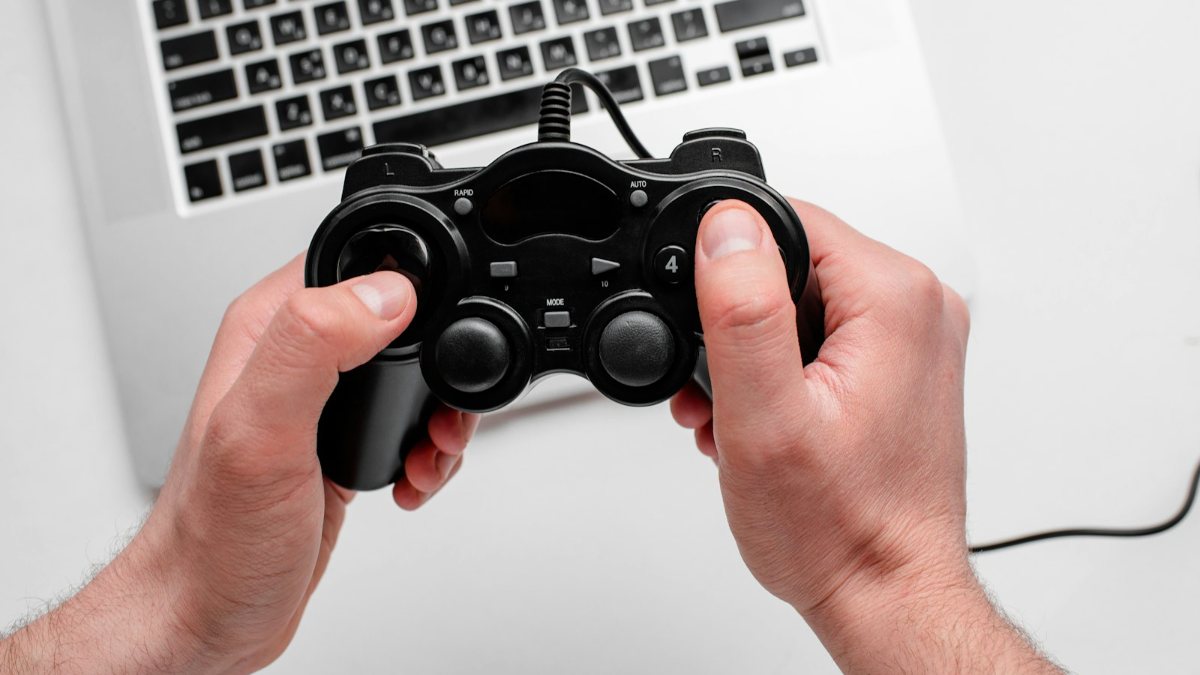
For simple PC or phone gaming, a budget gamepad can be enough. Browse PC and phone gamepads and match the connection to your device.
Game controllers for Android and iPhone
A Bluetooth controller makes a phone feel like a small console, but only in games that support one.
iPhone
Apple lists the PlayStation controllers it supports: the DualSense, DualSense Edge, DualShock 4 and Access controller (Apple Support). On the Xbox side, it lists the Xbox Wireless Controller with Bluetooth (Model 1708), the Series S and Series X controllers, the Elite Series 2 and the Adaptive Controller (Apple Support). Apple's controller guide asks for iOS 16 or later, and Sony lists iOS 16.4 or later for the DualSense Edge.
- For a DualSense, press and hold PS and Create until the light bar flashes. For an Xbox controller, turn it on, then press and hold the Connect button for a few seconds.
- Open Bluetooth settings on the iPhone and tap the controller.
- To change the button layout, open Settings, General, Game Controller.
Android
Sony supports the DualSense on Android 12 or later. Pair it like any Bluetooth device: swipe down from the top, touch and hold Bluetooth, tap Pair new device and tap the controller. Google notes that "some of these steps work only on Android 15 and up" (Android Help).
According to Sony, adaptive triggers don't work on Android, and haptic feedback, the built-in mic and speaker, and the headset jack don't work on mobile devices.
Whether a pad works in a game is up to the game's maker. Google's developer guide tells developers what their game must handle to stay compatible with common controllers. Check the game's own settings or help page before you buy a pad for one game. Choosing the phone first? See our best gaming phone in Nepal list.
Clip-on and telescopic controllers
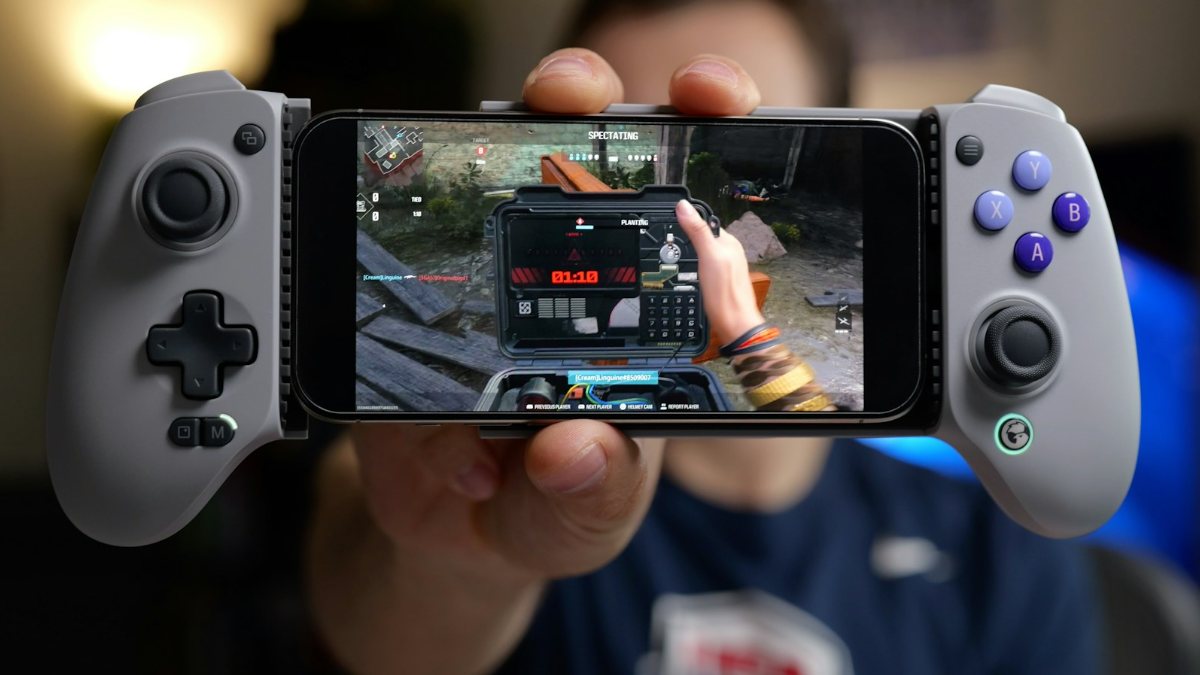
These hold the phone between two grips, like a handheld console. Some plug into the phone's port instead of using Bluetooth. Backbone, for one, says its Backbone One "requires no charging" (Backbone). The PS5 Backbone people search for is the Backbone One PlayStation Edition. Sony's Remote Play page lists it as compatible with iPhones on iOS 15 or later and Android 10 or later. Check any clip-on pad fits your phone's size and port (USB-C or Lightning).
Play your PS5 on your phone
With PS Remote Play, you can stream games from your PS5 at home to your phone and play with a DualSense. You need the free Remote Play app, a PS4 or PS5, and broadband of at least 5Mbps (15Mbps recommended).
What to check before you buy a controller in Nepal
Run through these in the shop.
- The label. For PS5 games, it must be a DualSense, a DualSense Edge or a pad officially licensed for PS5. "PS4" on the box means supported PS4 games at most on a PS5. For a PC or phone, look for Windows, Android or iOS.
- The connection. USB cable, Bluetooth or a 2.4 GHz USB receiver. For a phone, Bluetooth or a clip-on pad that fits its port is easiest.
- The power. A DualSense has a built-in rechargeable battery. An Xbox controller uses AA batteries.
- What's in the box. A DualSense bought on its own has no cable. The Edge comes with a braided cable and a case.
- The warranty. Sony's US accessory warranty "is valid only in the United States and Canada", and it excludes consumables such as batteries. For a controller bought in Nepal, the warranty is whatever the shop or importer gives you. Get it written on the bill.
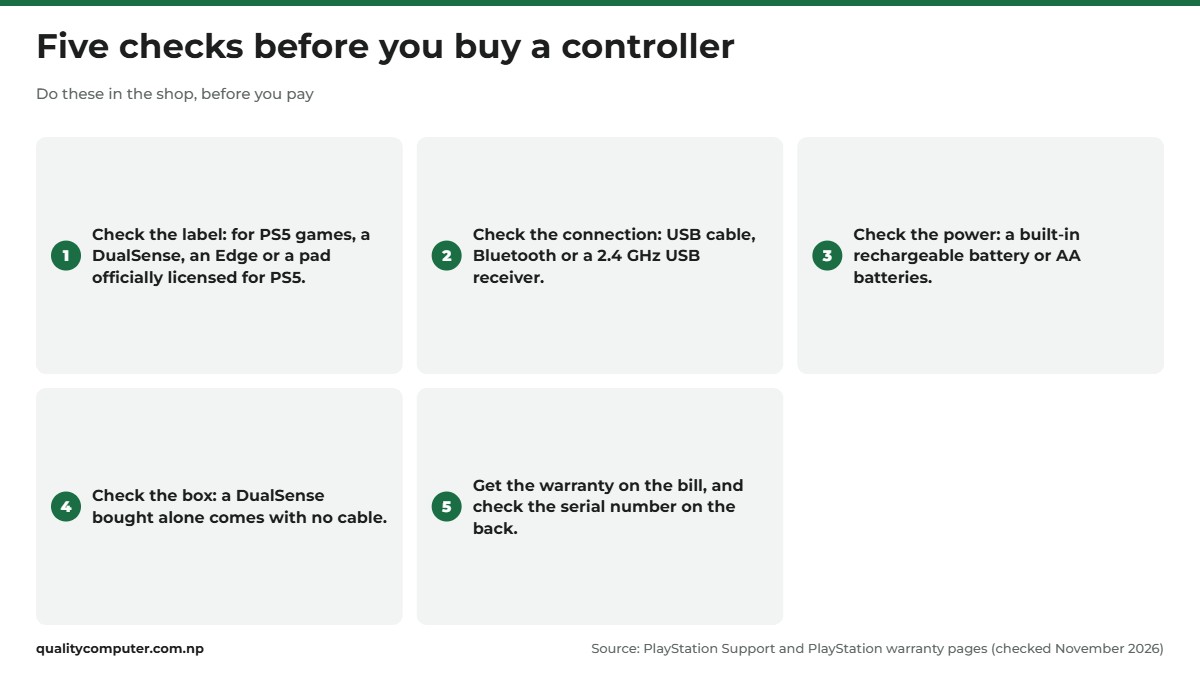
Before you pay for a DualSense, look at the serial number. It's printed on the back, below a QR code, and scanning the QR code shows it (PlayStation Support). On a PS5, you can also see it under Settings, Accessories, General, Advanced Settings, View Serial Number, so you can check the two match. A matching serial is a good sign, not proof that a controller is genuine. Ask the shop to pair the controller with a PS5 or a phone, and test the sticks, triggers and buttons before you pay. If a "new" DualSense costs far less than in other shops, ask why.
GTA 6 on 19 November: which controller you need
Rockstar's official GTA VI site says the game is "Coming November 19, 2026" to PlayStation 5 and Xbox Series X|S, and lists no PC version. On a PS5, the safe choice is a DualSense or a DualSense Edge, since Sony says PS5 games can only be played with DualSense controllers.
Sony's UK store is taking pre-orders for Grand Theft Auto VI Black and White Limited Edition DualSense controllers at £74.99, the same as its other limited editions. If you're planning for launch day, our GTA 6 release date guide has the latest.

Quick verdict
- For PS5 games, buy a DualSense, a DualSense Edge or a pad officially licensed for PS5.
- A PS4 DualShock 4 works on a PS5 only with supported PS4 games.
- Sony lists the DualSense at $74.00 (US) and £64.99 (UK). There is no official Nepal price.
- The Edge adds back buttons, trigger stops and replaceable sticks, for $199.00 in the US.
- On PC, use a USB cable for full DualSense features. On phones, check the game supports controllers.
- Get the warranty on the bill: Sony's US warranty is valid only in the US and Canada.
PC and phone gamepads in our store
If you play on a PC or a phone, a gamepad with a USB receiver or Bluetooth may be all you need. Check the box for the systems it supports before you buy.
| Product | What it is | Our price |
|---|---|---|
| Fantech WGP16D Nova II wireless gamepad | Wireless multi-platform gamepad | Rs 8,999 |
| Rapoo V600S 2.4G wireless gamepad | 2.4 GHz wireless gamepad with vibration | Rs 5,599 |
| Rapoo V600 wired vibration gamepad | Wired gamepad with vibration | Rs 3,750 |
| Fantech GP12 Revolver wired controller | Wired gaming controller | Rs 2,250 |
| Fantech EOS Mini WGP17 wireless gamepad | Wireless mini gamepad | Rs 1,980 |
Prices checked on 14 November 2026 on our website.
In our store
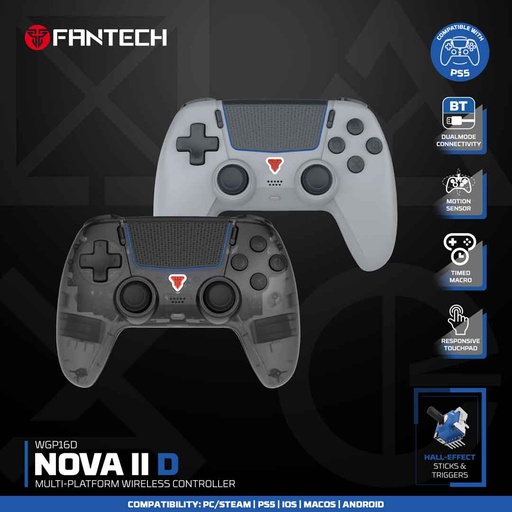
Fantech NOVA II D
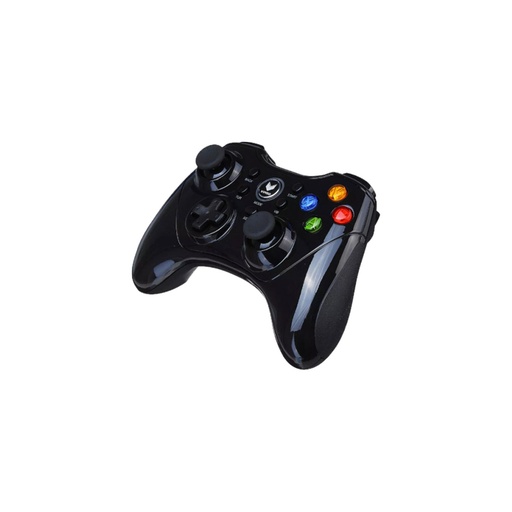
Rapoo V600S
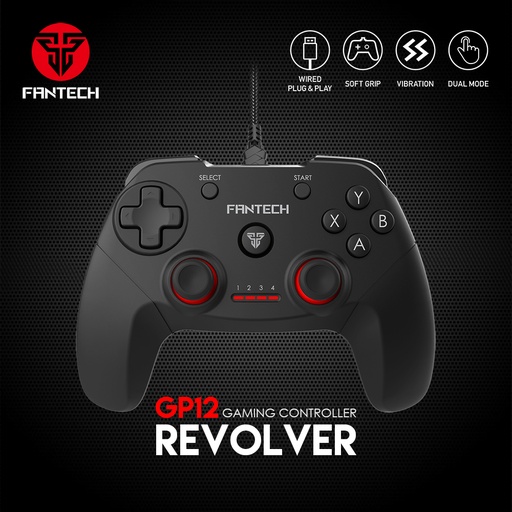
Fantech GP12 Revolver
Frequently asked questions
What is the PS5 controller price in Nepal?
Sony doesn't publish an official PS5 controller price for Nepal. Its own stores list the standard DualSense at $74.00 in the US and £64.99 in the UK (checked 13 November 2026). Shop prices in Nepal vary with import costs, so compare a few shops and ask for a bill with warranty.
Can I use a PS4 controller on PS5?
Yes, but only for supported PS4 games. Sony says the DualShock 4 works on a PS5 with supported PS4 games, while PS5 games can only be played with DualSense controllers.
Is the DualSense Edge worth it?
Only if you will use its extras: two sets of back buttons, trigger stops, replaceable stick modules and profiles stored on the controller. Sony's US store lists it at $199.00, against $74.00 for the standard DualSense.
Is there a PS5 Pro controller?
There is no separate controller for the PS5 Pro. Sony says the PS5 Pro uses the DualSense wireless controller and is compatible with other controllers such as the DualSense Edge.
Does a PS5 controller work on PC?
Yes. Sony supports the DualSense on Windows 10 (64-bit) and Windows 11 over USB or Bluetooth. Haptic feedback needs a USB connection on PC, and controller support depends on each game.
Can I connect a PS5 controller to my phone?
Yes. Apple supports the DualSense on iPhones running iOS 16 or later, and Sony supports it on Android 12 or later. Adaptive triggers don't work on Android, haptic feedback doesn't work on mobile devices, and each game decides whether it supports a controller.
What is the PS5 Backbone controller?
It is the Backbone One PlayStation Edition, a controller you snap your phone into. Sony's Remote Play page lists it as compatible with iPhones on iOS 15 or later and Android phones on Android 10 or later.
Sources
- DualSense Wireless Controller, PlayStation Direct US (Sony), checked 13 Nov 2026
- DualSense Edge Wireless Controller, PlayStation Direct US (Sony), checked 13 Nov 2026
- DualSense Wireless Controller: buy now, PlayStation Direct UK (Sony), checked 13 Nov 2026
- DualSense Edge Wireless Controller: buy now, PlayStation Direct UK (Sony), checked 13 Nov 2026
- DualSense wireless controller, PlayStation India (Sony)
- Backward compatibility: PS4 games playable on PS5 consoles, PlayStation Support
- How to use DualSense wireless controllers with PC, Mac and mobile devices, PlayStation Support
- How to personalize your DualSense Edge wireless controller, PlayStation Support
- How to set profiles for your DualSense Edge wireless controller on PS5 consoles, PlayStation Support
- How to replace a stick module on your DualSense Edge wireless controller, PlayStation Support
- How to use DualSense Edge wireless controllers with Windows, Mac, Android, and iOS, PlayStation Support
- PS5 Pro, PlayStation (Sony)
- Accessories, PlayStation (Sony)
- PS Remote Play, PlayStation (Sony)
- How to find DualSense wireless controller serial and model numbers, PlayStation Support
- Limited warranty (accessories), PlayStation (US)
- Steam Input: Getting Started for Developers, Valve, Steamworks Documentation
- Steam Input: Getting Started for Players, Valve, Steamworks Documentation
- Comparison of XInput and DirectInput features, Microsoft Learn, updated 14 Jul 2025
- Getting Started With XInput in Windows applications, Microsoft Learn, updated 14 Jul 2025
- Xbox Wireless Controller, Xbox (Microsoft)
- Connect a wireless game controller to your Apple device, Apple Support
- Connect a PlayStation wireless game controller to your Apple device, Apple Support
- Connect an Xbox wireless game controller to your Apple device, Apple Support
- Find & set up Bluetooth devices near your Android device, Android Help (Google)
- Handle controller actions, Android Developers (Google)
- F710 Wireless Gamepad, Logitech G
- Backbone One, Backbone
- Grand Theft Auto VI, Rockstar Games, checked 13 Nov 2026