Best Gaming Headphones in Nepal (2026): How to Choose, With Picks
Short answer: The best gaming headphones in Nepal for you are the ones that connect properly to what you play on. For a PS5 controller or a phone with a jack, choose a wired headset with one 3.5 mm plug; for a PC, a USB headset is the usual way to get virtual 7.1 and RGB lighting. For wireless gaming, pick 2.4 GHz with a USB dongle, because classic Bluetooth audio lags too much for fast games. Then check the weight, the mic and the platforms the maker lists.
Shop at Quality Computer
Gaming headsets, keyboards and mice View all →
How to choose the best gaming headphones in Nepal
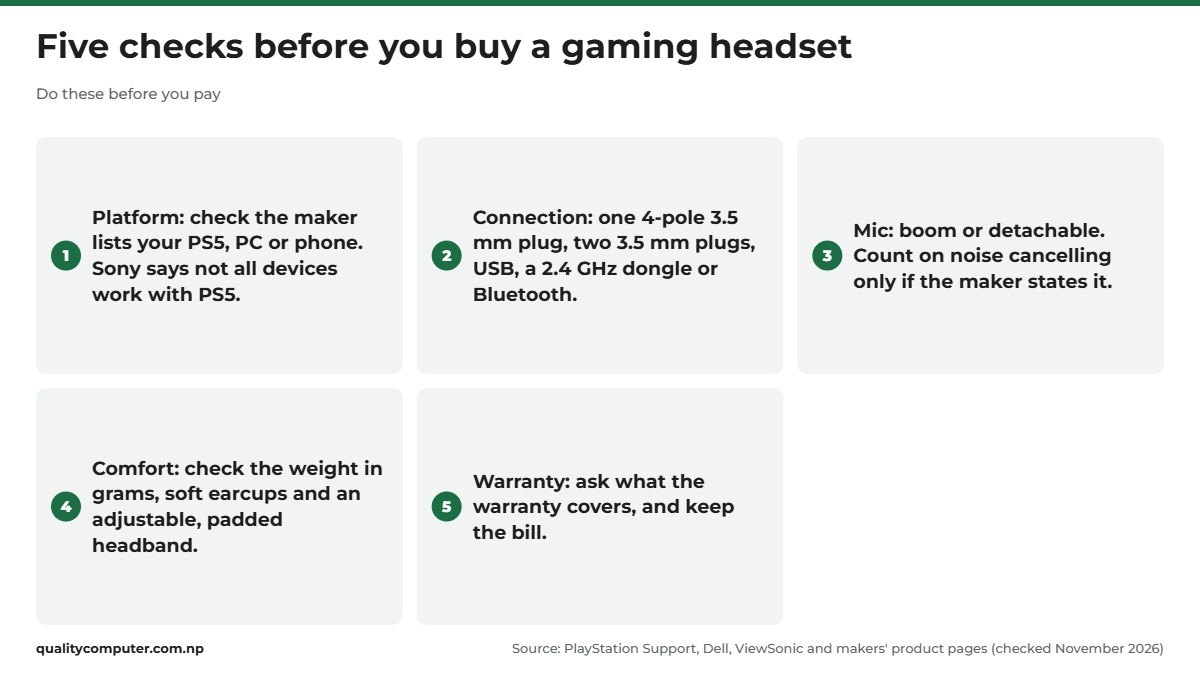
Which headset suits you depends first on what you play on, not on what the box promises. Choose in this order:
- Your platform: PS5, desktop PC, laptop or phone.
- The connection: a 3.5 mm plug, USB, a 2.4 GHz wireless dongle or Bluetooth.
- Comfort and the mic: weight, earcups, and whether the mic detaches.
- Extras: virtual surround and RGB lighting come last, because they depend on the connection.
For everyday wireless, noise-cancelling or office headphones, read our headphones buying guide instead.
Wired vs wireless: 3.5 mm, USB, 2.4 GHz or Bluetooth
3.5 mm jack. The plug that laptops, the PS5 controller and phones with a headphone jack take. A single plug with three rings (a 4-pole or TRRS plug) carries both sound and mic, as Dell explains for laptop combo jacks. Some headsets have two 3.5 mm plugs instead, one for sound and one for the mic.
USB. Plugs into a PC or a PS5. On many headsets the USB plug also powers the lights and the surround effect: Logitech's G635 manual lists 7.1 among the "features that require USB power".
2.4 GHz wireless. The headset talks to a small USB dongle. Makers sell this as the gaming option: Armaggeddon says "Low-Latency" and Rapoo says "Lag-free", though neither gives a figure.
Bluetooth. The easiest way to pair with a phone, but not ideal for games. An article on the Bluetooth SIG's own blog explains that buffering makes classic Bluetooth audio "unsuitable for interactive usages such as video games". The newer LE Audio shortens the delay, but both ends must support it: Microsoft says LE Audio "needs to be supported on both the Windows device and the headset or earbuds" (Microsoft Support).
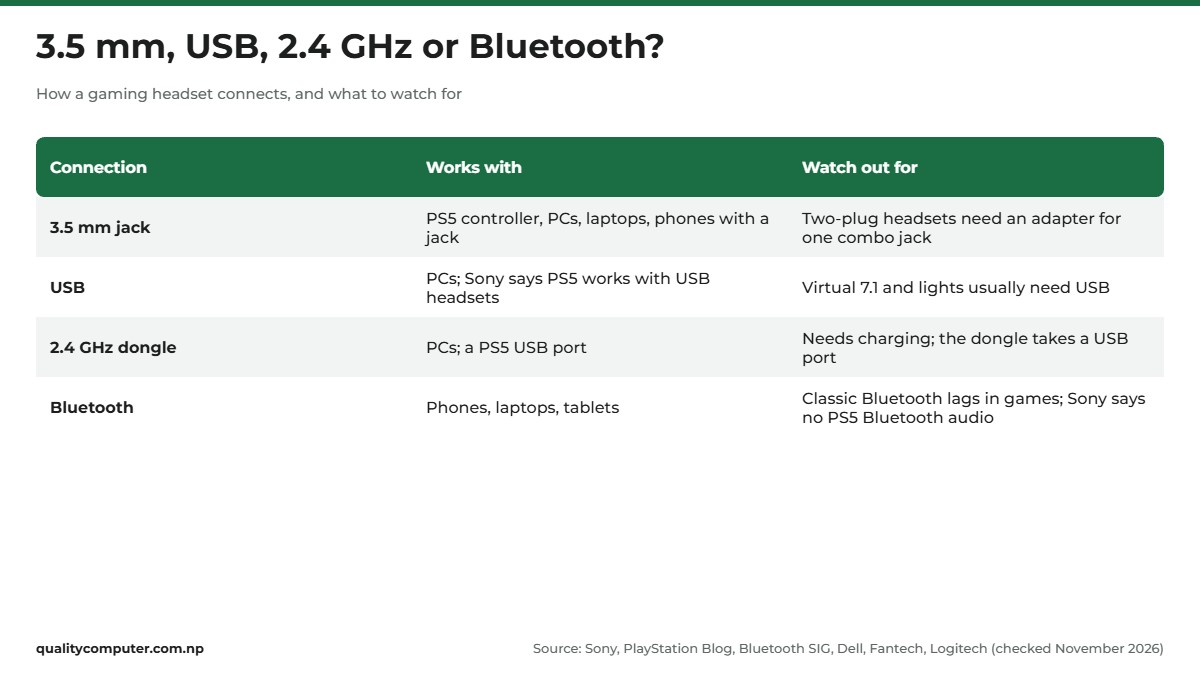
So, wired vs wireless? Wired headsets "will usually be significantly cheaper" and "remove the need to charge between uses", as ViewSonic's esports headset guide puts it. If you go wireless for games, choose a 2.4 GHz dongle and treat Bluetooth as a bonus for your phone.
Is 7.1 surround worth it?
Most gaming headsets have just two speakers, one in each earcup. Fantech's guide to virtual 7.1 says "it's common for surround sound to be virtualized using software". So "7.1" on a box usually means virtual 7.1 surround: software processes the sound so footsteps seem to come from different directions. Some names say so outright, such as the Fantech ORBIT HG25 "7.1 Virtual Surround Sound".
Whether you'll hear it depends on where you play:
- PC: it usually needs USB. Logitech's G433 page says "Virtual 7.1 Surround only on PC", with "Stereo on consoles, smartphones and tablets using 3.5 mm analog output."
- PS5: use its own 3D audio. Sony says it works with "the headphones that many of you already own", over USB or the DualSense controller's 3.5 mm jack (PlayStation Blog). You can build a profile for your hearing or pick one of 5 presets (PlayStation Support). Logitech warns that "the virtual surround sound button on some PS4 headsets may not work on PS5."
- Windows: a built-in option. Windows Sonic for Headphones is part of Windows: Start, Settings, System, Sound, select your headset, Device Properties, then Spatial sound (Microsoft Support).
Our view: virtual surround is worth having for shooters on a PC. On a PS5 or a phone, don't pay extra for it.
Headphone with mic: the mic, comfort and drivers
The mic
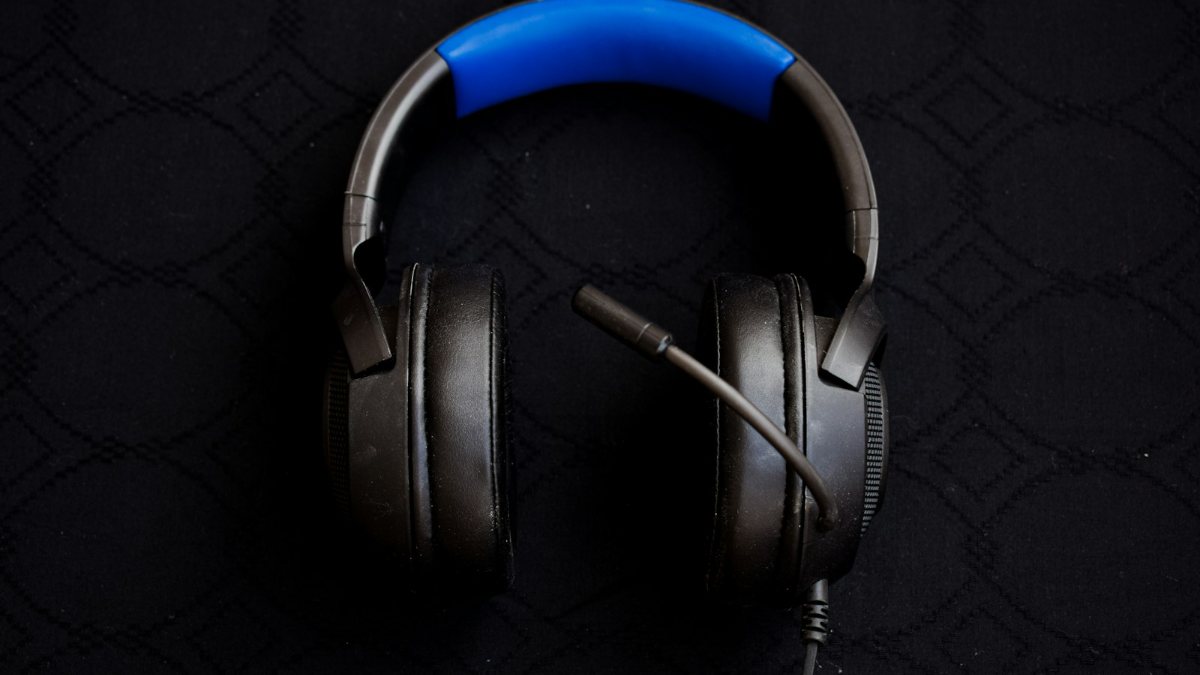
Many gaming headsets use a boom mic on an arm near your mouth. A detachable mic pulls off when you only want to listen. Treat "noise cancelling" as real only when the maker states it: Fantech does for the ALTO MH91, and Rapoo for the VH360 and VH800.
Comfort
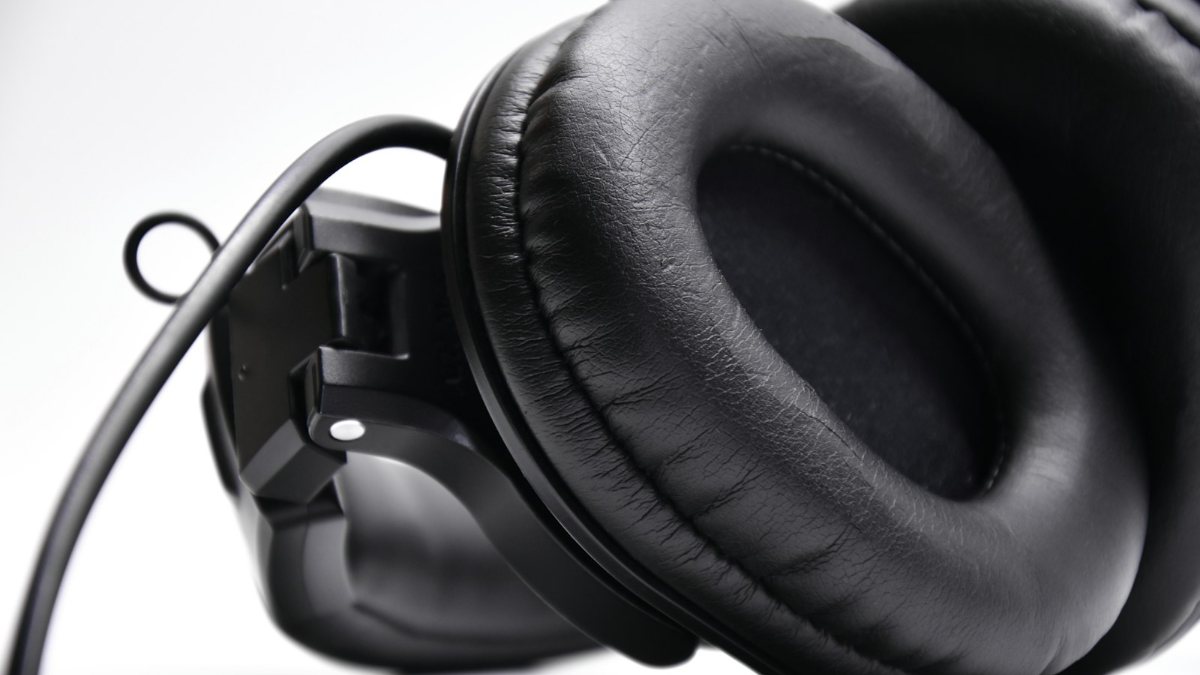
You may wear it for hours, so weight matters. The picks below that list a weight range from 200 g (Armaggeddon Cosmic V) to 358 g (Rapoo VH360). ViewSonic says "the main area where comfort will be decided is the ear cups", and recommends soft earcups, a padded headband and an adjustable fit. Logitech adds that memory foam and cloth pads are "softer and more breathable than vinyl", while vinyl is easier to clean (Logitech).
Driver size
Spec sheets list drivers as 40 mm or 50 mm. Audio-Technica says "the larger the diameter, the better the sound quality tends to be" (Audio-Technica). That's a tendency, not a rule, so listen in the shop if you can.
RGB lighting
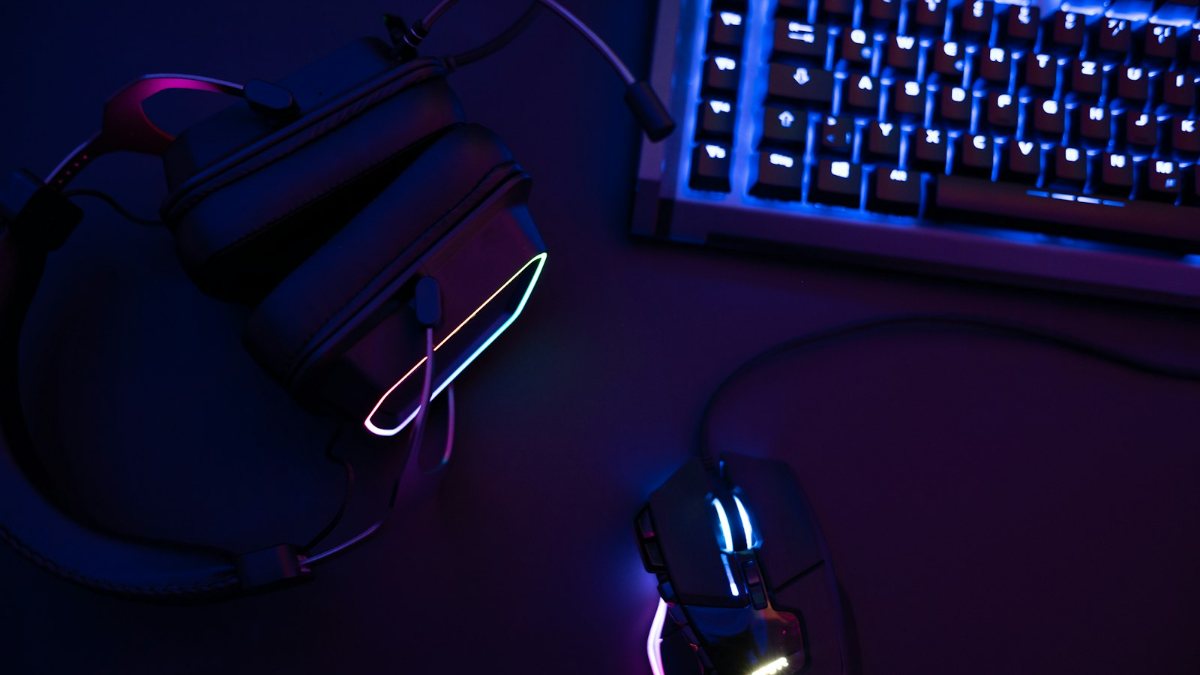
On wired headsets, the lights usually run off a separate USB plug: Ant Esports lists the H580 Pro's as "USB-A (RGB Power)". Plug in only the 3.5 mm end and you get sound and mic, but no lights.
Which headset works with PS5, PC and phones
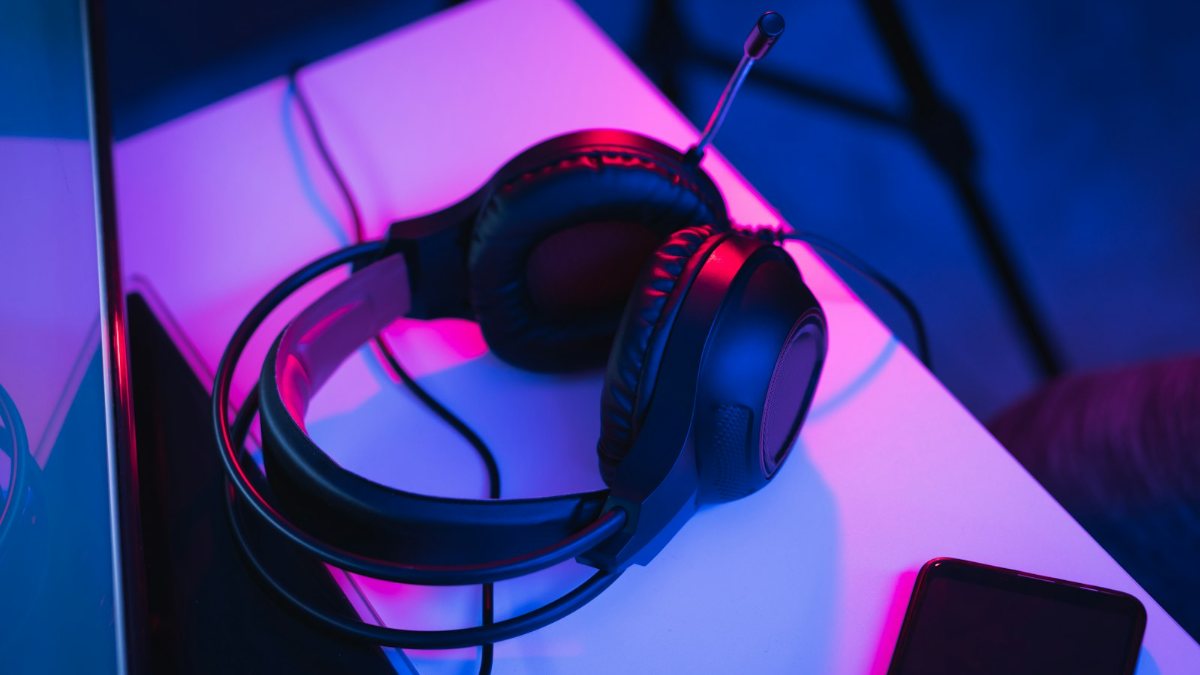
Gaming headset for PS5
Sony says PS5 works with "third-party headsets that connect via USB port or audio jack" (PlayStation Blog). That gives you three options:
- a wired headset with one 3.5 mm plug in the DualSense controller's jack
- a USB headset plugged into the console
- a wireless headset whose USB dongle goes in any of the PS5's USB ports (Sony)
Bluetooth is the catch: Sony's own support page says "the PS5 doesn't support Bluetooth Audio connections", citing latency and bandwidth. Once connected, open Settings, Sound, Audio Output to pick the output device and set Output to Headphones (PlayStation Support); Fantech sets it to All Audio. Sony warns that "Not all devices work with your console", so check that the maker lists PS5. Need a new controller? See our PS5 controller guide.
PC and laptops: plugs and splitters
Dell says most of its Latitude laptops have one combo jack, which takes a TRRS plug for sound and mic. Plugs and jacks have to match:
- Two-plug headset, one combo jack: you need a 2-in-1 adapter, or the mic won't work. Fantech says the same of two-plug headsets on a PS5.
- One-plug headset, separate headphone and mic jacks (many desktops): Logitech says "a 1-to-2 adapter is necessary" (Logitech).
- USB headset: no adapter needed.
Building a desktop? See our gaming PC build guide.
Phones
Many phones have no headphone jack, so check yours. On a USB-C phone, an adapter such as Apple's USB-C to 3.5 mm one "lets you connect devices that use a standard 3.5 mm audio plug" (Apple). Some wireless headsets come with a USB-C dongle; ask the maker whether your phone is supported. Mostly play on a phone? Gaming earphones with a mic are lighter to carry.
Best gaming headphones in Nepal by budget: our picks
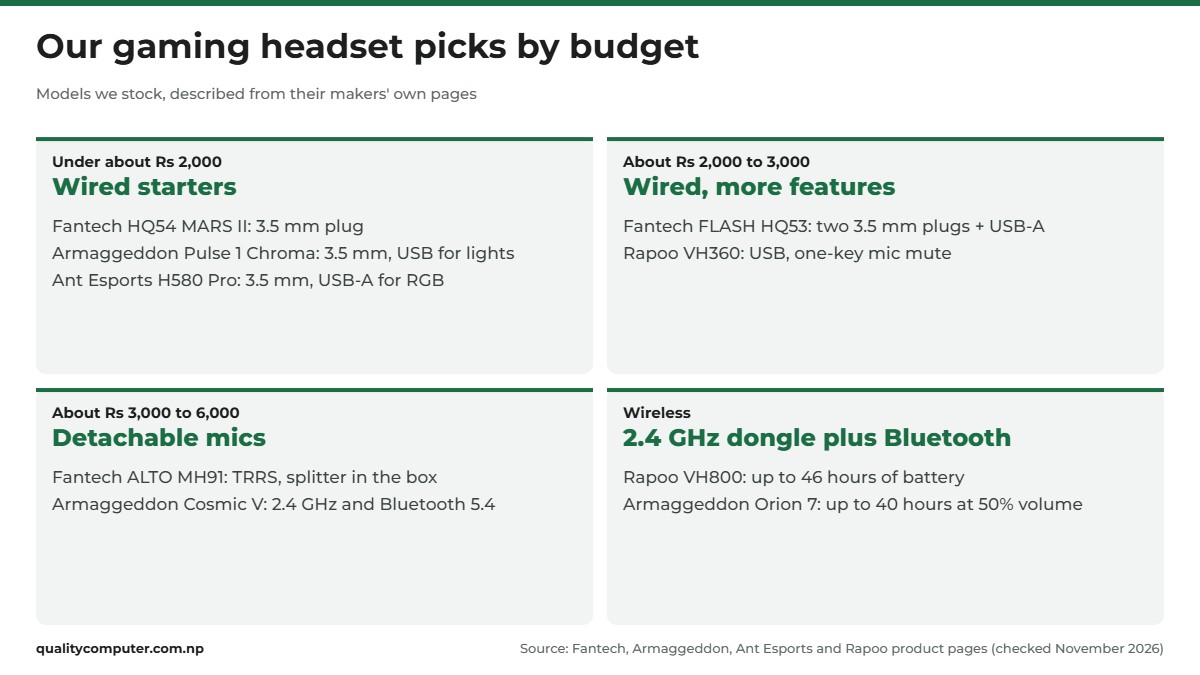
Headsets we stock, by rough price band, described only from each maker's own page. To compare every model, browse our gaming headphone range.
Under about Rs 2,000
Fantech HQ54 MARS II. A low-cost first headset. Fantech lists a 3.5 mm plug, 40 mm drivers, an omnidirectional mic and a volume control, and calls it "Lightweight" (Fantech). Watch for: no weight or platform list, and no word on whether it has one plug or two, or whether the mic detaches.
Armaggeddon Pulse 1 Chroma. Lights on a budget. One 3.5 mm plug carries sound and mic, a separate USB plug powers the lighting, and it has 40 mm drivers, a boom mic and weighs about 250 g (Armaggeddon). Watch for: no lights without the USB plug.
Ant Esports H580 Pro. For PC and PS5 players. A 3.5 mm plug plus USB-A for the RGB, 50 mm drivers and a flexible condenser mic, with Windows, Xbox One and PS5 listed (Ant Esports). Watch for: no weight is given.
About Rs 2,000 to 3,000
Fantech FLASH HQ53. For a desktop PC with separate jacks: "Dual 3.5 mm TRS + USB-A", 50 mm drivers and 227 g (Fantech). Watch for: with two plugs, you need an adapter for a laptop's combo jack, a PS5 controller or a phone.
Rapoo VH360. Plug and play on a Windows PC. A USB headset with 50 mm drivers, RGB, memory foam earpads, one-key mic mute and a mic Rapoo lists as noise cancelling (Rapoo). Watch for: USB only, only Windows 7, 8 and 10 listed, and 358 g.
About Rs 3,000 to 6,000
Fantech ALTO MH91. For several devices: Fantech lists PC, Mac, PS, Xbox, Switch (NS) and mobile. It has a TRRS plug with a splitter in the box, 50 mm drivers, memory foam earcups and a detachable, noise-cancelling mic (Fantech). Watch for: no lighting, a fixed cable, and 287 g.
Armaggeddon Cosmic V. The wireless option in this band: Bluetooth 5.4, 2.4 GHz, wired AUX-in, a detachable mic and 200 g. Armaggeddon quotes up to 27 hours without the lights, or 16 with them, at 50% volume (Armaggeddon). Watch for: no platforms listed, and no noise cancelling claimed.
Wireless
Rapoo VH800. For PC players who also want Bluetooth for a phone. A 2.4 GHz nano USB receiver plus Bluetooth 5.2, up to 46 hours of battery, 40 mm graphene drivers, RGB and a detachable noise-cancelling mic (Rapoo). Watch for: Windows and macOS listed but no consoles, and 340 g.
Armaggeddon Orion 7. For switching between devices: a dongle with USB-A and USB-C ends, Bluetooth 5.4, a wired line-in, 50 mm drivers, a detachable mic and 258 g. Armaggeddon quotes up to 40 hours at 50% volume (Armaggeddon). Watch for: the page names "eDSP 7.1" without explaining it, and lists no platforms.
A gaming keyboard and mouse to go with it
Keyboard
A membrane keyboard has "small rubber domes beneath each key"; a mechanical one has a switch under every key. Logitech says mechanical boards are "significantly louder" and usually cost more, but tend to last longer (Logitech). Mechanical switches come in three feels (Logitech Support):
- Linear: smooth, no bump, little noise.
- Tactile: a small bump, little sound.
- Clicky: a bump and the loudest click.
A tenkeyless (TKL) board drops the number pad, which "gives you more room to move your mouse" (Logitech). A 60% board also drops the arrow keys and function row (Logitech).
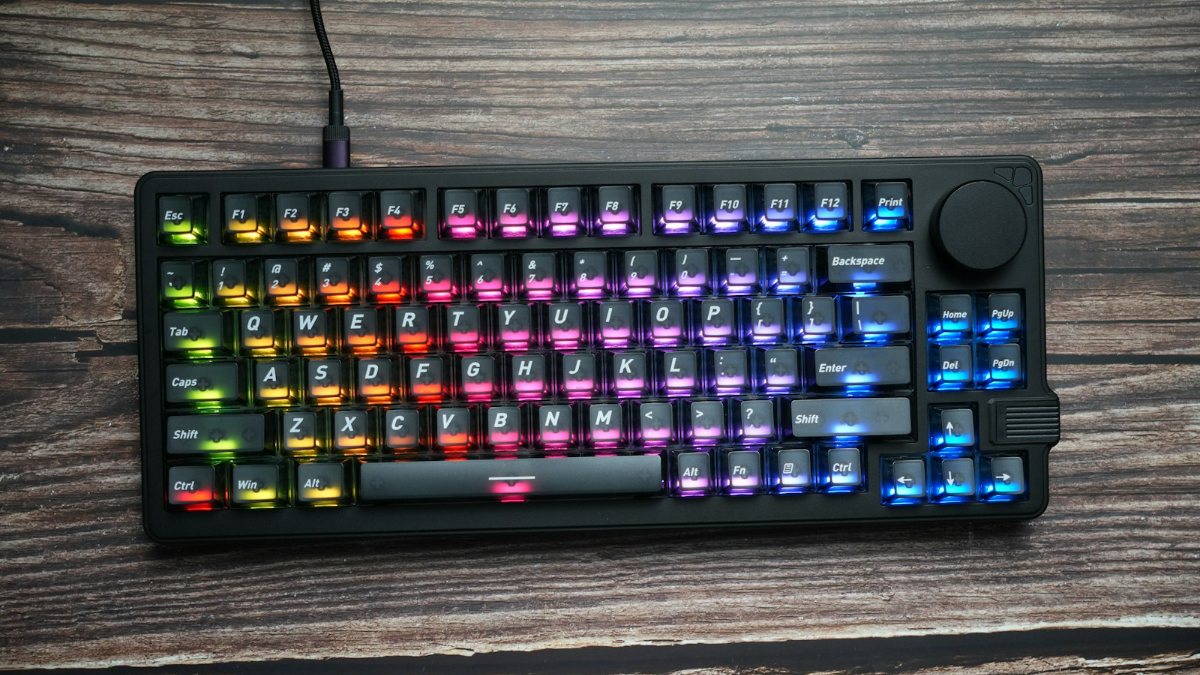
Three we stock: the Rapoo V50S, a full-size, backlit, spill-resistant membrane board (Rapoo); the Fantech ATOM87S MK877S, an 87-key TKL with hot-swap switches, soft linear or tactile clicky (Fantech); and the compact, 61-key Fantech ATOM61 MK211 (Fantech). See all gaming keyboards.
Mouse
Logitech calls DPI "essentially the sensitivity setting for your mouse", and notes that "lower DPI settings are more common in tactical shooters" (Logitech). So when you choose a gaming mouse, a big DPI number matters less than the sensor and the fit: Logitech says competitive players prefer optical sensors because "they're more accurate", and that a mouse should fit your hand.
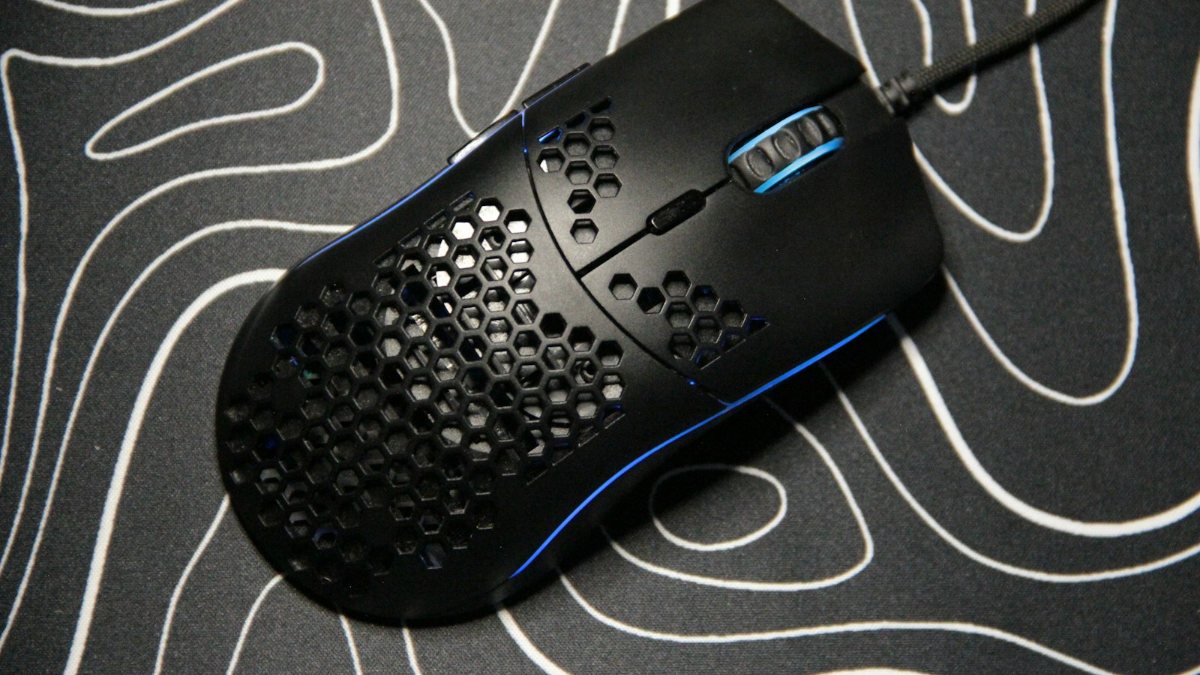
Three examples: the wired, six-button Logitech G102 LIGHTSYNC, 200 to 8,000 DPI (Logitech G); the wired Logitech G402 (Logitech Support), with 8 programmable buttons (Logitech G); and the rechargeable, 2.4 GHz wireless Fantech RAIGOR III WG12R (Fantech). See all gaming mice.
Safe volume and keeping your headset clean
The World Health Organization advises gamers to "keep the volume below 60% of maximum", and says you can safely listen at 80 dB for up to 40 hours a week. It also suggests well-fitted, noise-cancelling headphones and breaks to rest your ears. If ringing in your ears won't go away, see a professional.
To clean the ear pads, Logitech's cleaning guide for its G435 headset says:
- Lightly dampen a soft, lint-free cloth with plain tap water and wipe the pads and headband.
- For stains, use a little soap on the damp cloth, then wipe the surface again with the damp cloth.
- Spray the cloth, never the headset, and don't use bleach, nail polish remover, strong solvents or abrasives.
- Never machine-wash the pads. Let them air-dry at room temperature.
Quick verdict
- Match the connection to your device first: one 3.5 mm plug for a PS5 controller or phone, USB or a 2.4 GHz dongle for a PC.
- For wireless gaming, pick 2.4 GHz with a USB dongle. Classic Bluetooth audio lags in games.
- "7.1" usually means virtual surround over USB on a PC. A PS5 has its own 3D audio.
- A headset with two 3.5 mm plugs needs an adapter for a laptop's single combo jack.
- Check the weight, the earcups and whether the mic detaches. Count noise cancelling only if the maker states it.
- Keep the volume below 60% of maximum, as WHO advises for gaming.
Gaming headsets, keyboards and mice in our store
Pick a headset whose plug or dongle suits your PS5, PC or phone, then add a gaming keyboard and mouse that fit your desk and the games you play.
Prices checked on 15 November 2026 on our website.
In our store
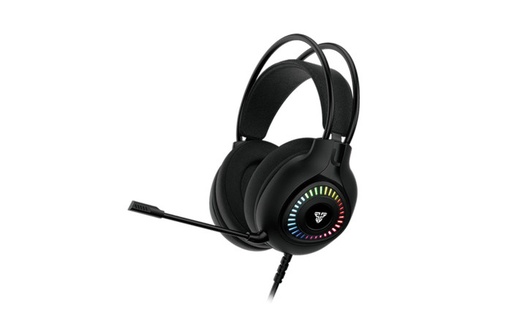
Fantech ORBIT HG25
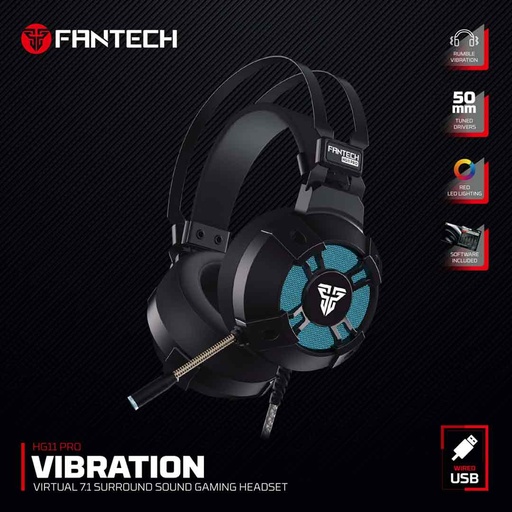
Fantech HG11 Pro
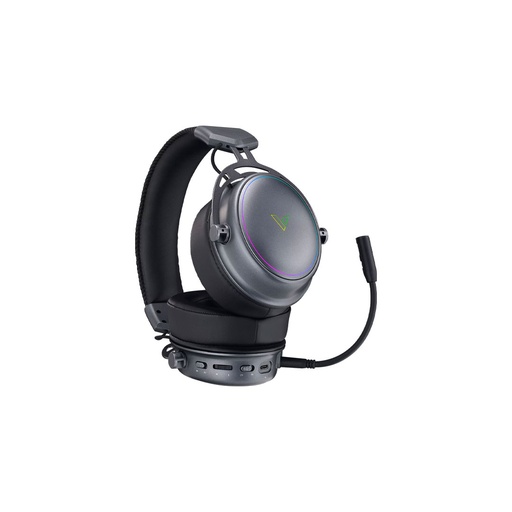
Rapoo VH800
Frequently asked questions
Which are the best gaming headphones in Nepal?
It depends on what you play on and your budget. For a PS5, choose a headset with one 3.5 mm plug for the controller, a USB headset or one with a USB wireless dongle. For a Windows PC, a USB headset such as the Rapoo VH360 works without drivers, and for wireless, the Rapoo VH800 and Armaggeddon Orion 7 offer 2.4 GHz and Bluetooth.
Is a wired or wireless gaming headset better?
Wired headsets usually cost less and never need charging. Wireless ones free you from the cable. For games, choose 2.4 GHz wireless with a USB dongle, because classic Bluetooth audio has too much delay for fast games.
Does a gaming headset work on PS5?
Yes, in most cases. Sony says third-party headsets that connect by USB or the audio jack work on PS5, including through the DualSense controller's 3.5 mm jack, and a wireless headset's USB dongle can go in any USB port. Sony says the PS5 doesn't support Bluetooth audio, and warns that not every device works, so check that the maker lists PS5.
Is 7.1 surround sound worth it in a gaming headset?
Most gaming headsets have two speakers, so 7.1 is virtual surround made by software, and it usually works only over USB on a PC. A PS5 has its own 3D audio that works with ordinary headphones, so virtual 7.1 matters most to PC players.
Can I use gaming headphones with my phone?
Yes, if your phone has a 3.5 mm jack and the headset has a single 4-pole plug. Many phones have no jack, so check yours. The other options are a USB-C to 3.5 mm adapter, a headset with a USB-C wireless dongle, or Bluetooth, which can lag in fast games.
Do I need a splitter for a headphone with mic on a laptop?
Only if the plugs and jacks don't match. Many laptops have one combo jack that takes a single 4-pole (TRRS) plug, so a headset with two 3.5 mm plugs needs a 2-in-1 adapter for the mic to work. A single-plug headset on a desktop with separate headphone and mic jacks needs a 1-to-2 splitter.
What volume is safe for gaming headphones?
The World Health Organization advises keeping the volume below 60% of maximum while gaming, and says you can safely listen at 80 dB for up to 40 hours a week. Take breaks, and see a professional if ringing in your ears doesn't go away.
Sources
- Improving latency and broadening audio horizons with Bluetooth LE Audio, Bluetooth SIG, 2 Mar 2023
- Check if a Windows 11 device supports Bluetooth Low Energy Audio, Microsoft Support
- PlayStation 5: Answering your questions on compatible PS4 peripherals & accessories, PlayStation Blog (Sony), 3 Aug 2020
- Experience PS5's Tempest 3D AudioTech with compatible headsets at launch, PlayStation Blog (Sony), 6 Oct 2020
- How to change audio settings on PS5 consoles, PlayStation Support
- How to set up 3D audio on PS5 consoles, PlayStation Support
- USB ports guide for PS5 consoles, PlayStation Support
- Can I connect my regular Sony Bluetooth headphones to my PS5?, Sony UK Support, updated 15 Sep 2026
- How to use Fantech Headset HG11 & others on your PS5, Fantech, 20 Aug 2021
- How Virtual 7.1 Surround Sound Gaming Headsets Will Improve Your FPS Skills, Fantech, 1 Mar 2023
- G635 Wired 7.1 LIGHTSYNC Gaming Headset setup guide, Logitech
- G433 7.1 Surround Sound Gaming Headset, Logitech G
- PlayStation Headset Basics: Models, Fit & Setup, Logitech
- How to turn on spatial sound in Windows, Microsoft Support
- What do all of these headphone specs mean and why are they important?, Audio-Technica
- Choosing the Best Esports Headset, ViewSonic Library, 3 Nov 2020
- Troubleshooting headphone or microphone jack issues, Dell Support
- Getting started with Logitech Stereo Headset H151, Logitech
- USB-C to 3.5 mm Headphone Jack Adapter, Apple
- Deafness and hearing loss: safe listening, World Health Organization, 6 Mar 2026
- Cleaning your Logitech G435 headset, Logitech Support
- Mechanical vs. Membrane Keyboards, Logitech
- How do I know which type of switch suits me?, Logitech Support
- Best Tenkeyless Keyboards: Benefits & Setup, Logitech
- Mini Keyboards for Gaming: Guide & Top Picks, Logitech
- Gaming Mouse Guide: DPI, Sensors & Buying Tips, Logitech
- Mars II HQ54 Gaming Headset, Fantech
- Pulse 1 Chroma Wired Gaming Headset, Armaggeddon
- H580 Pro RGB Wired Gaming Headset, Ant Esports
- Flash HQ53 Gaming Headset, Fantech
- VH360, Rapoo
- ALTO MH91, Fantech
- Cosmic V Quad Mode Wireless RGB Gaming Headset, Armaggeddon
- VH800 Wireless Gaming Headset, Rapoo
- ORION 7 eDSP 7.1 Wireless Gaming Headset, Armaggeddon
- V50S, Rapoo
- Atom87S MORI MK877S, Fantech
- ATOM61 MK211, Fantech
- G102 LIGHTSYNC Gaming Mouse, Logitech G
- G402 Hyperion Fury FPS Gaming Mouse, Logitech G
- Logitech G402 Hyperion Fury Technical Specifications, Logitech Support
- Raigor III Wireless Gaming Mouse, Fantech