
What Is PoE? Power over Ethernet Explained for CCTV and Wi-Fi
Short answer: what is PoE? Power over Ethernet sends electricity and network data down one Ethernet cable, so an IP camera or Wi-Fi access point needs no power socket nearby. Standard PoE (802.3af) gives up to 15.4 W per port, PoE+ (802.3at) 30 W and 802.3bt up to 90 W, over cable runs of up to 100 m.
Shop at Quality Computer
PoE switches, NVRs and IP cameras View all →
What is PoE and how does it work?
A PoE setup has two sides. The power sourcing equipment (PSE) is the PoE switch, injector or NVR port that puts power on the cable. The powered device (PD) is the camera, access point or IP phone at the other end.
With standard PoE, the PSE and the device negotiate first, then the PSE sends 48 V DC at the wattage the device asks for (TP-Link). A typical CCTV run looks like this: router, then PoE switch, then one Cat6 cable to each camera.
The win is fewer cables and no power socket on the wall outside. In Nepal, where cameras go up on gates, poles and parapets, that saves real installation time.
PoE standards: 802.3af, 802.3at and 802.3bt
Not all PoE is the same strength. The standard sets how much power a port can give, and the device always gets a little less than the port sends, because some is lost in the cable.
| Standard | Name | Max power at the port | Power at the device | Typical use |
|---|---|---|---|---|
| IEEE 802.3af (Type 1) | PoE | 15.4 W | 13 W | IP cameras |
| IEEE 802.3at (Type 2) | PoE+ | 30 W | 25.5 W | PTZ cameras, video phones |
| IEEE 802.3bt (Type 3) | High-power PoE (4 pairs) | 60 W | 51 W | High-power devices |
| IEEE 802.3bt (Type 4) | High-power PoE (4 pairs) | 90 W | 71.3 W | High-power devices |
Figures from the Ethernet Alliance; typical uses from TP-Link.
Each standard is split into power classes, and the device reports its class when it connects. The Ethernet Alliance's 802.3bt overview lists classes 1 to 8:
| Class | Power at the port | Power at the device | Pairs used |
|---|---|---|---|
| Class 1 | 4 W | 3.84 W | 2 or 4 |
| Class 2 | 7 W | 6.49 W | 2 or 4 |
| Class 3 | 15.4 W | 13 W | 2 or 4 |
| Class 4 | 30 W | 25.5 W | 2 or 4 |
| Class 5 | 45 W | 40 W | 4 |
| Class 6 | 60 W | 51 W | 4 |
| Class 7 | 75 W | 62 W | 4 |
| Class 8 | 90 W | 71.3 W | 4 |
Newer standards are backward compatible, so a PoE+ port can power a PoE camera. It doesn't work the other way round: TP-Link notes that an 802.3af port can't power a device that needs 802.3at.
PoE switch vs PoE injector
Both add power to an Ethernet cable. The difference is how many devices you are powering.
| PoE switch | PoE injector | |
|---|---|---|
| What it is | A network switch with power on some or all ports | A small box that adds power to one cable from a normal switch or router |
| Best for | CCTV with 4, 8 or 16 cameras; offices with several access points | One access point or one camera |
| Power | A shared PoE budget across all ports | One port's worth |
| Wiring | One switch in a central spot | One injector and power socket per device |
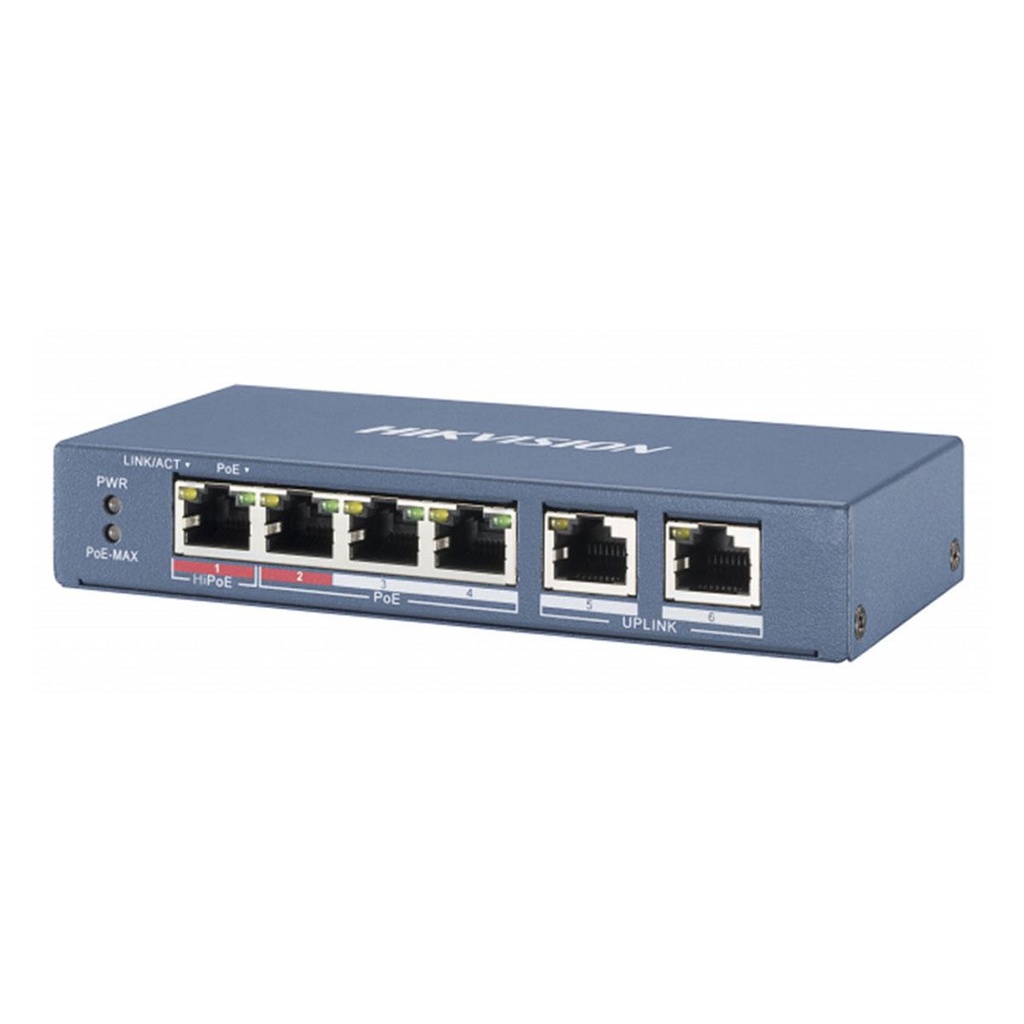
For one or two devices, a 4-port switch such as the Hikvision DS-3E0106P-E/M does the same job as an injector and leaves room for one or two more later.
How far can PoE go?
The normal limit is 100 metres per cable run, from the switch to the device. TP-Link's Omada PoE switches reach that at full 10/100/1000 Mbps; with Extend Mode on, they reach up to 250 m but drop the port to 10 Mbps (TP-Link). Hikvision lists up to 300 m long-range PoE on ports 9 to 16 of its DS-3E0318P-E/M(C) 16-port switch.
Real range depends on the cable and how much power the device draws. Use solid Cat6 for camera runs; our network cable guide explains Cat5e, Cat6 and Cat6A. Avoid copper-clad aluminium (CCA) cable: Belden says it doesn't meet TIA or UL standards, its higher resistance means more voltage drop and heat, and runs past about 65 m exceed TIA's resistance limits (Belden).
PoE for CCTV: IP cameras and the NVR
Take a typical IP camera. Hikvision's DS-2CD1023G2-LIU 2MP bullet runs on 802.3af PoE (Class 3) and draws up to 6.5 W, or uses a 12 V adapter if you have no PoE (Hikvision).
The NVR records the cameras. Some NVRs have PoE ports built in; if yours doesn't, the PoE switch powers the cameras and connects them to the NVR and router. Our guide to building a Hikvision IP camera system walks through cameras, NVR, PoE switch and hard disk, and our CCTV buying guide compares IP with analog.

PoE for Wi-Fi access points
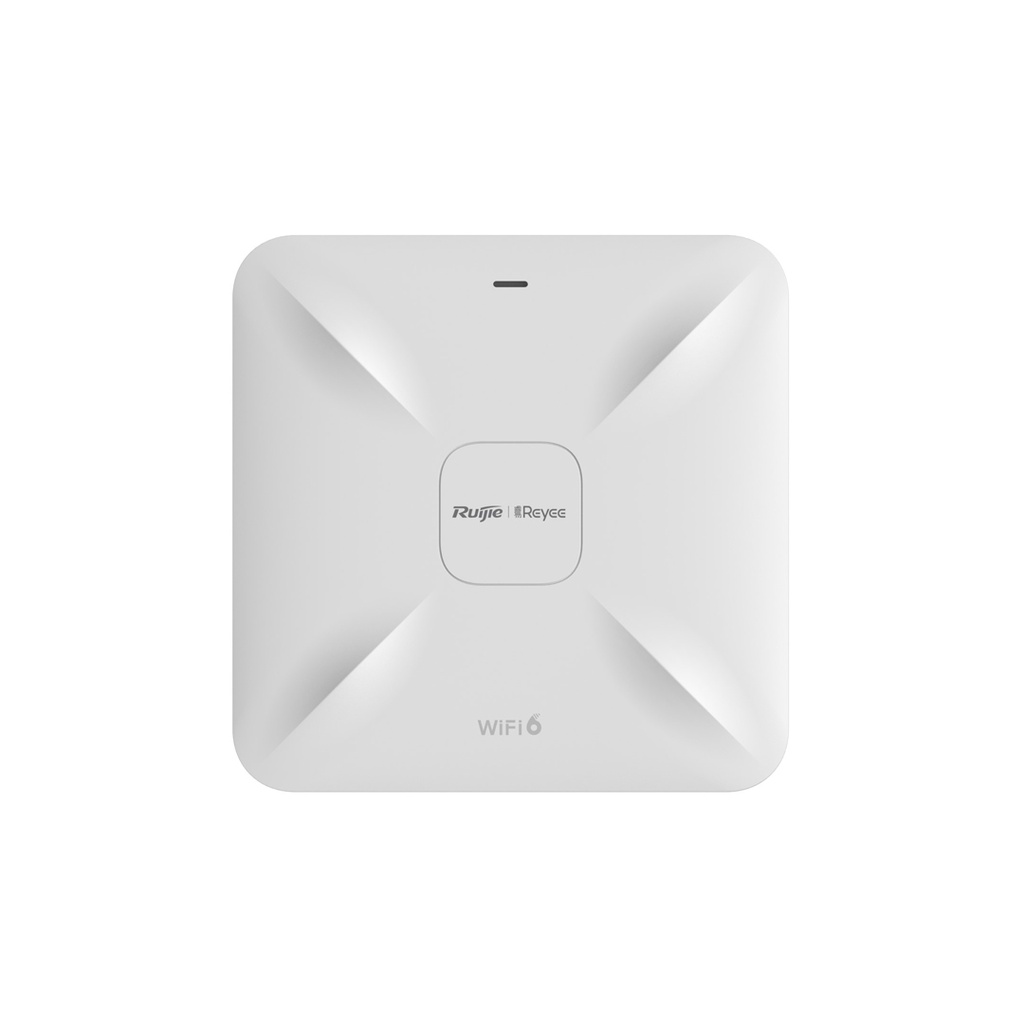
Ceiling access points are usually far from a socket, which makes PoE the natural fit. Ruijie's RG-RAP2260(G) Wi-Fi 6 ceiling AP takes PoE/PoE+ or a 12 V DC adapter and draws up to 15.5 W (Ruijie).
That 15.5 W is more than the 13 W an 802.3af port guarantees at the device, so give it a PoE+ (802.3at) port. Put it on a gigabit port as well; a 10/100 port caps the wired link at 100 Mbps.
For home Wi-Fi, where one router does the job, see our WiFi router guide.
How to work out a PoE power budget
Every PoE switch has two limits: the most each port can give (set by its standard) and a total PoE budget shared by all ports. Add up the maximum draw of every device, then compare it with the budget.
Worked example: a shop with six 2MP IP cameras and one Wi-Fi 6 ceiling access point.
| Device | Qty | Max power each | Total |
|---|---|---|---|
| Hikvision DS-2CD1023G2-LIU camera | 6 | 6.5 W | 39 W |
| Ruijie RG-RAP2260(G) access point | 1 | 15.5 W | 15.5 W |
| Total | 7 | 54.5 W |
- Hikvision DS-3E0106P-E/M (4 PoE ports, 35 W): too few ports and too little power.
- Hikvision DS-3E0310P-E/M(B) (8 PoE ports, 60 W): fits, with 5.5 W and one port to spare. Its PoE ports are 10/100 Mbps, which is fine for 2MP cameras.
- Better: run the cameras on the 8-port switch and give the access point its own gigabit PoE+ port, for example on the Ruijie RG-ES205GC-P.
For a home with four of the same cameras, 4 x 6.5 W is 26 W, so the 35 W DS-3E0106P-E/M fits with 9 W spare. Always plan with the maximum figure on the spec sheet, not a typical one.
Common PoE mistakes
- Mixing passive and standard PoE. Passive PoE isn't an IEEE standard. It puts a fixed 12 V, 24 V or 48 V on the cable all the time, with no negotiation, and the wrong voltage can permanently damage a device (TP-Link). A passive PoE device also can't be powered by a standard PoE switch (TP-Link).
- Counting ports, not watts. Eight ports with a 35 W budget won't run eight 6.5 W cameras.
- Putting a PoE+ device on a PoE port. An 802.3af port can't power an 802.3at device.
- Cheap CCA cable on long runs. Use solid copper Cat6, especially near 100 m.
- 10/100 ports for gigabit gear. Fine for cameras, a bottleneck for a Wi-Fi 6 access point.
- No room to grow. If you plan more cameras next year, buy the 8-port now.
PoE switches, cameras and cable at Quality Computer
| Product | What it is | Our price |
|---|---|---|
| Hikvision DS-3E0106P-E/M | 4-port PoE switch, 35 W PoE budget | Rs 4,500 |
| Hikvision DS-3E0310P-E/M(B) | 8-port 10/100 PoE switch, 60 W budget, 2 gigabit uplinks | Rs 7,143 |
| Ruijie Reyee RG-ES205GC-P | 4-port gigabit PoE+ cloud-managed switch | Rs 10,800 |
| Hikvision DS-3T0510HP-E/HS | 8-port gigabit PoE switch with 2 Hi-PoE (802.3bt) ports | Rs 16,488 |
| Hikvision DS-3E0318P-E/M(C) | 16-port PoE switch | Rs 20,378 |
| BDCOM S2510-P | 8-port gigabit PoE switch | Rs 22,000 |
| Hikvision DS-7104NI-Q1/M | 4-channel NVR | Rs 7,999 |
| Hikvision DS-7108NI-Q1/M | 8-channel NVR | Rs 9,499 |
| Hikvision DS-2CD1023G2-LIU | 2MP IP bullet camera, 802.3af PoE | Rs 6,699 |
| Ruijie Reyee RG-RAP2260(G) | Wi-Fi 6 ceiling access point | Rs 20,900 |
| D-Link Cat-6 UTP cable (305 m box) | Network cable, sold per metre | Rs 79 per metre |
Prices checked on 7 November 2026 on qualitycomputer.com.np. All items available. Switch specs are from Hikvision and Ruijie as listed on our product pages.
In our store
Hikvision 4-port PoE switch
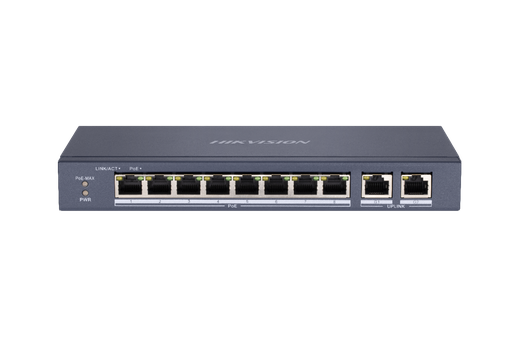
Hikvision 8-port PoE switch
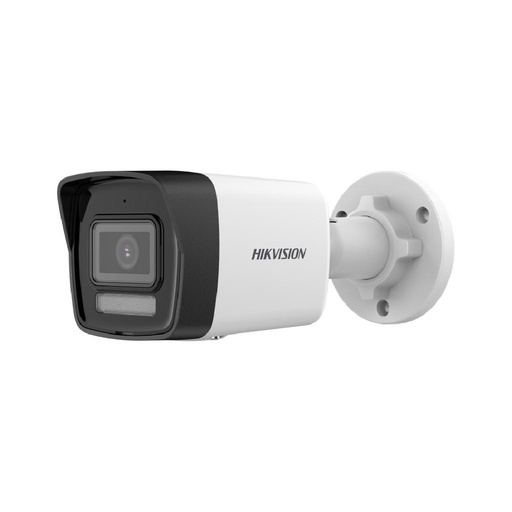
Hikvision 2MP IP bullet camera
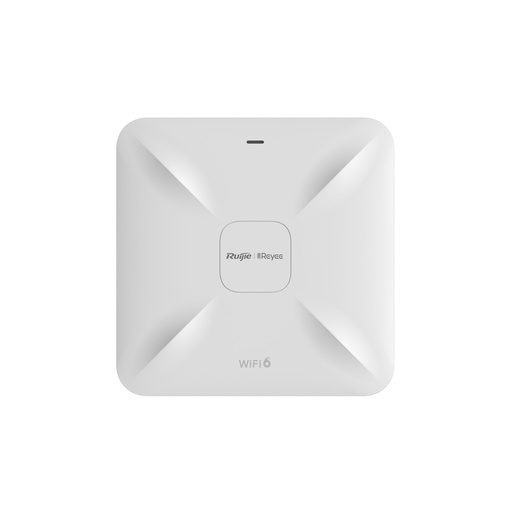
Ruijie Wi-Fi 6 ceiling AP
Frequently asked questions
What is PoE in CCTV?
It lets an IP camera take power and network from one Ethernet cable, fed by a PoE switch or an NVR with PoE ports. You don't need a power socket or adapter at each camera.
What is the difference between PoE and PoE+?
PoE (802.3af) gives up to 15.4 W per port, about 13 W at the device. PoE+ (802.3at) gives up to 30 W, about 25.5 W at the device, which suits PTZ cameras and Wi-Fi 6 access points.
How far can a PoE cable run?
Up to 100 metres in normal mode. Some switches have an extend mode that reaches about 250 m by dropping the port to 10 Mbps, and real range depends on the cable and the device's power draw.
Can I plug a normal device into a PoE switch?
With standard 802.3af, at or bt PoE, the switch and the device negotiate before any power flows. Passive PoE is different: it puts a fixed voltage on the cable all the time and can damage a device that doesn't expect it.
How do I calculate a PoE power budget?
Add up the maximum watts of every device and compare the total with the switch's PoE budget. Six 6.5 W cameras and one 15.5 W access point need 54.5 W, which fits a 60 W switch.
Do I need a PoE switch if my NVR has PoE ports?
Not for the cameras plugged into those ports, because the NVR powers them. You need a PoE switch when you have more cameras than PoE ports, or when the NVR has none.
Sources
- Introducing IEEE P802.3bt Power over Ethernet Overview, Ethernet Alliance, 26 June 2018
- What's PoE, TP-Link Omada Support, 30 April 2026
- PoE Guide to TP-Link Access Points, TP-Link Omada Support, 3 August 2026
- How to Configure Extend Mode on PoE Switches for Long-Distance Connections, TP-Link Omada Support, 20 August 2026
- RG-RAP2260(G) Wi-Fi 6 AX1800 Ceiling Access Point, Ruijie Reyee, checked 7 November 2026
- DS-2CD1023G2-LIU(F) 2 MP Fixed Bullet Network Camera specifications, Hikvision, checked 7 November 2026
- CCA Cable: 5 Reasons To Stay Away, Belden, checked 7 November 2026
- QC prices and Hikvision switch specifications: qualitycomputer.com.np, 7 November 2026.