Vlogging Kit and YouTube Setup in Nepal (2026): What You Need to Start
Short answer: A starter vlogging kit is mostly the phone you already own plus three things: a microphone, something to hold the phone steady (a tripod or selfie-stick tripod) and decent light, which can simply be a window. Buy the mic first, because bad sound is much harder to fix than a slightly soft picture. If you record at a desk for YouTube, online classes or a podcast, add a webcam, a USB mic and headphones.
Shop at Quality Computer
Microphones, tripods, webcams and memory cards View all →
What goes in a vlogging kit
If you're starting a YouTube channel, TikTok, Reels, a podcast or online classes, you probably own the most expensive part already: a phone with a decent camera. A first vlogging kit or YouTube setup adds, in rough order of priority:
- A microphone. The phone's own mic is fine at arm's length in a quiet room. Further away, or outdoors, it hears the room, the traffic and the wind.
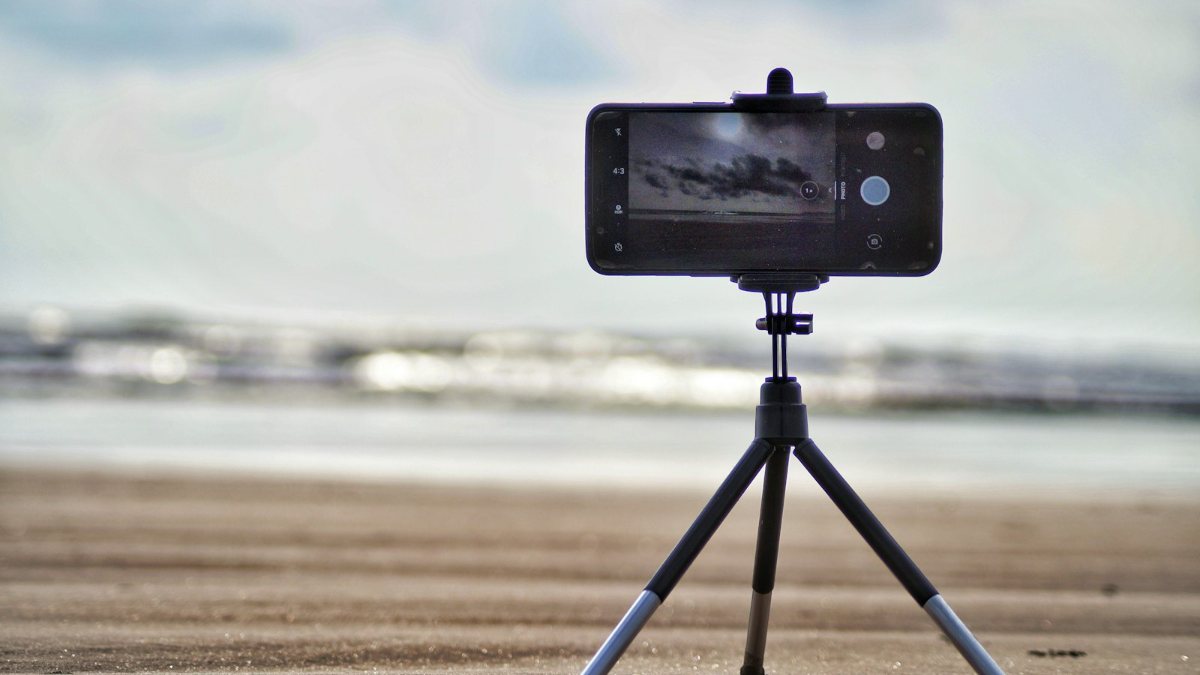
- Something to hold the phone, such as a small tripod or a selfie-stick tripod.
- Light. A window is free. A ring or LED light helps at night.
- For desk work, a webcam, a USB mic and headphones.
- Storage and an editing app.
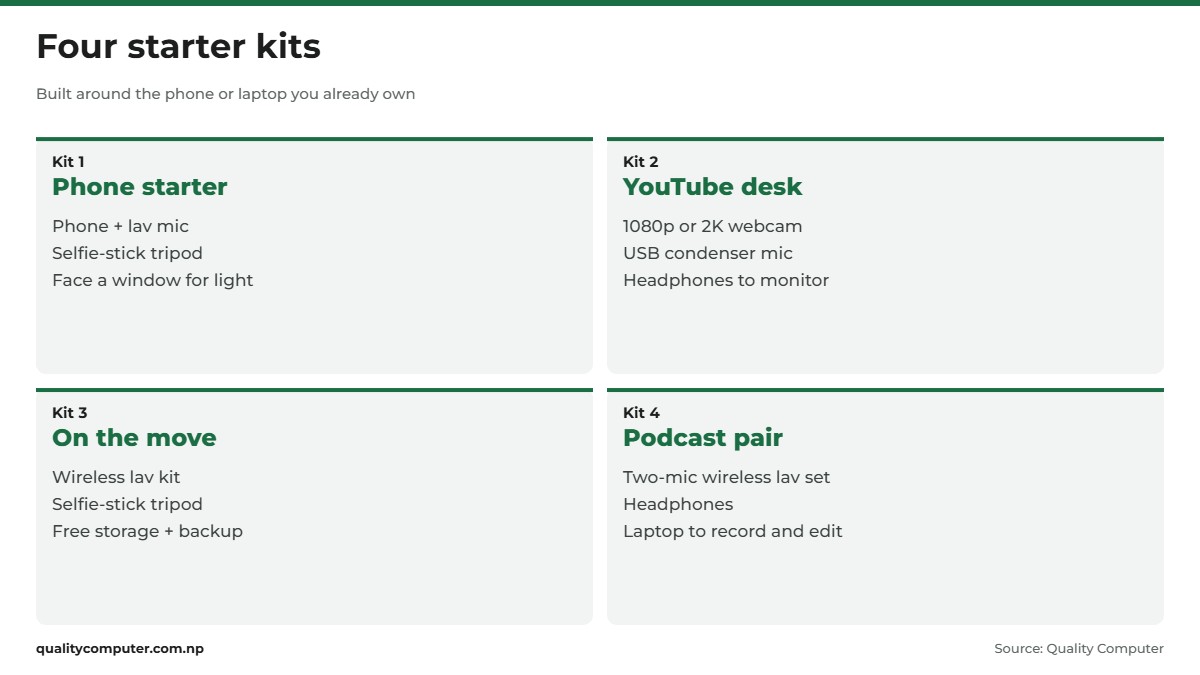
You don't need it all on day one. A phone, a clip-on mic and a basic tripod will take you a long way.
Start with the phone you have: settings that matter
Spend ten minutes in your camera settings before buying anything. Four things matter most: resolution and frame rate, stabilisation, which camera you use, and locking focus. Here's where the first two live on the most common phones (Apple Support, Pixel Camera Help, Samsung's Galaxy S26 guide). Menus vary a little by model:
| Phone | Resolution and frame rate | Stabilisation |
|---|---|---|
| iPhone | Tap the values at the top of the screen in Video | Enhanced Stabilization, Action mode |
| Google Pixel | Video Settings (bottom left) | Standard, Locked, Active |
| Samsung Galaxy | Quick controls (four dots), Resolution | Video stabilization, Super steady |
1080p is plenty for talking-head videos and keeps files smaller; 4K leaves room to crop. Pick one frame rate and keep it: YouTube asks you to upload at the frame rate you recorded in, and lists 24, 25, 30, 48, 50 and 60 fps as common (YouTube Help).
For stabilisation, on supported iPhones Enhanced Stabilization is on by default and zooms in slightly (Apple Support), while Action mode is a separate stabilisation mode that works best in bright light (Apple Support). Pixel's Locked mode is for still shots and Active for heavy movement. Galaxy's Super steady doesn't work with the front camera.
Test ten seconds on the front and back cameras and use whichever looks better. On supported iPhones, Lock Camera (Settings > Camera > Record Video) stops the phone switching between its cameras mid-recording (Apple Support). To stop focus and brightness hunting on an iPhone, touch and hold the spot you want in focus until AE/AF Lock appears, then drag up or down to set exposure. Apple's guide describes this for photos, so try it in Video mode before a long take. Grid and Level in Settings > Camera help keep the shot straight (Apple Support).
When a vlogging camera makes sense
A dedicated camera earns its place when you want to swap lenses, zoom further than your phone can, or keep the phone free for live chat. An action camera suits bikes, treks and rain, where you'd rather not risk your phone. Our camera buying guide covers dedicated cameras.
Audio first: choosing a mic for vlogging
A slightly soft picture is easy to forgive. Echo, wind roar or a voice that fades when you turn your head is not, and it's much harder to fix in editing. So buy the mic first.
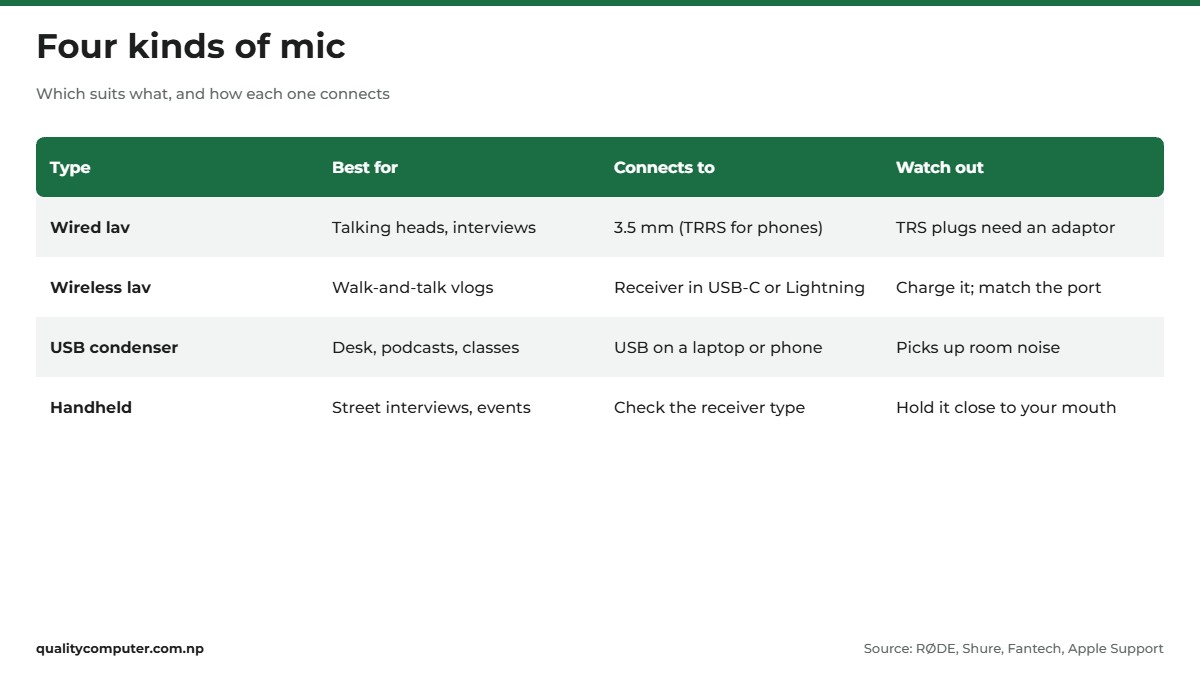
Wired lavalier (3.5 mm)
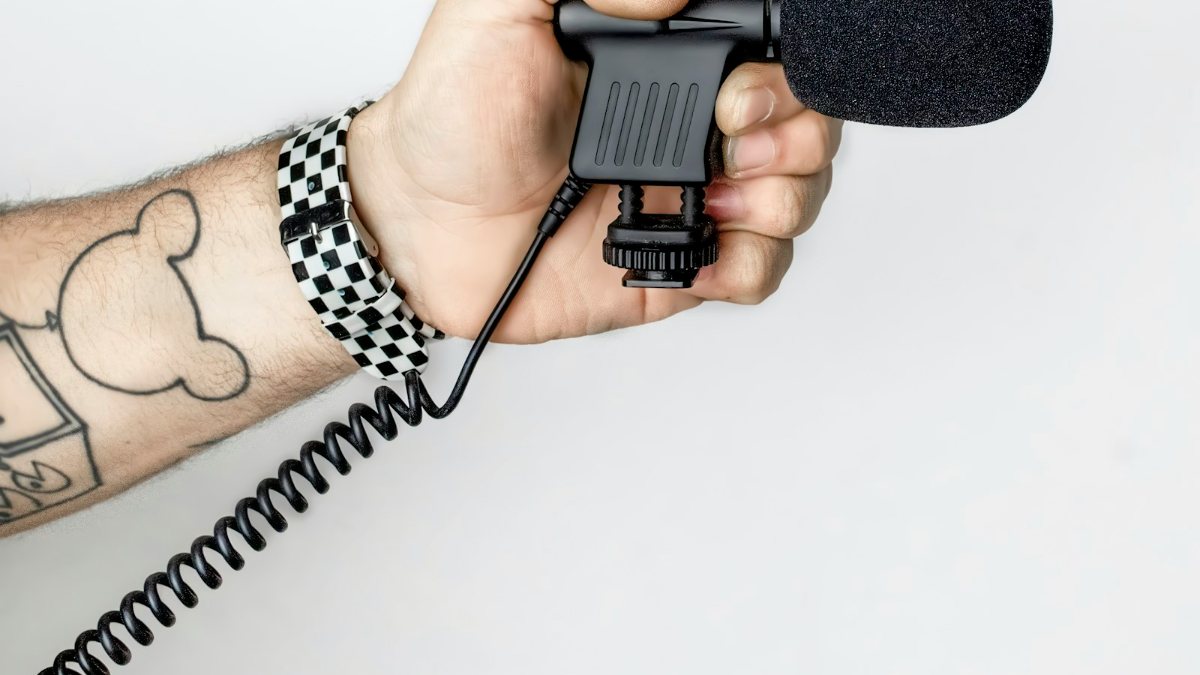
A lavalier, or lapel mic, clips to your shirt and runs a cable to the phone or camera. Shure notes wired lavs are valued for simplicity, reliability and low cost (Shure). Check the plug: two black bands is TRS, three is TRRS. Phones usually need TRRS, but most 3.5 mm mics are TRS, so they need a TRS-to-TRRS cable or adaptor. If you connect a 3.5 mm mic through adaptors to the phone's USB-C or Lightning port, RØDE says you can't monitor through headphones or control the mic level (RØDE).
The BOYA BY-M1 is a typical example: omnidirectional, with a 6 m cable, one LR44 battery and a switch for phone or camera mode (BOYA). A USB-C phone without a headphone jack needs a USB-C to 3.5 mm TRRS adaptor (BOYA sells one, the BY-K9, for compatible phones). Test before a shoot, because RØDE says some phones have trouble recognising an external mic (RØDE).
Wireless lavalier kits
A wireless mic kit pairs a clip-on transmitter with a receiver that plugs into the phone's USB-C or Lightning port, which RØDE calls the easiest way to connect a mic to a modern phone. You can walk away from the camera freely.
The Fantech LEVIOSA AIR WMV11C is the Type-C version. Fantech lists a 10 m transmission distance, 8 hours of working time, noise reduction, a charging case and monitoring through Type-C earphones (Fantech). iPhone 15 and later have USB-C, and Apple lists microphones among the USB-C devices they can connect to, though it warns that devices not compliant with the USB-C standard might not work as expected (Apple Support). Fantech's page doesn't list compatible phones, so test the receiver with yours. For an older iPhone with Lightning, the wired BOYA BY-M2 has an MFi-certified Lightning connector and needs no batteries (BOYA).
USB condenser mics for a desk
For podcasts and online classes, a USB condenser mic on a stand is the usual choice. Fantech warns condensers can pick up a lot of background noise at home (Fantech), so use one in a quiet room. The Fantech LEVIOSA AURA MCX04 is cardioid, so it picks up mainly from the front. It records at 48 kHz/24-bit and has a headphone monitor port, a one-button mute and a USB-C/USB-A cable for phones, tablets and PCs (Fantech).
Handheld mics, and where to clip a lav
Handhelds suit street interviews and events where you pass the mic around. Shure's advice: hold it closer and speak more softly for a more intimate sound. Clip a lav at about breast-pocket level. Too high and your chin muffles the sound; too low and you sound quiet (Shure). On a T-shirt, use the collar. Our BOYA mic guide compares more wired and wireless lavs.
Keep it steady: tripods and selfie sticks
For anything longer than a quick clip, use a stand:
- Mini tripod: sits on a desk for talking heads and online classes.
- Selfie-stick tripod: a handle for walking shots, with legs that fold out. Get one with a Bluetooth remote.
- Full-size tripod: for standing shots, a camera or filming from further back. Heavier, but steadier.
The Fantech SS170 has a Bluetooth 5.0 remote (range up to 10 m), extends to 170 cm, swivels 360° and takes phones 60 to 88 mm wide (Fantech), so measure your phone with its case on. The UGREEN adjustable aluminium travel camera tripod goes from 53.5 to 175 cm, tall enough for standing shots. To use it with a phone, you'll need a phone holder that fits, so check whether one comes in the box. Our tripod guide has more options.
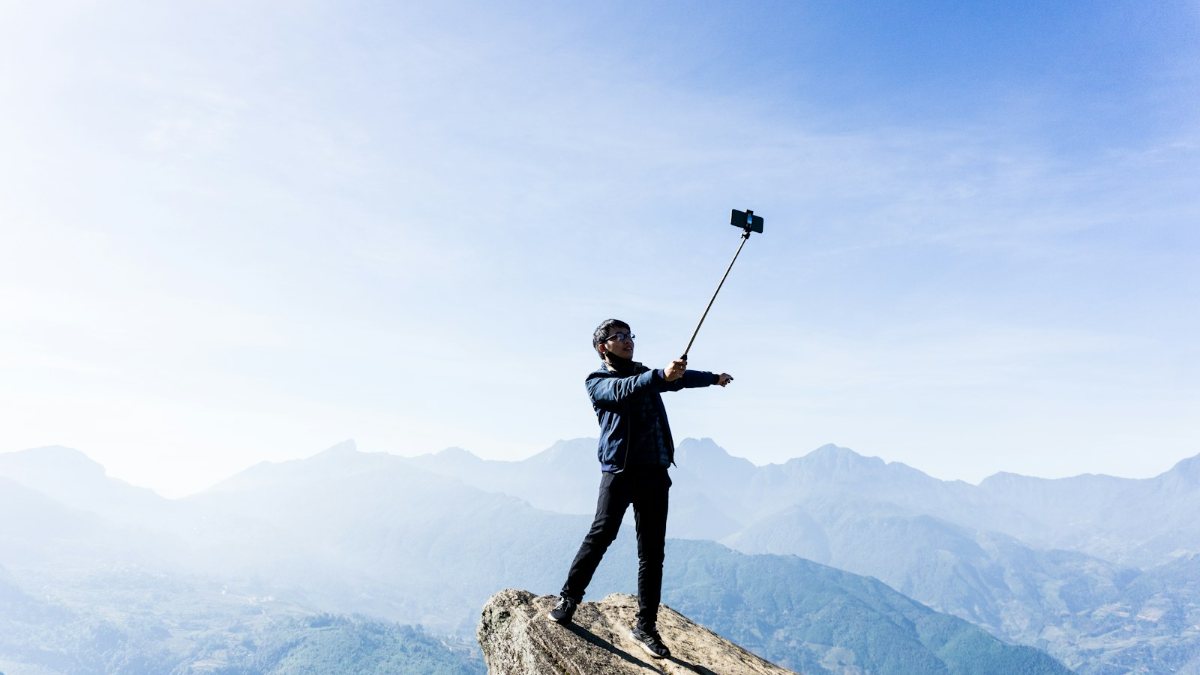
Put the lens at eye level or slightly above. From desk height, it looks up at your chin and the ceiling.
Light: window, ring light or LED panel
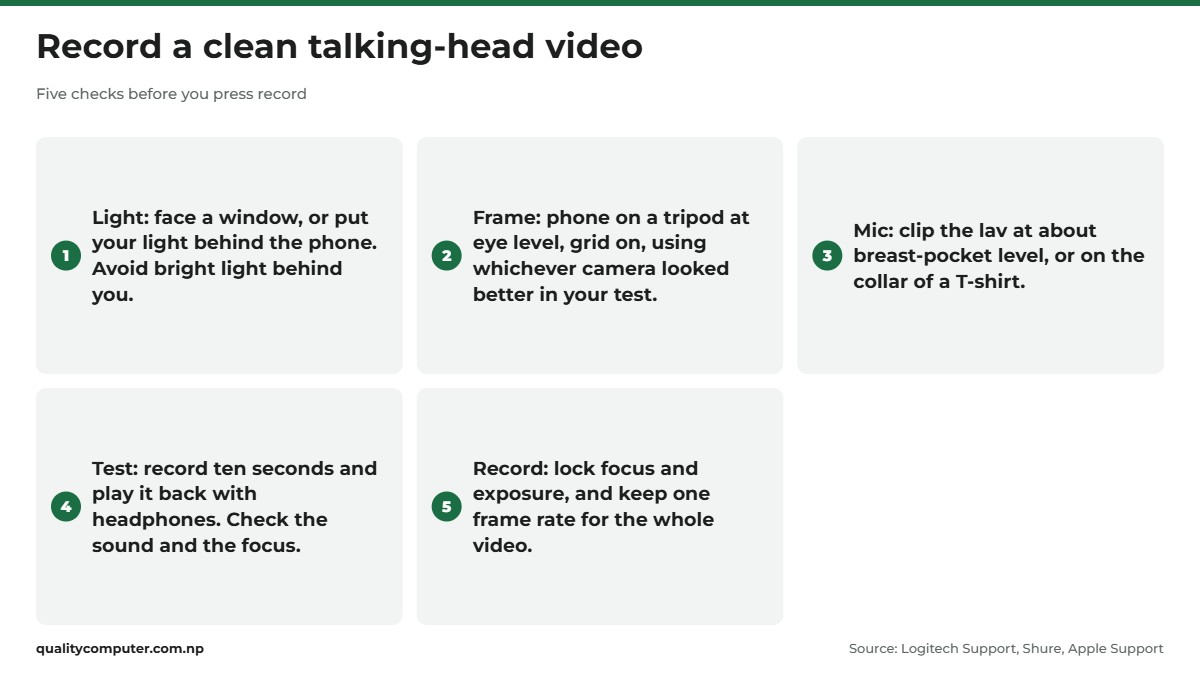
Phone cameras do their best work in plenty of light, so fix the light before you blame the camera. Start with a window: sit facing it, with the phone between you and the glass. Don't sit with a bright window behind you, or the camera exposes for the window and you become a dark shape. Logitech's advice matches: light should come from behind the camera, not behind you, with backlighting kept to a minimum (Logitech Support).
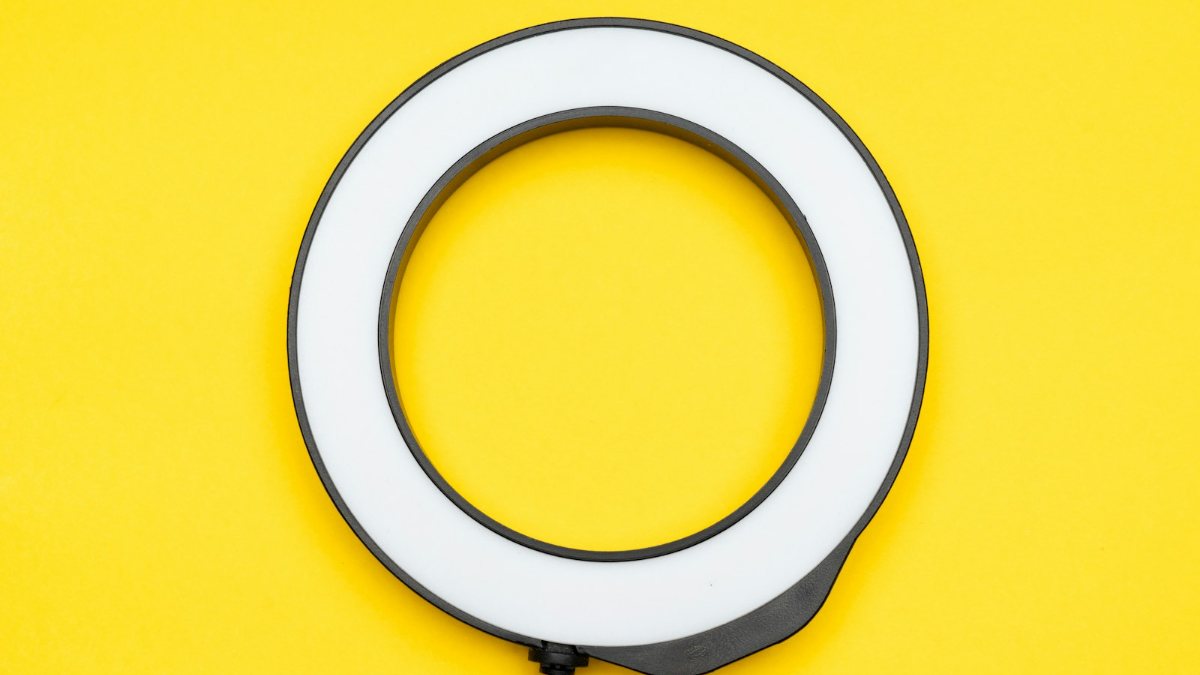
For night filming, add a light. A ring light is a circle of LEDs with the phone in the middle, so the light comes from the direction of the lens and spreads evenly over your face. An LED panel can sit to one side as your main light, what Logitech calls a key light, with a softer light or the window opposite as fill to soften shadows. Natural light or bright white bulbs keep colours neutral, Logitech adds.
Put it all together with five checks before you press record:
YouTube studio setup at a desk: webcam, USB mic, headphones
At a laptop, a webcam and a USB mic usually replace the phone and the clip-on. YouTube lists 720p as 1280 x 720 pixels, 1080p as 1920 x 1080, and 1440p, which it calls 2K, as 2560 x 1440 (YouTube Help). 720p is fine for calls on a slow connection. For a channel or recorded classes, 1080p is a sensible minimum, and 2K adds detail and room to crop.
The Logitech BRIO 100 is a Full HD 1080p webcam with auto-light balance (Logitech calls it RightLight), a privacy shutter and a built-in mic (Logitech). The ViewSonic C910 is a 2K webcam. Our webcam guide compares more. A separate mic closer to your mouth usually beats a webcam's mic.
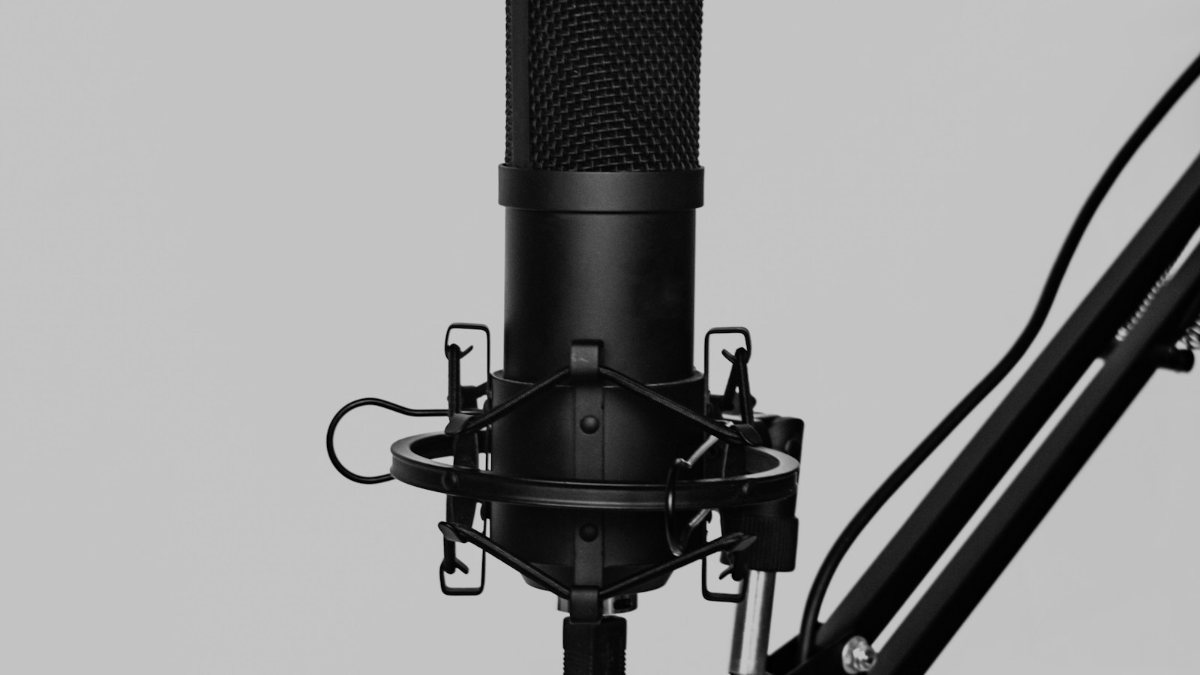
Plug the USB mic into the laptop and check it's the input your recording or streaming app is using. On Windows 10 and 11, connected mics are listed under Start > Settings > System > Sound > Input (Microsoft Support). Wear headphones while recording, through the mic's monitor port if it has one, to catch echo and hum early. For a two-person podcast setup, Fantech's LEVIOSA AIR also comes as a two-mic set with one receiver.
Storage and backup
Video fills storage fast, especially in 4K, so check free space before a shoot. For memory cards, the SD Association's Video Speed Class grades are V6, V10, V30, V60 and V90 (SD Association), and the number after the V is the card's minimum sustained speed in MB/s. It says a camera that records 4K could use a U3 card or a V30 to V90 card, and that higher frame rates will likely need a faster one (SD Association). Buy the class your camera's manual asks for, or higher.
The Lexar 633x 128GB microSDXC card is rated UHS-I and V30, the level the SD Association mentions for 4K. Our memory card guide explains how to choose one.
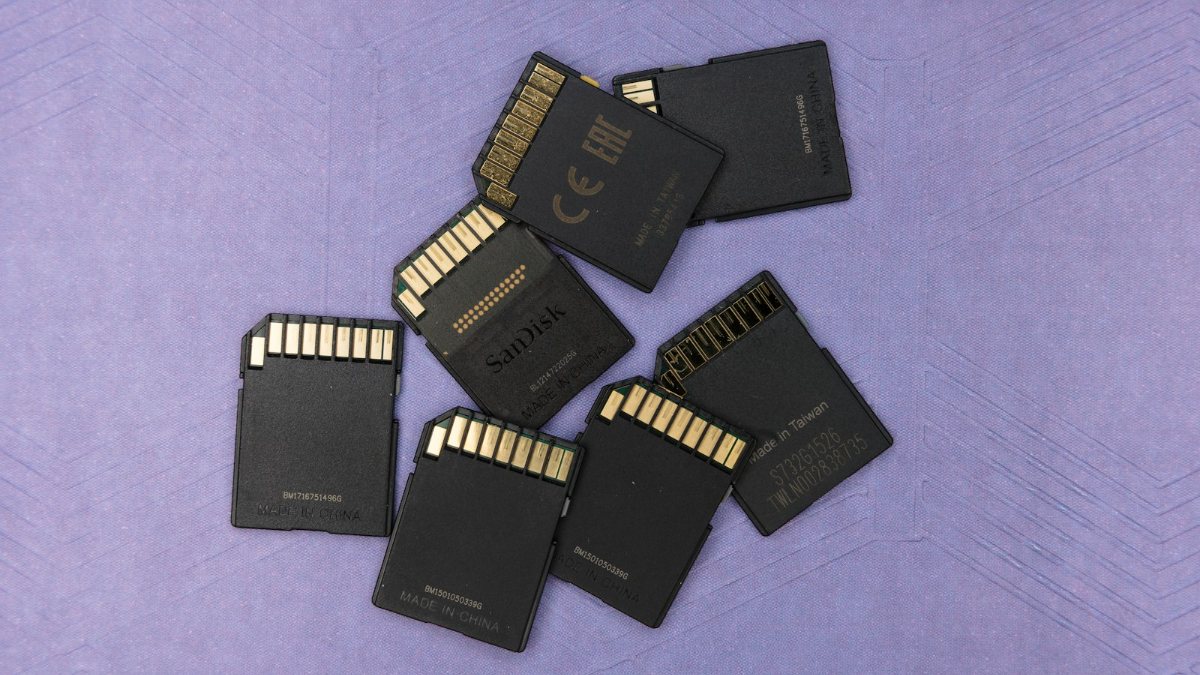
Back up as soon as you finish shooting. Copy the footage to a laptop, then to an external drive or cloud storage, before you delete anything from the card or phone.
Editing and uploading
On a phone, CapCut is free with in-app purchases on the Nepal App Store (App Store), and Apple's iMovie is free for iPhone and iPad and saves up to 4K at 60 fps (App Store). On a laptop, DaVinci Resolve has a free version for Mac, Windows and Linux (Blackmagic Design). If long 4K edits make your phone hot and slow, our guide to laptops for video editing covers what to look for in a computer.
Export at the frame rate you recorded in. YouTube treats a video as a Short if it's up to three minutes long and square or vertical (YouTube Help). YouTube's standard frame on a computer is 16:9 (YouTube Help), so film normal videos sideways.
Can you earn from YouTube in Nepal?
Yes. Nepal is on YouTube's list of countries where you can join the YouTube Partner Programme (YouTube Help). At the time of writing (November 2026), you need 1,000 subscribers plus either 4,000 qualified watch hours in the past 12 months (watch time from the Shorts feed doesn't count) or 10 million qualified Shorts views in the past 90 days (YouTube Help). You also need two-step verification on, one active AdSense for YouTube account linked to the channel and no active Community Guidelines strikes. The lower 500-subscriber tier isn't listed for Nepal (YouTube Help).
Starter vlogging kit by budget
A content creator kit doesn't have to arrive all at once. These four run roughly from the smallest spend to the largest.
| Kit | Who it suits | What's in it | Add later |
|---|---|---|---|
| Phone starter | First videos, Reels, TikTok | Phone, lav mic, selfie-stick tripod, window light | A ring or LED light |
| YouTube desk | Explainers, online classes, streaming | 1080p or 2K webcam, USB condenser mic, headphones | A second light as fill |
| On the move | Travel, street and event vlogs | Phone, wireless lav kit, selfie stick, storage and a backup plan | An action camera and a V30 card |
| Podcast pair | Two-person podcasts, interviews | Two-mic wireless lav set, headphones, laptop | A webcam for a video version |
Whichever you start with, record a short test, watch it back with headphones and fix the worst problem first. Usually that's sound, then light, then shake.
Quick verdict
- Start with the phone you have: set resolution, frame rate and stabilisation, and lock focus and exposure.
- Buy a mic first: a wired lav on a budget, a wireless lav to move around, a USB condenser for a desk.
- A selfie-stick tripod covers most phone filming; a full-size tripod suits cameras and standing shots.
- Face a window before you buy a light, and keep bright light out from behind you.
- For 4K, the SD Association points to U3 or V30 cards and up. Back up before you delete anything.
- YouTube's Partner Programme is open in Nepal: 1,000 subscribers plus 4,000 watch hours in 12 months or 10 million Shorts views in 90 days.
Microphones, tripods and webcams in our store
If you're putting together your first kit, these are the kinds of microphones, tripods, webcams and memory cards that fit the setups above.
| Product | What it is | Our price |
|---|---|---|
| BOYA BY-M1 lavalier microphone | Wired lavalier mic (3.5 mm) | Rs 1,650 |
| Fantech LEVIOSA AIR WMV11C wireless lavalier mic (USB-C) | Wireless lavalier mic for USB-C phones | From Rs 3,150 |
| BOYA BY-M2 Lightning lavalier mic for iPhone | Lavalier mic for Lightning iPhones | Rs 4,490 |
| Fantech LEVIOSA AURA MCX04 USB condenser mic | USB condenser mic for desk and podcast recording | From Rs 4,900 |
| HiFuture WM100 wireless microphone | Wireless microphone | From Rs 5,440 |
| Fantech SS170 selfie stick tripod with remote | Selfie stick tripod with Bluetooth remote | From Rs 1,260 |
| UGREEN 53.5-175 cm aluminium travel tripod | 53.5 to 175 cm travel tripod with phone holder | Rs 6,430 |
| ViewSonic C910 2K webcam | 2K webcam | From Rs 4,500 |
| Logitech BRIO 100 webcam | 1080p webcam | From Rs 7,199 |
| Lexar 633x 128GB microSDXC V30 | 128GB V30 microSD card | From Rs 4,900 |
Prices checked on 15 November 2026 on our website.
In our store
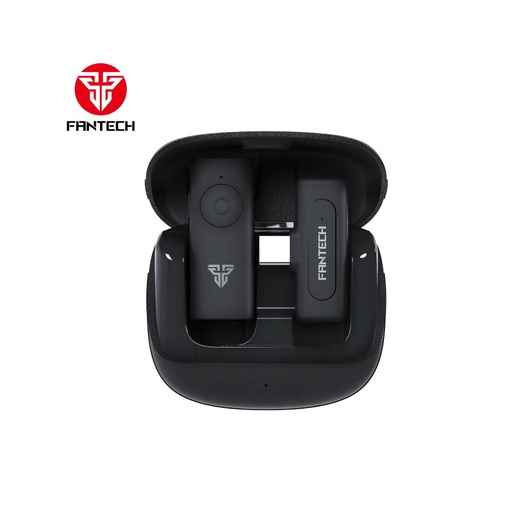
Fantech LEVIOSA AIR WMV11C
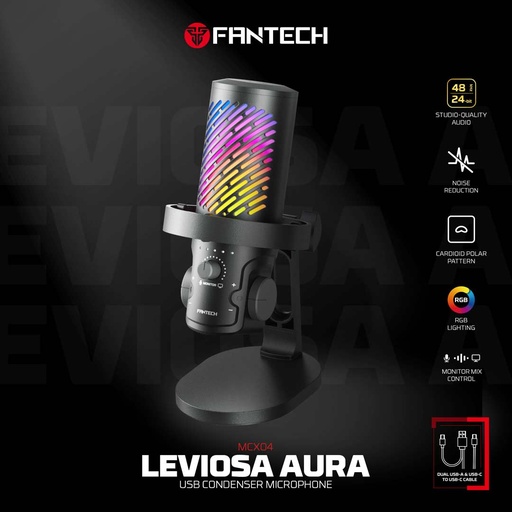
Fantech LEVIOSA AURA MCX04
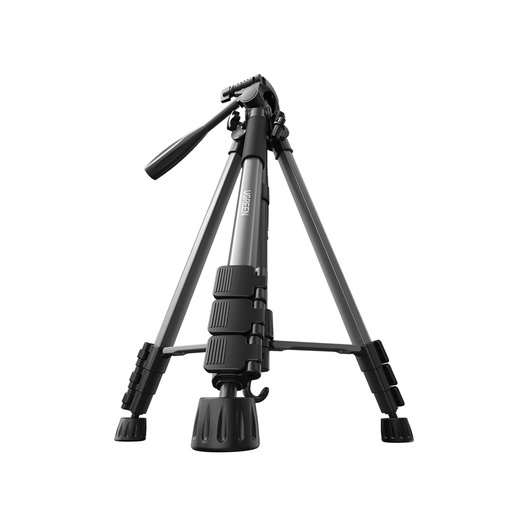
UGREEN travel tripod
Frequently asked questions
What do I need for a basic YouTube setup in Nepal?
Your phone, a microphone, something to hold the phone steady and decent light. A window works as your light to begin with. Add a webcam and a USB mic later if you record at a desk.
Which mic for vlogging should a beginner buy?
A clip-on lavalier is the usual first mic. A wired 3.5 mm lav costs least but needs a TRRS plug or an adaptor for phones, while a wireless lav kit plugs its receiver into the phone's USB-C or Lightning port and lets you move away from the camera.
Is a wireless mic better than a wired lavalier mic?
Neither is better for everyone. A wireless lav gives you freedom of movement and plugs into the phone's port, but it needs charging. A wired lav is simpler and cheaper, but the cable ties you to the phone or camera.
Do I need a ring light for YouTube videos?
Not at first. Face a window so daylight falls on your face, and keep bright light out from behind you. A ring light or LED panel helps once you film at night or in a dark room.
Which microphone for YouTube works best at a desk?
A USB condenser microphone on a stand is the usual choice for desk recording, podcasts and online classes. Use it in a quiet room, because condenser mics are sensitive, and wear headphones to hear what it picks up.
What memory card do I need for 4K video?
The SD Association says a camera that records 4K could use a U3 card or a V30 to V90 card. Check your camera's manual and buy the class it asks for or higher.
How many subscribers do you need to earn money on YouTube in Nepal?
At the time of writing (November 2026), the YouTube Partner Programme needs 1,000 subscribers plus either 4,000 qualified watch hours in the past 12 months or 10 million qualified Shorts views in the past 90 days. Nepal is on YouTube's list of countries where you can join.
Sources
- Record a video (iPhone User Guide), Apple Support
- Change video recording settings on iPhone, Apple Support, iPhone User Guide
- Use iPhone camera tools to set up your shot, Apple Support, iPhone User Guide
- Charge and connect with the USB-C connector on your iPhone, Apple Support
- Record a video on your Pixel phone, Pixel Camera Help, Google
- Use camera features on Galaxy S26, Samsung Support
- How to connect an external microphone to a smartphone, RØDE
- A guide to using VideoMics, wireless and lavalier mics with a computer or mobile device, RØDE
- How to choose the best lavalier microphone, Shure
- A basic guide to mics and mic techniques for presenters, Shure
- BY-M1 lavalier microphone, BOYA
- BY-M2 lavalier microphone for iOS, BOYA
- LEVIOSA AIR wireless lavalier microphone, Fantech
- LEVIOSA AURA MCX04 USB condenser microphone, Fantech
- Condenser vs dynamic mics for gaming, streaming and more, Fantech
- SS170 selfie stick, Fantech
- Brio 100 Full HD webcam, Logitech
- Maintain a constant 720p/60fps stream with the C922 webcam (lighting tips), Logitech Support
- SD standard for video recording (speed classes), SD Association
- Video Speed Class (thought leadership article), SD Association
- CapCut: Photo & Video Editor, App Store Nepal, checked 15 November 2026
- iMovie, App Store, Apple, checked 15 November 2026
- DaVinci Resolve 21, Blackmagic Design
- How to set up and test microphones in Windows, Microsoft Support
- YouTube recommended upload encoding settings, YouTube Help
- Video resolution and aspect ratios, YouTube Help
- Understand three-minute YouTube Shorts, YouTube Help
- YouTube Partner Programme availability, YouTube Help, checked 15 November 2026
- YouTube Partner Programme overview and eligibility, YouTube Help, checked 15 November 2026
- Overview of the expanded YouTube Partner Programme, YouTube Help, checked 15 November 2026