Secondary Router or Mesh WiFi: How to Get WiFi on Every Floor (2026)
Short answer: A secondary router is a second WiFi router added to the one your internet company gave you, to cover rooms the first one can't reach. If you can run a LAN cable between floors, a second router in access point mode is the cheapest reliable fix. If you can't run a cable, use a mesh WiFi pair. A plug-in range extender is the cheapest option but usually the slowest.
Shop at Quality Computer
Routers, mesh routers and extenders View all →
Why WiFi is weak upstairs
Most houses in Nepal are concrete and brick, two or three storeys, with the internet company's router fixed wherever the fibre came in, usually a ground-floor corner. WiFi has to pass through a reinforced concrete slab to reach the next floor, and it loses most of its strength doing so.
The 5GHz band, which carries the fast speeds on a dual band router, fades faster with distance and is the worse of the two at getting through walls and floors. The 2.4GHz band reaches further but is slower and more crowded. So upstairs you either get one bar of slow WiFi or none.
A stronger single router rarely fixes this. What fixes it is a second source of WiFi on the floor that needs it. There are three ways to add one, and they are not equally good.
Secondary router vs mesh WiFi vs extender
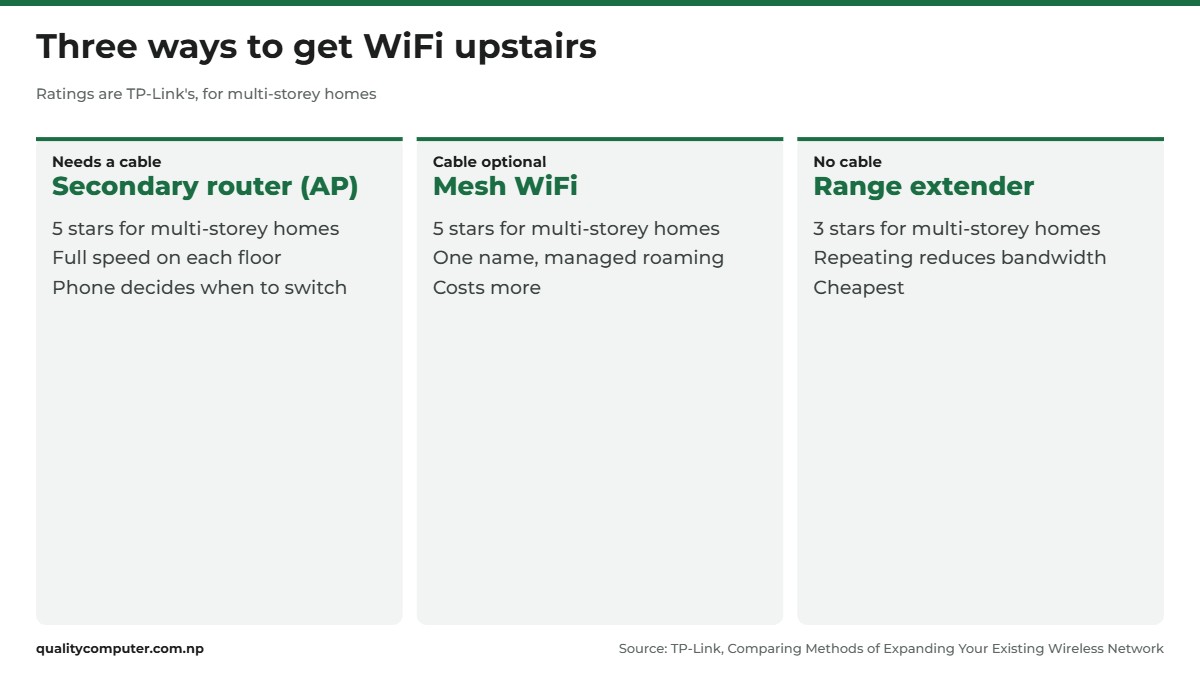
TP-Link's own guide to expanding a wireless network compares the options and rates them for single-storey and multi-storey homes.
| Option | How it connects | Good at | Weak at |
|---|---|---|---|
| Secondary router as an access point | LAN cable from the main router | Full speed on every floor; rated 5 stars for multi-storey homes | Needs a cable run; devices choose when to switch |
| Mesh WiFi | Wirelessly, or by cable if you have one | One network name, phones move between units on their own; 5 stars | Costs more |
| Range extender | Wirelessly | Cheap, plugs in anywhere | Repeating cuts the speed; 3 stars for multi-storey homes |
The reason most extenders are slower is simple: a basic one has to listen to the router and talk to your phone over the same radio. TP-Link describes its reliability as "fair" because repeating the signal reduces bandwidth. An access point on a cable has no such problem, which is why the cable matters more than the brand.
Our WiFi extender guide covers the plug-in type in more detail if that is all your house allows.
How to set up a secondary router (access point mode)
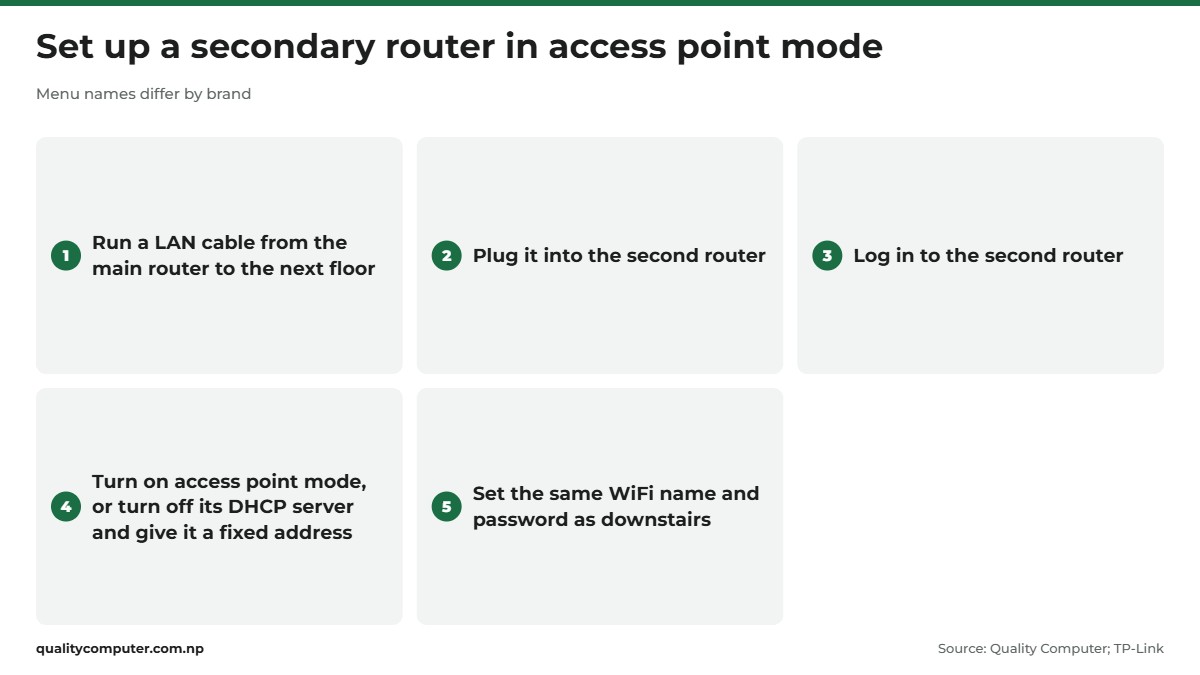
This is the setup most ISP technicians mean when they say "secondary router". You need a second router and a LAN cable long enough to reach it. Menu names differ between brands, but the steps are the same.
- Run the cable. Connect one end to a LAN port on the main router and take the other end to the floor that needs WiFi. Use Cat6; our network cable guide explains why.
- Plug it into the second router. If the router has an access point mode, the cable can go into its WAN port. If it doesn't, use a LAN port.
- Log in to the second router from a phone or laptop connected to it. Our router login guide lists the usual addresses.
- Switch it to access point mode (on TP-Link routers it is under Operation Mode). The router then stops handing out its own addresses and passes everything to the main router.
- No AP mode in the menu? Turn off the DHCP server on the second router and give it a fixed address on the main router's network, outside the block of addresses the main router hands out. On routers like this, TP-Link's instructions are to change these settings first and connect the cable to a LAN port last.
- Set the WiFi name and password. Use the same name and password as downstairs if you want phones to move between the two without asking you.
One honest limit: with two ordinary routers, the phone decides when to let go of the weak signal and join the strong one. TP-Link notes that an access point "will not manage the roaming rules of your devices as a mesh network will". Some phones hang on to the downstairs router for too long. Turning WiFi off and on fixes it in a second, but if that would annoy you every day, buy mesh.

When mesh WiFi is the better buy
Mesh WiFi is two or more units sold to work as one network. You see one WiFi name, the units decide which of them should serve each phone, and you manage them from one app. Choose mesh when:
- you can't run a cable between floors, or don't want one on show;
- you take video calls while walking around the house;
- three or more floors need cover, which is awkward with separate routers.
Two things to know before you buy. First, mesh systems from different brands, and even different ranges from one brand, usually don't join each other. TP-Link says plainly that its Deco, OneMesh, EasyMesh and Omada products are not designed to work together as one mesh. Buy the units as a set or from the same family.
Second, mesh still works best with a cable. TP-Link's advice is to "provide a wired backhaul between nodes for optimal performance and stability where possible", and it describes wired backhaul as using Ethernet cables to connect the mesh units. So if you have a cable already, a mesh pair on that cable gives you both full speed and easy roaming.
Some ordinary routers can be meshed too. Ruijie, for example, says its Reyee Mesh "supports the interconnection of all Reyee Wi-Fi 5 and Wi-Fi 6 home routers" (Ruijie Reyee), so two Reyee routers can form a mesh without buying a boxed kit.
Where to place the second unit
Placement decides whether the money was well spent.
- Wired access point: put it in the middle of the floor it serves, high up, in the open. A stairwell landing or a hallway is better than inside a bedroom.
- Wireless mesh unit or extender: it must sit where it still gets a strong signal from the main router. TP-Link suggests about halfway between the router and the area you want to cover; put it in the dead zone and it only repeats a weak signal.
- Don't skip floors. TP-Link's mesh advice is to avoid skipping floors or overextending a unit's range. For three storeys, put the units on the ground, first and second floors, roughly above each other near the staircase.
- Keep it away from the fridge, microwave, water tank and thick pillars.
A second router upstairs is one more thing that goes off in a power cut, so if you work from home, add a router UPS to each unit.
Which one should you buy?
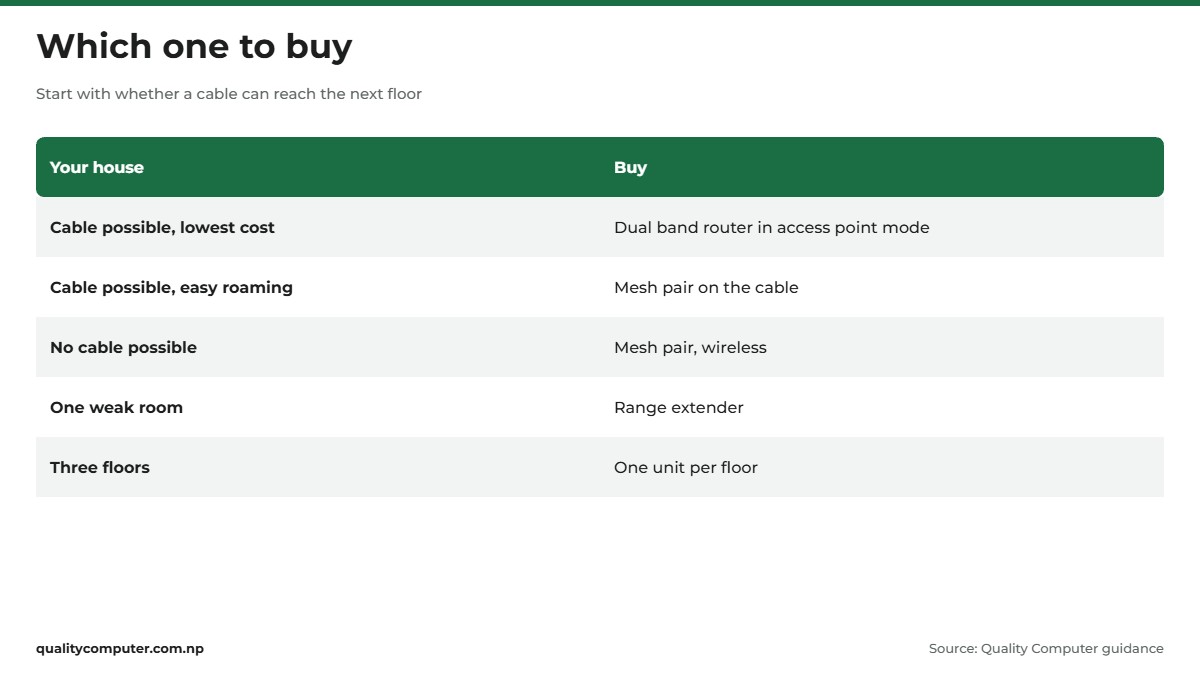
Start with one question: can you get a LAN cable from the main router to the next floor?
- Yes, and you want the lowest cost: a basic dual band secondary router in access point mode. One per extra floor.
- Yes, and you want it to just work: a mesh pair connected by that cable.
- No cable possible: a mesh pair connected wirelessly, placed as above.
- One weak room only: a range extender is enough.
Whatever you choose, buy dual band (2.4GHz and 5GHz) with gigabit ports if your plan is faster than 100Mbps, otherwise the second unit becomes the bottleneck. A "5G secondary router" in shop listings almost always means the 5GHz WiFi band, not 5G mobile data.
If the internet is slow even next to the main router, the problem is the line or the plan, not the WiFi. Compare plans in our internet price guide, and see the full router buying guide for speeds, bands and brands.
Quick verdict
- Cable between floors: add a secondary router in access point mode. Cheapest reliable fix.
- No cable: buy a mesh WiFi pair and put the second unit where the signal is still strong.
- A range extender is fine for one weak room, not for a whole floor.
- Buy mesh units from the same family; different systems usually don't join each other.
- Use the same WiFi name and password on both units, and never skip a floor.
Secondary routers, mesh and extenders in our store
Dual band routers, mesh routers and extenders from the Quality Computer store, for whichever of the three fixes suits your house.
| Product | What it is | Our price |
|---|---|---|
| Ruijie Reyee RG-EW300N 300Mbps router | Basic 300Mbps router for a small upstairs room | Rs 2,400 |
| Netis N5 (AC1200, dual band) | Dual band AC1200 router | Rs 3,000 |
| Ruijie Reyee RG-EW1200 (AC1200) | Dual band AC1200 router that can work as a secondary router | Rs 4,300 |
| V.SOL HG5013-4G AX3000 Wi-Fi 6 router | Wi-Fi 6 AX3000 dual band gigabit router | Rs 4,260 |
| Ruijie Reyee RG-EW1300G (AC1300, gigabit) | Dual band router with gigabit ports for fast fibre plans | Rs 6,200 |
| Ruijie Reyee RG-EW3000GX (Wi-Fi 6, AX3000) | Wi-Fi 6 mesh router with gigabit ports | Rs 11,385 |
| Ruijie Reyee RG-EW1800GX PRO Wi-Fi 6 mesh router | Wi-Fi 6 mesh router, AX1800 | Rs 14,200 |
| Ruijie Reyee RG-EW3200GX PRO Wi-Fi 6 mesh router | Wi-Fi 6 mesh router, AX3200, for larger homes | Rs 21,800 |
| Ruijie Reyee RG-EW1200R mesh extender | Dual band mesh extender, no cable needed | Rs 5,700 |
| Ruijie Reyee RG-EW300R Wi-Fi extender | Plug-in WiFi extender for one weak room | Rs 3,200 |
| TP-Link TL-WA850RE 300Mbps range extender | 300Mbps plug-in range extender | Rs 2,900 |
Prices checked on 22 November 2026 on our website.
In our store
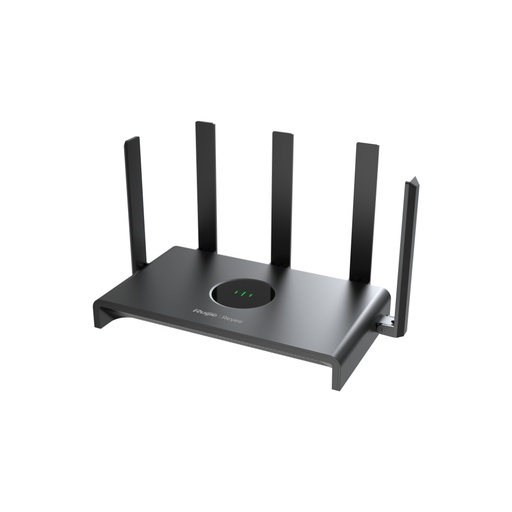
Reyee RG-EW1300G
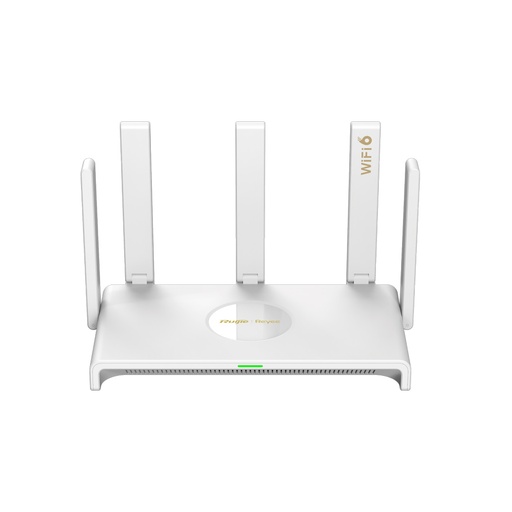
Reyee RG-EW3000GX
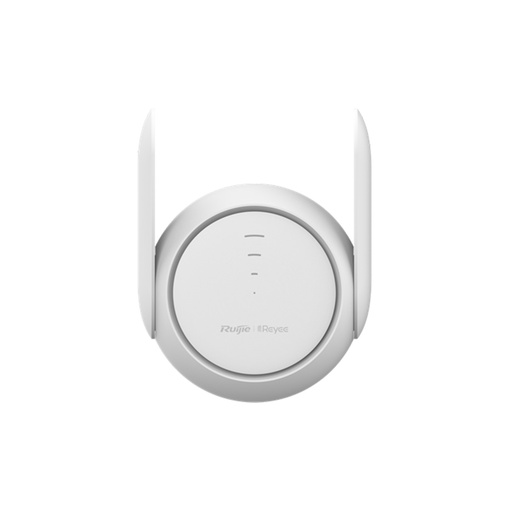
Reyee RG-EW1200R
Frequently asked questions
What is a secondary router?
A secondary router is a second WiFi router connected to your main router, usually by a LAN cable, to give WiFi to rooms or floors the main router can't reach. In access point mode it passes all traffic to the main router.
Is mesh WiFi better than a secondary router?
Mesh WiFi is easier to live with because the units share one network name and move your phone between them. A secondary router on a cable is cheaper and just as fast, but your phone decides when to switch.
Can I use any router as a secondary router?
Yes. Almost any WiFi router can be used as a secondary router. Choose access point mode in its settings, or turn off its DHCP server and connect it to the main router by LAN cable.
Does a WiFi extender reduce speed?
Usually yes. A range extender repeats the signal over the same radio it receives on, which reduces bandwidth. TP-Link rates extender reliability as fair for that reason.
What does 5G secondary router mean?
In shop listings it almost always means a dual band router with 5GHz WiFi, not 5G mobile data. The 5GHz band is faster than 2.4GHz but passes through walls and floors less well.
How many routers do I need for a three-storey house?
Plan for one unit per floor: the main router plus two more, placed roughly above each other near the staircase. Don't try to skip the middle floor.
Sources
- Comparing Methods of Expanding Your Existing Wireless Network, TP-Link, 26 October 2023
- TP-Link Mesh Compatibility: Deco, OneMesh, EasyMesh and Omada, TP-Link Support
- EasyMesh and TP-Link, TP-Link, 6 December 2022
- How to Set Up a TP-Link Router as an Access Point, TP-Link Support
- The differences between 2.4GHz and 5GHz Wireless, TP-Link Support
- RG-EW3000GX product page, Ruijie Reyee