
How to Change Your WiFi Password in Nepal: 192.168.1.1 Router Login for WorldLink, Vianet, NT and TP-Link (2026)
Short answer: On WorldLink, use the myWorldLink app. On Vianet, use the Vianet Nepal app; Subisu, Classic Tech and DishHome have apps that do it too. On Nepal Telecom fibre and most other routers, connect to your WiFi, type the router's address (usually 192.168.1.1, 192.168.0.1 or 192.168.100.1) in a browser, log in with the details on the sticker under the router, open Wireless or WLAN security, type a new password and save. Your devices will then need the new password.
Shop at Quality Computer
WiFi routers, mesh and extenders View all →
Which method works for your ISP
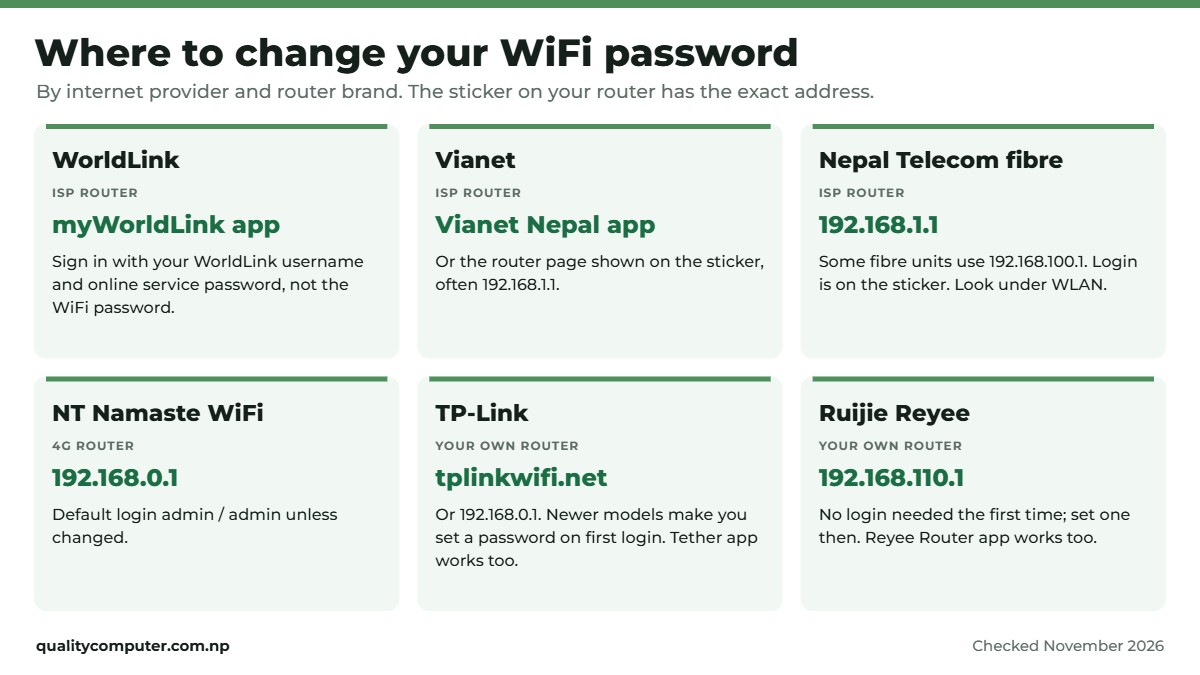
How you change the WiFi password depends on who manages the router. If your internet company installed it, start with that company's app. If you bought the router yourself, use its web page or the maker's app. Here's the short version.
| Your connection | Easiest way | Browser address to try |
|---|---|---|
| WorldLink | myWorldLink app | Usually not open to customers; use the app |
| Vianet | Vianet Nepal app | 192.168.1.1 (check the sticker) |
| Subisu, Classic Tech, DishHome | Subisu Mobile, Classic Tech or myDishHome app | The sticker's address if the app option isn't there |
| Nepal Telecom fibre (FTTH) | Router web page | 192.168.1.1 or 192.168.100.1 (check the sticker) |
| NT Namaste WiFi (4G) | Router web page | 192.168.0.1 |
| Your own TP-Link router | Web page or the Tether app | tplinkwifi.net or 192.168.0.1 |
| Your own Ruijie Reyee router | Web page or the Reyee Router app | 192.168.110.1 |
Addresses can differ by router model. The sticker on the bottom or back of your router always has the right one.
WorldLink: change the WiFi password in the myWorldLink app
WorldLink manages its customers' routers through its own app, so that's the way to do it. WorldLink doesn't give customers the login for its fibre unit (WorldLink FAQ), so a browser login won't let you change WiFi settings.
- Install myWorldLink from the Play Store or App Store (App Store listing).
- Sign in with your WorldLink username and your online service password. This is not your WiFi password. WorldLink notes that the two are different (WorldLink).
- Open the Wi-Fi or router option on the app's home screen. The exact menu name changes between app versions.
- Type the new password. If your router has separate 2.4GHz and 5GHz networks, set a password for each.
- Save. Your phone and laptop will drop off the WiFi; reconnect them with the new password.
You don't need to be at home to do it: the app works over mobile data too (NepaliTelecom). The same app also shows the devices connected to your WiFi and lets you restart the router (App Store).
Vianet: use the Vianet Nepal app
Vianet's app lets you control your WiFi router settings, including changing the password, seeing the devices connected to your WiFi and changing the WiFi channel (App Store listing). Sign in with your Vianet customer account, open the router or WiFi settings, enter the new password and save.
If the app option doesn't show for your router, use the browser method below. The login address and details are usually printed on the router's sticker.
192.168.1.1 router login, step by step
This works for most routers in Nepal, including Nepal Telecom fibre routers and routers you bought yourself. You need a phone or laptop connected to that router, by WiFi or cable.
- Connect to the router. On a phone, turn off mobile data so the page loads from the router, not the internet.
- Open a browser (Chrome, Safari or Edge) and type the router's address in the address bar, not the Google search box:
192.168.1.1. If nothing loads, try192.168.0.1or192.168.100.1, or find the exact address in the next section. - Log in with the admin username and password printed on the router's sticker. Older routers often use admin / admin (or user / user), but many ISP routers have their own login (NepaliTelecom).
- Find the WiFi settings. Look for Wireless, WLAN or WiFi, then Security.
- Set the security to WPA2-PSK (AES) or WPA2/WPA3, then type the new password in the field called Password, Pre-shared key, WPA key or Passphrase.
- Repeat for 5GHz if the router has a separate 5GHz network.
- Save or Apply. The router may restart. Reconnect every device with the new password.
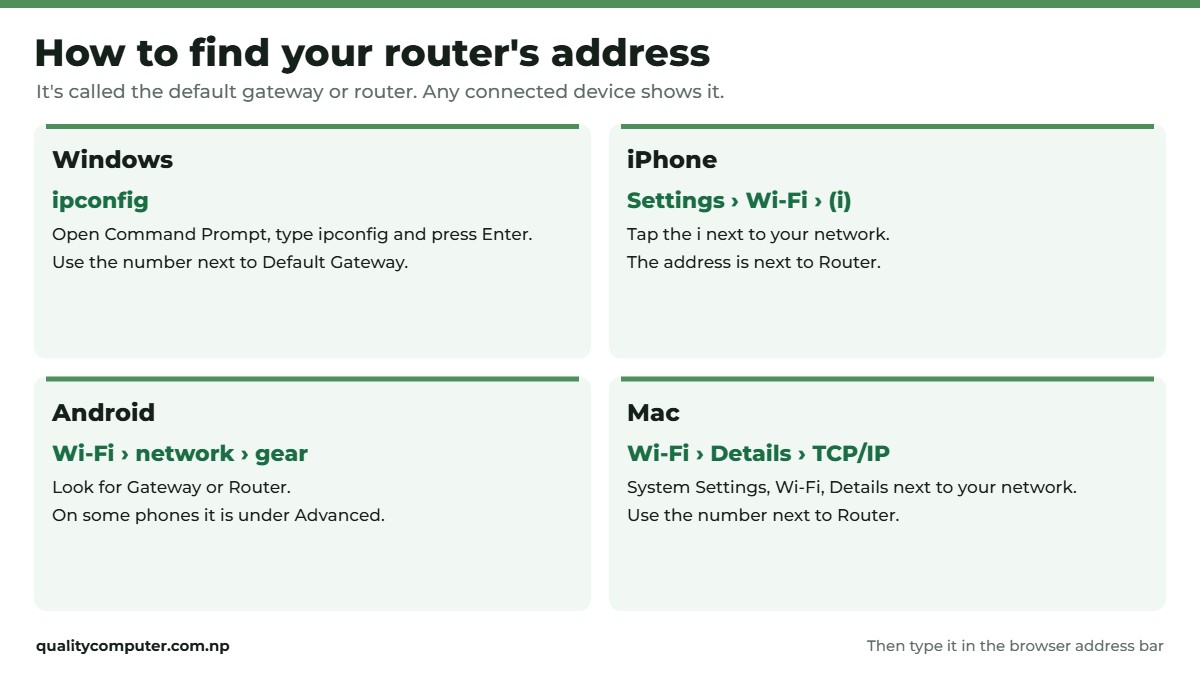
How to find your router's address
If 192.168.1.1 doesn't open, your router uses a different address. Your device already knows it: it's called the default gateway or router.
- Windows: open Command Prompt, type
ipconfigand press Enter. Use the number next to Default Gateway (NepaliTelecom). - iPhone: Settings, Wi-Fi, tap the i next to your network. The number next to Router is the address.
- Android: Settings, Wi-Fi (or Network & internet), tap your network's gear icon. Look for Gateway or Router; on some phones it's under Advanced.
- Mac: System Settings, Wi-Fi, Details next to your network, then TCP/IP. Use the number next to Router.
Nepal Telecom fibre and other ISPs
Nepal Telecom FTTH (NT Fiber): the fibre router (ONT) has a web page. NepaliTelecom shows an NT FTTH login page at 192.168.1.1 (NepaliTelecom); many fibre ONTs use 192.168.100.1 instead. The model, address and login details are on the sticker. In the settings, the WiFi password is usually under WLAN.
NT Namaste WiFi (4G router): open 192.168.0.1, log in with admin as the username and password unless you changed it, then change the SSID and password under the device settings (NepaliTelecom).
Subisu, Classic Tech and DishHome: try your ISP's app first. The Subisu Mobile, Classic Tech and myDishHome apps all list a WiFi password change. If the option isn't there for your router, use the browser method above with the details on the sticker. If the admin login is locked, call the ISP's customer care and they can change it for you.
Comparing internet plans as well? See our internet price in Nepal guide for WorldLink, Vianet, NT and other ISPs.

Your own TP-Link or Ruijie router
Many homes in Nepal plug a second router into the ISP's fibre unit for better coverage. You manage that one yourself.
TP-Link: go to tplinkwifi.net or 192.168.0.1; if those don't load, try 192.168.1.1. Newer TP-Link routers ask you to create an admin password the first time you log in, while older models use admin for both the username and password (TP-Link). The WiFi password is under Wireless. TP-Link's Tether app does the same job on a phone.
Ruijie Reyee (we sell these): the default address is 192.168.110.1, and no username or password is needed at the very first login, where the setup wizard asks you to set one (Ruijie Reyee manual; Ruijie). You can also manage it from the Reyee Router app. If you've added Reyee mesh units, they copy the main router's WiFi name and password when they pair; after a password change, check each unit is still connected and pair it again if not.
If WiFi is weak in some rooms rather than slow everywhere, a mesh unit or extender helps more than a new password. Our WiFi router guide and WiFi extender guide explain which to buy.
Can't log in? Forgot the password?
- The page won't open: make sure you're on that router's WiFi, turn off mobile data, and type the address in the address bar. Try the address from the "find your router's address" steps above.
- Wrong admin password: try the details on the sticker. If someone changed them, you'll need them, or a factory reset.
- Factory reset: holding the small Reset button for about 10 seconds wipes all settings, including the internet login. On a router you own, that's fine: set it up again from the sticker details. If your own router dials the internet itself (PPPoE), you'll also need the internet username and password from your ISP. Don't reset an ISP's fibre unit (the box the thin fibre cable plugs into) unless the ISP tells you to; it can take your internet offline until a technician sets it up again.
- Forgot your WiFi password but a laptop is still connected: log in to the router page from that laptop and read or change the password there.
Make your WiFi hard to break into
- Use 12 characters or more, such as three or four unrelated words plus a number. Avoid phone numbers, names, birthdays and 12345678.
- Use WPA2 (AES) or WPA3. Never WEP or "open".
- Change the router's admin password, not only the WiFi password. Otherwise anyone on your WiFi can log in to the settings page with the default details from the sticker. Write the new admin password down.
- Turn off WPS if you don't use it.
- Check connected devices in the app or router page now and then, and remove ones you don't know.
- Update the router's firmware when the app or page offers it.
Power cuts kill WiFi before the internet line does. A small router UPS keeps it running; our router UPS guide explains how long they last. For laptops, our Wi-Fi 6 vs Wi-Fi 6E guide explains what your laptop's WiFi card can use.
Quick verdict
- WorldLink: change it in the myWorldLink app.
- Vianet, Subisu, Classic Tech and DishHome: try the ISP's app first.
- NT fibre and most others: 192.168.1.1 (or the sticker's address), then Wireless or WLAN security.
- TP-Link: tplinkwifi.net. Ruijie Reyee: 192.168.110.1.
- Use a 12+ character WPA2 or WPA3 password and change the admin password too.
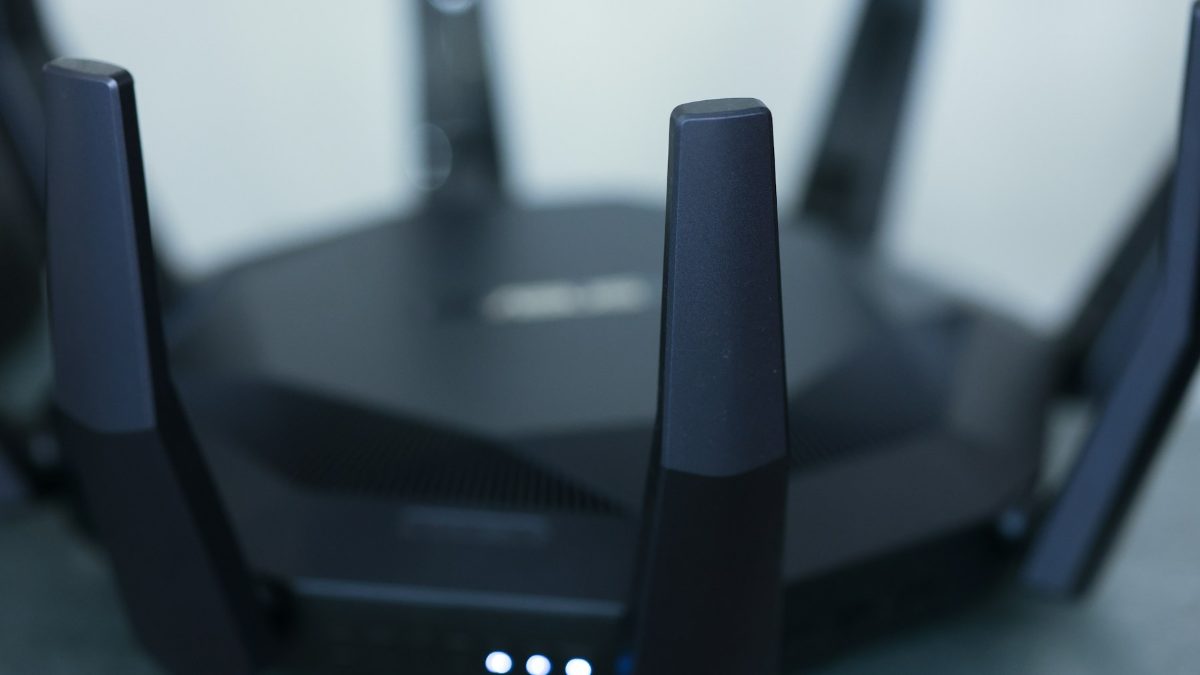
Routers in our store
If your ISP's router struggles to cover your home, add your own router or mesh unit behind it. These are in stock on our website. Visit our store in Birtamode, Jhapa, if you'd like help choosing.
| Product | What it is | Our price |
|---|---|---|
| Ruijie Reyee RG-EW1200 (AC1200) | AC1200 dual band, a good first upgrade | Rs 4,300 |
| Ruijie Reyee RG-EW1300G (AC1300, gigabit) | AC1300 with gigabit ports, for fibre plans above 100 Mbps | Rs 6,200 |
| Ruijie Reyee RG-EW1200G PRO (gigabit) | AC1300 with gigabit ports, Reyee app | Rs 7,200 |
| Ruijie Reyee RG-EW3000GX (Wi-Fi 6, AX3000) | Wi-Fi 6 AX3000, mesh capable | Rs 11,385 |
| Ruijie Reyee RG-EW1200R mesh extender | Mesh extender for Reyee routers | Rs 5,700 |
| Ruijie Reyee RG-EW300R Wi-Fi extender | Small 2.4GHz (300 Mbps) extender for one weak room | Rs 3,200 |
| Netis N5 (AC1200, dual band) | Budget AC1200 dual band | Rs 3,000 |
Prices checked on 12 November 2026 on our website.
In our store
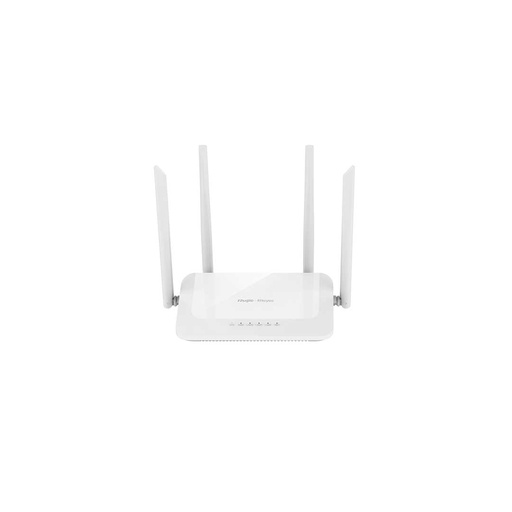
RG-EW1200
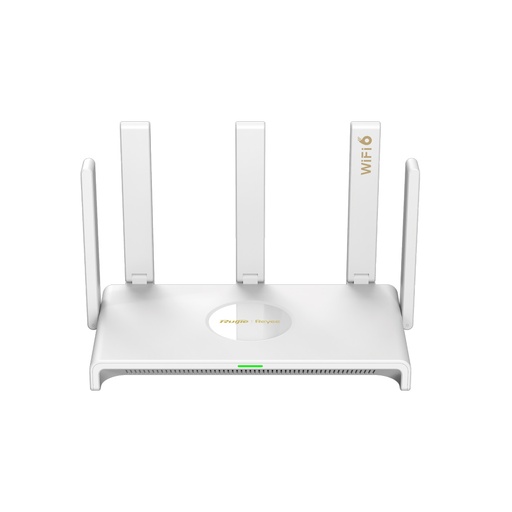
RG-EW3000GX
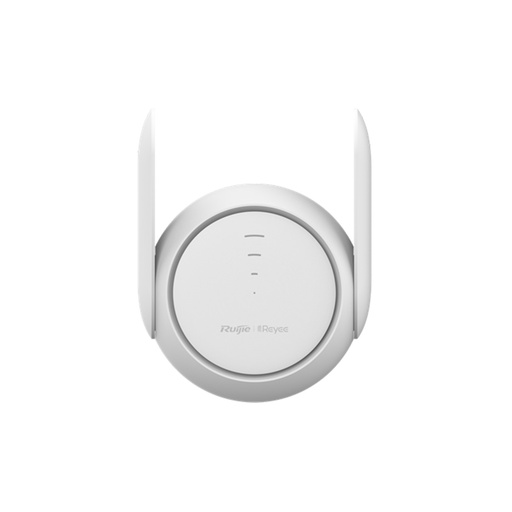
RG-EW1200R
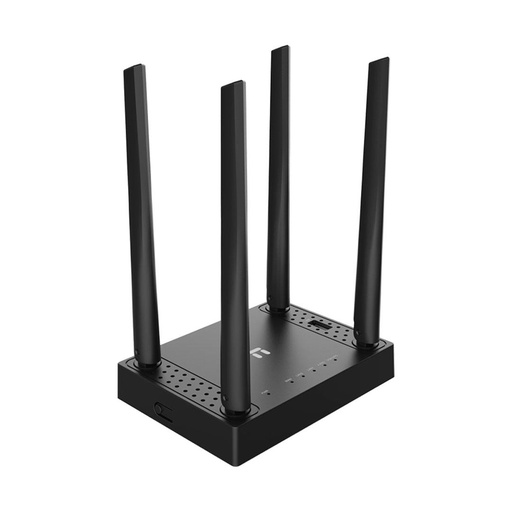
Netis N5
Frequently asked questions
How do I change my WiFi password in Nepal?
WorldLink users change it in the myWorldLink app, and Vianet users in the Vianet Nepal app; Subisu, Classic Tech and DishHome apps can do it too. For most other routers, connect to the WiFi, open 192.168.1.1 (or the address on the router's sticker) in a browser, log in, go to Wireless or WLAN security, enter a new password and save.
What is 192.168.1.1?
It's the local address many routers use for their settings page. It only works from a device connected to that router. Other common addresses are 192.168.0.1, 192.168.100.1 and, on Ruijie Reyee routers, 192.168.110.1.
What is the username and password for 192.168.1.1?
It's printed on the sticker under the router. Older routers often use admin for both, but many ISP routers in Nepal have their own login, and newer TP-Link routers make you create a password the first time.
How do I change my WorldLink WiFi password without the app?
WorldLink manages its routers through the myWorldLink app, and the router's web page usually doesn't let customers change WiFi settings. If you can't use the app, call WorldLink support and they can change it for you.
Can I change my WiFi password from my phone?
Yes. Use your ISP's app, or connect the phone to the WiFi, turn off mobile data and open the router's address in Chrome or Safari.
Will changing the WiFi password disconnect everyone?
Yes. Every device on that WiFi drops off and needs the new password. Devices plugged in by cable stay connected. It's a quick way to remove people you no longer want on your WiFi.
Sources
- myWorldLink app, App Store
- Frequently asked questions (router login), WorldLink
- Wi-Fi Express and online service password, WorldLink
- Vianet Nepal app, App Store
- Subisu Mobile, App Store
- Classic Tech, App Store
- myDishHome, App Store
- How to change the WiFi password of your router, NepaliTelecom, updated May 2026
- How to log in to the web-based interface of TP-Link Wi-Fi routers, TP-Link, updated 4 November 2026
- Reyee E5 user manual (default address and login), Ruijie Reyee
- RG-EW1300G router, Ruijie Reyee
- Router prices: Quality Computer website, 12 November 2026.