
Router UPS in Nepal: How to Keep Your WiFi Running in Power Cuts
Short answer: A router UPS is a small battery box that keeps your WiFi router and fibre ONT running in a power cut. Match its output to the voltage on your adapter label (usually 9V or 12V) and the amps shown. An 8,800mAh unit holds about 32.6Wh, enough for roughly 2 hours 45 minutes at a 10W load.
Shop at Quality Computer
Inverters, batteries and UPS View all →
Why your WiFi dies in a power cut
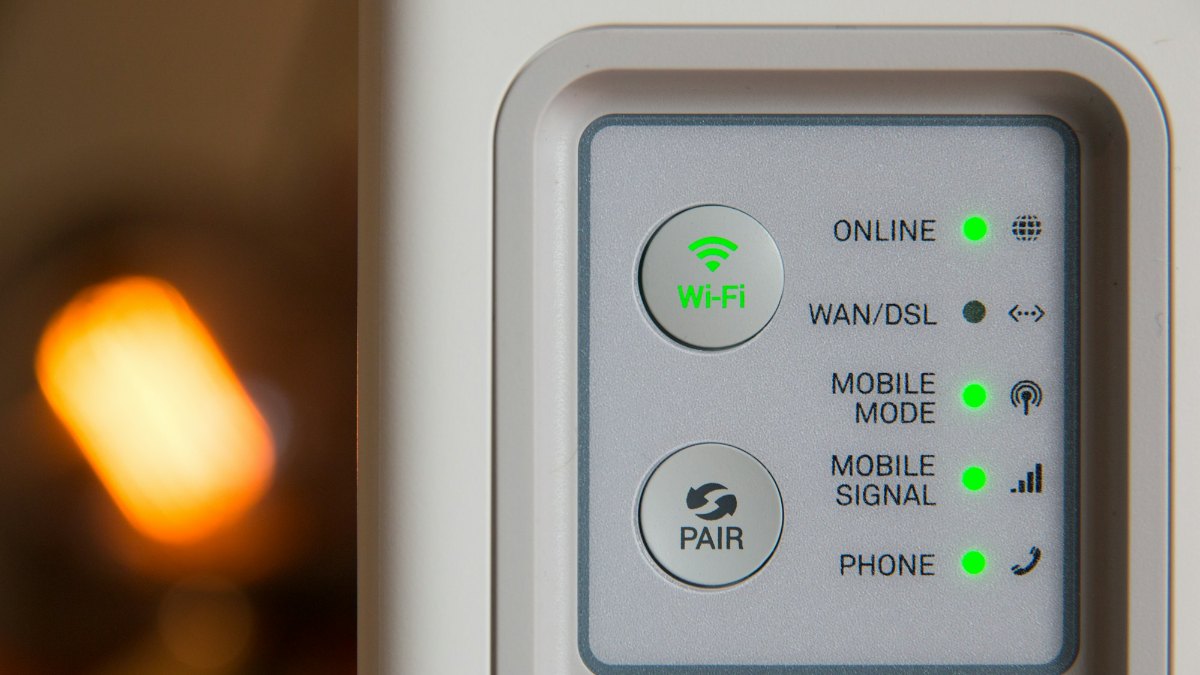
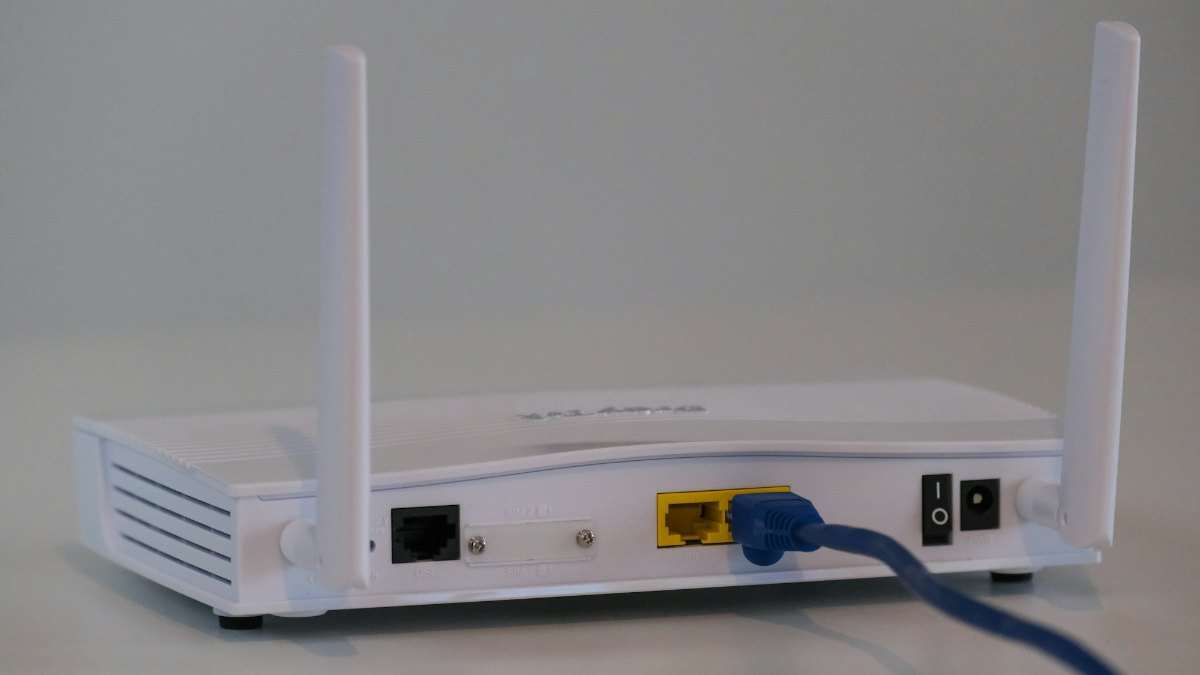
Your ISP's network can still be working during a power cut. The boxes in your home are the weak point. A fibre connection needs an ONT (the box the fibre cable plugs into) and a WiFi router, and both run on mains power through small adapters. When the electricity goes, so do they.
Nepal Telecom FTTH users can lose their landline too. NT pointed out that during a power cut, a landline phone connected through the FTTH router goes down along with the internet, and it suggested customers use a UPS or adapter to keep the router powered, as Nepali Telecom reported in December 2020.
At its worst, between 2006 and 2016, load-shedding meant 16 hours or more a day without power.
The outages of 2026 look different: planned cuts that NEA announces by area, flood damage (Spotlight Nepal reported that the 26 August Bhote Koshi flood cut 430MW from the system), and the frequent outages and repeated voltage interruptions in Biratnagar and eastern Nepal that energy minister Biraj Bhakta Shrestha told NEA to fix in July, according to Spotlight Nepal.
One limit to know before you buy: a mini UPS only powers your end of the connection. If your ISP's equipment in the area loses power, your WiFi stays on but the internet won't.
What is a mini UPS for WiFi router?
A mini DC UPS is a lithium battery pack with a charger and low-voltage DC outputs built in. While the mains is on, it runs your router and keeps its own battery charged. When the power cuts, it carries on from the battery.
Because the router already runs through the UPS, there's no switch-over gap; a factory spec sheet for the POE-430P design, for example, lists a 0ms transfer time.
PoE models in this class usually have a 5V USB port, 9V and 12V DC sockets, and a PoE port that sends 15V or 24V down a network cable. CNX Software describes this layout on one common design, and our listing for the SKE POE-432N shows the same set of outputs.
They're built to stay plugged in. All four of our listings mention over-charge and short-circuit protection, and three also list over-discharge protection. Some plug straight into the wall (the Hitech POE-430P listing mentions a built-in adapter; the SKE POE-432N takes 100-240V AC), while the Nexgen NX305 takes 12V DC from a separate adapter.
How to match a mini UPS to your router and ONT
Spend two minutes with your adapters before you order.
1. Read the adapter label
Every router and ONT adapter has an output line, such as 12V 1A or 9V 0.6A. Write down the volts and amps for each device, then multiply them: 12V × 1A = 12W.
Netgear's support page puts it plainly: a router's power consumption does not exceed its adapter rating. So volts × amps is your worst case, and a safe number to plan with.
2. Match the voltage exactly
Plug a 9V router into the 9V socket and a 12V router into the 12V socket. If the label says 5V, the USB port is the one to use. Never feed a router or ONT more volts than its label shows.
3. Check the amps and the total watts
Each output has its own current rating, and the whole unit has a power limit, usually in watts. The port must supply at least the amps on your adapter, and everything connected must stay under the total. Our SKE POE-432N listing, for example, shows 12V at 2A and 25W in total.
4. PoE: 24V passive is not 48V PoE
The PoE port on these units is passive PoE at 15V or 24V. Standard PoE (IEEE 802.3af and 802.3at) supplies 48V, and TP-Link warns that passive PoE above the voltage a device supports may burn it.
So check the device first. TP-Link lists its CPE210 outdoor CPE as 24V passive PoE, so the 24V setting is the one it needs. A camera or access point labelled 802.3af or 802.3at needs a standard PoE switch or injector instead, and one labelled 48V passive needs a 48V passive injector.
5. Check the plug and keep cables short
The UPS cable must fit your router's socket snugly; a loose plug usually means the wrong size. Keep DC cables short: one mini UPS maker notes that thin or long cables lose voltage, and routers are sensitive to drops.
How long will a router UPS last?
Do this sum before you trust any backup claim. It takes a minute.
- Battery energy (Wh) = mAh × 3.7 ÷ 1,000. Lithium cells have a nominal voltage of 3.7V, which is how Anker explains capacity ratings.
- Usable energy = Wh × 0.85. Stepping 3.7V up to 9V or 12V wastes some energy. Anker assumes 82% efficiency for its power banks; one mini UPS maker quotes 90-95% for DC output. We use 85%.
- Backup hours = usable Wh ÷ your load in watts.
For an 8,800mAh unit: 8,800 × 3.7 ÷ 1,000 = 32.6Wh, and 32.6 × 0.85 = 27.7Wh you can actually use. With an ONT and router drawing 10W together, 27.7 ÷ 10 = about 2.8 hours, or 2 hours 45 minutes.
| Total load | 8,800mAh unit (32.6Wh) | 10,400mAh unit (38.5Wh) |
|---|---|---|
| 6W (a small router on its own) | About 4 hr 35 min | About 5 hr 25 min |
| 10W (ONT plus router) | About 2 hr 45 min | About 3 hr 15 min |
| 15W (ONT plus a bigger router) | About 1 hr 50 min | About 2 hr 10 min |
Our estimates, assuming 85% efficiency and a new battery. Real backup depends on the unit, the battery's age and how hard your router is working.
Where does 10W come from? Verizon lists idle figures of 10.4W to 11.8W for three of its home routers, and one mini UPS maker's example pairs a 4.8W ONT with a 5.4W router. Your adapter labels give the worst case.
That lines up with Nepal Telecom's 2020 advice, as reported by Nepali Telecom: it suggested a 12V 1A UPS-adapter for its FTTH routers and said it runs them for about 2 hours. At 12W, the most a 12V 1A output can deliver, our formula gives an 8,800mAh unit 2 hours 18 minutes.
Be careful with big claims. For an 8,800mAh unit to last 8 hours, everything on it would have to draw about 3.5W, less than either router in the examples above.
Router backup for an ONT and a router together
Many fibre homes have two boxes, the ISP's ONT and a separate WiFi router; others have one combined unit. Two boxes need two outputs and more power.
Pick a UPS with a socket at the right voltage for each, such as 12V for the ONT and 9V or 12V for the router, and make sure the two adapter ratings added together stay under its maximum.
An example: an ONT adapter rated 12V 0.5A (6W) plus a router adapter rated 9V 1A (9W) makes 15W at worst. That fits under a 25W limit, and from the table above, an 8,800mAh unit gives about 1 hour 50 minutes, and likely a bit more in real use, since the labels are the worst case.
Every extra box on the UPS, such as an extender, mesh node or TV box, adds watts and cuts backup time.
Which router UPS should you buy?
We sell four mini DC UPS units for routers. Three are PoE models with 8,800mAh batteries; the Nexgen has no PoE port but a bigger 10,400mAh battery.
| Model | What it is | Battery energy | Our price | Status |
|---|---|---|---|---|
| Hitech Mini DC Router UPS POE-430P (8800mAh) | Mini DC UPS with PoE port, 8,800mAh | About 32.6Wh | Rs 2,199 | Call to order |
| Hitech Mini DC Router UPS POE-530P (8800mAh) | Mini DC UPS with PoE port, 8,800mAh | About 32.6Wh | Rs 1,880 | Call to order |
| SKE Mini DC Router UPS POE-432N (8800mAh) | 5V, 9V and 12V outputs plus 15V/24V PoE, 25W total (per our listing) | About 32.6Wh | Rs 1,900 | Call to order |
| Nexgen Mini DC Router UPS NX305 (10400mAh) | 5V, 9V and 12V DC outputs, no PoE, 12V DC input (per our listing) | About 38.5Wh | Rs 2,850 | Call to order |
Prices checked on 3 November 2026. Battery energy is our calculation at 3.7V per cell, before conversion losses.
Our verdict
- Longest backup, no PoE needed: the Nexgen NX305. Its 10,400mAh battery holds about 18% more energy than the 8,800mAh units, worth roughly 30 extra minutes at a 10W load.
- You also run a 24V passive PoE device: the SKE POE-432N. Our listing shows a 24V 1A PoE port alongside separate 5V, 9V and 12V outputs.
- You need one now: all four were Call to order on our website on 3 November, so call us to check stock before you order.
- Lowest price: the Hitech POE-530P at Rs 1,880. Call to order, and ask us to confirm its outputs suit your router and ONT.
Skip all four if your home already has an inverter; the next section explains why. For every UPS we sell, from these mini units to computer and home UPS models, see our UPS price in Nepal page.
When a computer UPS or inverter makes more sense
A mini DC UPS is the right tool for a router and ONT, but it isn't the only one, and sometimes it isn't the best.
- You already have an inverter: plug the router and ONT adapters into an inverter-backed socket. An inverter battery stores many times more energy than a mini UPS, so the router barely registers. Our UPS vs inverter guide and Luminous vs Su-Kam inverter comparison help you choose one.
- You have a computer UPS on your desk: it works as a UPS for router backup, but it converts battery DC to 230V AC and back again. One mini UPS maker rates AC output at 80-85% efficient against 90-95% for DC, so a 12V 7.2Ah battery's 86.4Wh shrinks on the way. See our guide to choosing a UPS by VA and watts.
- Your outages often outlast a mini UPS: a pocket WiFi runs on its own battery and mobile data, so it doesn't depend on your fibre line at all. See our pocket WiFi guide.
- You were thinking of a power bank: a typical power bank has only USB ports, while routers and ONTs commonly take a 9V or 12V DC plug, so it isn't a drop-in router backup. It's still the right thing for phones; compare models in our power bank price guide.
WiFi backup during load shedding: 7 setup tips
- Charge it fully first. Leave a new unit on mains until it's full.
- Back up only your network gear. The ONT and router are what keep you online; leave TV boxes and extra gadgets off the UPS.
- Stay under the ratings. Each port has a current limit and the unit has a total watt limit. Add up your adapter labels before you connect.
- Keep it cool. Battery University notes that heat speeds up permanent capacity loss, and a fully charged battery kept hot is the worst case, which is exactly how a UPS lives. Keep it off the router, away from the TV and out of the sun.
- Use short cables that fit snugly. Thin or long DC cables lose voltage, and routers handle voltage drops badly.
- Test it once. With everything connected, switch off the UPS's mains supply and time how long your WiFi stays up. That's your real backup figure.
- Protect it from surges and voltage swings. Our guide to protecting your devices from power surges and voltage fluctuations explains how.
Key takeaways:
- Match the voltage on your adapter label exactly, and make sure the UPS port supplies at least the amps shown.
- Backup hours = (mAh × 3.7 ÷ 1,000 × 0.85) ÷ watts. An 8,800mAh unit runs a 10W ONT-and-router setup for about 2 hours 45 minutes.
- PoE ports on mini UPS units are passive 15V or 24V, not 48V standard PoE.
- An ONT plus a router needs two outputs, with both adapter ratings added together under the UPS's limit.
- If your home has an inverter, plug the router into it instead.
Frequently asked questions
How long does a router UPS last?
It depends on the battery and your load. An 8,800mAh unit stores about 32.6Wh. After conversion losses, that runs a 10W ONT-and-router setup for about 2 hours 45 minutes, or a 6W router on its own for about 4 hours 35 minutes.
Should I use the 9V or 12V output?
Use the voltage printed on your router's or ONT's adapter label, never a higher one. The UPS port must also supply at least the amps shown on that label.
Can one mini UPS run my ONT and router together?
Yes, if it has a socket at the right voltage for each device and the two adapter ratings added together stay under the UPS's maximum output.
Can I use a power bank instead of a mini UPS?
Not as a drop-in. A typical power bank has only USB ports, while routers and ONTs commonly take a 9V or 12V DC plug. A power bank suits phones and 5V devices.
What is the PoE port on a mini UPS for?
It powers a device through its network cable, such as an outdoor wireless unit that takes 24V passive PoE. These ports give 15V or 24V passive PoE, not 48V standard PoE (802.3af or 802.3at), so check your device's label first.
How much does a router UPS cost in Nepal?
At Quality Computer, our four mini DC UPS units for routers cost Rs 1,880 to Rs 2,850 (prices checked on 3 November 2026). Bigger computer and home UPS units are on our UPS price in Nepal page.
Sources
- Nepal Telecom Recommends Using Router UPS/Adapter For Uninterrupted Voice Service in FTTH, Nepali Telecom, 4 December 2020
- Power cuts are back in Nepal, Nepali Times, 30 December 2020
- Power outage in these places in Kathmandu today, Kantipur, 17 January 2026
- Energy Minister Shrestha directed NEA to fix frequent power outages in Biratnagar and eastern region, Spotlight Nepal, 25 July 2026
- Damage worth 74 billion rupees to power infrastructure, Spotlight Nepal, 29 September 2026
- Maximum power consumption for NETGEAR WiFi routers, Netgear Knowledge Base, 7 July 2025
- What's PoE, TP-Link Omada Support, 30 April 2026
- PoE guide to TP-Link access points, TP-Link Omada Support, 3 August 2026
- Mini UPS with 5V, 9V, 12V DC, and PoE output could be useful for routers, security cameras, SBCs, and mini PCs, CNX Software, 21 March 2025
- POE-430P mini UPS specification sheet, Global Sources
- Why is the rated capacity of power banks lower than expected?, Anker Support
- How to calculate mini UPS backup time for routers and ONT, MYLION, 16 June 2026
- Small networking equipment (SNE) energy information, Verizon
- BU-808: How to prolong lithium-based batteries, Battery University, 11 October 2023