IPO Result Check and How to Apply for an IPO in Meroshare (2026)
Short answer: To apply for an IPO, log in to Meroshare (meroshare.cdsc.com.np), open My ASBA, choose the open issue, enter the number of units (kitta), pick the bank that gave you your CRN and confirm. Your bank blocks the money in your account rather than taking it straight away. For the IPO result, use CDSC's site iporesult.cdsc.com.np or the Application Report in My ASBA: Allotted means you got shares, and NOT Allotted means you got none and the blocked money is released.
Shop at Quality Computer
Power banks and chargers for your phone View all →
What you need before you apply for an IPO
An IPO (initial public offering, प्रारम्भिक सार्वजनिक निष्काशन) is a company's first sale of shares to the public. In Nepal you apply online through Meroshare, the service run by CDS and Clearing Limited (CDSC). The application uses ASBA: your bank blocks (रोक्का) the money in your account rather than taking it, and releases (फुकुवा) whatever isn't used once shares are allotted.
Investing carries risk: share prices can fall as well as rise. CDSC itself tells investors to put money into a public issue only after getting enough information about it, and to trade only after understanding the risks (CDSC investor notice, 2080-06-15). This guide explains the process, not which issues to choose.
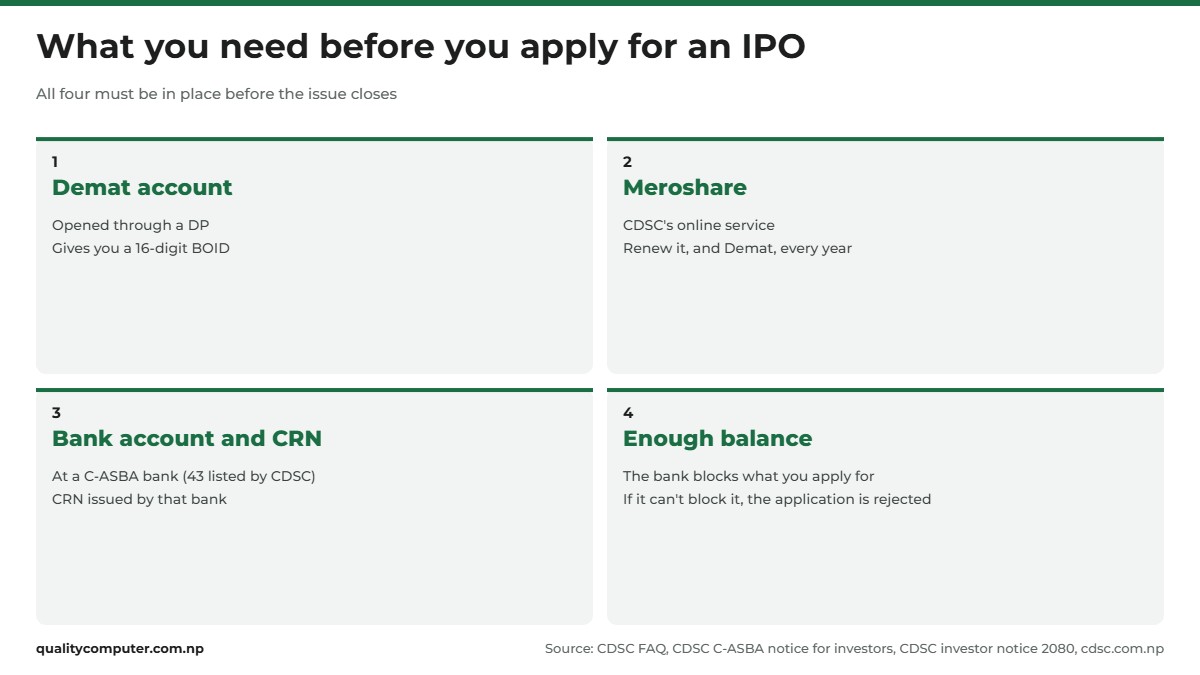
You need four things in place:
- A Demat account. You open it through a depository participant (DP), and it gives you a BOID, a unique 16-digit number that identifies your account in every transaction (CDSC FAQ). See our guide on how to open a Demat account and register for Meroshare.
- An active Meroshare account. CDSC says the Demat account and Meroshare must both be renewed every year. Its renewal payment partners are eSewa, IMEPay, Khalti and MyPay (CDSC payment partners), and our eSewa guide covers that wallet.
- A bank account with a CRN. The bank must be part of C-ASBA. CDSC listed 43 when we checked (Registered Banks in C-ASBA). The bank gives you a C-ASBA Registration Number (CRN). CDSC's Meroshare manual says you get it by visiting the bank in person, so ask your bank how it issues CRNs now.
- Enough money in that account. If your bank can't block the full amount, the application is rejected (CDSC C-ASBA notice for investors). The money has to sit in the bank account linked to your CRN, not in a wallet.
One more check. In June 2026 CDSC published a notice titled "हितग्राही खाता राष्ट्रिय परिचयपत्र नम्बर अनिवार्य गरिएको सम्बन्धमा", on making the National ID number mandatory for Demat accounts (CDSC notice). It is a scanned image, so we couldn't read the details. If your Demat account doesn't have your NIN yet, ask your DP. Our Nagarik App guide shows how to link your National ID to the app.
How to apply for an IPO in Meroshare, step by step
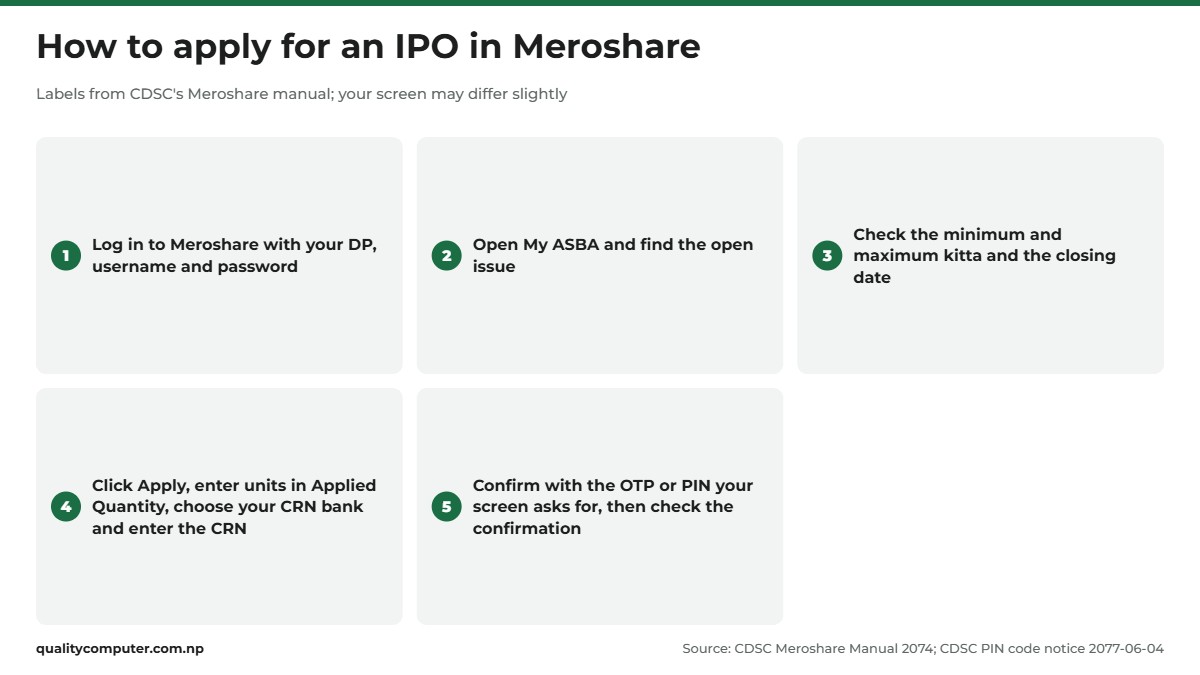
The labels below come from CDSC's own Meroshare manual (2074, Nepali). Screens have been updated since, so a tab name or step may differ from what you see.
- See what's open. CDSC's Current Issue list shows each open issue with its issue manager, units on offer, number of applications so far, and the open and close dates. SEBON publishes the IPOs it has approved, by fiscal year (IPO Approved).
- Log in. Go to meroshare.cdsc.com.np or open the MeroShare app, then choose your DP and enter your username and password. On the iPhone, CDSC says the app's seller information reads "C.D.S and Clearing" (CDSC app notice), so check that before you install it.
- Open My ASBA. The 2074 manual says the "Current Issue" tab inside My ASBA lists the companies whose public issue is open.
- Read the issue details. They show the minimum and maximum kitta you can apply for and the opening and closing dates.
- Click Apply and fill the form. Enter the number of units in "Applied Quantity", choose the bank that issued your CRN, and enter the CRN.
- Confirm. The 2074 manual describes an OTP sent to your registered email. CDSC later brought in a Meroshare PIN code (notice dated 2077-06-04), so enter whatever your screen asks for, such as an OTP or your Meroshare PIN.
- Check the confirmation. Meroshare shows a message on screen and sends a confirmation email.

The app works for this too: CDSC issued a notice on the My ASBA service in the Meroshare app in Mangsir 2077. You can also apply at a bank branch. The prospectus we checked says applications can be made at ASBA member banks as well as online through C-ASBA and Meroshare (Beni Hydropower prospectus, September 2026). Applying in Meroshare lets you follow the status yourself.
How many units (kitta) can you apply for?
There is no single number for every IPO. Each issue sets its own limits, and Meroshare shows the minimum and maximum kitta in the issue details before you apply (CDSC manual).
SEBON's Securities Issue and Allotment Directive, 2074 (listed on its Guidelines page with the tenth amendment) says the maximum you can apply for is whatever the issue's prospectus (विवरणपत्र) states. For ordinary shares, the directive says the minimum must be a number divisible by ten and no more than 50 kitta, so the exact minimum depends on the issue. Go by what Meroshare and the issue's notice show.
Three practical points:
- Check the amount. Your bank blocks the amount for the units you apply for, so the account must hold at least that much. CDSC's manual for banks says banks block amounts for the applications received every day (CASBA Manual for Banks).
- Use one Demat account only. CDSC tells investors not to apply in a public issue from more than one Demat account (CDSC investor notice).
- Read the prospectus. SEBON posts them on its Prospectus page, many labelled by the group they're for, such as "General Public".
What your Meroshare application status means
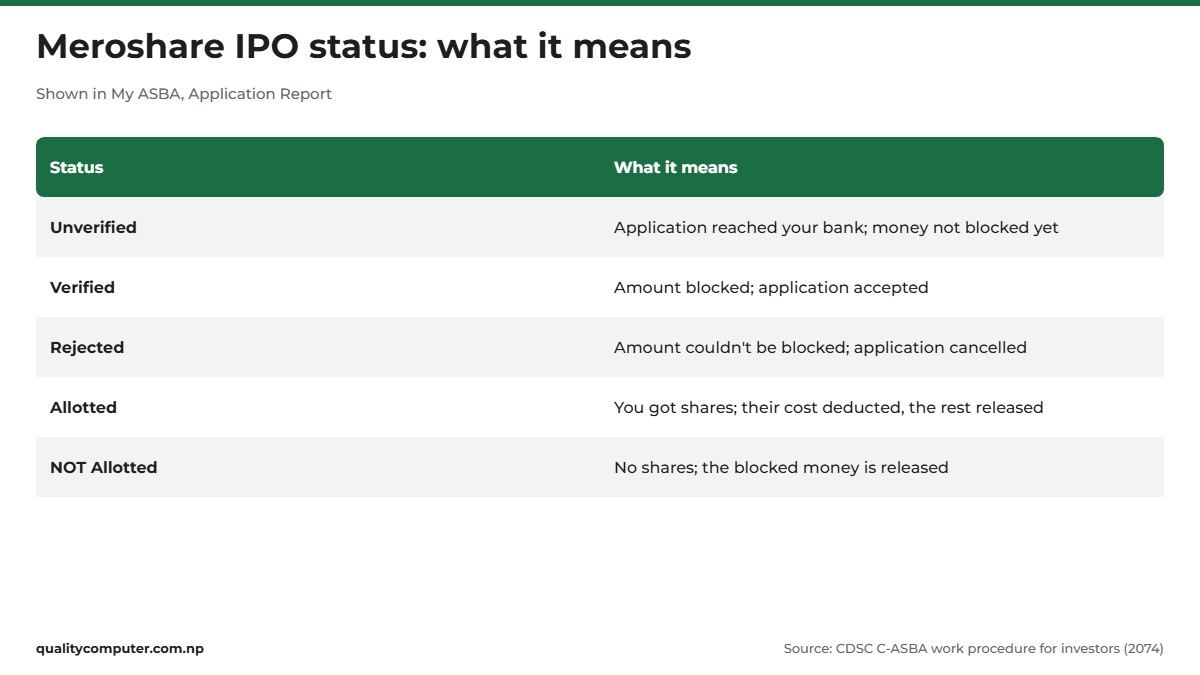
After you apply, open My ASBA and then Application Report. Choose the company and, in the 2074 manual's wording, click "Check Application Report". You see a Status and a Remark. CDSC's C-ASBA notice for investors explains each one (CDSC):
- Unverified: your application has reached your bank, but the bank hasn't blocked the money yet. With the remark "Block Amount Status - Generated", the bank is working on the block.
- Verified ("Block Amount Status - Amount Blocked"): the amount you applied for is blocked, and your application is accepted.
- Rejected ("Block Amount Status - Rejected"): the money couldn't be blocked, so the application was cancelled.
- Allotted: the allotment is done and you received shares. The report shows the "Allotted Quantity".
- NOT Allotted: the allotment is done and you didn't receive any shares.
If your application shows Unverified or Rejected while the issue is still open, check your balance and talk to your bank. Until the issue closes, CDSC's notice says you can click "Reapply" and amend your application.
How to check your IPO result
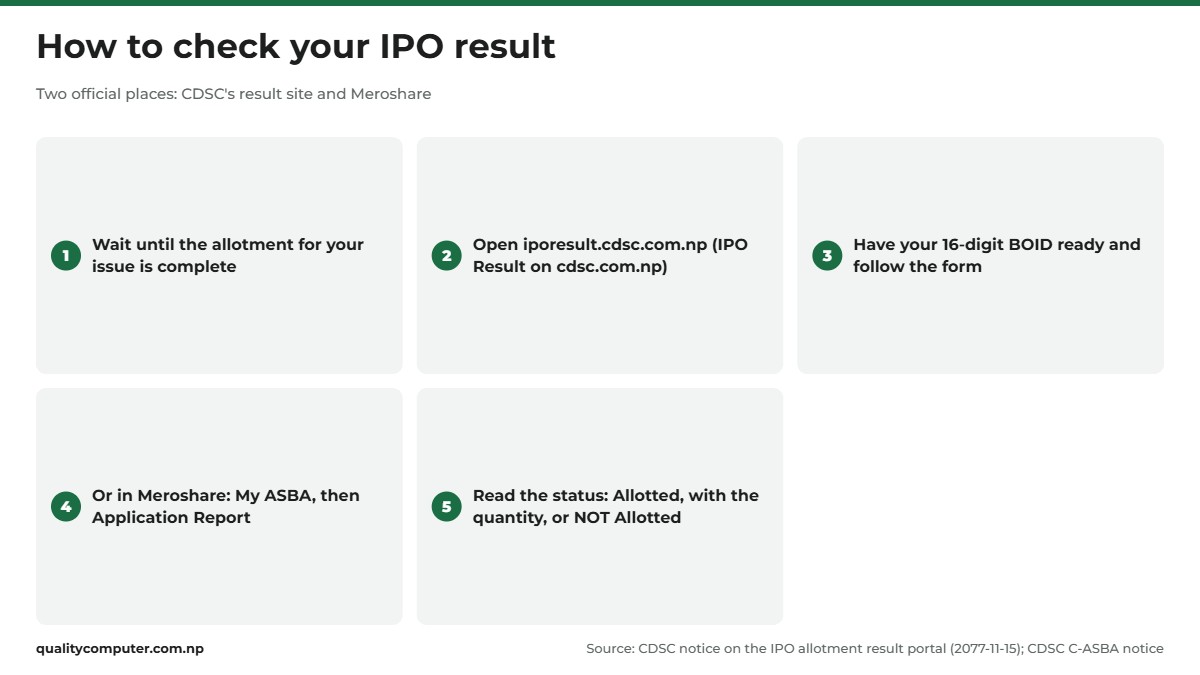
Once allotment is finished, you can check the outcome in two official places.
1. CDSC's result site
CDSC's homepage links "IPO Result" to iporesult.cdsc.com.np. CDSC opened this separate portal in Falgun 2077 (February 2021) because the websites of the issuing company and its issue manager couldn't cope with the traffic, which then overloaded Meroshare (CDSC notice, 2077-11-15). It is CDSC's own page for the latest IPO results.
CDSC's notice doesn't list what the form asks for, and the site blocks automated tools, so we couldn't view its screens for this guide. Have your 16-digit BOID ready before you open it, since that is the number that identifies your Demat account, and follow what the form asks.
2. Meroshare's Application Report
This is the same report you used after applying. When allotment is done, the status changes to Allotted, with the number of units, or NOT Allotted, and the Remark shows whether your money has been released.
There is no single fixed IPO result date. SEBON's directive sets only a maximum period for allotment after an issue closes, which depends on how many applications it gets. Results appear once the allotment for that issue is complete. If CDSC's site is slow, the Meroshare report gives the same answer for your own application.
Allotted or not: what your IPO result means for your money
CDSC's status table spells out what happens to the blocked amount (CDSC):
- Allotted: the cost of the units you received is deducted from the blocked amount, and the rest is released. The remark changes from "Amount Blocked" to "Amount Released". The shares are credited to your Demat account on the effective date the issuer or RTA sets (CDSC FAQ).
- NOT Allotted: the whole blocked amount is released back to you.
CDSC's manual for banks says that once the allotment process is complete, the bank releases or debits the blocked amount (CASBA Manual for Banks). It doesn't give a number of days, so if Meroshare shows "Amount Released" but your bank still shows the hold, contact the bank that issued your CRN.
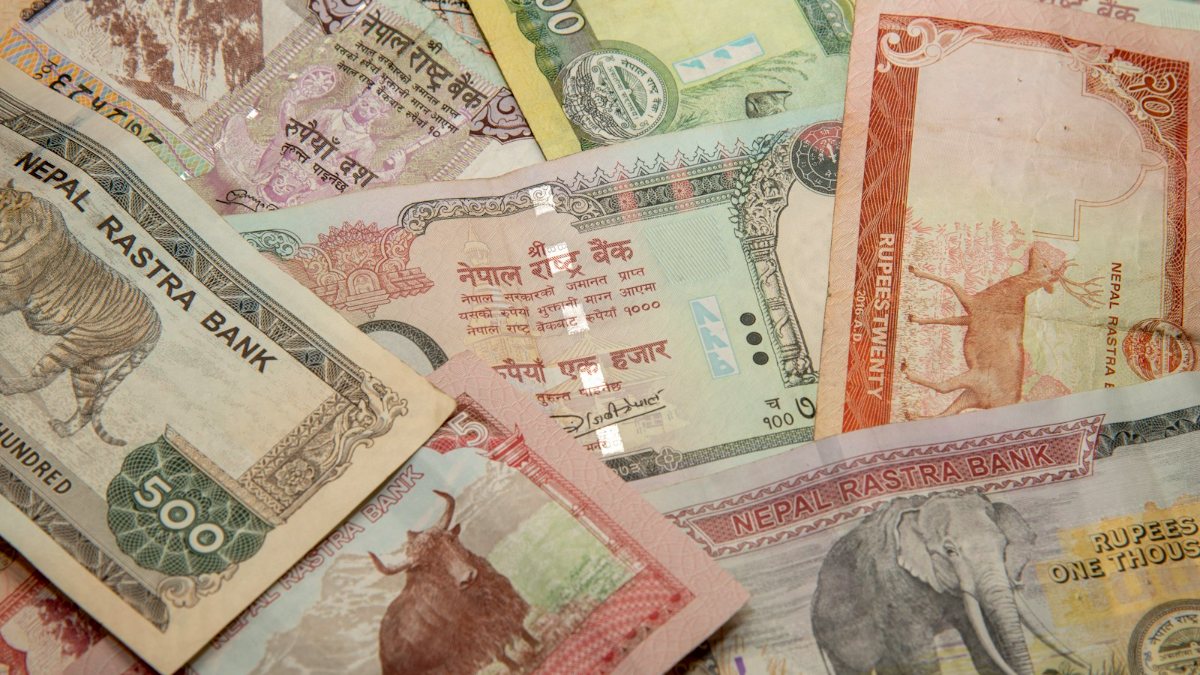
Not getting shares doesn't mean you made a mistake. When an issue gets more applications than it has units, not everyone can be allotted. You can see the demand in the "Number Of Application" and "Applied Unit" columns of CDSC's Current Issue list while the issue is open.
IPO for Nepalis working abroad
IPOs now set aside a portion for Nepalis in foreign employment. CDSC's Q&A on the topic (वैदेशिक रोजगारीमा रहेका नेपालीका लागि सार्वजनिक निष्कासन सम्बन्धी जिज्ञासाहरू, published December 2022) says 10 per cent of the shares in an IPO are reserved for Nepalis working abroad with labour approval (श्रम स्वीकृति), under Rule 9(6)(ka) of the Securities Registration and Issue Regulations, 2073 (CDSC Q&A). It applies to issues approved after SEBON's sixth amendment to the allotment directive, which took effect on 2079/06/17.
The quota is still in use. The Beni Hydropower Project prospectus on SEBON's site (September 2026) sets aside 10 per cent for Nepalis in foreign employment (SEBON).
According to CDSC's Q&A, you need:
- a remittance savings account (विप्रेषण बचत खाता) in your own name at an ASBA member bank, which can be opened online from abroad;
- a Demat account in your own name (an existing one is fine);
- proof of your labour approval, given to the bank so it can issue a CRN for the remittance account;
- at least Rs 50,000 sent into that account from abroad in the last six months. Money deposited inside Nepal doesn't count.

You then apply through Meroshare or at a branch of the ASBA bank. If you receive shares in this quota, you can't also apply in the part of the issue set aside for the general public. People abroad without labour approval can't use the quota. These conditions are as CDSC described them in 2022, and SEBON has amended the directive since, so check the issue's own notice.
Fake result sites, mistakes to avoid and who to contact
CDSC asks investors to keep their Meroshare username, password and Demat details secret and to use only CDSC's official system (CDSC investor notice). In practice that means:
- Check results only at iporesult.cdsc.com.np or inside Meroshare. Type the address yourself rather than tapping a link in a message.
- Never type your Meroshare password, PIN or a bank OTP into any other site, and never share them with anyone who calls or messages about your IPO.
- Apply from one Demat account only.
If you've been tricked, our cyber scam helpline guide explains where to report it in Nepal. Forgot your password? The login page has a "Forgot your password?" link that asks for your DP, username, email and date of birth in A.D. (CDSC guide).
Who to ask, in order:
- CRN, blocked or released money: the bank that issued your CRN.
- Meroshare login or Demat details: your DP.
- CDSC: 01-5360783 or 5360386, info@cdsc.com.np, Putalisadak, Kathmandu (CDSC contact page).
- Complaints to SEBON: toll-free 1660 01 44433, grievance hotline +977-01-5254076, gunaso@sebon.gov.np (SEBON contact page).
Fees, limits and quotas can change. The details here are as CDSC and SEBON published them at the time of writing (November 2026), so check the official pages before you apply.
Quick verdict
- Apply in Meroshare: My ASBA, choose the open issue, enter kitta, choose your CRN bank, enter the CRN and confirm.
- You need a Demat account (16-digit BOID), a renewed Meroshare account, a CRN from a C-ASBA bank and enough balance.
- Check the result at iporesult.cdsc.com.np or in My ASBA, Application Report.
- Allotted: the cost of your units is deducted and the rest released. NOT Allotted: all the blocked money is released.
- Nepalis working abroad with labour approval have a 10 per cent quota, with a remittance account and its own CRN.
- Never enter your Meroshare password or PIN on any site except CDSC's own.
Phones and laptops in our store
Meroshare works in a phone browser, in the MeroShare app and on a laptop, so a reliable device makes applying and checking results easier.
| Product | What it is | Our price |
|---|---|---|
| Havit PB89 10,000mAh power bank | 10,000mAh power bank | Rs 2,550 |
| Havit PB91 20,000mAh power bank | 20,000mAh power bank | Rs 3,000 |
| Trusmi PB03-013 20,000mAh 22.5W power bank | 20,000mAh 22.5W fast-charging power bank | Rs 3,550 |
| WiWU Nano Wi-U008 33W GaN charger | 33W GaN fast charger | Rs 1,900 |
Prices checked on 14 November 2026 on our website.
In our store
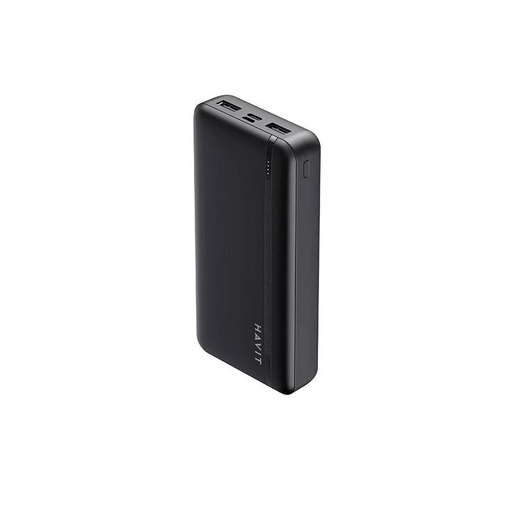
Havit PB91
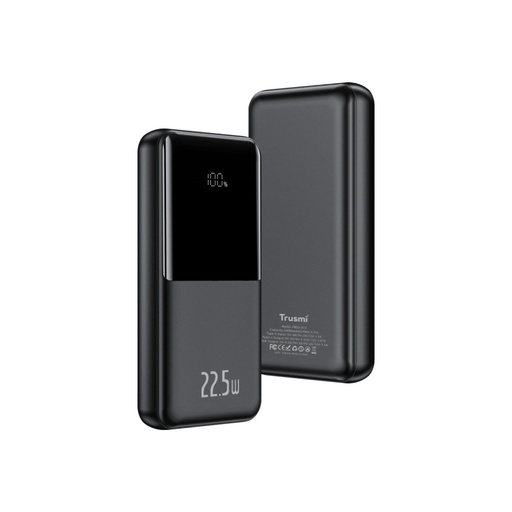
Trusmi PB03-013
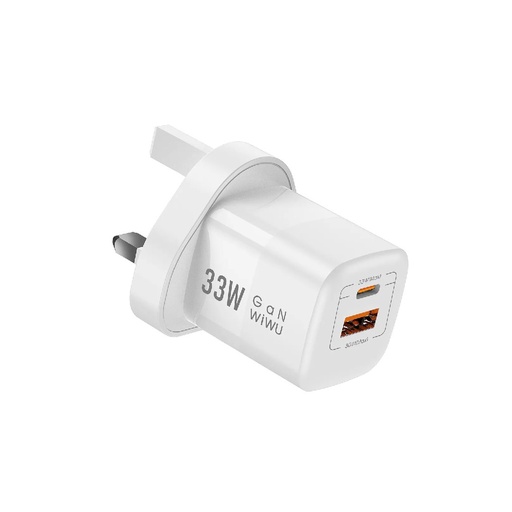
WiWU Nano 33W charger
Frequently asked questions
How do I check my IPO result?
Open CDSC's IPO result site at iporesult.cdsc.com.np, which is linked as IPO Result on cdsc.com.np, and follow the form with your 16-digit BOID ready. Or log in to Meroshare, open My ASBA and then Application Report, and choose the company. The status shows Allotted, with the number of units, or NOT Allotted.
How do I check my IPO result in Mero Share?
Log in to Meroshare, open My ASBA, then Application Report, and choose the company you applied for. After allotment the status reads Allotted, with the allotted quantity, or NOT Allotted, and the remark shows whether the blocked amount has been released.
Where can I check today's IPO result?
CDS and Clearing Limited runs a dedicated portal for allotment results at iporesult.cdsc.com.np. CDSC opened it in February 2021 because the issuing company's and issue manager's websites were overloaded. Your Meroshare Application Report shows the same outcome for your own application.
What does NOT Allotted mean in Meroshare?
NOT Allotted means the allotment for that issue is complete but you didn't receive shares. According to CDSC, the amount blocked in your bank account is then released. If your bank still shows the hold after Meroshare says Amount Released, contact the bank that issued your CRN.
How do I apply for an IPO in Mero Share?
Log in to Meroshare with your DP, username and password and open My ASBA. Choose the open issue, check the minimum and maximum kitta, then enter the units in Applied Quantity, choose the bank that issued your CRN, enter the CRN and confirm with the OTP or PIN your screen asks for.
When is the money released if I don't get IPO shares?
CDSC says banks release the blocked amount once the allotment process is complete. CDSC's manual for banks doesn't give a number of days, so check the Remark in your Meroshare Application Report and ask your bank if it still shows a hold.
Can Nepalis working abroad apply for an IPO?
Yes. CDSC's Q&A says 10 per cent of IPO shares are reserved for Nepalis in foreign employment with labour approval. You need a remittance savings account at an ASBA bank, a Demat account, a CRN for the remittance account and at least Rs 50,000 sent from abroad in the last six months. You can apply through Meroshare.
Sources
- CDS and Clearing Limited homepage (IPO Result, Current Issue List, C-ASBA and Meroshare counts), CDSC, checked November 2026
- Meroshare Manual 2074 (Nepali Version), CDSC
- Important Notice regarding C-ASBA work procedure to investors (2074), CDSC
- CASBA Manual For Banks, CDSC
- Notice Regarding New Portal for IPO Allotment Result, 2077-11-15, CDSC, February 2021
- CDSC FAQ (English), CDSC
- धितोपत्र कारोबारको सम्बन्धमा लगानीकर्ताले ध्यान दिनु पर्ने कुराहरु (points for investors), 2080-06-15, CDSC, October 2023
- वैदेशिक रोजगारीमा रहेका नेपालीका लागि सार्वजनिक निष्कासन सम्बन्धी जिज्ञासाहरू (Q&A for Nepalis in foreign employment), CDSC, December 2022
- Notice regarding Mero Share PIN Code Implementation, 2077-06-04, CDSC, September 2020
- हितग्राही खाता राष्ट्रिय परिचयपत्र नम्बर अनिवार्य गरिएको सम्बन्धमा, CDSC, June 2026
- Meroshare: Forgot your password, user guide (Nepali), CDSC, August 2021
- Registered Banks in C-ASBA, CDSC
- Current Issue Update, CDSC
- Payment partners for Meroshare/Demat renewal, CDSC
- धितोपत्र निष्काशन तथा बाँडफाँड निर्देशिका, २०७४ (दशौं संशोधन सहित) (Securities Issue and Allotment Directive), SEBON, April 2026
- IPO Approved lists by fiscal year, SEBON
- Beni Hydropower Project Limited prospectus (General Public), SEBON, September 2026
- Contact us, SEBON