
How to Create an Apple Account (Apple ID) in Nepal (2026): Payment, Region and Recovery
Short answer: Apple ID is now called Apple Account, and it's free. Create one on your iPhone (during setup, or from the App Store) or at account.apple.com, and set the country or region to Nepal. When asked for payment you can choose None. For Nepal, Apple lists only most credit and debit cards for paid apps and iCloud. Apple Account balance, which gift cards top up, isn't on that list. So for paid apps, use a card your bank has enabled for international online payments. Add a phone number you'll keep, and turn on two-factor authentication.
Shop at Quality Computer
iPhones, AirPods and Apple chargers View all →
Apple ID or Apple Account?
They're the same thing. Apple now calls it an Apple Account. It's the one sign-in you use for the App Store, iCloud, Find My, iMessage and FaceTime. It's free, and you don't need a card to create one (Apple).
Use an email address you'll keep for years. If you don't have one, Apple can give you a free iCloud email address while you sign up.
Create it on your iPhone
While setting up a new iPhone (Apple):
- On the sign-in screen, tap Forgot password or don't have an account?, then Create a Free Apple Account.
- Enter your birthday and name.
- Enter your email address, or tap Don't have an email address? to get a free iCloud address.
- Verify the email, create a strong password, set your country or region to Nepal and set up two-factor authentication.
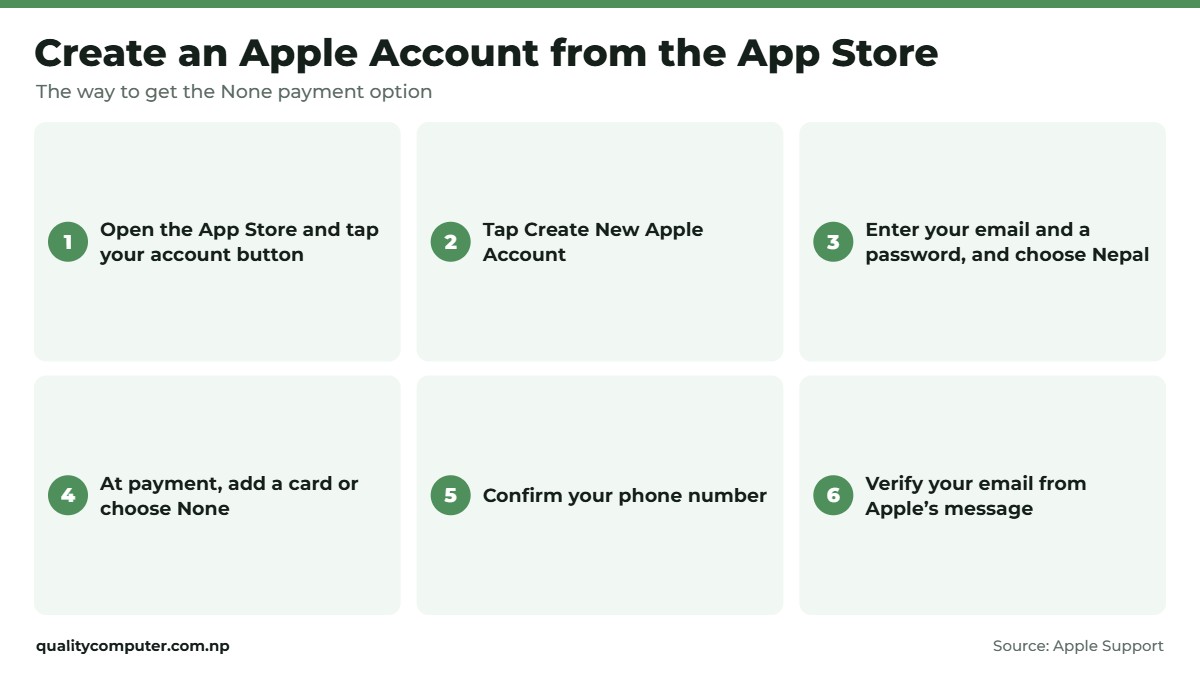
From the App Store. On iPhone, this is the route that shows the None payment option (Apple):
- Open the App Store and tap the My Account button. If you don't see Create New Apple Account, sign out of iCloud first.
- Tap Create New Apple Account, enter your email and a password, and choose Nepal.
- At payment, enter a card or choose None. You won't be charged until you buy something.
- Confirm your phone number and verify your email from Apple's message.
Moving from an Android phone? Our Android to iPhone guide covers Move to iOS, WhatsApp and photos.
On the web, Windows or Android
- Web: go to account.apple.com, click Create Your Apple Account, and enter an email, password, region, birthday and a phone number you can always reach. Then verify the email and phone (Apple).
- Windows: open the Apple Music or Apple TV app, choose Sign In, then Create New Apple Account. You can choose None for payment here too (Apple).
- Android: use the web steps, or follow the steps shown in Apple's Android apps (Apple).
Paying for apps and iCloud from Nepal
Apple's payment list for Nepal shows one option: most credit and debit cards. Apple Account balance, which gift cards top up, isn't on the Nepal list, so don't count on gift cards (Apple).
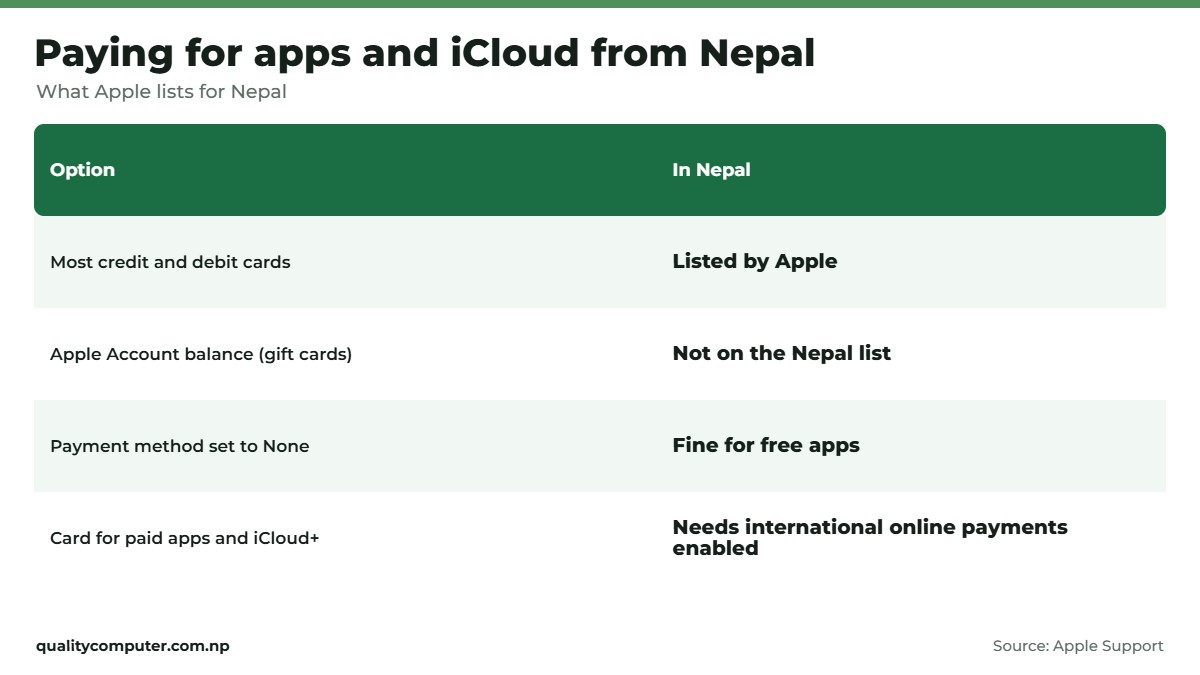
- Free apps only? Leave the payment method as None.
- Paid apps, iCloud+ or subscriptions: use a card your bank has enabled for international online payments. Many people in Nepal use a bank's dollar card. Check with your bank that it works for App Store purchases, and ask about the limit and fees.
- If a purchase fails, even for a free app, update the payment method. If the card is valid and still fails, call your bank (Apple).
A card enabled for international payments is usually what Netflix, Spotify and CapCut need too. Our CapCut price guide shows what CapCut costs from Nepal.
Changing your country or region
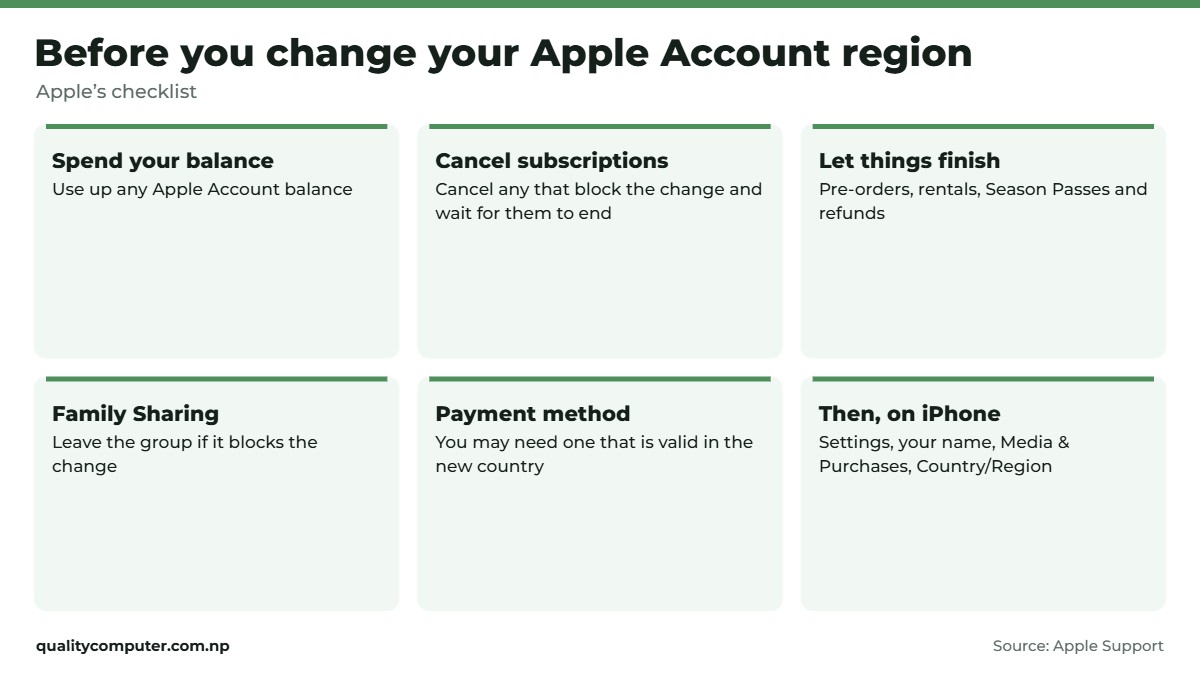
Some people set up their account as US or India to get an app that isn't sold in Nepal. Before you change region, Apple's checklist says to (Apple):
- Spend any remaining Apple Account balance
- Cancel subscriptions that block the change, and wait for them to end
- Wait for pre-orders, rentals, Season Passes and refunds to finish
- Leave Family Sharing if it blocks the change
You may also need a valid payment method for the new country. If you'd rather not add one, Apple suggests waiting until you're in that country and creating a new account there.
Cancelling iCloud+ during the switch drops you to the free 5GB plan until you subscribe again. To change it on iPhone, go to Settings, your name, Media & Purchases, Country/Region.
Keep it safe, and get back in if you're locked out
Add a phone number you'll keep, such as your own NTC or Ncell number, and keep two-factor authentication on. Apple uses the trusted number to confirm it's you (Apple). Don't let a shop or a friend create the account for you with their email.
Forgot your password? Apple's options (Apple):
- On a device where you're still signed in, change the password there.
- On a new device, tap Forgot password? and follow the steps. Apple may ask for your trusted number, a code from a recovery contact, your account email or your card's security code.
- If you still can't reset it, start account recovery at iforgot.apple.com in Safari (iOS 17 or later), or in the Apple Support app on a borrowed device (Support Tools, Reset Password, Help Someone Else). Recovery can take several days or more.
Buying or selling a used iPhone
An iPhone stays tied to the owner's Apple Account until it's removed. Before selling, Apple says to sign out of your Apple Account and erase the phone (Settings, General, Transfer or Reset iPhone, Erase All Content and Settings), which also turns off Find My and Activation Lock (Apple).
Buying used? A phone that shows the Hello screen has been erased. Set it up before you pay: if it asks for the previous owner's Apple Account (Activation Lock), don't buy it (Apple). Our second-hand iPhone guide and IMEI check guide list the other checks.
Quick verdict
- Apple ID is now Apple Account; it's free.
- Create it from the App Store to see the None payment option.
- Nepal: Apple lists most credit and debit cards; Apple Account balance isn't on the list.
- A region change may need a payment method from the new country.
- Keep a trusted phone number and two-factor authentication on.
iPhones and AirPods in our store
Setting up a new iPhone? These are in stock.
| Product | What it is | Our price |
|---|---|---|
| iPhone 17 | iPhone 17 | From Rs 1,73,499 |
| iPhone Air | The thinnest iPhone | From Rs 1,90,699 |
| iPhone 16 | iPhone 16 | From Rs 1,46,599 |
| iPhone 15 | iPhone 15, the lowest-priced here | From Rs 1,27,499 |
| Apple AirPods 5 | AirPods 5 | Rs 31,000 |
| Apple 20W USB-C Power Adapter | Apple 20W USB-C charger | Rs 4,200 |
Prices checked on 12 November 2026 on our website.
In our store
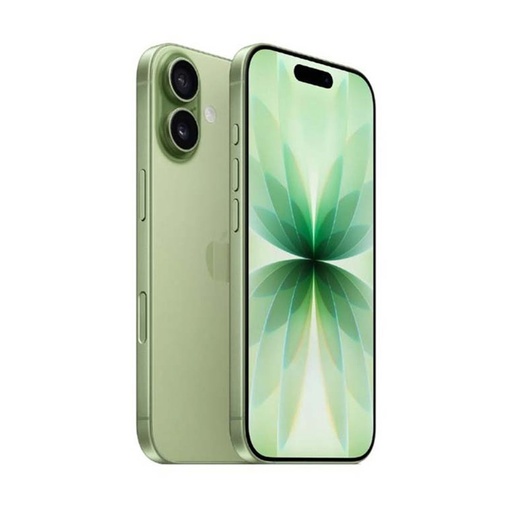
iPhone 17
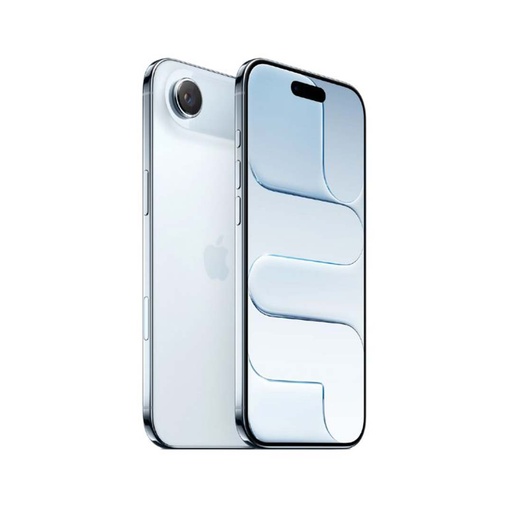
iPhone Air
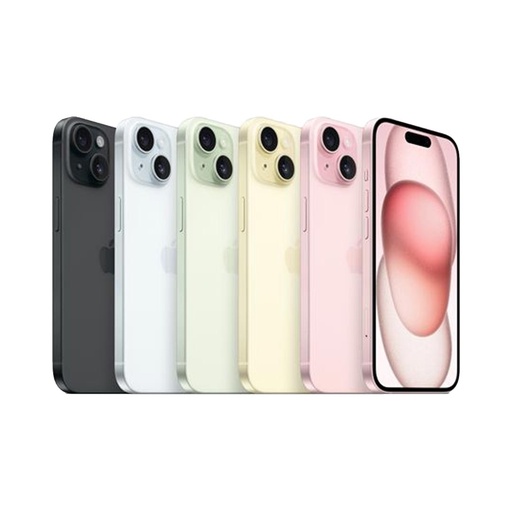
iPhone 15
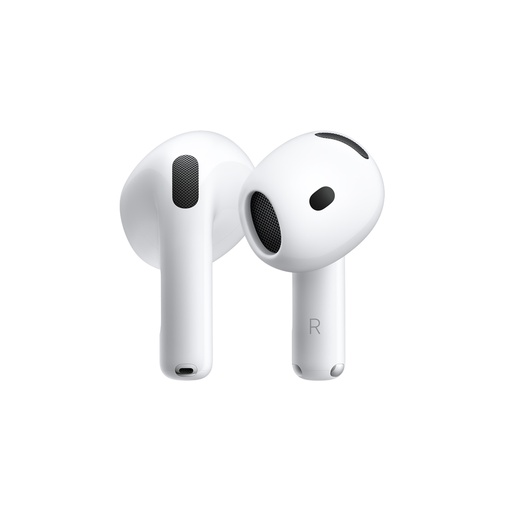
AirPods 5
Comparing models? See every iPhone price in Nepal.
Frequently asked questions
How do I create an Apple ID in Nepal?
On your iPhone, open the App Store, tap your account, then Create New Apple Account. Enter your email and password, choose Nepal, choose a card or None for payment, confirm your phone number and verify your email. You can also use account.apple.com.
Can I create an Apple ID without a credit card?
Yes. Apple lets you choose None as the payment method when you create the account from the App Store on iPhone, or in the Apple Music or Apple TV app on Windows. You only need a card to buy paid apps or subscriptions.
Which payment methods work for the App Store in Nepal?
Apple lists most credit and debit cards for Nepal. Apple Account balance, which gift cards top up, isn't on the Nepal list. Use a card your bank has enabled for international online payments.
Is Apple ID the same as Apple Account?
Yes. Apple now calls the Apple ID an Apple Account. It's the same sign-in for the App Store, iCloud and other Apple services.
How do I change my Apple ID country to Nepal?
Spend any balance, cancel blocking subscriptions, then go to Settings, your name, Media & Purchases, Country/Region, choose Nepal and add a payment method valid for Nepal, or None if it's offered.
What if I forgot my Apple ID password?
Change it on a device you're still signed in on, or use Forgot password? when signing in. If you can't reset it, start account recovery at iforgot.apple.com or in the Apple Support app on a borrowed device.
Sources
- How to create a new Apple Account, Apple Support
- Payment methods that you can use with your Apple Account (Nepal), Apple Support
- Change your Apple Account country or region, Apple Support
- If you forgot your password and can't sign in to your Apple Account, Apple Support
- What to do before you sell, give away or trade in your iPhone or iPad, Apple Support
- If you want to buy a preowned iPhone, Apple Support
- Product prices: Quality Computer website, 12 November 2026.