Preeti to Unicode: Convert Old Files and Install the Preeti Font (2026)
Short answer: Preeti is an old Nepali font that draws Nepali letters over English key codes, so on a phone or computer without it, नेपाल shows up as g]kfn. To fix that, convert Preeti to Unicode: paste the text into an online converter such as the ones on ashesh.com.np, Onlinekhabar or Setopati, then set the result in a Unicode font like Nirmala UI, Mangal, Kalimati or Noto Sans Devanagari. Always check numbers, English words, ि and र् by eye afterwards.
Shop at Quality Computer
Printers and laptops for office documents View all →
What the Preeti font is
Preeti is a font for Nepali that dates from before computers handled Nepali properly. Luc Devroye's type design index credits it to Arjun Pandey, dates it to 1993 or 1994 and notes it is "not Unicode compatible".
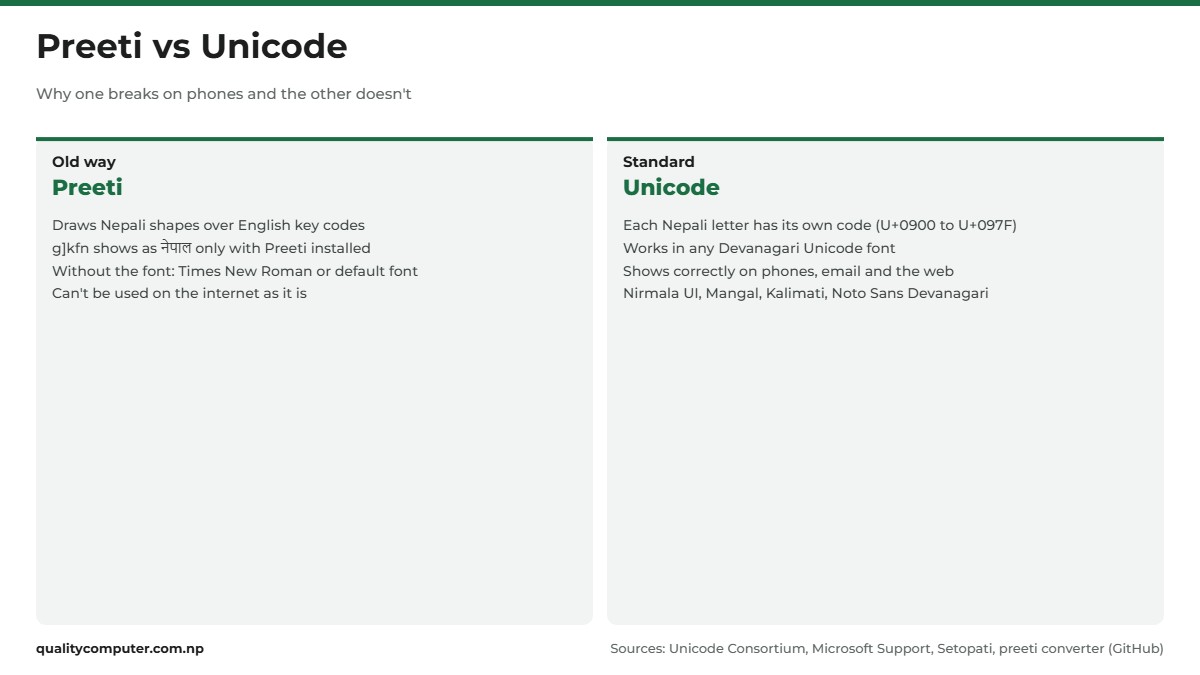
The trick is that Preeti text isn't really Nepali. You press ordinary English keys and the font draws a Nepali letter over each one. Type g]kfn with Preeti selected and you see नेपाल: g is न, ] is े, k is प, f is ा and n is ल. Without the font, the text is "just ASCII", as the notes for the open-source preeti converter put it.
Unicode works differently. Every Nepali letter has its own code in the Unicode Devanagari block (U+0900 to U+097F), so any Devanagari Unicode font can show it. Back in 2003 the Nepali Times already called Unicode "the answer". One sign of the shift: the Nepal Police syllabus for its technical assistant sub-inspector (IT/computer) exam lists the practical typing test as Unicode Nepali typing. To type Unicode Nepali yourself, see our guide to typing in Nepali on a laptop and phone.
Why Preeti text turns into English letters
Open a Preeti file on a computer that doesn't have the font, and Word has nothing to draw the Nepali shapes with. Microsoft Support explains what happens next: text in a font that isn't installed "will display in Times New Roman or the default font". So नेपाल goes back to g]kfn, and a whole page turns into strings like it.
Phones and websites make it worse. A Facebook post or a chat message sends the letters, not your font, so the other person's phone shows the letters it receives, and those are English ones. Setopati sums it up: Preeti text from Word "cannot be used on the internet as it requires a Unicode Nepali Font".

This isn't new. In 2003 the Nepali Times reported that the computer "interprets those Nepali letters and characters as distorted English inputs". Many old Nepali fonts were also mutually incompatible due to different encodings, so a file couldn't always move cleanly from one old font to another.
Preeti font download and install on Windows and Mac
We couldn't find an official Preeti download page from a publisher. Copies are shared from site to site, so treat any download with care:
- A font is a .ttf (TrueType) or .otf (OpenType) file, sometimes inside a .zip (Microsoft Support). If your "font" is an .exe or wants to install other software, delete it.
- On Windows 11, scan the file before you open it: right-click it, choose Show more options, then Scan with Microsoft Defender (Microsoft Support).
Install a font on Windows 11 or 10
- If the font came in a .zip, right-click it and select Extract.
- Right-click the .ttf file and select Install. Choose Install for all users if everyone on the computer needs it.
- If Windows asks to allow changes, make sure you trust the file, then select Yes.
- Open Word and the font appears in the font list.
Double-clicking the file also works: it opens the Font Previewer, with Install at the top. To remove a font, go to Settings > Personalization > Fonts, open its Options and select Uninstall.

Install a font on a Mac
Double-click the font file in Finder, then click Install. Font Book checks the font as it goes in: Apple Support says a green icon means it passed, yellow is a warning and red means it failed. Don't keep a font that fails.
Preeti font keyboard layout
Preeti Nepali typing means choosing Preeti in Word and typing on a normal English keyboard. We couldn't find an official chart, so this table comes from the character maps of two open-source converters, preeti and npTTF2UTF, which agree on every key shown. To check a key, select Preeti in Word and press it.
| Key | Gives | Key | Gives |
|---|---|---|---|
| s | क | t | त |
| v | ख | y | थ |
| u | ग | b | द |
| r | च | w | ध |
| h | ज | g | न |
| k | प | a | ब |
| e | भ | d | म |
| o | य | / | र |
| n | ल | j | व |
| z | श | ; | स |
| x | ह | f | ा |
| ] | े | } | ै |
These are the keys that catch people out on the Preeti Nepali font keyboard:
- Number keys give letters. 1 is ज्ञ, 3 is घ, 5 is छ, 6 to 9 are ट, ठ, ड and ढ, and 0 is ण्. Nepali digits १ to ० come from Shift + 1 to Shift + 0.
- l gives ि, and you type it before the letter, the way it looks on paper. Shift + L gives ी.
- { gives the reph र्, typed after the letter it sits on, so sd{ gives कर्म.
- m isn't a letter on its own. It turns प into फ (km) and भ into झ (em).
- Shift + F gives ँ, + gives ं, \ gives the halanta ्, and the full stop key gives ।.
Starting from scratch? Learn a Unicode layout instead. Language Technology Kendra's Nepali Unicode Traditional layout lets you "type normally as in old fonts but with some keys altered and rearranged". If years of typing have worn your keys smooth, see our keyboard buying guide.
How to convert Preeti to Unicode
A converter swaps each English key for the Nepali letter Preeti would draw, then moves the marks that Preeti types in a different order, such as ि and र्. The quickest option is a free online Nepali Unicode converter:
- ashesh.com.np also converts Kantipur and Kanchan text, and suggests Chrome or Firefox.
- Onlinekhabar's converter is free, web-based and needs no installation.
- Setopati has one on its Unicode page.
Think before you paste. At the time of writing (November 2026), ashesh.com.np's privacy policy covers log files and Google's ad cookies but says nothing about text you type into its converters. Keep citizenship numbers, contracts and anything private out of online tools. npTTF2UTF, an open-source Python tool, runs on your own computer and can convert .docx files too.
Convert a whole Word document
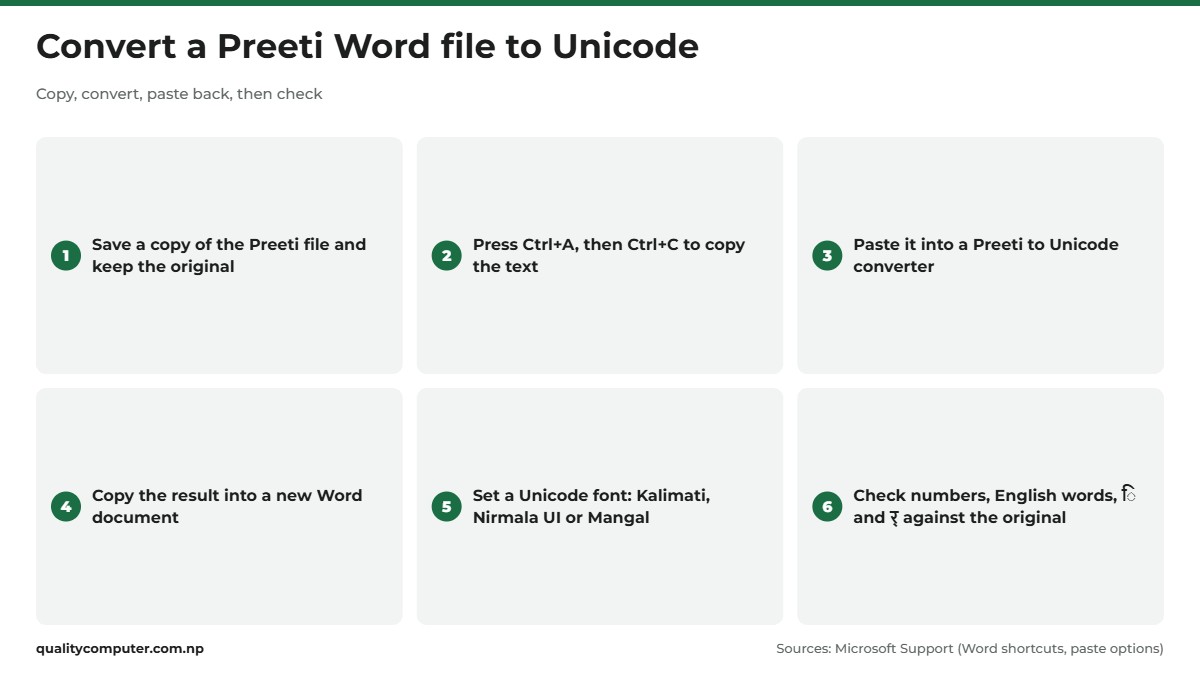
- Save a copy of the Preeti file and keep the original untouched.
- Open the copy, press Ctrl+A to select everything, then Ctrl+C to copy (Word shortcuts).
- Paste into the converter's Preeti box. For a long file, work a few pages at a time so checking is easier.
- Copy the Unicode result and paste it into a new Word document.
- Press Ctrl+A and choose a Unicode font such as Kalimati or Nirmala UI from the font box, or press Ctrl+D for the Font dialog.
- Read it against the original and redo headings, bold text and tables by hand.
The last step matters because a converter's text box holds plain text only. It drops formatting the way Word's Keep Text Only paste option does, which "discards all formatting and nontext elements such as pictures or tables". For more time-savers, see our laptop shortcuts guide.
What goes wrong when you convert, and what to check
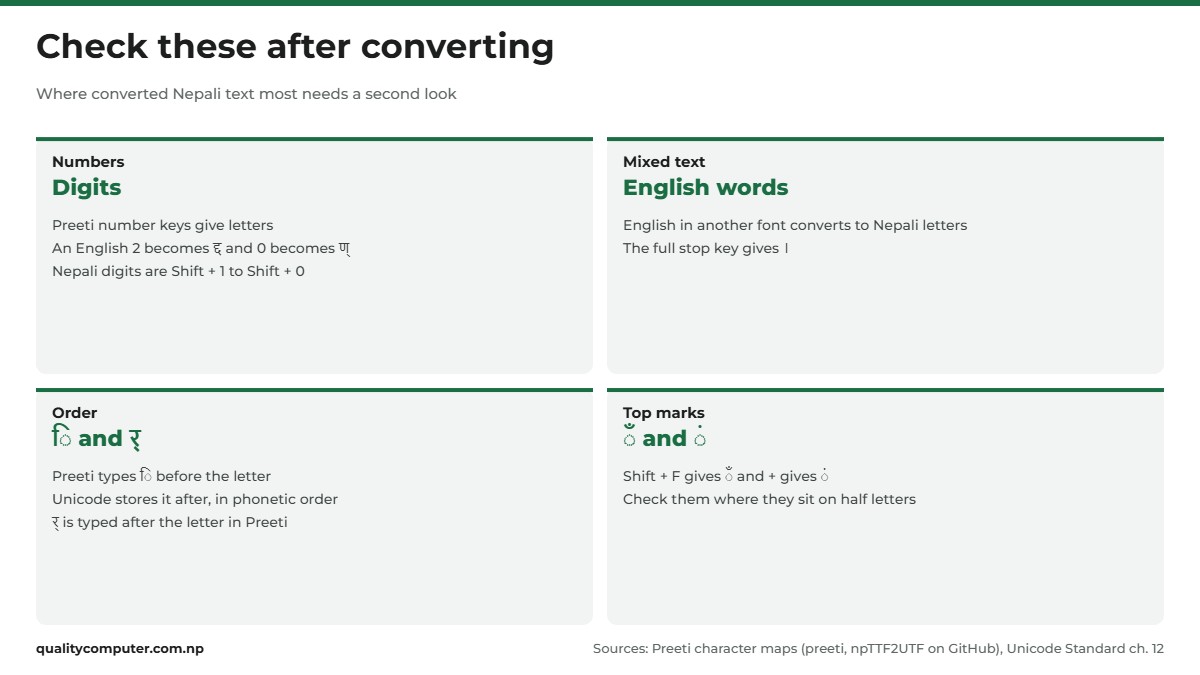
A Preeti to Unicode converter only sees keystrokes. It can't see fonts or meaning, so check these before you trust the result:
- English words and numbers. English or dates typed in another font, such as Times New Roman, look exactly like Preeti keys once copied, so the converter turns them into Nepali letters: every 2 becomes द्द and every 0 becomes ण्. Convert only the Nepali parts, or retype the English afterwards.
- Full stops. The full stop key is । in Preeti, so English full stops, decimal points and email addresses can come out with ।.
- ि with half letters. Preeti types ि before the letter. Unicode stores text in "logical (phonetic) order", with ि after its consonant, says the Unicode Standard. The converter moves ि past any half letters, so read conjuncts with ि carefully.
- र् (reph). In Preeti it's typed after the letter it sits on. In Unicode, र and the halanta come first and the font draws them as the mark on top. Check words like कर्म, धर्म and सर्वोच्च.
- ँ and ं. Chandrabindu and anusvara are separate keys in Preeti and separate Unicode characters, and converters shift them around half letters by rule. Check words where they sit on a conjunct.
Even npTTF2UTF's own notes say words "may not be as expected directly after mapping" until its correction rules run. Read the result in full, ideally next to a printout of the original.
Unicode to Preeti: when you still need it
Sometimes you have to go backwards. Old fonts are still part of print work: ashesh.com.np's reverse converter page calls them "widely used in printing, newspaper publication".
The reverse converter does the same swap the other way round, and its output only looks like Nepali where Preeti is installed. The ashesh tool says Preeti must be "pre-installed" for it to work and that Safari may not work. Paste the result into Word, set the font to Preeti and check it carefully.
If a press asks for Preeti, ask whether a PDF with embedded fonts will do instead (see the last section).
Nepali font download: Unicode fonts to use instead
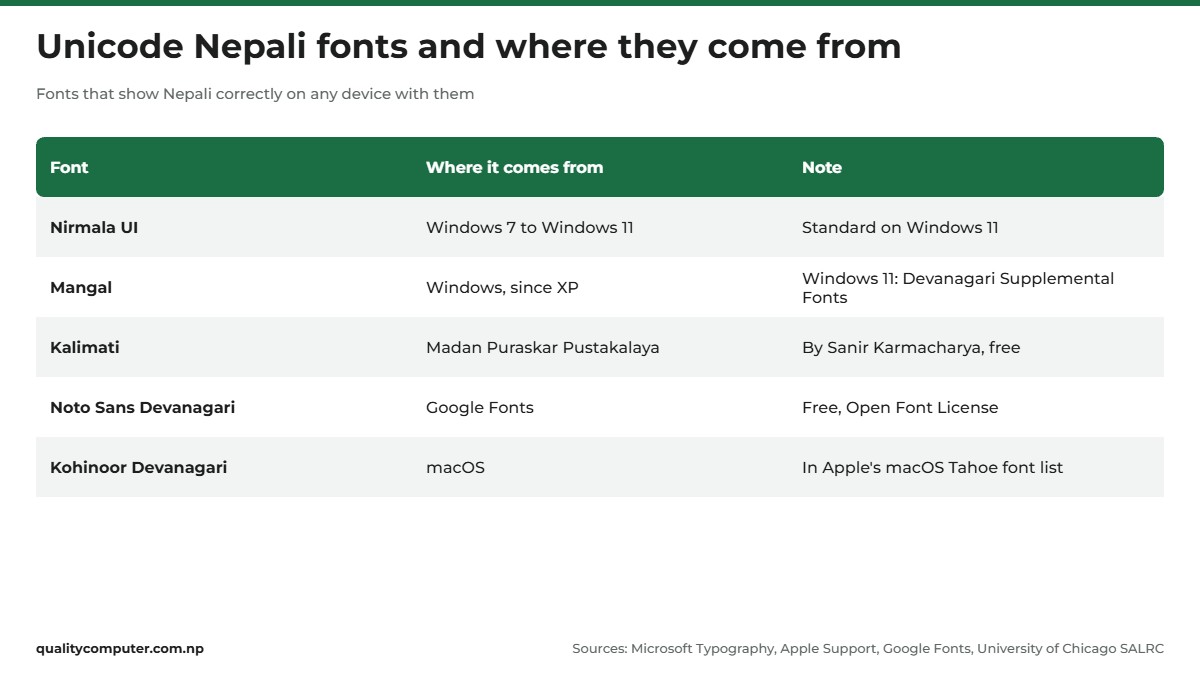
For new work you may not need to download anything. Windows and macOS already include Unicode fonts that handle Nepali:
- Nirmala UI comes with Windows 7 through Windows 11 and supports Devanagari (Microsoft Typography). It's in the standard Windows 11 font set.
- Mangal is Microsoft's older Devanagari font: "an OpenType font for the Indic script - Devanagari. It is based on Unicode" (Microsoft Typography). On Windows 11 it's in the optional Devanagari Supplemental Fonts package. Go to Settings > Personalization > Fonts and, under Related settings, select Download fonts for all languages.
- Kalimati was developed by Sanir Karmacharya and released free by Madan Puraskar Pustakalaya (University of Chicago SALRC). MPP says its Nepali Unicode software is now kept by Language Technology Kendra, whose downloads page has a Nepali Unicode fonts pack.
- Noto Sans Devanagari is a free Google font under the Open Font License, with Nepali among its listed languages (Google Fonts).
- On a Mac, Apple's list of fonts in macOS Tahoe includes Kohinoor Devanagari, Devanagari MT, Devanagari Sangam MN and ITF Devanagari.
Pick one Unicode font for your office and stick to it. Even on a computer without it, any Devanagari Unicode font can show the same text.
Printing Nepali files and PDFs without boxes
A file that looks right on your laptop can print wrong on a computer that lacks your font. Before you send a Nepali file anywhere:
- Embed the fonts in Word. Go to File > Options > Save and tick Embed fonts in the file (Microsoft Support). Not every font allows this: "Not all TrueType fonts can be embedded", Microsoft notes.
- Send a PDF. In Word, select File > Save a Copy (or Save As), choose Browse, pick PDF in the drop-down list, then More Options > Options (Microsoft Support). Tick ISO 19005-1 compliant (PDF/A), which "helps to insure that a document will look the same" on another computer, and Bitmap text when fonts may not be embedded. Without that second option, a PDF reader "might substitute another font".
- Open the PDF on a phone before you send it. English letters mean Preeti didn't travel with the file. Little boxes, known as "tofu", mean the device "doesn't have a font that has images for them" (Google Noto FAQ).
If your office prints Nepali letters and forms every day, our guide to the best printers for home and office use compares the options.
Quick verdict
- Preeti is a non-Unicode font: it only looks Nepali where Preeti is installed.
- To post, email or share Nepali text, convert it to Unicode first.
- Converters swap keys by rule, so check numbers, English words, ि and र् afterwards.
- A real font file is .ttf or .otf. Scan downloads and never run a font .exe.
- For new work use Nirmala UI, Mangal, Kalimati or Noto Sans Devanagari.
- Embed fonts or send a PDF/A so files print the same on other computers.
Laptops and printers in our store
Converting a pile of old Preeti files, or printing Nepali letters and forms every day, is easier with a laptop and a printer that suit the workload.
| Product | What it is | Our price |
|---|---|---|
| Epson EcoTank L3260 Wi-Fi ink tank printer | Colour ink tank printer with Wi-Fi, prints, copies and scans | Rs 34,900 |
| Epson EcoTank M2050 ink tank printer (black and white) | Black-and-white ink tank printer for documents | Rs 33,900 |
| Lenovo IdeaPad Slim 3 15IRH8 (Core i5-13420H, 8GB, 512GB) | 15.6-inch laptop for office work | Rs 102,900 |
| Asus Vivobook Go E1404FA (Ryzen 5, 8GB, 256GB) | 14-inch laptop for study and office | Rs 99,900 |
Prices checked on 14 November 2026 on our website.
In our store
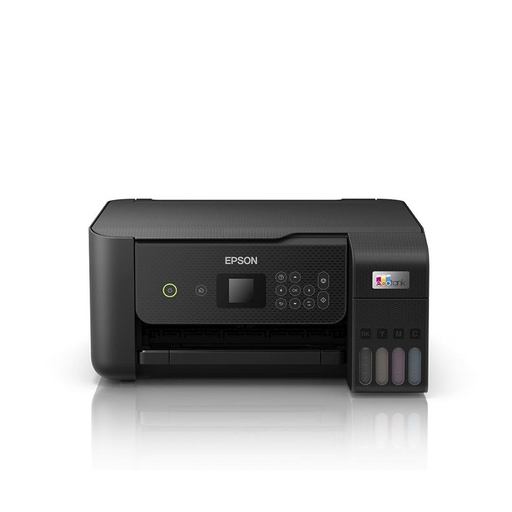
Epson L3260
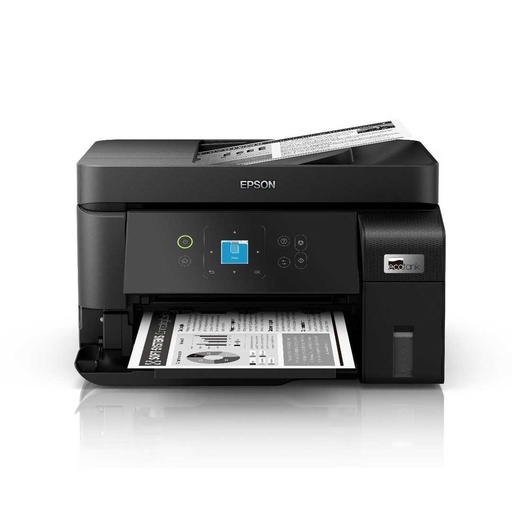
Epson M2050
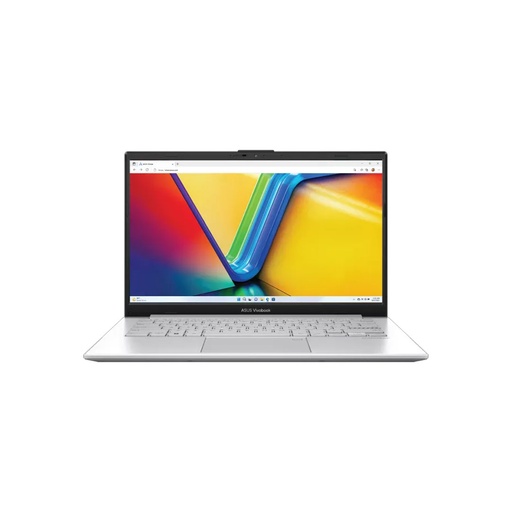
Asus Vivobook Go
Frequently asked questions
How do I convert Preeti to Unicode?
Copy the Preeti text, paste it into an online converter such as the ones on ashesh.com.np, Onlinekhabar or Setopati, then copy the Unicode result into your document and set a Unicode font like Kalimati or Nirmala UI. Check numbers, English words, ि and र् afterwards, because converters work by swapping keys.
Why does Preeti font text show English letters?
Preeti draws Nepali shapes over English key codes. On a computer or phone without Preeti, the text appears in a default font such as Times New Roman, so you see the English keys that were typed. Converting it to Unicode fixes this.
Where can I get a Preeti font download?
We could not find an official publisher download page for Preeti, and copies are shared on many websites. Only install a .ttf or .otf file, scan it with your antivirus first, and delete any download that comes as an .exe.
What is the Preeti font keyboard layout?
Preeti uses an ordinary English keyboard: k gives प, f gives ा, g gives न, ] gives े and n gives ल, so g]kfn shows नेपाल. The number keys give letters such as ज्ञ and घ, and Nepali digits come from Shift plus a number key.
How do I convert Unicode to Preeti?
Paste the Unicode text into a Unicode to Preeti converter, copy the result into Word and set the font to Preeti. The output only looks like Nepali on a computer that has Preeti installed.
Which Nepali font should I use instead of Preeti?
Use a Unicode font. Nirmala UI comes with Windows, Mangal is in the Windows Devanagari Supplemental Fonts package, Kalimati was released free by Madan Puraskar Pustakalaya, and Noto Sans Devanagari is free from Google Fonts.
Is Preeti a Unicode font?
No. Preeti is a non-Unicode font: its Nepali letters are stored as English characters, which is why Preeti text breaks on phones, in email and on websites.
Sources
- Manage fonts in Windows, Microsoft Support, checked 13 November 2026
- Download and install custom fonts to use with Office, Microsoft Support
- Scan an item with Windows Security, Microsoft Support
- Install and validate fonts in Font Book on Mac, Apple Support
- Fonts included with macOS Tahoe, Apple Support
- Nirmala UI font family, Microsoft Typography
- Mangal font family, Microsoft Typography
- Windows 11 font list, Microsoft Typography
- Noto Sans Devanagari, Google Fonts
- Noto Sans Devanagari metadata (designer, licence, languages), Google Fonts on GitHub
- Noto fonts FAQ, Google Noto project
- Benefits of embedding custom fonts, Microsoft Support
- Save or convert to PDF or XPS in Office desktop apps, Microsoft Support
- Control the formatting when you paste text, Microsoft Support
- Keyboard shortcuts in Word, Microsoft Support
- The Unicode Standard, Chapter 12: South and Central Asia-I (Devanagari), Unicode Consortium, version 15.1
- Devanagari code chart (U+0900 to U+097F), Unicode Consortium
- Syllabus: Technical Assistant Sub-Inspector, IT/Computer (in Nepali), Nepal Police Headquarters, in force from 2079/10/19
- Nepali Unicode and other software, Madan Puraskar Pustakalaya
- Downloads: Nepali Unicode fonts and keyboard layouts, Language Technology Kendra
- Kalimati (Devanagari font), South Asia Language Resource Center, University of Chicago
- Nepali fonts, Luc Devroye, type design information page
- Fontastic Nepali, Nepali Times, 10 October 2003
- Nepali fonts and related issues, Tibetan and Himalayan Library, University of Virginia
- Unicode converter, Setopati
- Preeti to Nepali Unicode converter, Onlinekhabar
- Preeti to Unicode converter, ashesh.com.np
- Unicode to Preeti converter, ashesh.com.np
- Privacy policy, ashesh.com.np
- preeti: convert Nepali Preeti ASCII font to Unicode, Shuvayatra on GitHub
- npTTF2UTF: map Nepali ASCII fonts to Unicode, casualsnek on GitHub (GPL-3.0)