
Which Mouse to Buy? Wired vs Wireless, DPI and Gaming Mice
Updated 29 October 2026. Prices are Quality Computer’s website prices that day. DPI and polling rate facts are from Logitech and Razer.
Short answer: A basic wired mouse is all most office and school users need. A 2.4 GHz wireless mouse with a USB receiver cuts the cable, and a Bluetooth mouse saves a USB port. A gaming mouse, with a higher DPI range and polling rate, is worth it for fast games. Every mouse with today's price is on our mouse price in Nepal page.
Mice we stock
Our website prices on 29 October 2026:
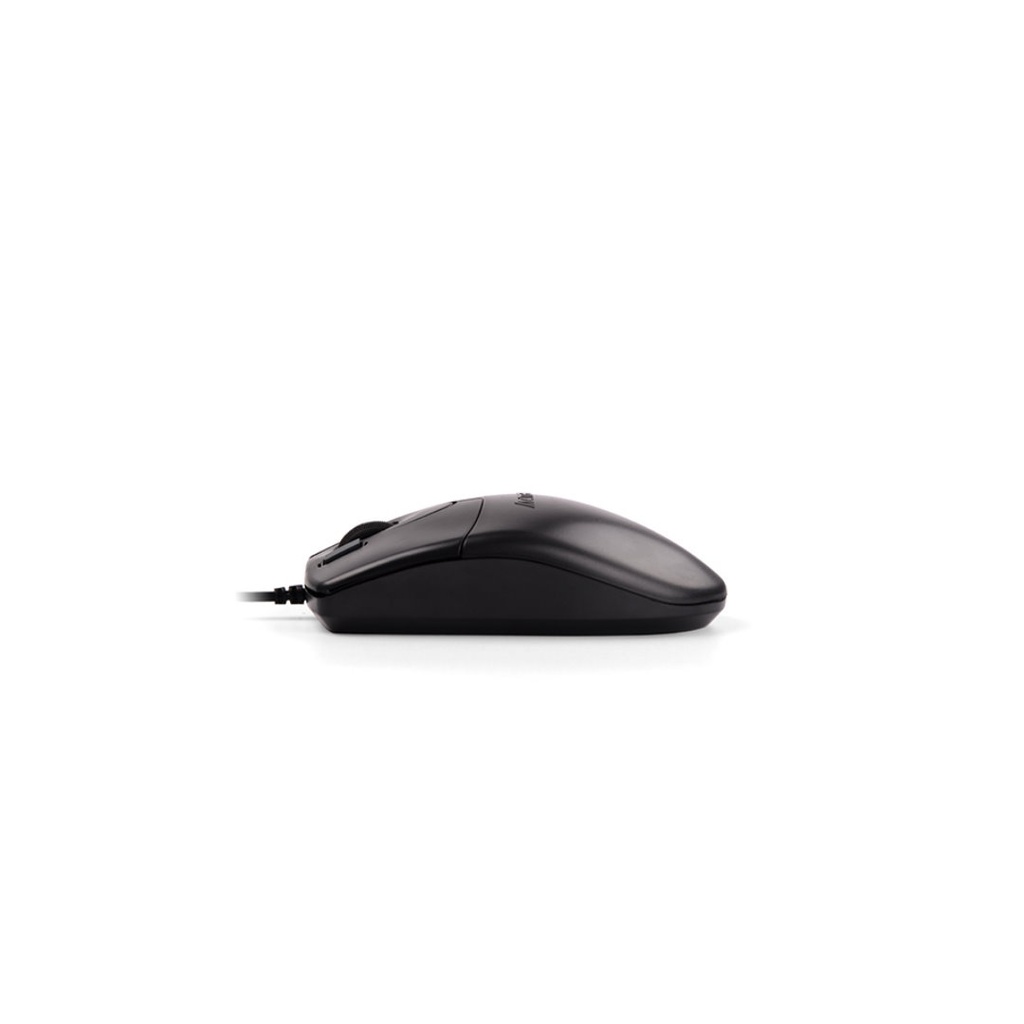
| Mouse | Type | Our price |
|---|---|---|
| A4Tech OP-620D | Wired, optical | Rs 300 |
| Havit MS80 | Wired, 1,200 DPI | Rs 340 |
| Rapoo N1200 Silent | Wired, silent clicks, 1,000 DPI | Rs 656 |
| Logitech B100 | Wired, optical | Rs 740 |
| Logitech M90 | Wired | Rs 740 |
| Dell MS116 | Wired, optical | Rs 750 |
| Fantech W603 | Wireless | Rs 550 |
| Havit MS61WB | Wireless and Bluetooth, up to 3,200 DPI | Rs 1,190 |
| Logitech B170 | Wireless | Rs 1,700 |
| Fantech W195 Go Comfy | Vertical ergonomic, wireless and Bluetooth | Rs 1,800 |
| UGREEN MU101 | Ergonomic wireless, up to 4,000 DPI | Rs 2,300 |
| Logitech M196 | Wireless | Rs 2,330 |
| Logitech M235 | Wireless | Rs 2,560 |
| Rapoo MT550 | Multi-mode wireless and Bluetooth, 1,600 DPI | Rs 4,250 |
Gaming mice
| Gaming mouse | Type | Our price |
|---|---|---|
| Fantech Kanata VX9 | Wired | Rs 810 |
| Meetion M930 | Wired, 2,400 DPI | Rs 900 |
| Rapoo N500 | Wired, 3,600 DPI | Rs 950 |
| Fantech Raigor III WG12R | Wireless | Rs 1,440 |
| Logitech G102 Lightsync | Wired, RGB, up to 8,000 DPI | Rs 3,770 |
| Logitech G402 Hyperion Fury | Wired | Rs 6,290 |
| Rapoo VT9 Pro | Wired or wireless, up to 26,000 DPI | Rs 6,799 |
Call us on 9863609150 to check colours and availability.
DPI and polling rate, explained
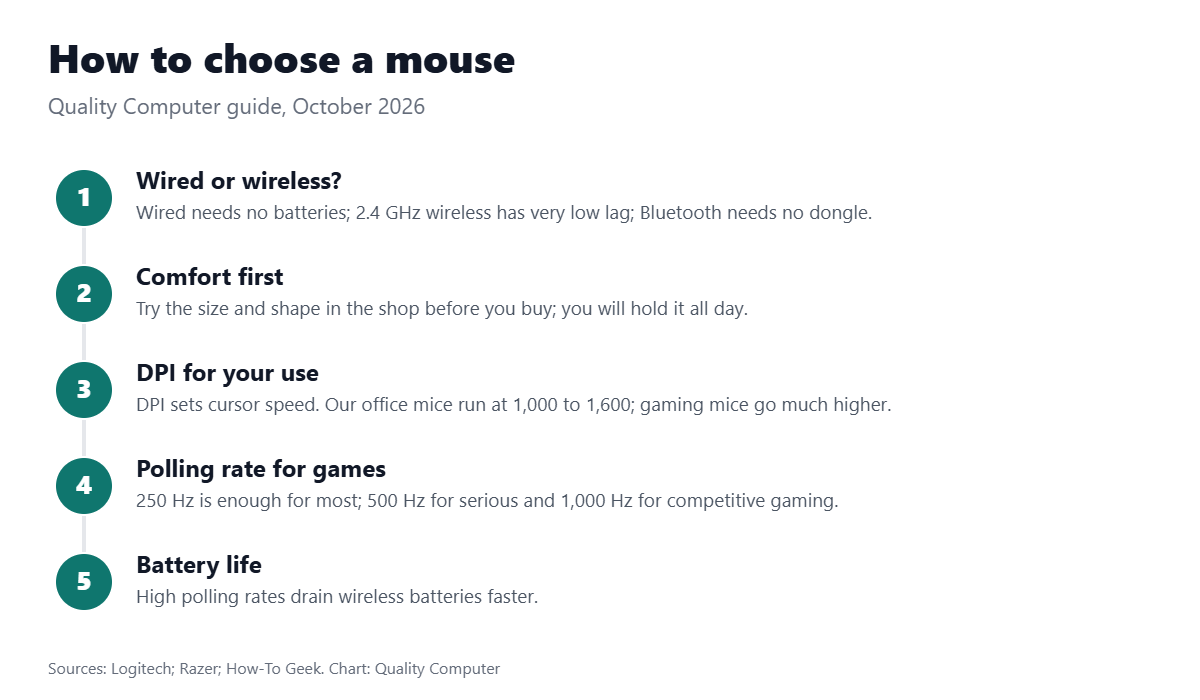
DPI (dots per inch) sets cursor speed: how far the pointer moves when you move the mouse. Logitech puts it simply: “DPI controls cursor speed, while polling rate determines how often the cursor updates.” Gaming mice let you switch between DPI levels, and some go very high: Razer’s support pages mention sensitivity up to 26,000 DPI.
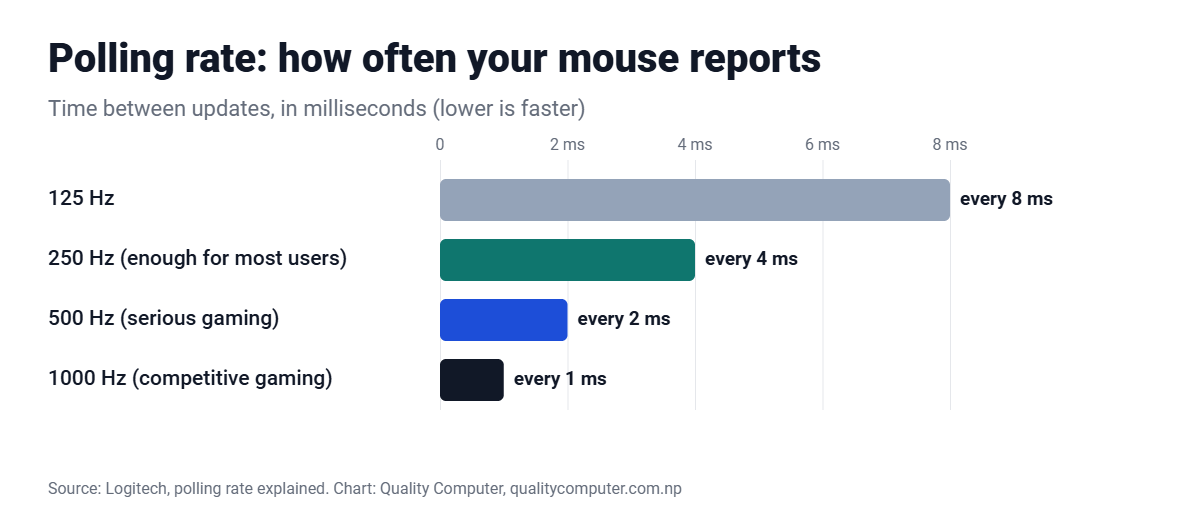
Polling rate is how often the mouse reports its position to your computer, in hertz. At 125 Hz it reports every 8 ms; at 1,000 Hz, every millisecond. Logitech says 250 Hz or below is enough for most users, 500 Hz suits serious gaming, and 1,000 Hz and above suits competitive gaming on fast monitors, though it drains wireless batteries faster.
Video: Mouse DPI explained (YugaTech)
A clear explainer on what mouse DPI does and how much you need.
Wired, 2.4 GHz or Bluetooth?
A 2.4 GHz mouse with a USB dongle works the moment you plug it in and has the lowest lag (about 1 ms, versus 1.3 ms for Bluetooth, per Razer’s figures). A Bluetooth mouse needs no dongle, so it frees a USB port and suits laptops and tablets. Dual-mode mice like the Havit MS61WB and Rapoo MT550 do both.
Need a keyboard too? See our keyboard prices and keyboard and mouse combos.
Frequently asked questions
Where can I see today's mouse prices?
Every mouse we stock is listed with today's price on our mouse price in Nepal page.
How much DPI do I need?
DPI only sets cursor speed, so it’s about comfort. The office mice we sell run at 1,000 to 1,600 DPI; gaming mice let you switch between higher levels.
What polling rate is best?
Logitech says 250 Hz or below is enough for most users, 500 Hz for serious gaming and 1,000 Hz+ for competitive gaming.
Is a Bluetooth mouse slower than a wireless dongle?
Slightly: about 1.3 ms vs 1 ms per Razer’s figures. You won’t notice it in office work.
Sources
- Polling rate on a mouse, Logitech
- Mouse sensitivity features, Razer
- Logi Bolt, Logitech
- USB-RF vs Bluetooth mouse and keyboards, How-To Geek
- Mouse prices: Quality Computer website, 29 October 2026.