Google Play Gift Card in Nepal (2026): How to Pay for Apps and Redeem Codes
Short answer: Nepal isn't on Google's list of countries where Google Play gift cards are sold, and a card only works on an account set to the country it was bought in, while you're in that country. For Nepal, Google lists one way to pay: a Visa, Mastercard, American Express or Discover credit or debit card. So use a card your bank has enabled for international online payments, and ignore any "free Google Play redeem code" offer.
Shop at Quality Computer
Power banks and chargers for your phone View all →
Can you use a Google Play gift card in Nepal?
Not on a Nepal account. Google keeps a list of the countries where its Play gift cards are available. At the time of writing (November 2026) it has 35 rows, from Australia to Vietnam, though for three of them (Malaysia, Singapore and Thailand) Google says the cards have expired or are no longer sold. India is on it. Nepal isn't.
Two rules on the same page decide the rest:
- A gift card "may only be redeemed and used in the country and currency in which" it was bought.
- The country set in your Google Play account must match the country where the card was bought.
Google's accepted payment methods page says the same thing another way. Nepal has no entry of its own, so it falls under "Other countries", and that section lists only credit and debit cards. There's no Play balance, gift card or PayPal option in it.
So if a shop, a Facebook page or a friend offers you a Google gift card in Nepal, it's a card for another country. Whether it works depends on that country's rules, and on where you are when you redeem it.
Gift cards bought for another country
Most Google Play gift card trouble in Nepal starts here. A relative in the US sends a code, or you buy an Indian rupee code online, and Google Play won't take it. Google's gift card troubleshooting page explains the two errors you'll see:
- "Couldn't redeem this code. This code can only be used in [country/region]." To redeem a card, Google says "you must be present in the country where the gift card was purchased".
- "Couldn't complete your transaction. Your Play balance can only be used in [country/region]." Even balance you've already added can only be spent while you're in the country where it was redeemed.
Google's tip for travellers is to redeem the card after they get home. If you live in Nepal, that doesn't help, because Nepal has no gift cards. Google's page on sending gift cards is just as clear: "You can't redeem a gift card outside of the country where it was purchased."
Can you switch your Google Play country?
Only if you're really there. Google's rules for changing your Google Play country:
- You must be in that country and have a payment method from that country.
- After you first set your country, you have to wait at least 90 days before you can change it, and 90 days between changes.
- If you're in a Google Family group, you can't change your country until you leave the group.
- Your Play balance is tied to your Play country. Balance from one country can't be spent in another.
Codes bought from strangers
Google says gift cards should come from authorised retail partners in each region. A code from a reseller has three extra risks:
- If someone has already used it, it "can't be redeemed again".
- If the shop never activated the card, Google "can't activate gift cards on behalf of the store".
- Google may ask you to verify your identity before it adds balance, and if it can't, "you may lose access to your Google Play balance".
Gift cards and prepaid balance are also "not refundable or transferable unless required by law".
How to pay for apps on Google Play from Nepal
For a Nepal account, Google lists four card networks: American Express, Discover, Mastercard and Visa, credit or debit (Google Play Help). Google adds that "the types of cards accepted through Google Play may vary", and if your card doesn't work when you think it should, to contact your bank or card issuer.
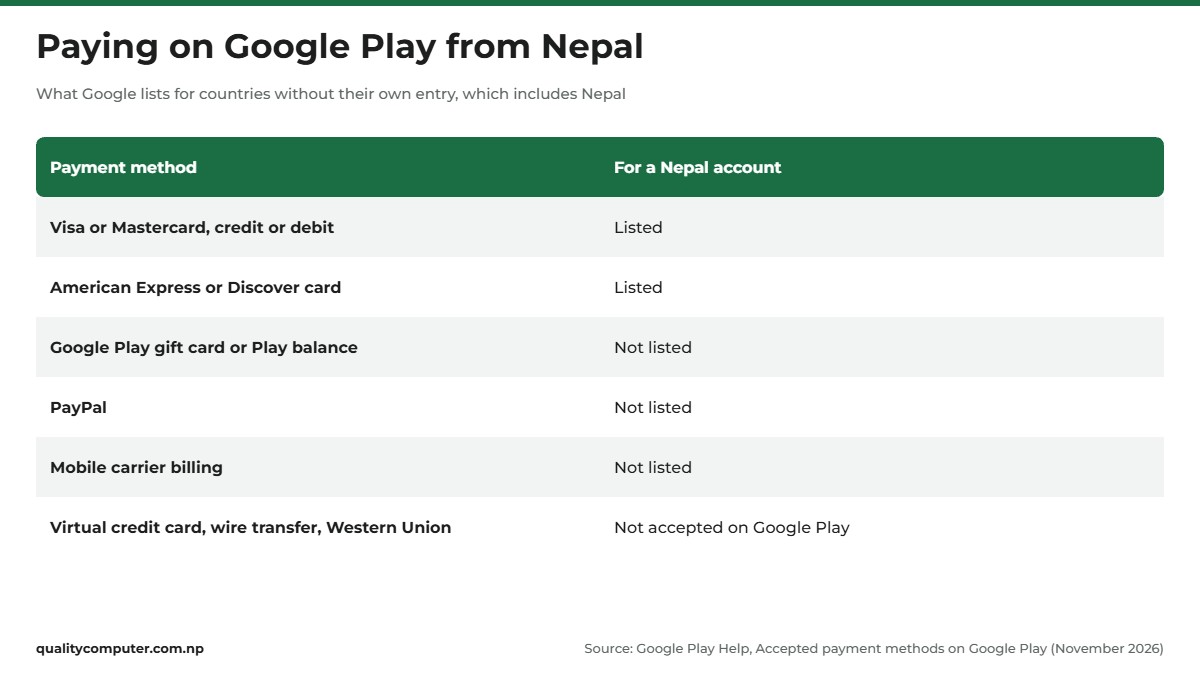
Google also lists what Google Play can't be used with: wire transfers, Western Union, MoneyGram, virtual credit cards (VCC), health savings accounts, transit cards and escrow-type payments. Wallets such as eSewa and Khalti aren't on Google's list for Nepal either, so they aren't a Google Play payment option. Our eSewa guide covers what the wallet does pay for.
In practice that means a card your bank has enabled for international online payments. If your everyday debit card is blocked on foreign websites, ask your bank about turning that on, or about a dollar card. Our guide to international payment problems in Nepal explains the options and their limits.
Add a card to Google Play
- Open the Google Play app and tap your profile picture at the top right.
- Tap Payments & subscriptions, then Payment methods.
- Tap Add a payment method, choose a credit or debit card, then follow the on-screen instructions (Google).
You may see a pending amount on your bank or card statement. Google says these are authorisation requests, not charges, made to check that the card is valid and has enough money for the purchase. You don't pay for them, and they can stay on your statement for 1 to 14 business days, depending on your bank.
If Google Play declines your card
Google's common reasons:
- The card has expired.
- The billing address in Google Play doesn't match the address your bank has for the card.
- There isn't enough money on the card.
- The card has restrictions on it. Google's advice is to contact your bank.
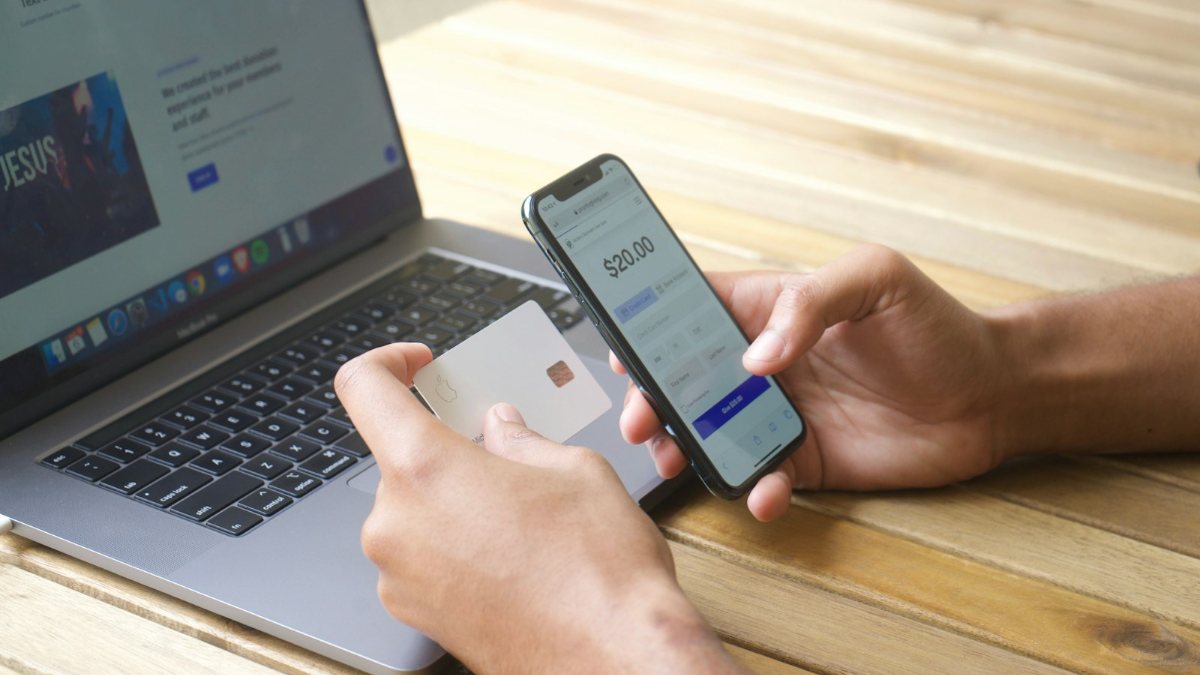
On an iPhone it's the same picture. Apple's payment list for Nepal shows only "Most credit and debit cards". Our Apple ID guide covers that side.
How to redeem a Google Play redeem code
If you're living or travelling in a country on Google's list, with your account set to that country, this is how you add a code. A Google Play Store redeem code is "typically a 16-digit combination of numbers and letters", though codes sent by email or SMS can be a different length (Google Play Help).
On an Android phone
- Open the Google Play app.
- Tap your profile picture at the top right.
- Tap Payments & subscriptions, then Redeem code.
- Enter the code and tap Redeem.
- Check the account that will get the balance, then tap Confirm.
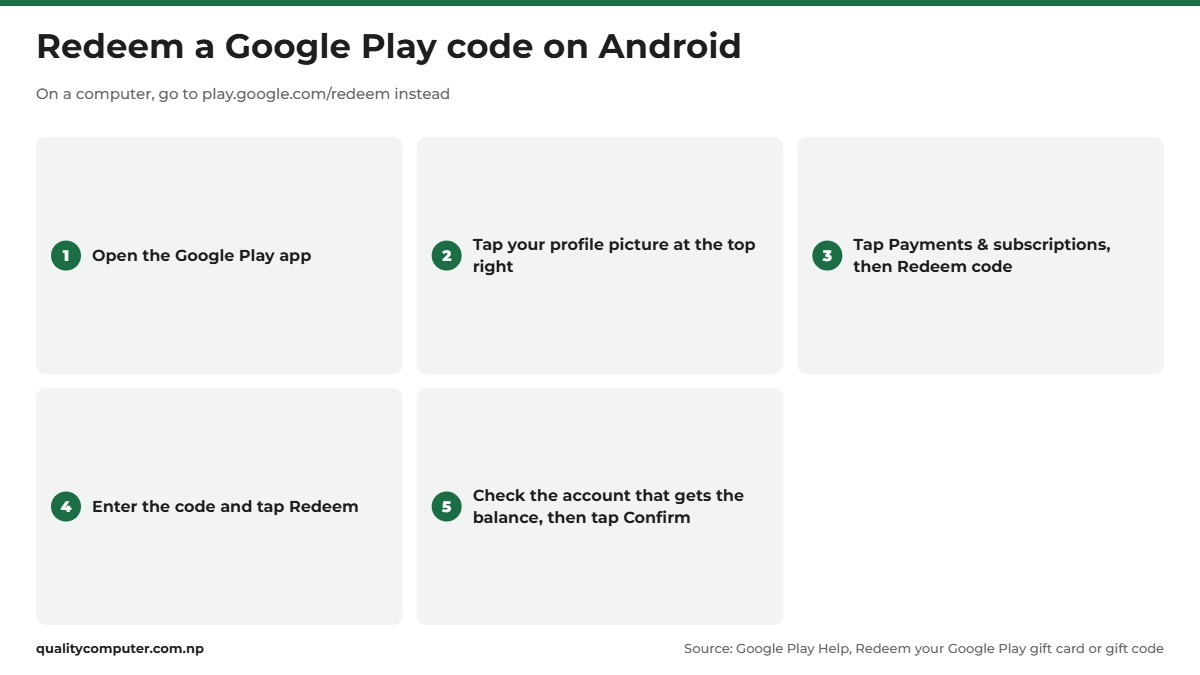
On a computer
Go to play.google.com/redeem, enter the code and click Redeem. Check the account, then click Confirm.
While buying something
At checkout, select the down arrow next to the payment method, choose Redeem code, enter it and follow the on-screen steps.
If the code doesn't work
- Type it without spaces or dashes. If the card is damaged or won't scan, enter the code by hand.
- "There is a problem with that code" can mean the card was never activated. Go back to the shop that sold it.
- "Already redeemed" means it can't be used again. Check you're signed in to the right account, and that nobody in the family used it first.
- "This code can only be used in [country/region]" means the card is for another country, as explained above.
Check your Google Play balance
On Android: open Google Play, tap your profile icon, then Payments & subscriptions, Payment methods, Google Play balance. On a computer: go to play.google.com, select your profile icon, then Payment & Subscriptions, and look for your Play balance (Google).
Balance buys apps, games, subscriptions and other content on Google Play, and YouTube content. It can't buy hardware from the Google Store, and it only buys content priced in the same currency as the balance. Some subscriptions don't accept it at all (Google Play Help).
Free redeem codes are a scam
Search for a free Google Play redeem code or a free Google Play gift card and you'll find videos, websites and apps that promise working codes. Treat every one as a scam. Google's own rules show why:
- A real code works once. A redeemed code "can't be redeemed again", so a code shown in a video or posted in a group goes to whoever types it first.
- It's tied to a country. Even an unused code only works in the country it was bought for, and Nepal has no gift cards.
- Google's real free-credit programmes don't cover Nepal. Google Play Points and Google Opinion Rewards, which pays in Google Play credit, both publish their country lists. Nepal isn't on either.
- Real cards come from shops. As above, Google says cards should come from authorised retail partners. A website that "generates" codes isn't one.
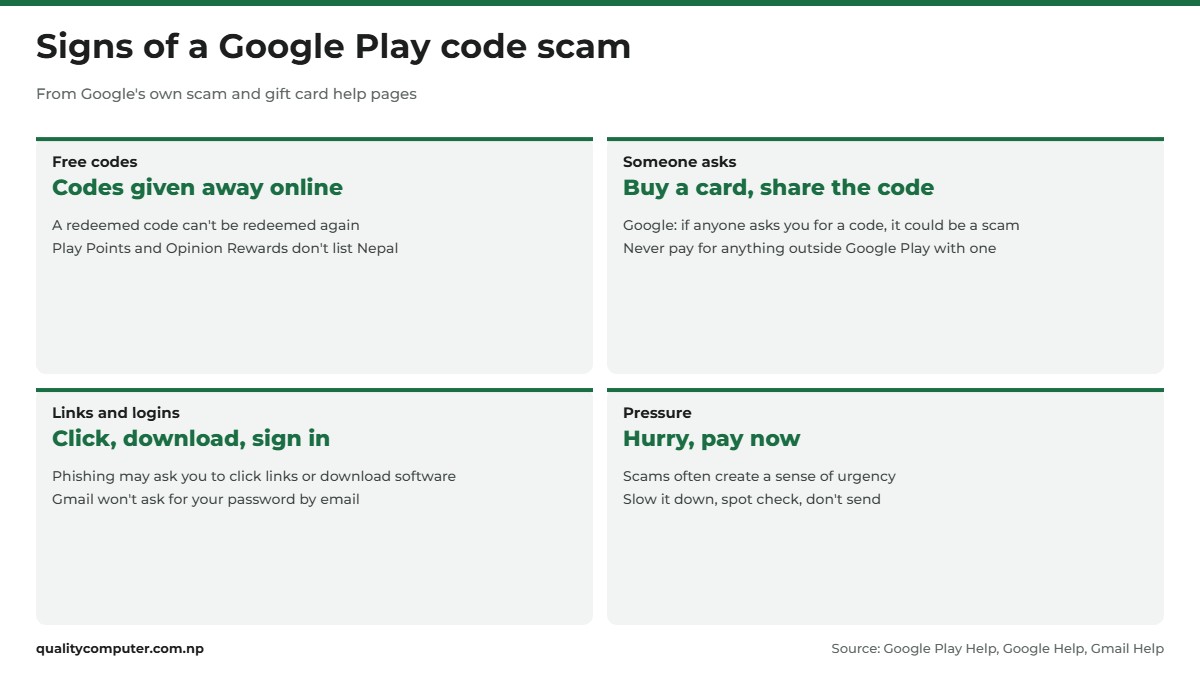
If an offer asks for your Google sign-in, your card details, a fee or an app download, stop there. Google's phishing advice says phishing messages may ask for personal or financial information, ask you to click links or download software, or pretend to be an organisation or someone you know. Gmail won't ask for your password by email.
Google warns about the opposite trick too. Someone calls pretending to be from a government office, or to be a family member in trouble, and asks you to buy a gift card and read out the code. Google's line is simple: "If anyone asks you for a code, it could be a scam." Never use Play gift cards to pay for taxes, bail or anything outside Google Play (Google Play Help). The US Federal Trade Commission puts it plainly: "No real business or government agency will ever tell you to buy a gift card to pay them."
Keep Play Protect switched on as well. It checks apps from Google Play before you download them, and checks your phone for harmful apps from other sources. To check it, open the Play Store, tap your profile icon, then Play Protect and Settings, and make sure Scan apps with Play Protect is on (Google).
If you've already been scammed
Google's advice is to report it to the police and to Google, and the report to Google must come from the person who was scammed. Google also says it can't issue you a new gift card. In Nepal, you can call Police control on 100, and the Nepal Police Cyber Bureau website lists its own numbers and email. Our cyber scam helpline guide explains who to call and what evidence to keep.
The rules Google gives for any scam apply here: slow down, check the details, and don't send money or codes on the spot (Google).
Quick verdict
- Nepal isn't on Google's list of countries with Google Play gift cards.
- A gift card only works in its own country, on an account set to that country.
- For Nepal, Google lists Visa, Mastercard, American Express and Discover cards.
- Redeem a code under Payments & subscriptions, or at play.google.com/redeem.
- Free redeem code offers are scams. Never share a code or your Google login.
Chargers and power banks in our store
Apps and games keep your phone busy all day. If it needs a faster charger or a power bank to keep up, these are in our store.
| Product | What it is | Our price |
|---|---|---|
| Havit PB89 10,000mAh power bank | 10,000mAh power bank | Rs 2,550 |
| Havit PB91 20,000mAh power bank | 20,000mAh power bank | Rs 3,000 |
| Trusmi PB03-013 20,000mAh 22.5W power bank | 20,000mAh with 22.5W fast charging | Rs 3,550 |
| WiWU Nano Wi-U008 33W GaN charger | 33W GaN wall charger | Rs 1,900 |
Prices checked on 14 November 2026 on our website.
In our store
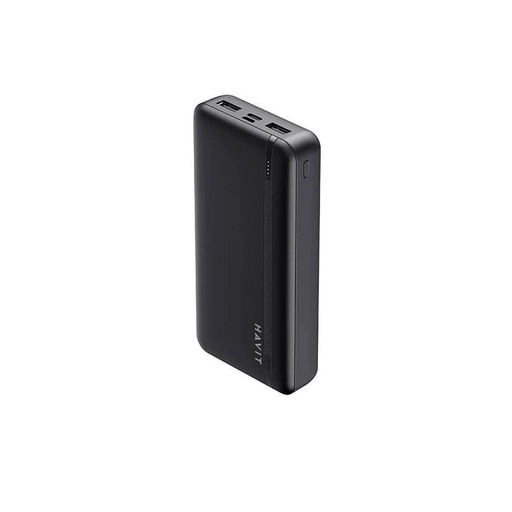
Havit PB89
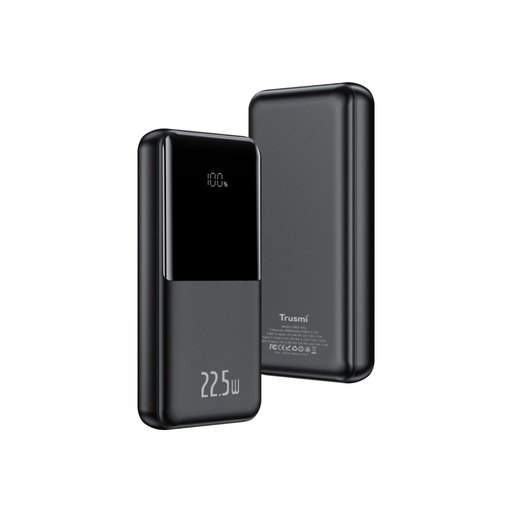
Trusmi PB03-013
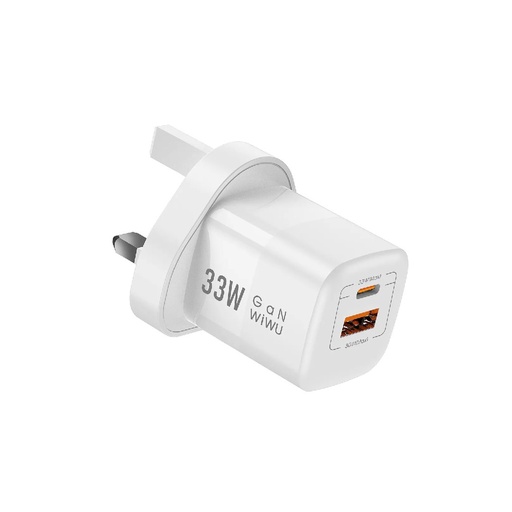
WiWU Nano 33W
Frequently asked questions
Can I buy a Google Play gift card in Nepal?
Nepal isn't on Google's list of countries where Google Play gift cards are available. Any card sold here is for another country, and it only works on a Google Play account set to that country, while you are in that country.
How do I pay for Google Play apps in Nepal?
For Nepal, Google lists Visa, Mastercard, American Express and Discover credit or debit cards. Use a card your bank has enabled for international online payments, and contact the bank if Google Play declines it.
Can I use an 800 rs Google Play redeem code in Nepal?
Not on a Nepal account. A code priced in Indian rupees is an Indian card, and Google says gift cards can only be redeemed and used in the country and currency they were bought in, on an account set to that country, and only while you are in that country.
How do I redeem a Play Store redeem code?
Open the Google Play app, tap your profile picture, then Payments & subscriptions and Redeem code. Enter the code, tap Redeem, check the account and tap Confirm. On a computer, go to play.google.com/redeem.
Are free Google Play redeem codes real?
No. A real code can only be redeemed once and only in its own country, and Google's free-credit programmes, Play Points and Opinion Rewards, don't list Nepal. Never enter your Google login or card details on a site offering free codes.
Can I change my Google Play country to India or the US?
Only if you are in that country and have a payment method from it. Google also makes you wait at least 90 days between country changes, and your Play balance stays tied to the country it was added in.
How do I check my Google Play balance?
In the Google Play app, tap your profile icon, then Payments & subscriptions, Payment methods and Google Play balance. On a computer, go to play.google.com, select your profile icon and open Payment & Subscriptions.
Sources
- Accepted payment methods on Google Play, Google Play Help
- About Google Play gift cards & where to buy them, Google Play Help
- Fix problems with Google Play gift cards & codes, Google Play Help
- Buy, send & receive gifted gift cards on Google Play, Google Play Help
- Redeem your Google Play gift card or gift code, Google Play Help
- How to add to & check your Google Play balance, Google Play Help
- What you can buy with your Google Play balance, Google Play Help
- How to change your Google Play country, Google Play Help
- How to add, remove, or edit your Google Play payment methods, Google Play Help
- Fix payment issues on your account, Google Play Help
- Fees, charges & authorizations, Google Play Help
- Join Google Play Points, Google Play Help
- App availability and eligibility, Google Opinion Rewards Help
- What to do if you're a victim of a Google Play gift card scam, Google Play Help
- Avoid and report scams, Google Help
- Avoid & report phishing emails, Gmail Help
- Use Google Play Protect to help keep your apps safe & your data private, Google Play Help
- Avoiding and Reporting Gift Card Scams, US Federal Trade Commission
- Payment methods that you can use with your Apple Account, Apple Support
- Cyber Bureau, Nepal Police