WiFi Calling in Nepal (2026): Do NTC and Ncell Support It?
Short answer: Yes, on Nepal Telecom. NTC offers VoWiFi, its name for WiFi calling, so you can make calls and send SMS over WiFi with your NT SIM on the phones it lists, including iPhone XR and later and Xiaomi, Redmi, Infinix and Tecno phones released after 2022. Turn on Wi-Fi Calling in your phone's settings, connect to WiFi and make sure VoLTE is on (NTC says dial *444*2#); calls within Nepal cost the same as normal calls. At the time of writing (November 2026) we found no WiFi calling page on Ncell's website, so ask Ncell before you count on it.
Shop at Quality Computer
Routers and mesh extenders for better home Wi-Fi View all →
What WiFi calling is, and why NTC calls it VoWiFi
In plain terms, your phone makes an ordinary phone call through a WiFi connection instead of the mobile tower. Nepal Telecom calls this VoWiFi, short for Voice over Wi-Fi. In NTC's words, it "allows users to make Voice Calls and send SMS using a Wi-Fi network instead of a mobile network" (Nepal Telecom). On the phone itself, Apple and Google call the setting Wi-Fi Calling.
It isn't the same as a Viber or WhatsApp call. Those are app-to-app calls between people using the same app. Here you dial from your normal Phone app with your NT SIM, and NTC charges calls within Nepal at its existing rates, like any other call.
NTC gives three reasons to use it:
- Clearer calls. NTC says VoWiFi provides HD voice.
- Calls where the signal is weak. NTC names underground areas, the inside of homes and offices, and remote areas with weak or no mobile coverage. If you have to stand by the window to get one bar but your WiFi is strong, this is what it's for.
- Calls from abroad on your NT SIM. NTC says that when you travel, it lets you call and send SMS using your NT SIM, "eliminating the need for a foreign SIM".
Apple describes it the same way: you use it when you have a WiFi connection "in an area with little or no cellular coverage" (Apple Support).
Does NTC or Ncell offer WiFi calling?
Nepal Telecom: yes. NTC has a VoWiFi page in the Mobile section of ntc.net.np, linked from its home page, with setup steps, a list of supported phones and a table of call charges. The page doesn't give a launch date.
Ncell: not confirmed. At the time of writing (November 2026), we found no VoWiFi or Wi-Fi Calling page on the parts of Ncell's website we could open, including its contact, packs, roaming and VoLTE pages. That doesn't prove Ncell doesn't offer it. If you're on Ncell, call 9005 from an Ncell prepaid number or 9007 from Ncell Pro or Biz (Ncell contact page) and ask before you rely on it.

What Apple's carrier list shows
Apple keeps a list of the iPhone features each carrier supports. Its Asia-Pacific list, published 14 September 2026, shows Nepal Telecom with FaceTime over Cellular, LTE and Personal Hotspot, and Ncell with eSIM, FaceTime over Cellular, LTE and Personal Hotspot (Apple Support). Wi-Fi Calling isn't listed for either, although the same page lists it for carriers in other countries.
So the two official sources don't match: NTC says iPhone XR and later work, while Apple's list doesn't show the feature for NTC. Apple also says carrier settings updates "can also add support for new features like 5G or Wi-Fi Calling" (Apple). The practical test is your own phone. If the switch appears for your NT line, turn it on and make a test call.
Which phones work with NTC VoWiFi
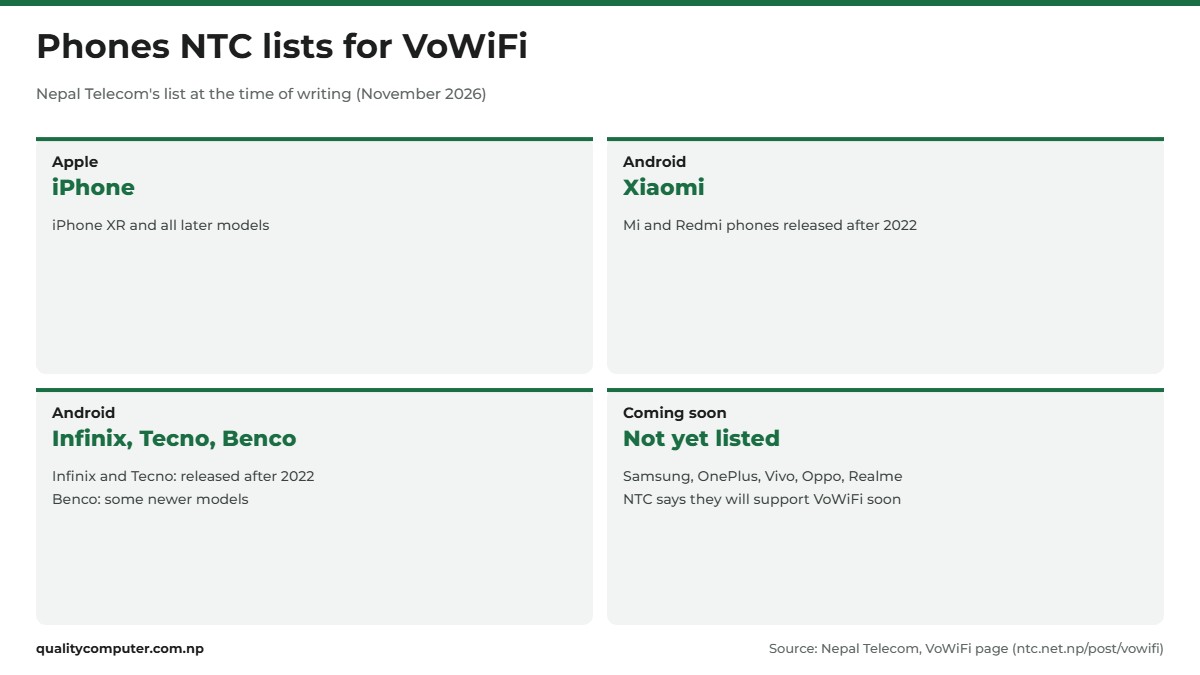
NTC says plainly that "not all mobile devices support VoWiFi", and its first step is to check that your phone does. Its list, at the time of writing:
- Apple: iPhone XR and all later models.
- Xiaomi: Mi and Redmi phones released after 2022.
- Infinix and Tecno: phones released after 2022 (NTC spells it "Techno").
- Benco: some newer models.
- Coming later: NTC says Samsung, OnePlus, Vivo, Oppo and Realme "will also support VoWiFi soon".
So on a Samsung, OnePlus, Vivo, Oppo or Realme phone, NTC isn't promising it yet. Check NTC's page again later, as it says support is coming.
VoLTE has to be on first
NTC's setup steps include checking that VoLTE (Voice over LTE, calling over NTC's 4G network) is active. If it isn't, NTC says dial *444*2#. NTC's VoLTE page gives another way to switch it on: dial *444# and select Activate VoLTE (NTC VoLTE page).
That page also says you need an NT 4G SIM and the latest software from your phone's maker, and that "there is no additional cost for VoLTE service". On Android, NTC says an HD/VoLTE icon shows on the top bar of the screen once VoLTE is working.
How to turn on Wi-Fi Calling on iPhone
Install the latest iOS update and connect to WiFi first. Apple asks you to check that your carrier offers the feature and that your software is up to date (Apple). Then:
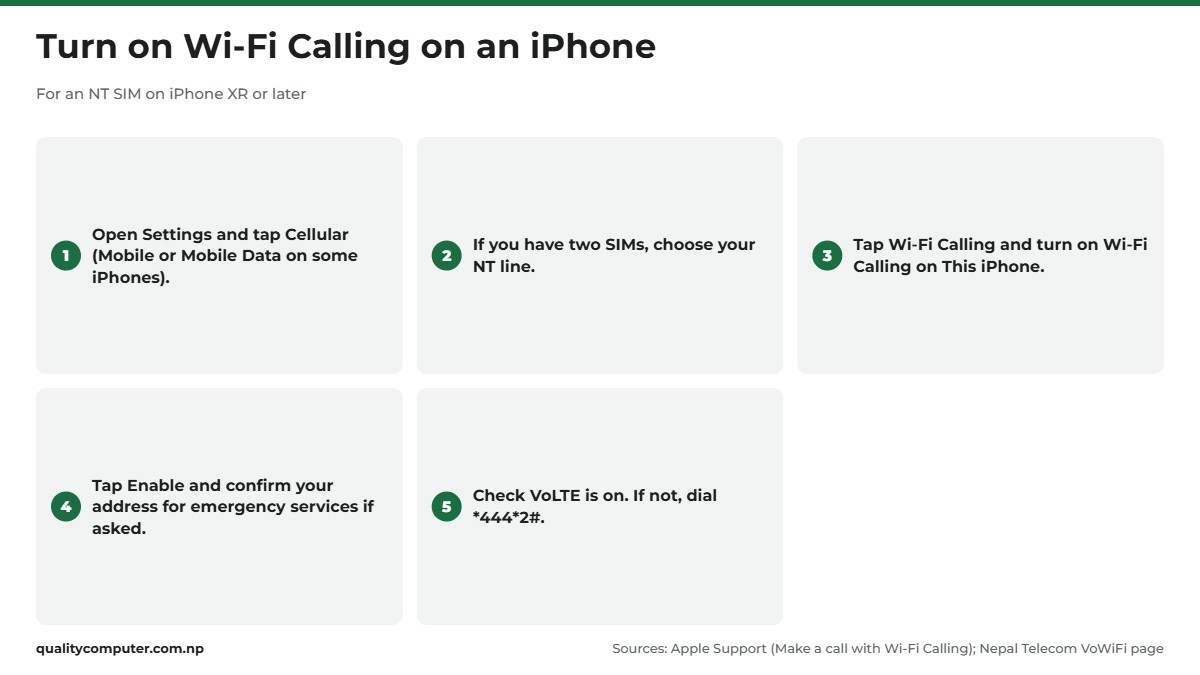
- Open Settings and tap Cellular. Apple's UK and India pages also call this menu Mobile or Mobile Data (Apple UK).
- If your iPhone has two SIMs, tap your NT line.
- Tap Wi-Fi Calling and turn on Wi-Fi Calling on This iPhone.
- Tap Enable. You might need to enter or confirm your address for emergency services.
NTC's short version of the same path is Settings, Cellular/Phone, Wi-Fi Calling, Turn ON. When it's working, Apple says you'll see "Wi-Fi" in the status bar while viewing Control Centre. For emergency calls, Apple says your iPhone uses the mobile network whenever it's available.
No Wi-Fi Calling option?
First check your iPhone is an XR or later. Then look for a carrier settings update: connect to WiFi, open Settings, tap General, then About, and follow the onscreen instructions if an update is offered (Apple). The carrier settings version appears next to Carrier on that screen. Apple adds that after you insert a new SIM or set up a new eSIM, you might need to download the carrier settings for your new carrier.
Two SIMs in one iPhone
If you keep an NT and an Ncell number in one iPhone, Apple says that while you're on a call, you can answer incoming calls on your other number if that number's carrier supports Wi-Fi Calling. If it doesn't, the other line can show No Service during the call (Apple). If one of your lines is an eSIM, our eSIM guide for NTC and Ncell explains how they work. NTC's page doesn't mention eSIM, so ask NTC if your NT line is an eSIM.
How to turn on VoWiFi on Android phones
Android menus differ between brands. Even the two official paths don't match. NTC gives Settings > Connections > VoWiFi/Wi-Fi Calling, then turn it on. Google's Phone app help gives Settings > Network & internet > SIMs, then your SIM, then Wi-Fi calling (Google Phone app Help). On a Xiaomi, Redmi, Infinix or Tecno phone, look for whichever of those names your menu uses.
- Update your phone's software. NTC's VoLTE page asks for the latest software from your phone's maker.
- Make sure VoLTE is on. If it isn't, dial *444*2#.
- Turn on the VoWiFi or Wi-Fi calling switch for your NT SIM.
- Connect to WiFi and make a short test call over WiFi to a friend.
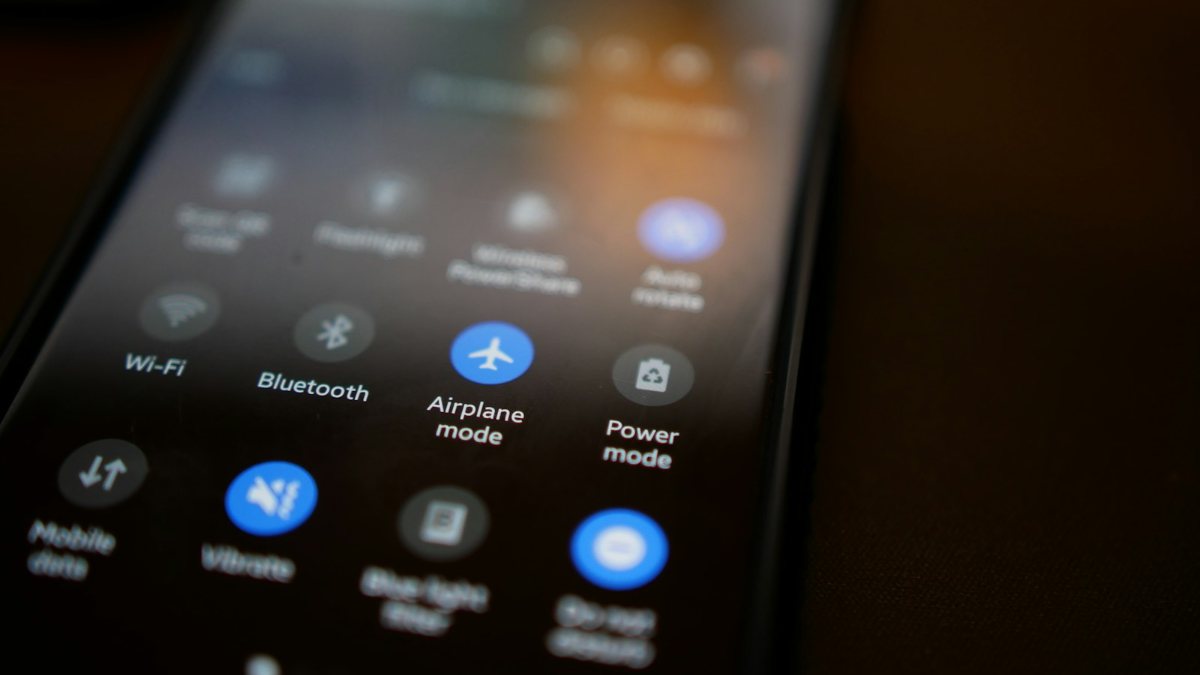
Google says that if you don't find the option, "your carrier doesn't support this feature". On NT, also check your phone against NTC's list above, because a Samsung or Vivo may not get it yet. During a call over WiFi, Google says the notification screen shows "Internet Call" or "Wi-Fi calling". When you're not on WiFi, your calls go over the mobile network as normal.
What NTC VoWiFi calls cost, at home and abroad
This isn't free calling. NTC's page has a short charges table (checked November 2026):
- Calls within Nepal: existing charges, the same as any other call from your NT number.
- Calls from Nepal to another country: existing charges.
- Calls from abroad back to Nepal: NRs. 3, excluding taxes.
- Calls from abroad to a third country: NTC's existing rate for calling that country from Nepal.
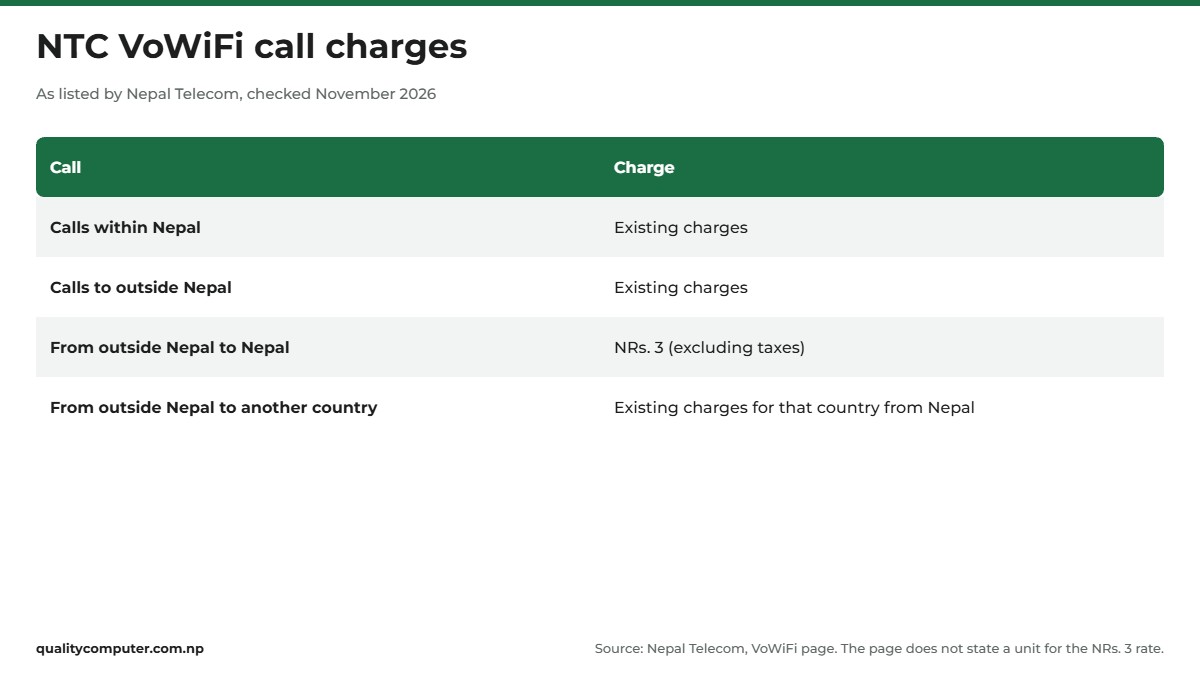
The table doesn't say whether the NRs. 3 is per minute, and it doesn't list SMS charges. Google's help also warns that calls over WiFi can carry extra charges and tells you to check with your provider. Rates change, so check NTC's VoWiFi page before a long call.
Using VoWiFi abroad
This is where NTC pushes the service hardest. Keep your NT SIM in your phone, connect to hotel or home WiFi abroad, and NTC's table puts calls back to Nepal at NRs. 3 excluding taxes, without a foreign SIM.
Two things aren't on that page: whether you also need international roaming switched on, and what incoming calls cost abroad. NTC's roaming page doesn't mention VoWiFi either, so check with NTC before you fly. Our NTC and Ncell international roaming guide covers roaming on both networks.
WiFi calling not working? Try these fixes
Work through these in order. Apple suggests you wait two minutes before moving from one step to the next (Apple).
- Check the basics. Your phone is on NTC's list, the switch is on for your NT line, and VoLTE is active (*444*2#).
- Restart your phone. Apple and Google both suggest it.
- Try a different WiFi network. Apple says "Not all Wi-Fi networks work with Wi-Fi Calling." If it works on another network, look at your own router next.
- Turn the switch off and on again. Google notes that if your phone detects problems, it turns the feature off until the problem is fixed, so check it hasn't switched itself off.
- Update your software and carrier settings. On iPhone, check Settings, General, About for a carrier update.
- Reset network settings on iPhone. Go to Settings, General, Transfer or Reset iPhone, Reset, then Reset Network Settings. Apple says this removes previously used networks (iPhone User Guide), so have your WiFi password ready.
- Ask NTC. Apple says to contact your carrier if you can't turn on or use Wi-Fi Calling and your software is up to date, and Google says you may need to contact your carrier "to re-activate Wi-Fi calling".
Make your home WiFi good enough for calls
A call over WiFi is only as steady as the WiFi under it. If calls break up in one room, try the same call standing next to the router. If it's clear there, the WiFi signal in that room is the problem rather than NTC.
Forgot your WiFi password after the reset, or want to change it? Our router login and WiFi password guide shows how. If your router is old or doesn't reach the rooms where you take calls, our WiFi router price guide can help you pick a new one.
Quick verdict
- Nepal Telecom offers VoWiFi (WiFi calling). We found no Ncell page for it as of November 2026.
- NTC lists iPhone XR and later, and Xiaomi, Redmi, Infinix and Tecno phones released after 2022.
- NTC says Samsung, OnePlus, Vivo, Oppo and Realme support is coming soon.
- Turn on Wi-Fi Calling in settings and keep VoLTE on (*444*2#).
- Calls within Nepal cost the usual rate. Calls from abroad to Nepal are listed at NRs. 3 excluding taxes, with no unit given.
WiFi routers in our store
Calls over WiFi are only as clear as the WiFi they run on. If your signal drops in the rooms where you take calls, a stronger router can help.
| Product | What it is | Our price |
|---|---|---|
| V.SOL HG5013-4G AX3000 Wi-Fi 6 router | AX3000 Wi-Fi 6 dual-band router | Rs 4,260 |
| Ruijie Reyee RG-EW1300G (AC1300, gigabit) | AC1300 dual-band gigabit router | Rs 6,200 |
| Ruijie Reyee RG-EW3000GX (Wi-Fi 6, AX3000) | AX3000 Wi-Fi 6 mesh router | Rs 11,385 |
| Ruijie Reyee RG-EW1200R mesh Wi-Fi extender | Dual-band mesh Wi-Fi extender | Rs 5,700 |
Prices checked on 14 November 2026 on our website.
In our store
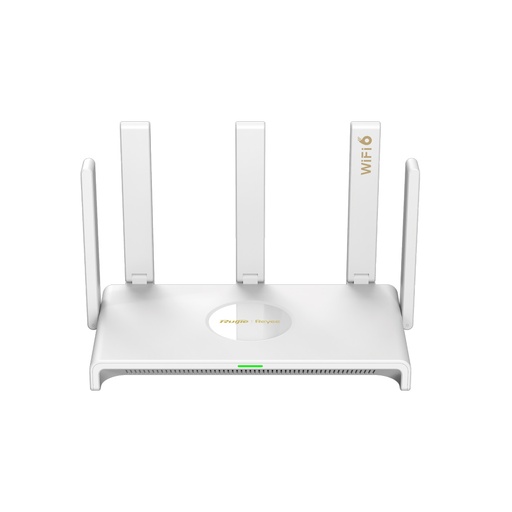
Ruijie RG-EW3000GX
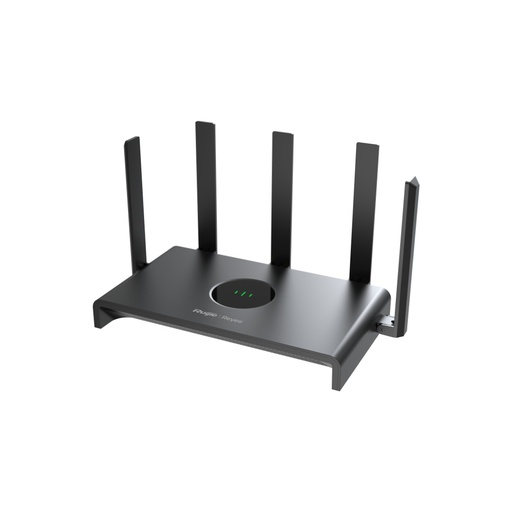
Ruijie RG-EW1300G
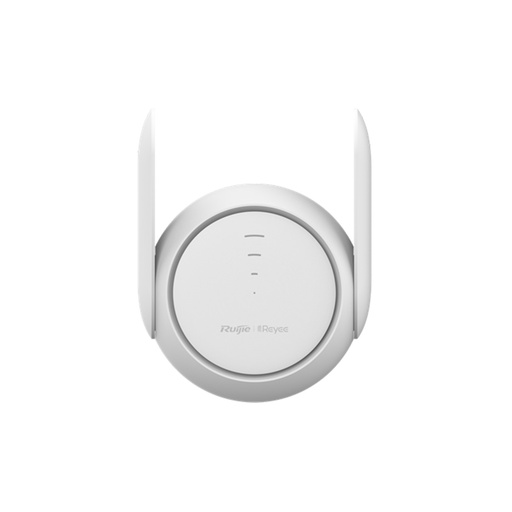
Ruijie RG-EW1200R
Frequently asked questions
Does Nepal Telecom support WiFi calling?
Yes. Nepal Telecom offers VoWiFi, its name for WiFi calling, on the phones it lists, such as iPhone XR and later and Xiaomi, Redmi, Infinix and Tecno phones released after 2022. You turn on Wi-Fi Calling in your phone's settings and make sure VoLTE is active.
Does Ncell have WiFi calling?
At the time of writing (November 2026), we found no WiFi calling page on Ncell's website, and Apple's carrier list for Nepal doesn't show Wi-Fi Calling for Ncell. Call Ncell on 9005 from a prepaid number, or 9007 from Ncell Pro or Biz, to ask.
What is Vo WiFi?
VoWiFi means Voice over Wi-Fi. It lets your phone make normal calls and send SMS through a WiFi connection instead of the mobile network, using your own SIM. Nepal Telecom offers it on supported phones.
How do I turn on WiFi calling on iPhone?
Open Settings, tap Cellular (Mobile on some iPhones), choose your NT line if you have two SIMs, tap Wi-Fi Calling, turn on Wi-Fi Calling on This iPhone and tap Enable. NTC lists iPhone XR and later models as supported.
Is WiFi calling free in Nepal?
No. Nepal Telecom charges VoWiFi calls within Nepal at its existing call rates. Calls from abroad back to Nepal are listed at NRs. 3 excluding taxes, and NTC's page doesn't say whether that is per minute.
Can I call over WiFi from abroad with my NT SIM?
Nepal Telecom says VoWiFi lets you make calls and send SMS with your NT SIM while travelling abroad, without a foreign SIM. Its page doesn't say whether international roaming must also be on, so check with NTC before you travel.
Why is WiFi calling not working on my phone?
Check that your phone is on NTC's supported list, that VoLTE is active (dial *444*2#) and that the Wi-Fi Calling switch is on for your NT line. Then restart the phone and try a different WiFi network, because not all networks work with it.
Sources
- VoWiFi, Nepal Telecom, checked November 2026
- VoLTE, Nepal Telecom, checked November 2026
- Make a call with Wi-Fi Calling, Apple Support, 7 October 2026
- Wireless carrier support and features for iPhone in Asia-Pacific, Apple Support, 14 September 2026
- Manually update carrier settings on your iPhone or iPad, Apple Support, 17 March 2026
- Using Dual SIM with an eSIM, Apple Support, 22 October 2026
- Reset iPhone settings to their defaults, iPhone User Guide, Apple
- Make calls over Wi-Fi, Phone app Help, Google
- Contact us, Ncell, checked November 2026
- VoLTE, Ncell, checked November 2026