Small Office Setup in Nepal: IT Equipment Checklist (2026)
Short answer: For a small office setup of 3 to 15 people, plan one computer per desk with an SSD and at least 8 GB RAM (16 GB for heavy multitasking), one shared network multifunction printer, a router with mesh units or access points as the office grows, a UPS for every PC and a small DC UPS for the router. Then add CCTV, an attendance device, antivirus and a backup you have tested. Choose Windows 11 Pro if you need BitLocker, Remote Desktop or a domain.
Shop at Quality Computer
Office desktops, Wi-Fi, UPS and attendance devices View all →
Plan your small office setup before you buy
A small office setup usually goes wrong when the computers come first and sockets, internet and printing are sorted out later. Before you buy any IT equipment for office use, answer five questions:
- How many people, and what work? Typing, billing and accounts need far less power than design or video.
- Personal or shared devices? A reception PC used by three people needs a Windows account for each. Staff who visit clients may need laptops.
- Space and power points. Count the sockets each desk needs for a UPS, phone charger and lamp. Decide where the router, printer and CCTV recorder will sit.
- Internet. Ask your provider where the fibre line will come in, and aim to put the router near the middle of the office.
- Who looks after it? Decide who keeps the passwords, warranty papers and backups.
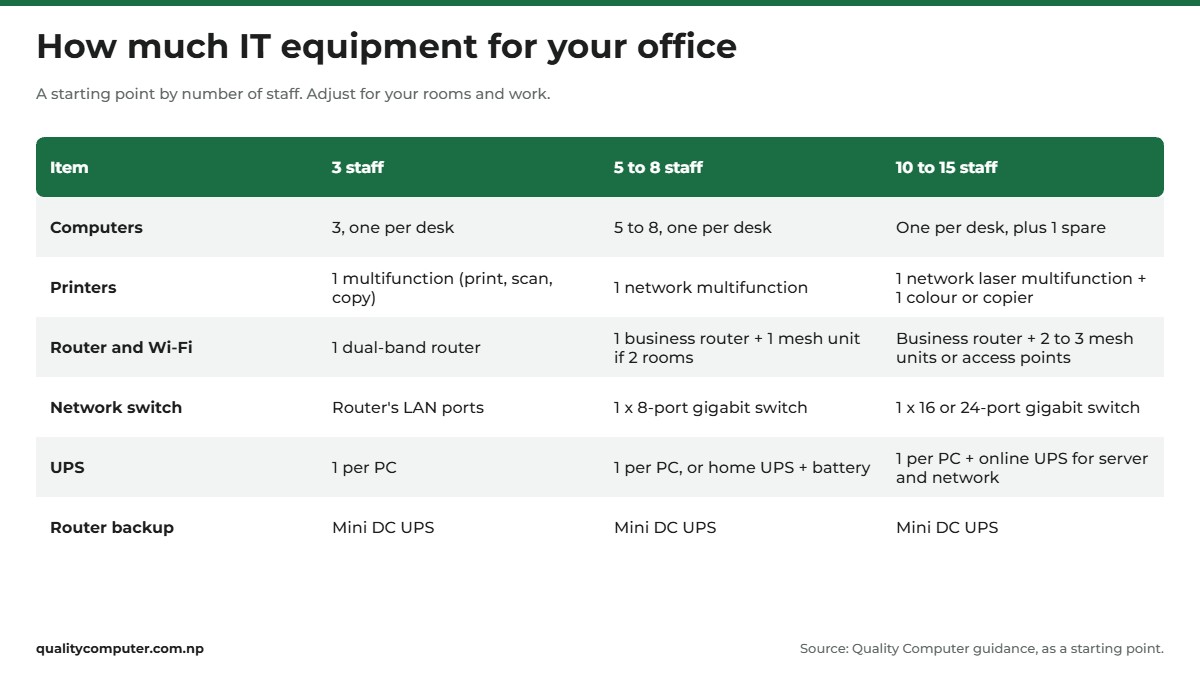
Use the table below as a starting point, not a rule. Your floor plan and the kind of work you do will change the numbers.
Setting up a desk at home for remote work instead? Our home office guide covers that.
Office computers: desktop, all-in-one or laptop
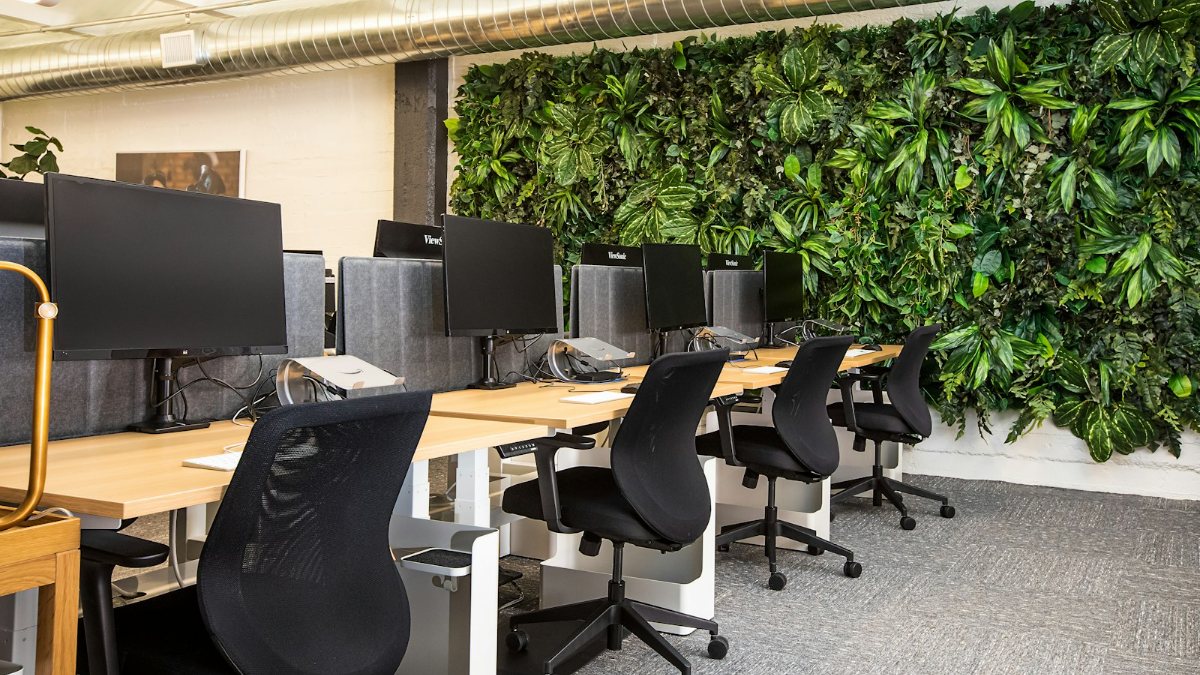
For staff who sit at one desk all day, a desktop for office work is the simplest choice. A tower is easy to upgrade and repair. An all-in-one (AIO) builds the computer into the screen, so there are fewer cables and a tidier desk, which suits reception. Laptops suit staff who travel or work from home some days; add a monitor and keyboard for long desk work.
What spec does a computer for office use need?
- An SSD. Microsoft notes that SSDs are faster than hard disk drives. 512 GB is plenty for documents and accounts software.
- 8 GB RAM for basic work, 16 GB for heavy multitasking. Lenovo describes 8 GB as common for documents, email and moderate browsing, and says 16 GB gives more consistent responsiveness when you multitask. A free memory slot lets you add RAM later.
- Windows 11. Windows 10 stopped getting security updates on 14 October 2025, though Microsoft's consumer Extended Security Updates programme can cover a PC until 12 October 2027 (Microsoft), and organisations can buy ESU for up to three years. Windows 11 needs TPM 2.0 and at least 4 GB RAM (Microsoft), so very old PCs may not upgrade.
Windows 11 Home or Pro for an office computer?
Microsoft says Pro adds BitLocker Drive Encryption, Remote Desktop, and joining a domain or Microsoft Entra ID. Only a Pro PC can be the one you connect to with Remote Desktop; the PC you connect from can run Home (Microsoft). If the owner wants to use Remote Desktop to reach the accounts PC from home, or you want to manage PCs centrally, get Pro. You can upgrade later in Settings, System, Activation.
Desktops and all-in-ones to look at
- Acer Veriton VS2722G: a 14th-gen Core i5-14400 desktop with 8 GB RAM and a 512 GB SSD, for accounts, billing and general office work.
- Dell Pro Tower QCT1250: Core Ultra 5 235, 8 GB RAM, 512 GB SSD. Dell lists Gigabit Ethernet, HDMI and DisplayPort, and memory options up to 64 GB.
- Lenovo IdeaCentre AIO A100: an Intel N100 all-in-one with a 23.8-inch Full HD screen, 8 GB RAM and a 512 GB SSD. Lenovo lists one memory slot, Wi-Fi 6 and Gigabit Ethernet. A tidy fit for reception and billing.
- Lenovo IdeaCentre AIO 24IRH9: Core i5-13420H, 16 GB RAM, 512 GB SSD and a 23.8-inch Full HD screen, with two memory slots and Gigabit Ethernet (Lenovo). It suits a manager juggling accounts, email and video calls.
Ask which Windows edition comes installed before you buy. For a suggested PC build for offices and schools, see our guide to PCs for schools, institutions and offices.
Office printer: ink tank or laser
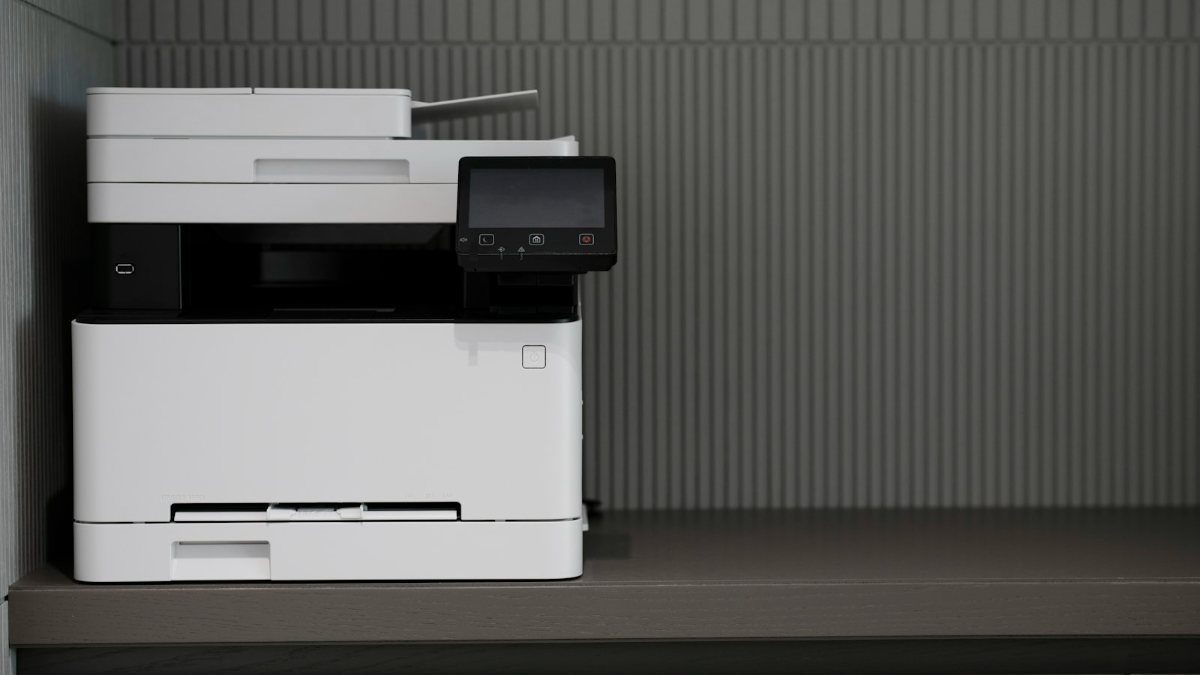
Most small offices need one multifunction printer (print, scan and copy) shared over the network. The big choice is toner or ink.
- Laser printers use toner, and HP calls them the go-to choice for small and medium businesses that print in high volume.
- Ink tank printers use refillable tanks instead of cartridges, so you can print thousands of pages between refills, according to Epson. They print in colour, but HP notes inkjets handle less volume than lasers.
If your office prints mostly black text, choose laser. If you print colour brochures or photos often, choose ink tank. A 10 to 15 person office may need one of each.
You can share a USB printer from one Windows PC, but that PC must be switched on and connected for others to print (Microsoft). A printer with its own Ethernet port or Wi-Fi avoids that. If you copy stacks of documents daily, a photocopier may suit you better. Our office printer guide compares models.
Internet and Wi-Fi for a small office
As a rough guide, size the network in three steps:
- About 3 people in one room: one dual-band router is usually enough. The Ruijie Reyee RG-EW1300G is a dual-band Wi-Fi 5 gigabit router, and Ruijie's recommended figure is 8 devices at once on 2.4 GHz and 24 on 5 GHz.
- More rooms or a weak corner: add mesh. The Ruijie Reyee RG-EW3000GX is a Wi-Fi 6 router with five gigabit ports and Reyee Mesh, which Ruijie says links its Wi-Fi 5 and Wi-Fi 6 home routers.
- 5 or more people, CCTV and remote access: use a business router. The Ruijie Reyee RG-EG105GW(T) is an all-in-one Wi-Fi 5 business router that Ruijie rates for 150 concurrent clients, with VPN, VLANs, free cloud management and remote access to a CCTV recorder even without a fixed IP.
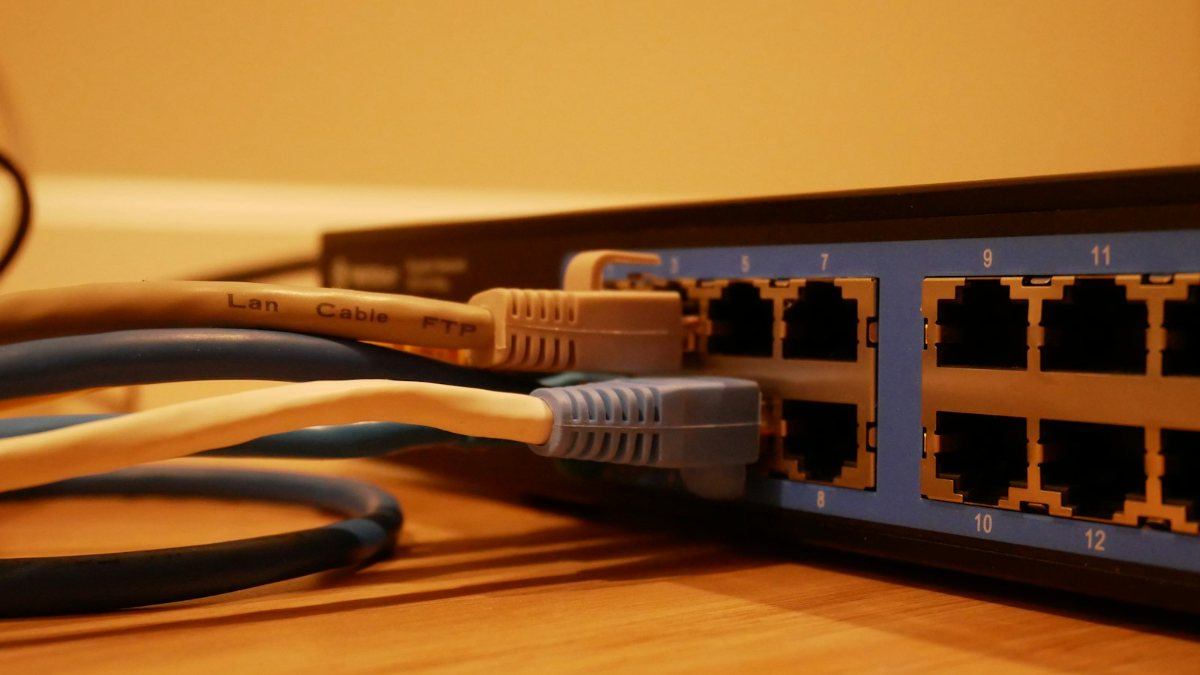
- Cable the desktops. Keep Wi-Fi for phones and laptops. Run cable to fixed desks, the printer and the CCTV recorder, and add a gigabit switch when the router runs out of ports.
- Give visitors a guest network, if your router offers one. Ruijie's pages for the models above don't mention guest Wi-Fi, so check the router's settings first. New Zealand's National Cyber Security Centre says a guest network should only give internet access and should not talk to devices on your other networks (Own Your Online).
- Lock down the router. The same guide says to change the default login, keep the router updated and use WPA2 or later.
Our Wi-Fi router guide explains router types.
Power backup: UPS, home UPS and router UPS
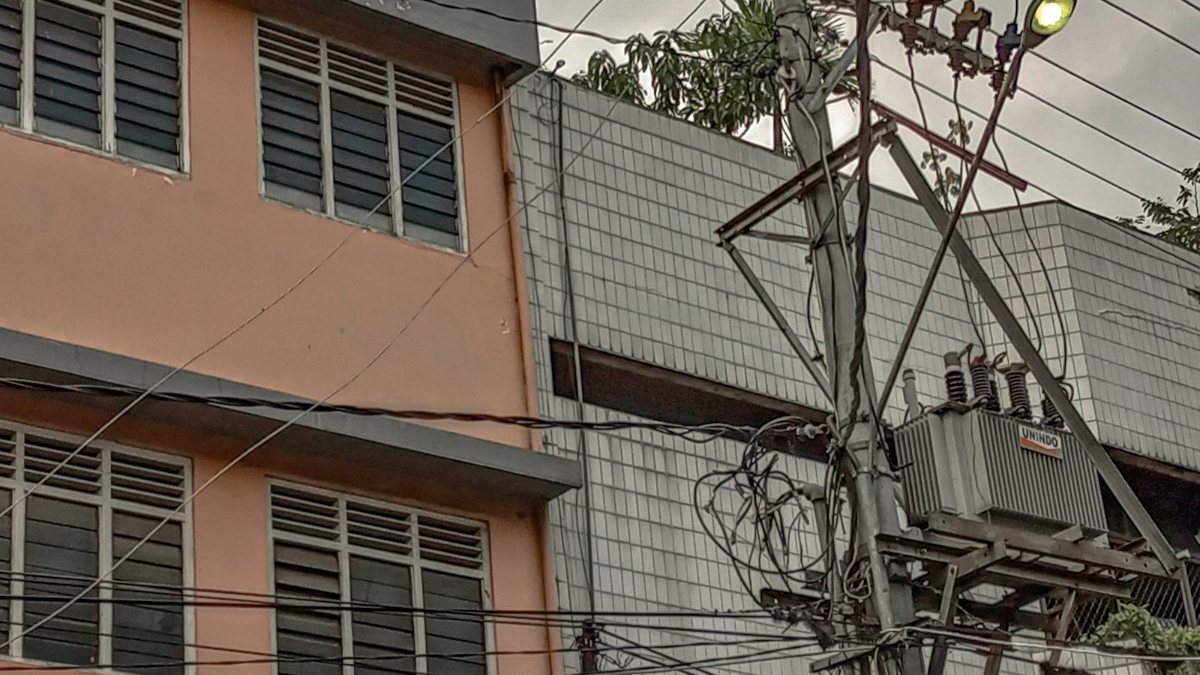
A power cut can lose unsaved work, and a dead router stops the whole office. Plan backup power in layers.
How to size a UPS
Schneider Electric, which makes APC units, says a UPS's VA rating should be higher than the total watts you plug in. With a typical power factor of 0.6 to 0.9, a 500 W load at 0.8 needs at least 625 VA. Leave at least 20 per cent spare. Schneider puts home units at about 5 to 20 minutes of runtime depending on load: time to save and shut down, not to work through a long cut.
Which backup for which job
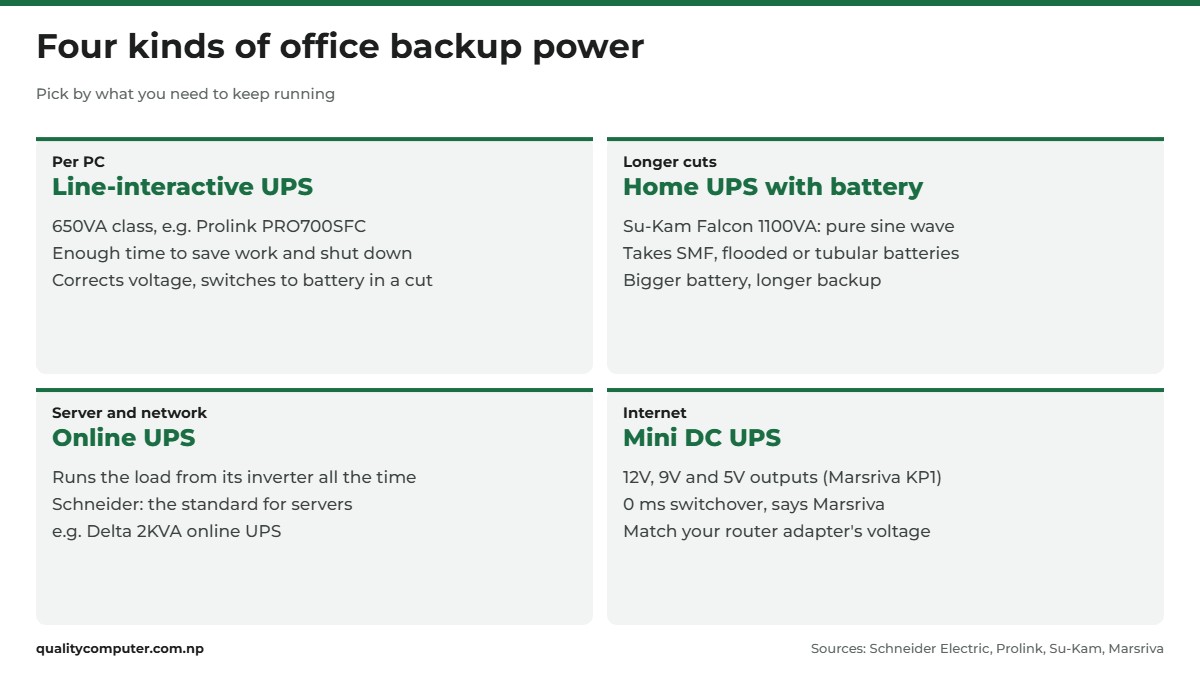
- A line-interactive UPS for each PC. Schneider says these are usually enough for home and office: they condition the power and switch to battery when the voltage goes out of range. The Prolink PRO700SFC is a 650VA line-interactive UPS with AVR (Prolink); its datasheet gives 8 to 30 minutes depending on load.
- A home UPS with a battery for longer cuts. The Su-Kam Falcon 1100VA has pure sine wave output, and Su-Kam says its charger works with SMF, flooded lead-acid and tubular batteries. The battery decides how long it lasts.
- An online UPS for a server corner. An online (double-conversion) UPS runs equipment from its inverter all the time, and Schneider calls it the gold standard for servers. The Delta 2KVA online UPS, a 48 V model with internal batteries, is one example for a file server, CCTV recorder and switch.
- A mini DC UPS for the router. The Marsriva KP1 EC has 12 V, 9 V and 5 V outputs and an 18 W maximum, made for modems, routers and cameras, and Marsriva says it switches over in 0 ms. Match your router adapter's voltage.
Schneider also suggests saving battery power for essential equipment, so leave printers and fans on ordinary sockets.
Security, attendance and backups
CCTV. A common starting point is cameras on the entrance, the cash counter and the store room. Put the recorder on a UPS so it keeps recording in a cut. Our CCTV guide helps you plan.
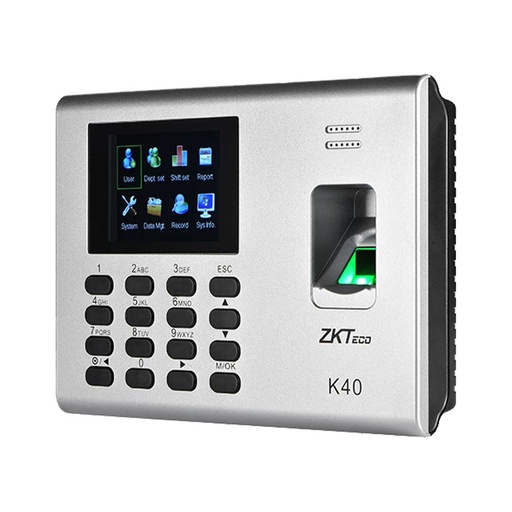
Attendance. A biometric attendance device gives you a clear record for payroll. The ZKTeco K40 Pro and the multi-biometric ZKTeco MB2000 are two options; our attendance device guide looks at the K40 Pro in more detail.
Antivirus. One console for every device is easier than separate home antivirus on each PC. Kaspersky says a five-licence pack of Kaspersky Small Office Security covers 5 PCs or Macs, 5 mobile devices and 1 file server, with ransomware protection, encrypted backups, a password manager, web control and a cloud dashboard, the KSOS Portal.
Backups. A broken PC can be replaced; your client files can't. Follow the 3-2-1 rule, as backup company Backblaze explains it: three copies of your data, on two different media, with one copy off-site. That means the working copy, a copy on an external drive, and one in the cloud or taken home.
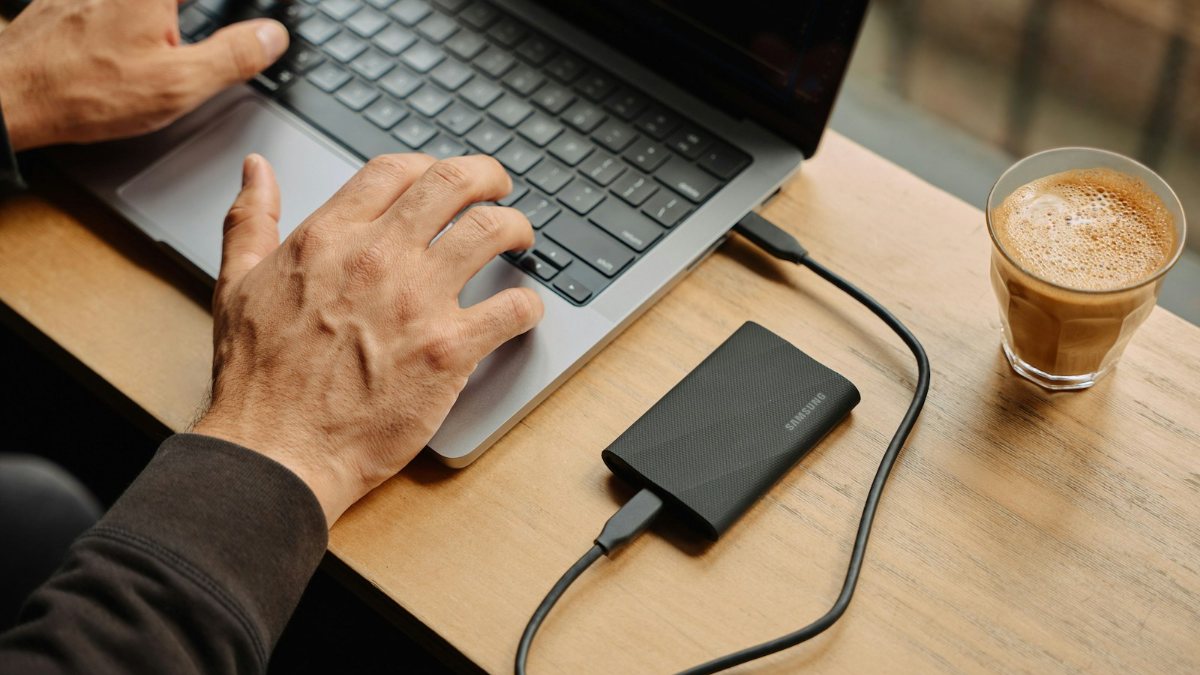
The US #StopRansomware guide from CISA and partners adds two steps that are easy to skip: keep offline, encrypted backups of critical data, and regularly test that they restore.
Office chairs and desk setup
Staff may sit for seven or eight hours a day, so chairs belong in the budget. The US safety regulator OSHA lists what to look for:
- Adjustable height, so the whole sole of the foot rests on the floor.
- A backrest that supports the lower back, ideally with height-adjustable lumbar support.
- Armrests are optional; if fitted, they should be soft with rounded edges.
- A strong five-leg base with castors that suit your floor.
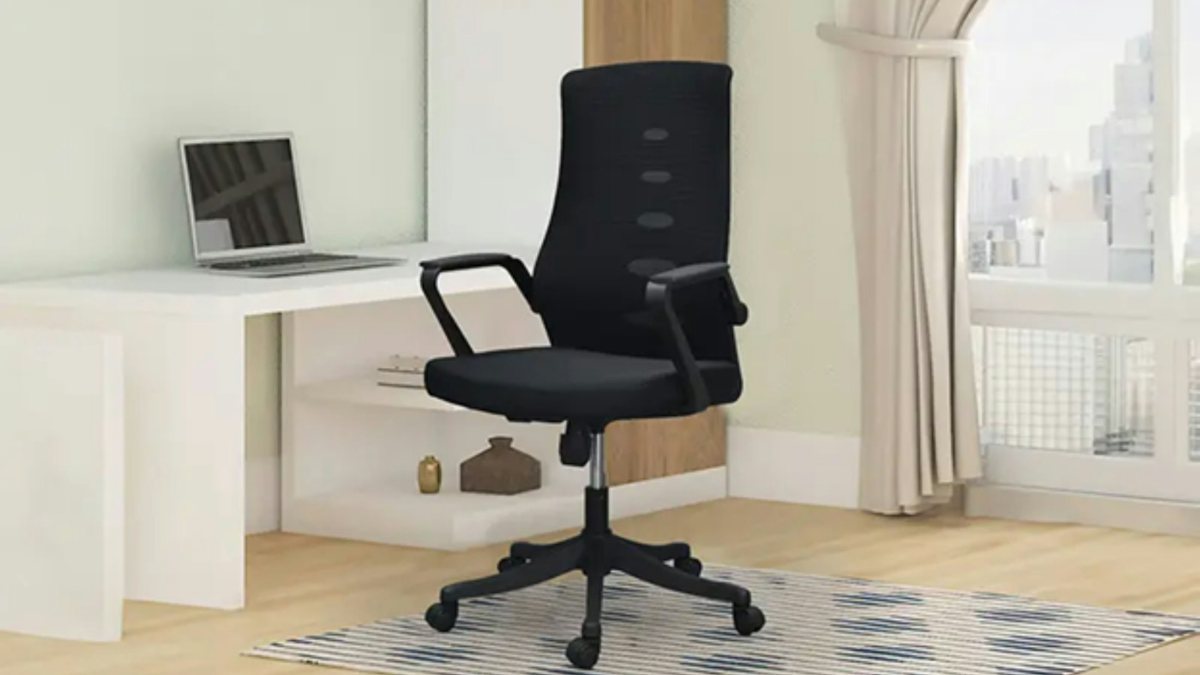
Put each monitor directly in front of the person, with the top of the screen at or slightly below eye level and about 50 to 100 cm away, as OSHA advises. Try mesh-back chairs such as the Modulus Zora, or the Modulus Jazz-1094 with adjustable arms, before ordering several.
VAT bills, warranty and records
- Get a VAT bill for every purchase. Nepal's Inland Revenue Department says sellers must issue an invoice for every sale under Rule 17 of the VAT Rules 2053, and that taking a bill is a citizen's duty (IRD notice). Ask for it in your business name with your PAN; your accountant will need it.
- Keep one warranty folder with bills, warranty cards and serial numbers for every device, plus photos of them in the cloud.
- Label everything: which UPS feeds which PC, which cable goes to which desk. Keep admin passwords somewhere safe, not on a sticker on the router.
- Test each UPS monthly by switching off the mains. If one can't hold its PC long enough to shut down, have the battery checked.
Small office setup checklist
As a starting point, set things up in this order: internet and sockets first, then the network, computers, printer, UPS units and security, with backups last.
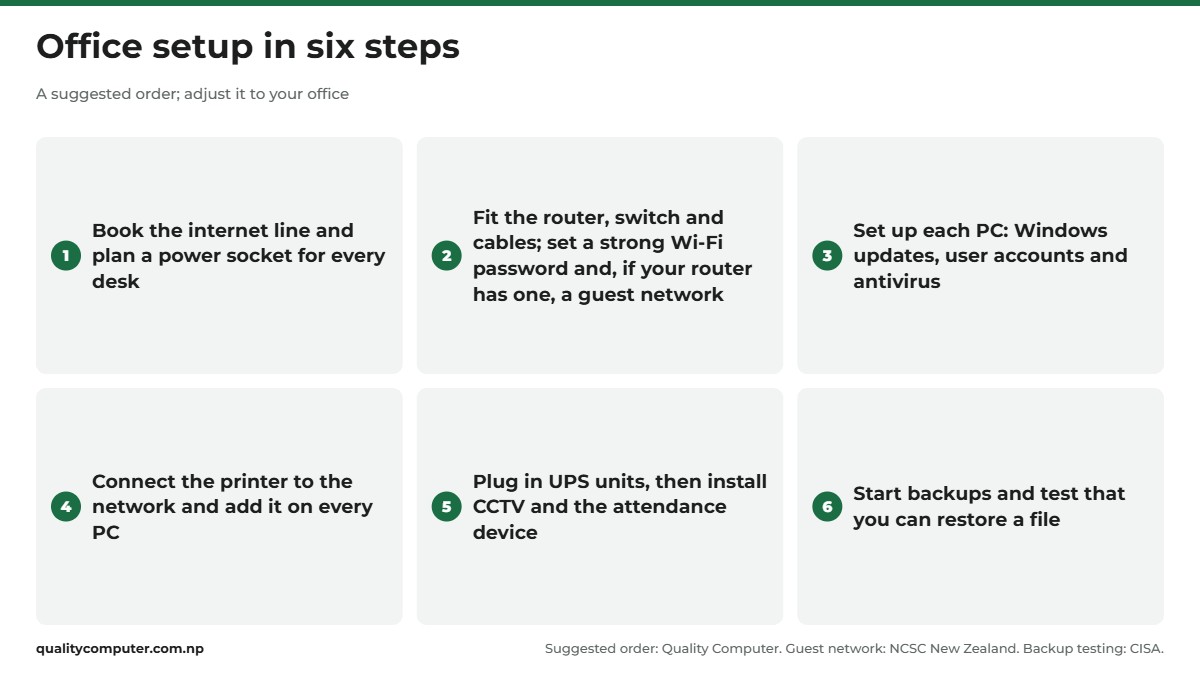
The full office equipment list:
| Item | What to get | Check |
|---|---|---|
| Router and Wi-Fi | Dual-band router, or business router plus mesh | New admin password; guest network if supported |
| Switch and cables | Gigabit switch, cable to fixed desks | Ports for PCs, printer, CCTV |
| Computers | SSD, 8 GB RAM (16 GB for heavy use), Windows 11 | Pro for BitLocker or Remote Desktop |
| Printer | Network multifunction | Laser for text, ink tank for colour |
| UPS | Line-interactive UPS per PC | VA above total watts, 20 per cent spare |
| Router UPS | Mini DC UPS | Same voltage as the router adapter |
| Server corner | Online UPS | File server, recorder, switch |
| CCTV and attendance | Cameras, recorder, biometric device | Recorder on a UPS |
| Antivirus | Business suite with one console | Devices the licence covers |
| Backup | External drive plus cloud copy | Test a restore |
| Chairs | Adjustable height, lower-back support | Screen top at or below eye level |
| Paperwork | VAT bills, warranty folder | Serial numbers |
Quick verdict
- Plan staff, sockets and internet before you buy any hardware.
- One PC per desk with an SSD and 8 GB RAM; 16 GB for heavy multitasking.
- Windows 11 Pro if you need BitLocker, Remote Desktop or a domain.
- One shared network printer: laser for text, ink tank for colour.
- A UPS for every PC and a mini DC UPS for the router.
- Back up 3-2-1 and test that you can restore.
Office equipment in our store
Setting up an office? These are the desktops, all-in-ones, routers, UPS units, attendance devices and office chairs mentioned in this guide.
| Product | What it is | Our price |
|---|---|---|
| Lenovo IdeaCentre AIO A100 (N100, 8GB, 512GB SSD) | All-in-one PC for front desks and basic office work | From Rs 73,999 |
| Acer Veriton VS2722G (i5-14400, 8GB, 512GB SSD) | Tower desktop with a 14th-gen Core i5 | Rs 103,900 |
| Dell Pro Tower QCT1250 (Core Ultra 5 235, 8GB, 512GB SSD) | Tower desktop with a Core Ultra 5 | From Rs 118,000 |
| Lenovo IdeaCentre AIO 24IRH9 (i5-13420H, 16GB) | All-in-one PC with 16GB RAM | From Rs 126,999 |
| Ruijie Reyee RG-EW1300G dual-band router | Dual-band gigabit Wi-Fi router | From Rs 6,200 |
| Ruijie Reyee RG-EW3000GX Wi-Fi 6 mesh router | Wi-Fi 6 mesh router | From Rs 11,385 |
| Ruijie Reyee RG-EG105GW(T) business router | All-in-one wireless business router | Rs 17,500 |
| Prolink 650VA UPS (PRO700SFC) | 650VA UPS for one PC | From Rs 4,800 |
| Su-Kam Falcon 1100VA pure sine wave home UPS | 1100VA pure sine wave home UPS | From Rs 11,500 |
| Delta 2KVA online UPS | 2KVA online UPS | Rs 53,500 |
| Marsriva KP1 mini DC UPS for routers | Mini DC UPS for the router | From Rs 2,750 |
| ZKTeco K40 Pro attendance device | Fingerprint and card attendance device | Rs 14,000 |
| ZKTeco MB2000 multi-biometric attendance device | Multi-biometric attendance device | Rs 26,500 |
| Kaspersky Small Office Security (5 PCs + 1 server) | Antivirus for 5 PCs and 1 server | Rs 10,500 |
| Modulus Zora mesh back chair | Mesh back office chair | From Rs 10,625 |
| Modulus Jazz-1094 mesh chair (adjustable arms) | Mesh chair with adjustable arms | From Rs 16,775 |
Prices checked on 15 November 2026 on our website.
In our store
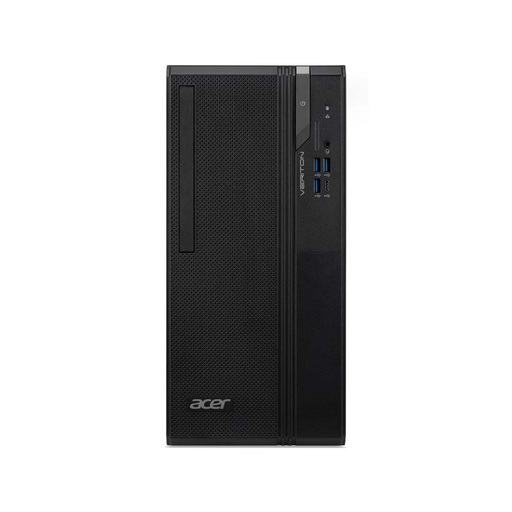
Acer Veriton VS2722G
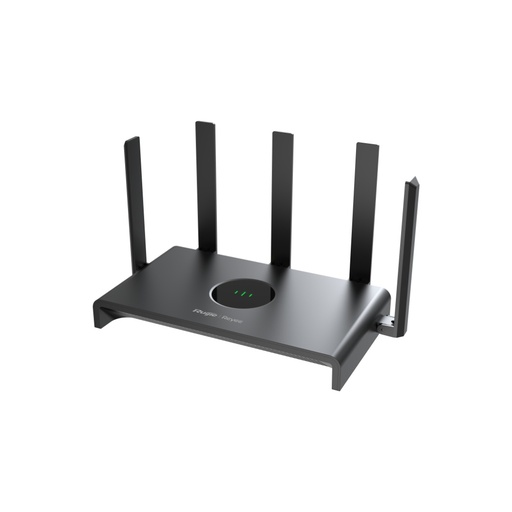
Ruijie Reyee RG-EW1300G
ZKTeco K40 Pro
Frequently asked questions
What IT equipment does a small office need?
A small office needs one computer per desk, a shared network printer, a router with Wi-Fi (plus mesh units or access points for bigger spaces), a UPS for each PC and a mini DC UPS for the router. Add CCTV, an attendance device, antivirus and a backup you have tested, and keep VAT bills and warranty papers in one place.
Which computer is good for office use?
For typing, billing and accounts, a desktop or all-in-one with an SSD and 8 GB RAM is enough. Choose 16 GB RAM if staff multitask with video calls and many browser tabs, and run Windows 11, since Windows 10 stopped getting security updates on 14 October 2025.
Is 8GB RAM enough for an office computer?
Yes, for basic work. Lenovo describes 8 GB as common for document editing, email and moderate browsing, and says 16 GB gives more consistent responsiveness for heavier multitasking. Pick a PC with a free memory slot so you can add more later.
Do I need Windows 11 Pro for an office computer?
You need Pro if you want BitLocker Drive Encryption, want to connect to the PC with Remote Desktop, or want to join it to a domain or Microsoft Entra ID. Microsoft says only a Pro PC can host a Remote Desktop connection. You can upgrade from Home later in Settings, System, Activation.
Which office printer is better, ink tank or laser?
Laser suits offices that print a lot of black text, and HP calls laser the go-to choice for small businesses with high print volumes. Ink tank printers use refillable tanks and print in colour, so they suit offices that print brochures, photos or colour forms often.
What size UPS do I need for an office computer?
Add up the watts of the PC and monitor and choose a UPS whose VA rating is higher than that total, with at least 20 per cent spare. Schneider Electric's example is that a 500 W load at a power factor of 0.8 needs at least 625 VA. Schneider puts home units at about 5 to 20 minutes depending on load, enough to save and shut down.
How do I keep office Wi-Fi running during a power cut?
Put the router and modem on a mini DC UPS that matches the router adapter's voltage, such as a unit with 12 V, 9 V and 5 V outputs. For longer cuts, run the router from a home UPS with a battery as well.
Sources
- Upgrade Windows Home to Windows Pro, Microsoft Support
- How to use Remote Desktop, Microsoft Support
- Device encryption in Windows, Microsoft Support
- Windows 10 support has ended on October 14, 2025, Microsoft Support
- Extended Security Updates (ESU) program for Windows 10, Microsoft Learn
- Windows 11 specifications and system requirements, Microsoft
- All about SSD, HDD and storage types, Microsoft Support
- Share a printer as a network printer, Microsoft Support
- How much memory (RAM) do I need?, Lenovo
- Dell Pro Tower desktop (QCT1250), Dell
- Lenovo A100 spec sheet, Lenovo PSREF
- IdeaCentre AIO 24IRH9 spec sheet, Lenovo PSREF
- Laser vs inkjet for small business, HP Tech Takes
- Are you confused about cartridge-free printers?, Epson Europe
- RG-EW1300G, Ruijie Reyee
- RG-EW3000GX, Ruijie Reyee
- RG-EG105GW(T), Ruijie Reyee
- Secure your small business network, Own Your Online, National Cyber Security Centre (New Zealand)
- UPS buying guide for selecting a battery backup system, Schneider Electric
- Super Fast Charging Line Interactive series, PROLiNK
- PRO700SFC/SFCU datasheet, PROLiNK (Fida International), May 2024
- Falcon 1100/12V, Su-Kam
- KP1 Series Smart Mini DC UPS, Marsriva
- Kaspersky Small Office Security, Kaspersky
- The 3-2-1 backup strategy, Backblaze
- #StopRansomware Guide, CISA, MS-ISAC, NSA and FBI
- Computer Workstations eTool: Chairs, OSHA (US Department of Labor)
- Computer Workstations eTool: Monitors, OSHA (US Department of Labor)
- Notice on issuing bills and invoices (26 Asar 2083), Inland Revenue Department, Nepal