POS System for a Shop in Nepal: What You Need for Billing (2026)
Short answer: A POS system for a shop is billing software plus the hardware around it: a computer or all-in-one POS terminal, a thermal receipt printer, a barcode scanner and usually a cash drawer that the printer opens. A very small shop can start with a phone or tablet app and a Bluetooth printer. Choose the software first: IRD allows only software listed with the department for electronic billing, and its April 2026 notice says businesses with annual turnover above Rs 20 crore must bill electronically and link each bill to its Central Billing Monitoring System (CBMS).
Shop at Quality Computer
POS terminals, receipt printers and scanners View all →
What is a POS system? Three ways to set one up
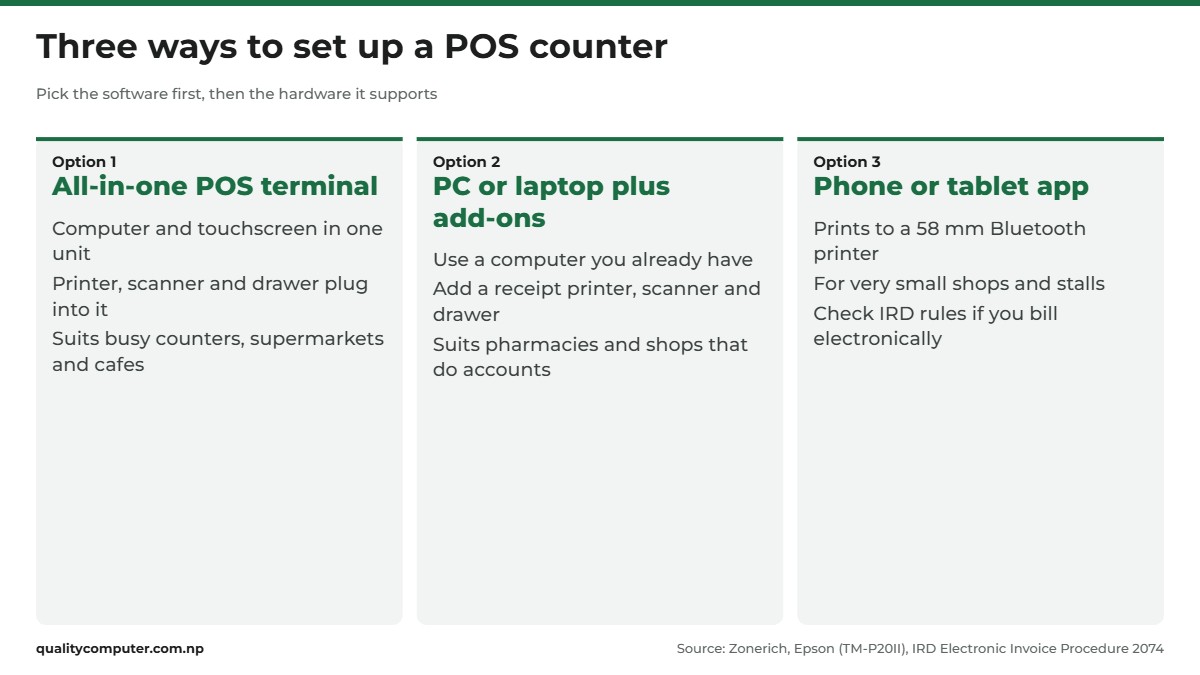
POS means point of sale: the counter where your customer pays. The software (often called POS software) records each sale, tracks stock and prints the bill. The hardware is the screen, printer, scanner and drawer around it. People often call the whole setup a billing machine or POS machine. You can put one together in three ways:
- An all-in-one POS terminal. The computer and a touchscreen sit in one unit, and the printer, scanner and drawer plug into it. Makers such as Zonerich sell these touch terminals alongside drawers, scanners and printers. The Zonerich ZQ T9150 is sold as a 15-inch touch-screen POS terminal. This suits busy counters, supermarkets and cafes.
- Your own PC or laptop plus add-ons. Add a receipt printer, a scanner and a drawer to a computer you already have. It suits pharmacies, electronics shops and clothing shops where the same computer also does accounts.
- A phone or tablet app. For a very small shop or a stall, a billing app can print to a small Bluetooth printer. Epson, for example, says its TM-P20II mobile printer takes 58 mm paper and works with iOS, Android and Windows. It suits a few bills an hour rather than a queue.
Whichever way you go, pick the software before the hardware. It decides which printers, scanners and paper widths will work, and whether your bills meet IRD's rules. Ask the seller for their list of supported printers and scanners, and buy from it.
Receipt printer: thermal, 58 mm or 80 mm
Zebra lists receipts as a typical use of direct thermal printing, which uses "heat-sensitive media that blackens" under the print head. These printers "have no ink, toner, or ribbon" (Zebra), so you only buy paper rolls. Heat and light darken the paper over time, so keep your records in the software, not on paper.
Paper width. Epson lists 48 characters per line on 80 mm paper and 35 on 58 mm for its TM-T82III. That's why 80 mm suits most counters, while 58 mm is common on small mobile printers. Set your software's bill template to the same width. Our thermal printer price guide compares widths and models in depth.
Connection. USB links the printer to one computer. LAN (Ethernet) plugs it into your router, so it can sit away from the computer. Bluetooth suits phones and tablets. ZKTeco's page for its ZKP8005, for example, lists "USB+LAN", and Epson's TM-T82III has USB plus serial or Ethernet.
Auto-cutter. A cutter slices off each bill, which matters when there's a queue. ZKTeco lists a partial auto-cutter on the ZKP8005. The ZKTeco ZKP8016 isn't listed on ZKTeco's own website, so check its ports and cutter on the box before you buy.
Kitchen printers for restaurants and cafes
Many restaurants add a second printer in the kitchen, so each order prints where the food is made. HPRT, for one, describes its KP806C kitchen printer as "waterproof, dustproof, and oil-fume-resistant", wall-mountable, with a sound alarm, and with USB and Ethernet as standard. Connect a kitchen printer to the router by LAN cable, and check your software can send orders to it. The xLab XP-896W is sold as a 3-inch thermal kitchen printer.
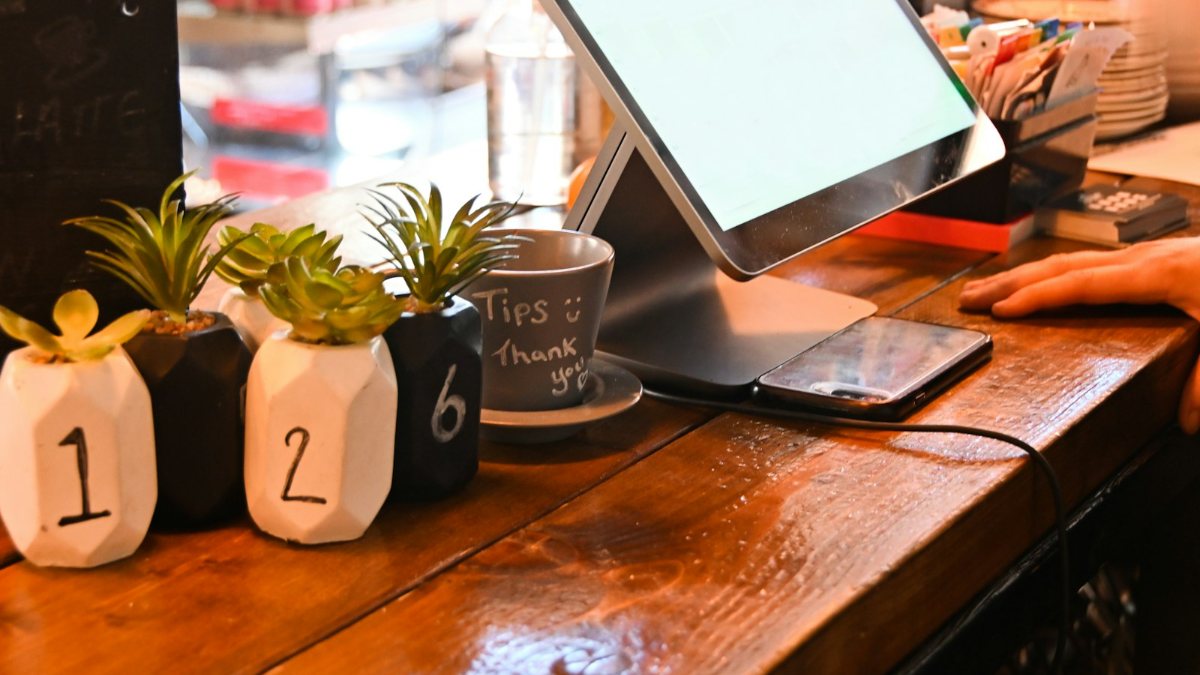
Barcode scanner: 1D or 2D, handheld or hands-free
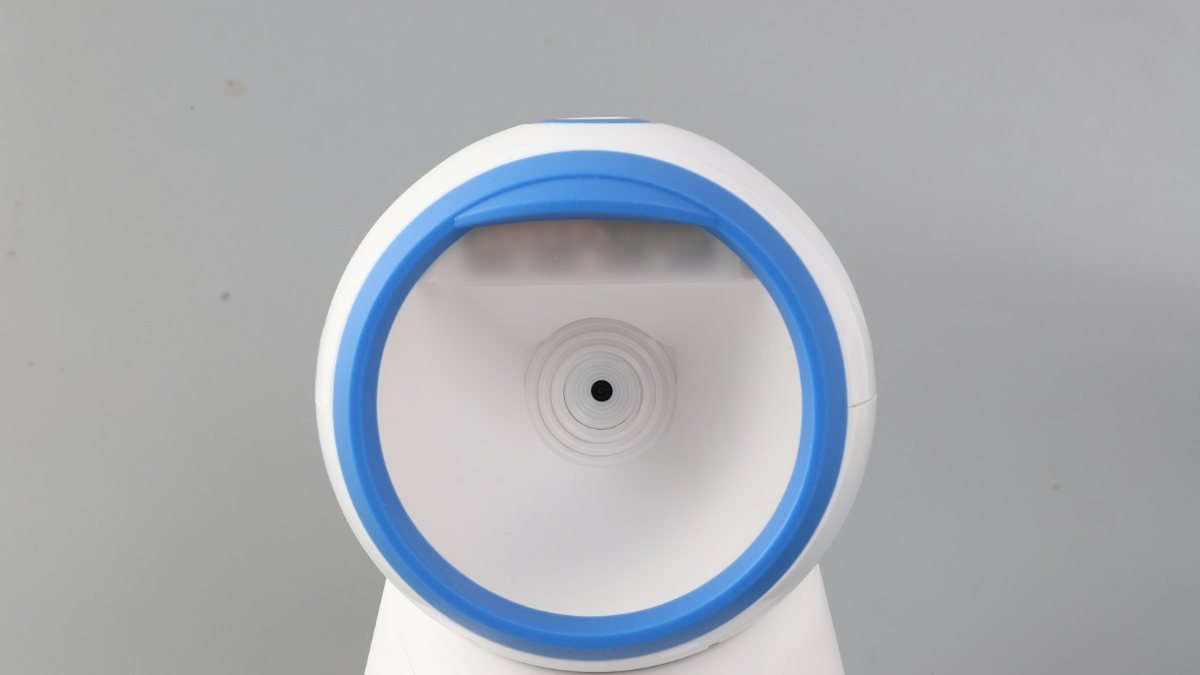
A scanner saves typing and wrong prices. Zebra describes 1D barcodes, the kind on most packets, as "lines and spaces of various widths", while 2D codes such as QR codes "use symbols, shapes, dots and other geometric patterns" (Zebra). It sorts scanners into three types:
| Scanner type | Printed 1D barcodes | 1D barcodes on a phone | 2D codes (QR) |
|---|---|---|---|
| Laser scanner | Yes | No | No |
| Linear imager | Yes | Yes | No |
| Array (2D) imager | Yes | Yes | Yes |
Zebra adds that 2D imagers "can scan barcodes from backlit devices, such as mobile phones" (Zebra). If customers show codes on their phones, or your stock carries QR codes, get a 2D imager.
Handheld or hands-free. A handheld scanner is picked up and triggered, which helps with bulky goods. A hands-free (presentation) scanner stands on the counter and reads items passed in front of it. The Zebra DS9308 does both: its quick start guide lists Hands-Free (Presentation) and Hand-Held modes, and the DS9300 Series spec sheet says it reads 1D and 2D codes "printed on a label or displayed on a phone". It connects by USB, RS-232, keyboard wedge or IBM 46XX over RS-485, detects the connection type itself, and on USB it types each code into your software like a keyboard by default.
Wired or wireless. Zebra says a corded scanner suits a fixed station, while cordless Bluetooth models suit jobs such as in-aisle and backroom stock checks, sending data to the computer or to a cradle cabled to it (Zebra). For one counter, corded is simplest.
Label printer for price and barcode stickers
If you sell loose goods or products without barcodes, you'll print your own barcode and price stickers. Label printers work in one of two ways. Direct thermal labels need no ribbon but darken with heat and light, so they suit short-life labels. Thermal transfer melts a ribbon onto the label, and Zebra calls these labels "the most durable available" (Zebra). Some printers handle both labels and bills: the xLab XBLP-368B is sold as a thermal barcode label and POS printer. Our printer price guide, linked above, covers label sizes, ribbons and models in depth.
Cash drawer: how the printer opens it
The drawer usually plugs into the printer, not the computer. APG, which makes drawers, says "Most receipt printers on the point of sale market have drawer kick ports that send a 24VDC signal to open the cash drawer" (APG). When you finish a sale, the software tells the printer to send that pulse. On Epson printers, for example, this is the ESC/POS command ESC p, "Generate pulse" (Epson).
Epson's TM-T82III technical guide names the socket as an RJ12 modular connector and warns: "Do not insert a telephone line into the drawer kick connector." ZKTeco's ZKP8005 page lists "Cash drawer: DC 24V/1A". Before you buy, check three things:
- The printer has a drawer port. Makers list it on the spec sheet; if it isn't there, ask.
- The cable matches. APG warns that "not all printer manufacturer's drawer kick ports are pinned alike".
- Your software opens the drawer by itself at the end of each sale.
Billing software and IRD rules in Nepal
The Inland Revenue Department (IRD), not the printer maker, sets the rules for bills.
Every sale needs a bill
IRD's notice on issuing bills, dated 26 Asar 2083, reminds sellers that under Rule 17 of the VAT Rules 2053 an invoice must be issued for every sale. It warns that IRD will act if market monitoring finds bills not being issued. That holds whether you write bills by hand or print them.
VAT bill or PAN bill
IRD's Electronic Invoice Procedure 2074 shows the formats. A VAT-registered seller issues a "Tax Invoice" with a VAT line at 13%. A seller registered only for income tax issues an "Invoice" with no VAT line, which most people call a PAN bill. Ask your Inland Revenue Office whether you need to register for VAT.
IRD-approved software and CBMS
For electronic billing, the procedure allows only devices and software listed with the department. People usually call this IRD-approved billing software. You also need permission from your own tax office, and the software's maker or authorised distributor must certify that it meets the rules. CBMS, IRD's Central Billing Monitoring System, receives each bill from connected software through an API that IRD documents.
Who has to do this? IRD's latest notice, "विद्युतीय विजक सम्बन्धी सूचना", dated 4 Baisakh 2083 (April 2026), says every taxpayer with annual turnover above Rs 20 crore must issue invoices electronically and link them to CBMS at the moment each one is issued (IRD notice). Banks and financial institutions that don't bill customers directly are left out. An earlier IRD notice from 2079 BS set lower lines for e-billing: any taxpayer with turnover above Rs 10 crore in 2077/78 or 2078/79, hotels and restaurants above Rs 5 crore, and department stores and marts above Rs 10 crore. It also lets others choose e-billing with permission. The 2083 notice doesn't say whether those older lines still apply, and the lines have changed several times, so confirm with your Inland Revenue Office or the IRD website.
What to ask a software seller
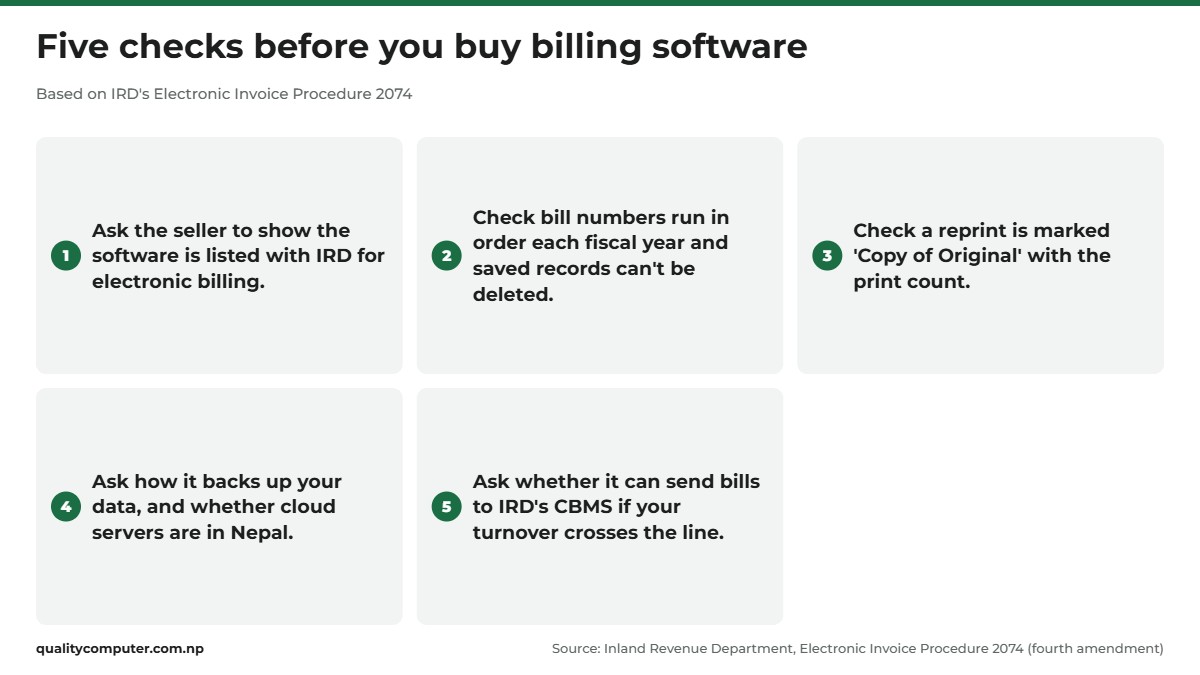
Even if e-billing isn't compulsory for you, the procedure makes a good checklist. Saved records can't be deleted, bill numbers run in order each fiscal year, a reprint is marked "Copy of Original" with the print count, a cancelled bill needs a reason, the data can be backed up and exported, and cloud servers must be in Nepal.
QR and card payments at the counter
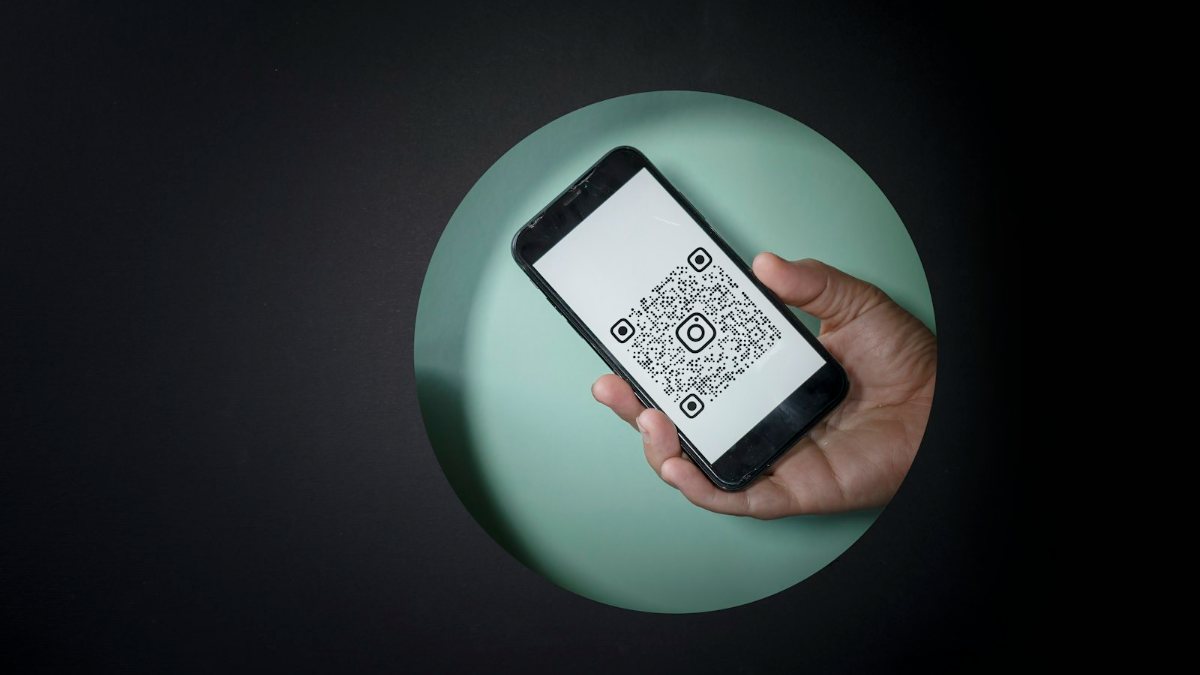
QR payments. Many customers pay by scanning a QR code with their banking app. With Fonepay, a shop requests a QR through an online form that asks for your preferred bank or e-wallet and whether you have a PAN, and Fonepay says payments are "settled directly into your bank account". For NEPALPAY QR, run by Nepal Clearing House (NCHL), a merchant "will have to contact its bank". NCHL says it works across QR networks and follows the NepalQR standards published by Nepal Rastra Bank. Record QR sales in your software as a separate payment method, so your cash count matches.
Card machines. The card POS machine you see in big shops comes from a bank, not from a computer shop. Nepal Bank's merchant agreement, for example, says the "POS Machine shall remain the property of the Bank" (Nepal Bank). Ask your bank about merchant services if you want to take cards.
Power cuts, internet and offline billing
UPS. Schneider Electric, which makes APC units, says a UPS gives "instant emergency power during outages" and keeps devices running "long enough to safely shut down", and that basic units often give 5 to 15 minutes (Schneider Electric). To size one, add up the wattage of everything you'll plug in and choose a model with extra VA capacity. Put the computer or terminal, the printer and the router on it. See our UPS range.
Internet. Cloud billing and a CBMS link need a working connection. Our Wi-Fi router guide explains what to buy.
Offline billing. If you're on e-billing and the system can't issue a bill, IRD's procedure says you may bill another way only with your tax office's prior approval. It also says to keep a backup of the database and logs for every fiscal year. Ask the seller what the software does when the internet drops, and how bills made offline reach the system later.
POS system starter kits by shop size
What a typical counter needs, by type of shop. Adjust it to your software.
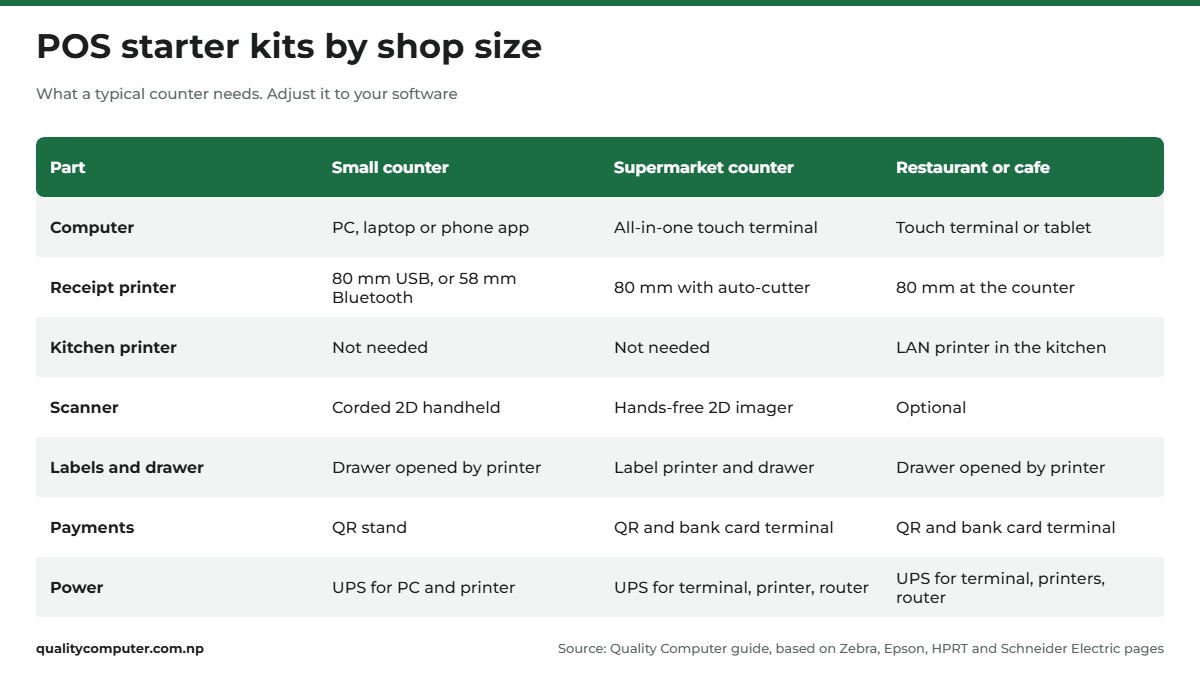
- Small counter (kirana, small pharmacy): your PC or laptop, or a phone app; an 80 mm USB printer, or a 58 mm Bluetooth one for a phone; a corded 2D scanner; a drawer opened by the printer; a QR stand; and a UPS.
- Busy supermarket counter: a touch-screen POS terminal such as the Zonerich ZQ T9150; an 80 mm printer with an auto-cutter and a drawer port; a hands-free 2D imager such as the Zebra DS9308; a label printer; QR plus a bank card terminal; and a UPS.
- Restaurant or cafe: a touch terminal or tablet; an 80 mm printer at the counter; a kitchen printer such as the xLab XP-896W, connected by LAN cable if it has the port; a drawer; QR and card payments; and a UPS for the terminal, printers and router.
Buy in this order: software, then the computer or terminal, then the printer and drawer, then the scanner. Test a full sale, from scanning an item to the drawer opening, before your first busy day.
Quick verdict
- Choose the billing software first, then buy hardware it supports.
- Most counters need an 80 mm thermal printer, a 2D scanner and a cash drawer opened by the printer.
- Get a 2D imager if customers show QR codes or coupons on their phones.
- For e-billing, IRD allows only software listed with the department.
- IRD's April 2026 notice: annual turnover above Rs 20 crore must bill electronically and link to CBMS.
- Card machines come from your bank. QR codes come through Fonepay or NEPALPAY QR and your bank.
POS terminals, printers and scanners in our store
If you're setting up a new counter or replacing handwritten bills, these are the parts most shops start with. Check each one works with your billing software before you buy.
| Product | What it is | Our price |
|---|---|---|
| Zonerich ZQ-T9150 15" POS terminal | 15-inch all-in-one POS terminal | Rs 116,000 |
| ZKTeco ZKP8016 thermal printer | Thermal receipt printer | Rs 8,500 |
| X-Lab XP-896W 3" thermal kitchen printer | 3-inch thermal kitchen printer | Rs 10,999 |
| X-Lab XP-80B portable thermal printer | Portable thermal printer for phone or tablet billing | Rs 15,200 |
| Zebra DS9308 hands-free barcode scanner | Hands-free barcode scanner | Rs 25,000 |
| X-Lab XBLP-368B thermal barcode label and POS printer | Barcode label and receipt printer | Rs 11,700 |
| X-Lab XBLP-409B 4" thermal barcode label printer | 4-inch barcode label printer | Rs 11,700 |
Prices checked on 15 November 2026 on our website.
In our store
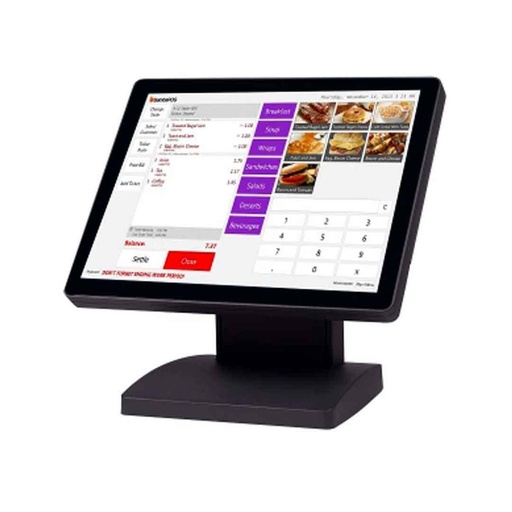
Zonerich ZQ-T9150
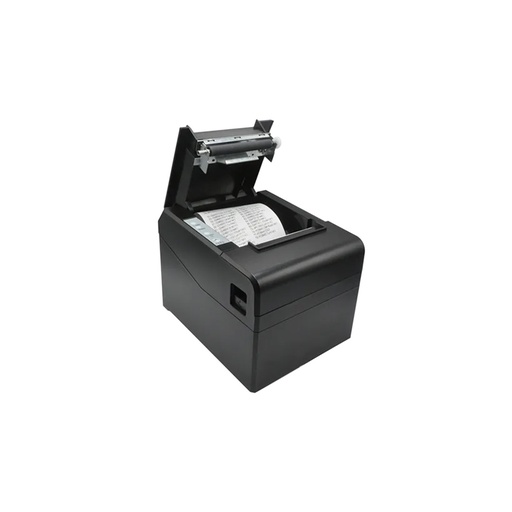
ZKTeco ZKP8016
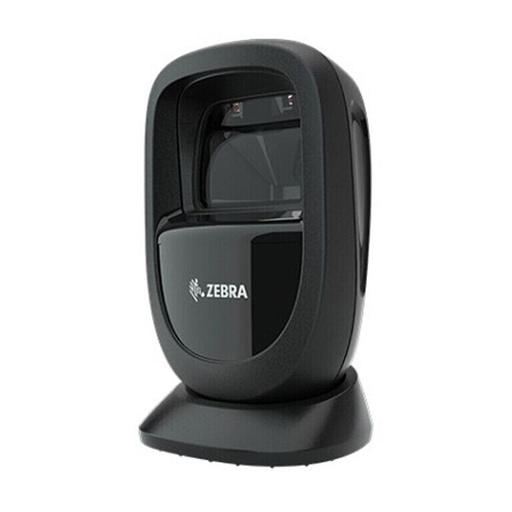
Zebra DS9308
Frequently asked questions
What is a POS system for a shop?
A POS (point of sale) system is billing software plus the hardware at your counter: a computer or all-in-one POS terminal, a thermal receipt printer, a barcode scanner and usually a cash drawer. Very small shops can use a phone or tablet app with a Bluetooth printer.
What do I need to set up a POS machine in my shop?
Billing software, a computer or touch terminal, a thermal receipt printer, a barcode scanner and a cash drawer that plugs into the printer. Add a UPS for power cuts, a QR code for payments and, for restaurants, a kitchen printer on the network.
Should I buy a 58 mm or 80 mm receipt printer?
For a shop counter, 80 mm. Epson lists 48 characters per line on 80 mm paper against 35 on 58 mm for its TM-T82III, so more fits on each line. 58 mm suits small mobile printers used with phones.
Do I need IRD approved billing software in Nepal?
If you issue electronic bills, yes. IRD's Electronic Invoice Procedure 2074 allows only software and devices listed with the department, and you need permission from your tax office. Every seller must issue a bill for every sale, whether by hand or by computer.
Which businesses must connect to CBMS in Nepal?
IRD's notice of 4 Baisakh 2083 (April 2026) says taxpayers with annual turnover above Rs 20 crore must issue invoices electronically and link each one to the Central Billing Monitoring System at the time of issue. Banks and financial institutions that don't bill customers directly are excluded. Check with your Inland Revenue Office for the current rules.
How does a cash drawer open automatically?
Most cash drawers plug into the receipt printer's drawer kick port. When a sale ends, the billing software tells the printer to send a 24 V pulse that opens the drawer. Check the printer has a drawer port and use the cable made for it.
Can I buy a card POS machine from a computer shop?
No. Card payment terminals come from banks under a merchant agreement, and banks such as Nepal Bank keep ownership of the machine. Ask your bank about merchant services. QR payments through Fonepay or NEPALPAY QR are also arranged through your bank or e-wallet.
Sources
- विद्युतीय विजक सम्बन्धी सूचना (notice on electronic invoices), Inland Revenue Department, 4 Baisakh 2083
- विल/बीजक जारी गर्ने सम्बन्धी सूचना (notice on issuing bills), Inland Revenue Department, 26 Asar 2083
- विद्युतीय बीजक सम्बन्धी कार्यविधि, २०७४ (Electronic Invoice Procedure 2074, fourth amendment), Inland Revenue Department
- विद्युतीय माध्यमबाट बीजक (e-Billing) जारी गर्ने सम्बन्धी (notice on e-billing), Inland Revenue Department, 2079/08/07
- Central Billing Monitoring System API Documentation, Inland Revenue Department, updated 14 Oct 2022
- विद्युतीय विजक (electronic invoice) section, Inland Revenue Department
- What is the difference between direct thermal and thermal transfer printing?, Zebra Technologies
- What is a barcode?, Zebra Technologies
- What is a 2D barcode?, Zebra Technologies
- DS9300 Series spec sheet, Zebra Technologies
- DS9308 Hands-Free Imaging Scanner Quick Start Guide, Zebra Technologies
- DS9300 Series Scanner Support, Zebra Technologies
- When to use cordless versus corded barcode scanners, Zebra Technologies blog, 2022
- Epson TM-T82III POS Printer, Epson Singapore
- TM-T82III Technical Reference Guide, Epson
- ESC p: Generate pulse, Epson ESC/POS Command Reference
- TM-P20II mobile receipt printer, Epson Australia
- ZKP8005 thermal receipt printer, ZKTeco
- HPRT KP806C waterproof kitchen receipt printer, HPRT
- How to Connect a Cash Drawer to a Printer, APG Cash Drawer
- Zonerich official website, Zonerich
- Request Fonepay QR (merchant enrollment), Fonepay
- NEPALPAY QR, Nepal Clearing House Ltd (NCHL)
- POS Merchant Establishment Agreement, Nepal Bank Limited
- UPS buying guide: Choose the right battery backup, Schneider Electric