
Our digital lives are becoming increasingly dependent on files. From photos and videos to documents, projects, software, and business data, we often have more files than our laptop or phone can comfortably store. When your device starts running out of space, external storage can provide a simple way to expand your storage and keep important files organized. But with options such as external HDDs, portable SSDs, USB flash drives, and memory cards, choosing the right one can be confusing.
The best external storage depends on how much data you need to store, how often you access it, how fast you need transfers to be, and how portable the device should be.
What Is External Storage?
External storage is a storage device
that connects to a computer, laptop, smartphone, camera, or other compatible
device to store or transfer data. Unlike an internal drive, external
storage can be connected when needed and carried between compatible devices. It
can be useful for file backups, media storage, transferring large files, and
freeing up space on your main device.
Common types include:
- External Hard Disk Drives (HDDs)
- Portable Solid-State Drives (SSDs)
- USB Flash Drives
- Memory Cards
External HDD: Best for Large Storage on a Budget
External HDDs are a practical option when you need a lot of storage without spending too much. They are suitable for storing large collections of:
- Photos and videos
- Movies and music
- Documents and projects
- Backups
- Archived files
Choose an external HDD if:
You need high storage capacity and your priority is storing large amounts of
data rather than getting the fastest possible transfer speeds.
Portable SSD: Best for Speed and Portability
If speed matters, a portable SSD is
usually a better choice. SSDs have no moving mechanical parts
and are designed to provide fast access to stored data. They are especially
useful for people who regularly transfer large files or work with photos,
videos and other data-intensive projects. Quality Computer currently offers
portable SSDs such as the Lexar SL200 1TB, Lexar SL300 1TB, and Transcend
ESD310 1TB.
Choose a portable SSD if: You frequently transfer large files, need quick access to your data, or want a
compact storage device that is easy to carry.
USB Flash Drive: Best for Everyday File Transfers
For smaller files and everyday transfers, a USB flash drive can be the most convenient option.
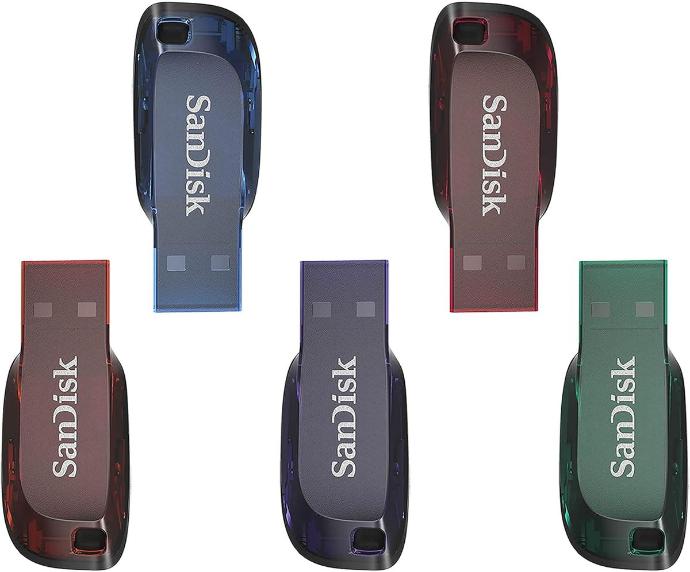
Flash drives are compact and easy to carry, making them useful for transferring:
- Documents
- Presentations
- Photos
- Small videos
- Work and college projects
Quality Computer has USB flash
drives available in different capacities, including models from ADATA,
Transcend, Lexar, SanDisk and Kingston. Some dual-drive models also support
both USB Type-A and Type-C, which can be useful when moving files
between newer and older devices.
Choose a USB flash drive if:
You mainly need a small, portable device for quick and occasional file
transfers.
Memory Card: Best for Cameras, Phones and Other Devices
Memory cards are commonly used in
cameras, smartphones, action cameras, drones and other compatible devices. They are particularly useful when
the device's built-in storage is limited or when you need removable storage for
photos and videos. Quality Computer offers microSD
options from brands such as Lexar, Dahua and Hikvision, with different
capacities and speed ratings.
Choose a memory card if: Your device supports it and you need additional removable storage for photos,
videos or other media.
How Much Storage Do You Need?
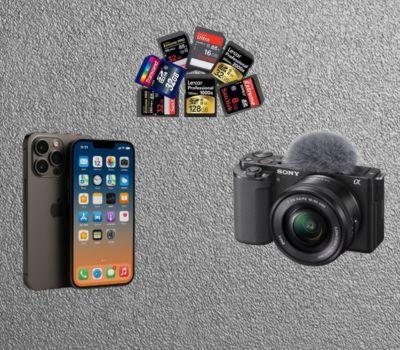
Storage capacity is one of the most important things to consider before buying.
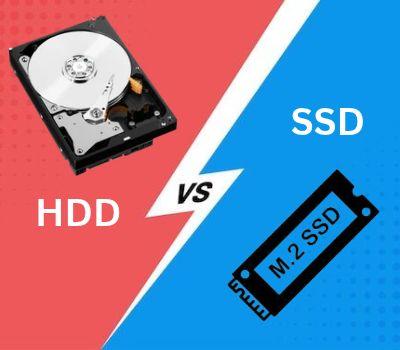
HDD vs SSD: Which One Should You Choose?
The choice between an external HDD and SSD mainly comes down to capacity, speed, portability and budget.
Don't Forget Connection Compatibility
Storage capacity and speed aren't the only things to check. You should also make sure the storage device is compatible with your computer or other device.
Before purchasing, check:
- USB connector type
- USB generation and supported speed
- Type-C compatibility
- Operating system compatibility
- Device requirements
- Whether an adapter is required
Think About Portability
If your storage device will stay on your desk, size may not matter much. But if you travel with your files, portability becomes more important. Students, photographers, content creators and professionals who regularly move between locations may prefer a compact portable SSD or flash drive. For home or office backups where the drive does not need to move frequently, an external HDD can provide a practical high-capacity solution.
Speed Matters for Large Files
Not every storage device is designed for the same type of workload. If you are transferring a few documents, a standard flash drive may be enough. But if you frequently move large videos, software files or project folders, a faster external SSD can save time. Always look beyond the advertised storage capacity and check the USB interface and advertised transfer speeds before making a purchase.
Use External Storage for Backup, Not Just Extra Space
One of the most useful purposes of
external storage is backup. Important files should not exist in
only one location. If your laptop is damaged, lost or affected by a storage
failure, you could lose valuable data.
Consider keeping copies of
important:
- Personal photos
- College projects
- Work documents
- Business files
- Videos
- Financial or important records
For particularly important data, following a 3-2-1 backup approach can provide an additional layer of protection: keep multiple copies of your data, on different types of storage, with at least one copy stored separately from your main device.
Which External Storage Is Right for You?
The easiest way to decide is to match the storage type with your actual needs.
- For large backups: Choose an external HDD.
- For fast file transfers and active projects: Choose a portable SSD.
- For carrying documents and smaller files: Choose a USB flash drive.
- For cameras and compatible mobile devices: Choose a memory card.
- For frequent large-file transfers: Prioritize faster SSDs and compatible USB connections.
Final Thoughts
Choosing external storage doesn't
have to be complicated. Start by considering what you need to store, how
much space you need, how frequently you will access the files, and how portable
the device needs to be.
An external HDD can be a practical
solution for large backups, while a portable SSD is better suited to users who
prioritize speed and portability. USB flash drives are convenient for everyday
file transfers, and memory cards are ideal for compatible cameras and mobile
devices.
Quality Computer offers a range of
storage solutions, including external HDDs, portable SSDs, USB flash drives,
memory cards and internal SSDs, so you can choose a storage option based on
your specific needs and budget. The right storage device isn't
simply the one with the most gigabytes—it's the one that fits the way you
actually use your data.
Frequently Asked Questions
An external HDD is a practical choice for storing large amounts of data and backups.
Choose an HDD for higher-capacity storage and backups, or a portable SSD for faster transfers, active projects, and better portability.
For everyday files, 128GB–256GB may be enough. For photos, videos, projects, and backups, 1TB or more is a better option.
Check the storage capacity, transfer speed, USB connector, device compatibility, portability, and intended use.
A portable SSD is suitable for frequently transferring and working with large video files, while an HDD is useful for storing larger video archives.
Website may use cookies to personalize and facilitate maximum navigation of the User by this site. The User may configure his / her browser to notify and reject the installation of the cookies sent by us.