Free Fire Top Up in Nepal (2026): Diamonds, PUBG UC and Scams to Avoid
Short answer: The safest Free Fire top up in Nepal is inside the game: press the diamond icon at the top of the screen to open the Top Up page, and pay through Google Play or the App Store with a card that works for international payments, such as a bank's dollar card. For PUBG UC, buy in the game or on Midasbuy, the shop PUBG Mobile's own website links to. A genuine UID top-up needs only your Player ID, never your password, and "free diamonds" or Rs 10 top-up offers should be treated as scams.
Shop at Quality Computer
Gamepads, earbuds and power banks for mobile gaming View all →
Free Fire top up in Nepal: the safe ways
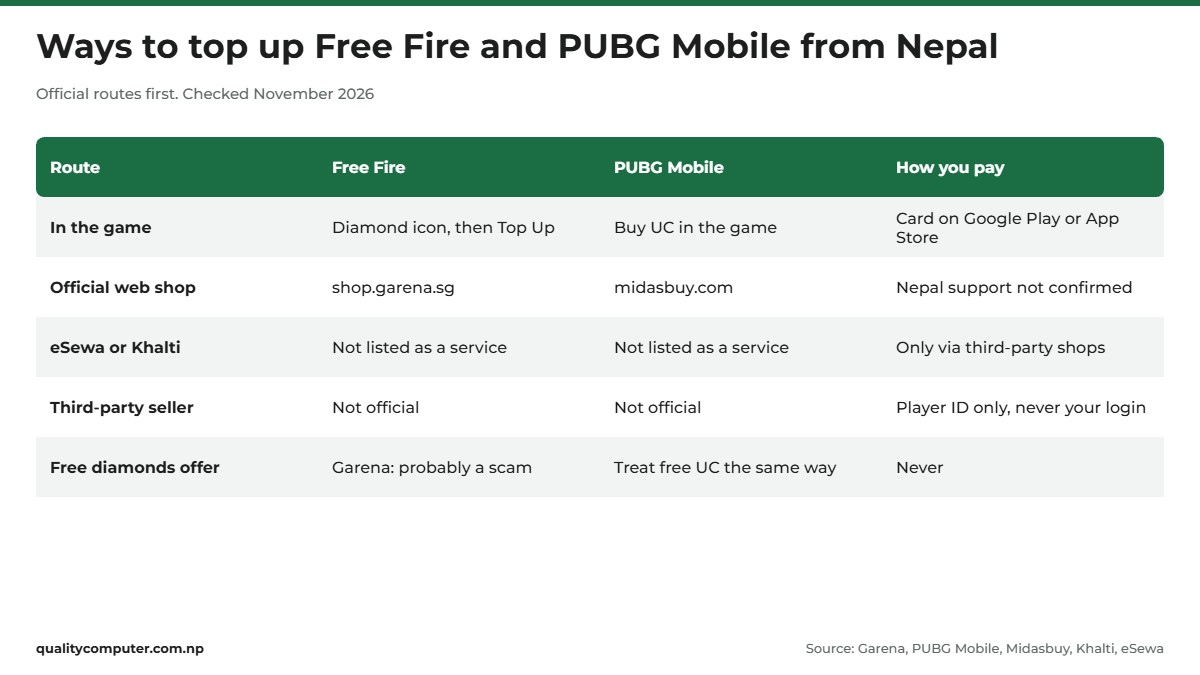
There are only a few safe ways to get Free Fire diamonds or PUBG Mobile UC from Nepal. You can buy inside the game, use Garena's own web shop for Free Fire, or use Midasbuy for PUBG Mobile, the shop PUBG Mobile's website sends you to. Anything else is a third-party seller, and that's where most of the trouble starts.
In the game, you pay with the card on your Google Play or Apple account. Neither eSewa nor Khalti lists Free Fire or PUBG top-up as a service on its website at the time of writing (November 2026). We also found no official Nepali price list for diamonds or UC, so this guide gives no rupee prices. Check the price in the game or on the official shop before you pay.
Choosing a phone for these games? Our best gaming phone guide ranks the models sold officially in Nepal.
Free Fire diamond top up inside the game
The simplest Free Fire top up from Nepal is the one built into the game. Press the diamond icon at the top of the screen to open the Top Up page (Garena), choose a pack and pay. On an Android phone you pay through Google Play, and on an iPhone through the App Store, so the purchase shows up in your Google or Apple order history (Garena). You're paying Google or Apple, not a stranger.
Garena's top-up events add extra rewards when you buy a set amount of diamonds, and a first top-up usually gives a free skin or extra diamonds (Free Fire Events). Three rules from Garena's support pages save a lot of trouble:
- Wait 24 hours, then contact Garena, not Google. If diamonds you paid for haven't arrived after 24 hours, Garena says to contact its customer service and not to ask Google or the App Store for a refund (Garena).
- A refund means negative diamonds. If a top-up is refunded, the account is restricted until you top up the amount shown in the message, "regardless of who asked for the refund" (Garena).
- Keep your receipts. For missing top-up event rewards, Garena asks for a screenshot of your Google Play receipt (Garena).
Write to Garena support in English. Its help centre says requests in other languages will likely not be processed (Garena).
The Garena top up website (shop.garena.sg)
Free Fire's official website links to one web shop: the Garena shop at shop.garena.sg (ff.garena.com). Garena's terms of service cover the Garena Shop as well as the Free Fire and Free Fire MAX apps (Garena terms), so this is the official web route, and probably what most people mean when they search for the Garena Topup Center.
We couldn't confirm from Garena's own pages whether the shop accepts accounts from Nepal, or which payment methods it offers here. The shop only loads in a browser with JavaScript, and Garena publishes no country list that we could find.
So open it from the link on ff.garena.com rather than from an ad, check that the address bar says shop.garena.sg, and if your region or a payment method you can use isn't offered, top up in the game instead.
Garena's terms also say virtual currency such as diamonds "may also be purchased directly from certain authorized third parties" (clause 7.3). We couldn't find a Garena list of authorised sellers for Nepal, so we can't tell you which shops, if any, count.
PUBG UC in Nepal: in the game or on Midasbuy
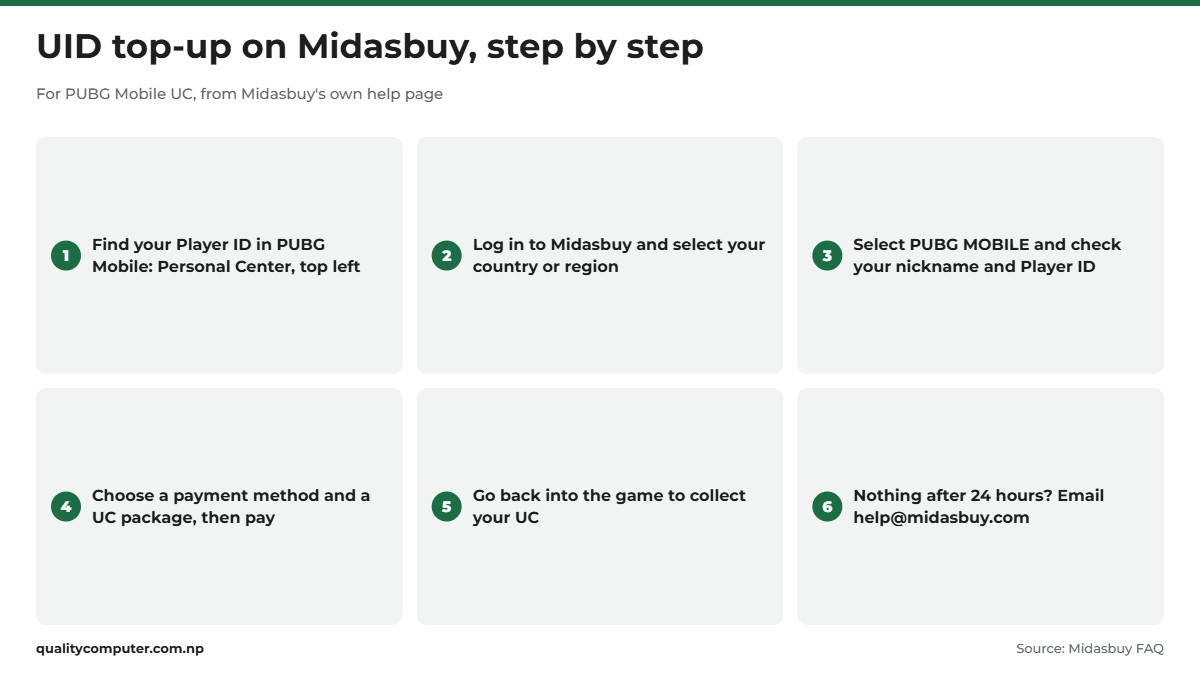
For PUBG Mobile, you can buy UC inside the game as an in-app purchase, paid with the card on your Google Play or Apple account, or on Midasbuy. PUBG Mobile's own website points its Purchase button to midasbuy.com (PUBG Mobile), and Midasbuy's home page calls itself the "Official Top-Up Center". Midasbuy's help page gives these steps (Midasbuy FAQ):
- Log in to Midasbuy and select your country or region.
- Select PUBG MOBILE and check your player information: nickname and Player ID.
- Choose a payment method and a UC package, then follow the payment instructions.
- Go back into the game to collect your UC.
Midasbuy says it supports more than 100 local payment methods in 58 countries and regions, but it doesn't list them, and we couldn't confirm that Nepal is one of them. Pick your own country. If Nepal isn't offered, or your card is refused, buy UC in the game. If UC hasn't arrived within 24 hours, Midasbuy asks you to email help@midasbuy.com or message it on Facebook (Midasbuy).
PUBG Mobile has a Nepali link too. In April 2023 its publisher signed an agreement with WorldLink to improve WorldLink's network for the game and to run national and local tournaments (The Kathmandu Post). The Post's report of the deal doesn't mention UC sales or payments.
Free Fire UID top up: your Player ID is all a seller needs
A "UID top-up" uses only your Player ID (UID), the number that identifies your game account. The shop sends the currency to that ID, so it never needs to sign in as you. Midasbuy works this way: you check your nickname and Player ID before you pay. In PUBG Mobile, your Player ID is in the Personal Center at the top left of the game (Midasbuy). Free Fire UID top-ups work the same way, but we couldn't find a Garena help page that shows where the game displays your ID, so we can't point you to the exact screen.
Plenty of sellers advertise an FF diamond top up by UID. The rule is simple: a seller needs your Player ID, never your password or your Facebook or Google login. Garena's terms of service, last modified on 29 June 2026, explain why (Garena terms):
- Your account is "non-transferable and only for your personal use", and you may not let any third party access or use it (clause 6.2).
- Garena can act where it suspects "account sharing, account trading" (clause 6.2), and it can terminate accounts that break the terms (clause 6.6).
- You must keep your password confidential (clause 6.4).
- Trying to sell or transfer your account, diamonds or items is not allowed, and diamonds "cannot be sold, traded, transferred, redeemed, or otherwise exchanged for cash" (clauses 4.2 and 7.9).
Purchases are also generally final and non-refundable under the terms (clause 7.10). And Garena's negative-diamond rule applies "regardless of who asked for the refund", so if a seller's payment for your diamonds is refunded, it's your account that can end up restricted.
Can you top up Free Fire with eSewa or Khalti?
Not as an official wallet service, as far as we could find. Khalti's website lists services such as Topup, Internet, Electricity, Movie and Flight (Khalti). eSewa's lists mobile recharge, electricity, internet and TV bills, water, insurance and tickets (eSewa). Neither listed Free Fire diamonds or PUBG UC when we checked on 13 November 2026. Their top-up menus are for mobile balance, not game currency.
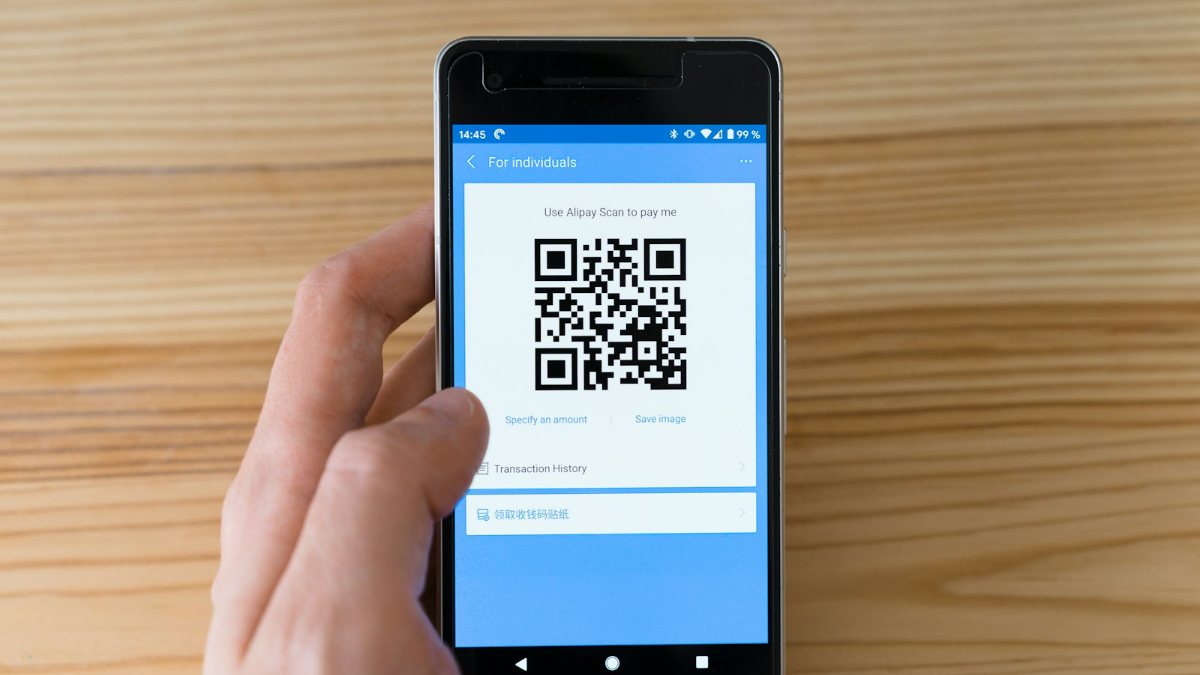
Some third-party game shops do take eSewa or Khalti payments. Paying with a Nepali wallet doesn't make the shop official, though. It's still a separate seller, and Garena's help centre lists failed transactions, other than Google Play ones, among the problems it may refer to a third party (Garena). If you use such a shop anyway, give it only your Player ID, keep the receipt, and walk away if it asks for your login.
Our guides to eSewa and Khalti explain the wallets themselves.
Paying with a card from Nepal
For in-game top-ups, the card you use is the one on your Google or Apple account. Google Play doesn't list Nepal separately. For countries not on its list, it takes Visa, Mastercard, American Express and Discover cards, and it says the types of card accepted may vary (Google Play Help). Apple lists "most credit and debit cards" for Nepal. Apple Account balance, carrier billing and PayPal aren't on Apple's Nepal list (Apple).
In practice, use a card your bank has enabled for international online payments. Many people in Nepal use a bank's dollar card. Ask your bank about the limit and fees before you rely on it. If a card doesn't work on Google Play, Google says to contact your bank or card issuer (Google). Our guide to international payment problems and solutions covers the usual reasons a payment fails.
Use your own card, or a parent's with their permission. Garena's terms say you must be authorised to use the payment method you provide (clause 7.5).
Free diamonds and Rs 10 top-up offers: how the scams work
Be wary of anything promising a free Free Fire top up, or diamonds for 10 rupees. Garena's own support article on the subject warns that free or cheap in-game diamonds are probably a scam (Garena). It describes how they work:
- The offer comes from a friend, a message board or a YouTube video promising free diamonds.
- It sends you to a link or an outside website, and Garena warns that such links "can fill your device with malware".
- It asks for your game login. Garena says these scammers are after your card or other financial details so they can "run up charges on your credit cards", and some want to use your device remotely.
Garena's advice is blunt: "Never believe anyone who promises you free in-game diamonds or items." Keep your login and card details private, and buy diamonds only from legitimate sources (Garena).
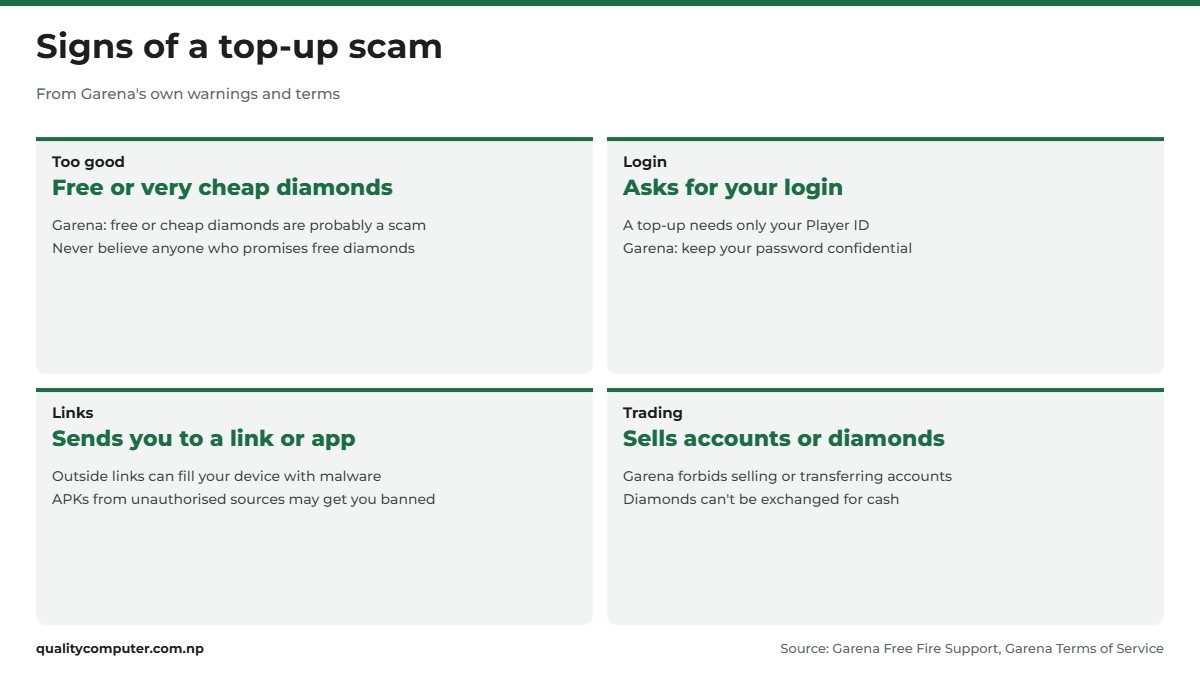
Diamond generator apps and modded APKs are worse, because they can cost you the account. Garena counts any unauthorised third-party program as cheating and bans accounts used for cheating (Game Security FAQ). Its Anti-Hack FAQ adds that APKs from unauthorised sources may get your account banned, that devices used for cheating are banned too, and that an account banned for cheating "will not be unbanned under any circumstances" (Anti-Hack FAQ). Install Free Fire only from Google Play or the App Store.
Already shared a login or paid a scammer? Change your passwords, call your bank if you gave card details, and report it. Our cyber scam helpline guide explains where to report it in Nepal.
For parents: stop surprise in-app purchases
Free Fire is rated 13+ in most countries (Garena). Garena's terms say purchases can only be made by people who are 18 or the age of majority, and ask children to have a parent or guardian make the purchase (clause 1.5). Google and Apple both let you lock purchases down:
- Android: in the Play Store app, tap your profile picture, then Payments & subscriptions, Purchase verification and Verification frequency, and choose Always (Google). Google says these settings can differ by region: if you see Verification requirement instead, choose All payment methods. For content limits, use Settings, Family, Content restrictions, or Google's Family Link app (Google).
- iPhone: with Screen Time turned on, go to Settings, Screen Time, Apps & Websites, App Store, and set In-app Purchases to Blocked (Apple).
- Family Sharing: to use Ask to Buy, go to Settings, Family, your child's name, Apps & Websites, Restrictions, Ask to Buy, and turn on Require Purchase Approval. In-app purchase requests then come to you to approve (Apple).
Garena also asks parents not to give anyone else access to a child's account (Garena). That includes "top-up" sellers who ask for the login.
Quick verdict
- Safest: top up in the game (diamond icon, then Top Up) and pay through Google Play or the App Store.
- Web shops: Garena's shop.garena.sg for Free Fire, Midasbuy for PUBG UC. Nepal support isn't confirmed on either.
- eSewa and Khalti don't list game top-up as a service. Shops that take them are third-party sellers.
- A UID top-up needs only your Player ID. Never share your password or login.
- Treat free diamonds, generators and Rs 10 offers as scams. Mods can get an account banned for good.
- Parents: set purchase verification to Always on Android, or block In-app Purchases on iPhone.
Mobile gaming accessories in our store
Playing Free Fire or PUBG Mobile for hours? Earbuds, a power bank and, for games that support one, a Bluetooth gamepad make long sessions easier.
| Product | What it is | Our price |
|---|---|---|
| Fantech EOS Mini WGP17 wireless gamepad | Mini wireless gamepad | Rs 1,980 |
| Fantech WGP16D Nova II wireless gamepad | Wireless multi-platform gamepad | Rs 8,999 |
| UGREEN Dots HiTune H5 earbuds | True wireless earbuds | Rs 2,800 |
| Havit PB91 20,000mAh power bank | 20,000mAh power bank | Rs 3,000 |
Prices checked on 14 November 2026 on our website.
In our store
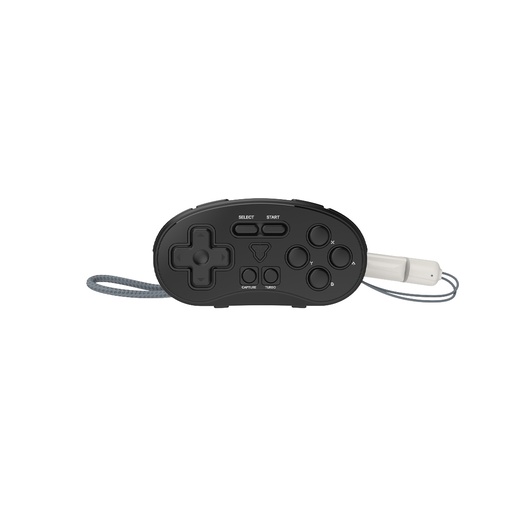
Fantech EOS Mini
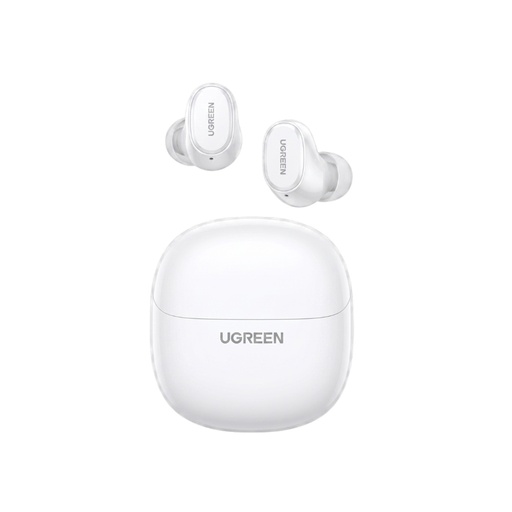
UGREEN HiTune H5
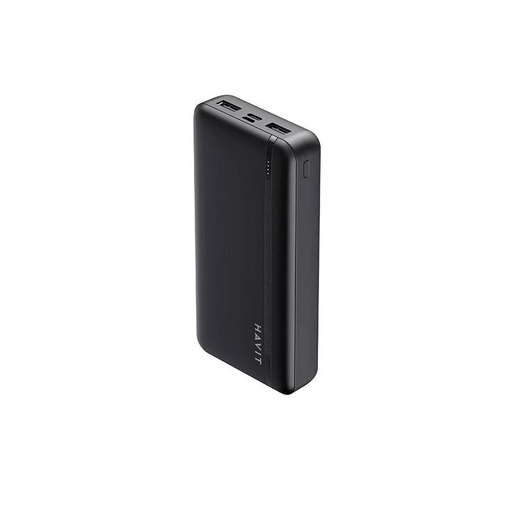
Havit PB91
Frequently asked questions
How can I top up Free Fire in Nepal?
Inside the game, press the diamond icon at the top of the screen to open the Top Up page, then pay through Google Play or the App Store with a card that works for international payments. Garena's official web shop is shop.garena.sg, but we couldn't confirm that it supports Nepal.
What is Free Fire UID top up?
A UID top-up uses only your Player ID (UID), so the shop sends diamonds to your account without logging in. A genuine UID top-up never needs your password or your Facebook or Google login.
Is there a free Free Fire top up or a 10 rupee top up?
Treat any such offer as a scam. Garena warns that free or cheap in-game diamonds are probably a scam and says never to believe anyone who promises free diamonds or items.
How do I buy PUBG UC in Nepal?
Buy UC inside PUBG Mobile as an in-app purchase, or on Midasbuy, which PUBG Mobile's website links to. On Midasbuy you select your country, choose PUBG MOBILE, check your Player ID and pay; we couldn't confirm that Nepal is one of its 58 countries and regions.
Can I buy Free Fire diamonds with eSewa or Khalti?
Neither eSewa nor Khalti lists Free Fire or PUBG top-up as a service on its website (checked November 2026). Some third-party game shops accept these wallets, but they are separate sellers, not Garena or Midasbuy.
Can my Free Fire account be banned for buying diamonds from a seller?
Garena's terms let it act against accounts where it suspects account sharing or trading, and forbid selling or transferring accounts and diamonds. Diamond generators and modded APKs count as cheating, and Garena says accounts banned for cheating are never unbanned.
How do I stop my child making in-app purchases?
On Android, set Google Play's purchase verification to Always. On iPhone, go to Screen Time, Apps & Websites, App Store and set In-app Purchases to Blocked, or turn on Ask to Buy with Family Sharing.
Sources
- Garena Terms of Service (last modified 29 June 2026), Garena Online Private Limited
- Free Fire support page with official shop and app links, Garena Free Fire
- Subscription Center FAQ (Top Up page and diamond icon), Garena Free Fire Support
- Negative Diamonds and Refunded Transactions, Garena Free Fire Support
- Free Fire Events (top-up promos), Garena Free Fire Support
- Limit of Support and Referring to Third Party, Garena Free Fire Support
- Free or Cheap In-Game Diamonds? It's Probably a Scam, Garena Free Fire Support (ffsupportind.garena.com)
- Free Fire Game Security FAQ, Garena Free Fire Support
- Anti-Hack FAQ, Garena Free Fire, 16 June 2020
- For Parents FAQ, Garena Free Fire
- PUBG MOBILE official website (Purchase link to Midasbuy), PUBG MOBILE
- About Midasbuy (FAQ), Midasbuy
- Accepted payment methods on Google Play, Google Play Help
- Purchase verification for Google Play, Google Play Help
- How to set up content restrictions on Google Play, Google Play Help
- Payment methods that you can use with your Apple Account, Apple Support
- Turn off Apple In-App Purchases from Screen Time on your iPhone or iPad, Apple Support
- Approve what your child can purchase and download with Ask to Buy, Apple Support
- Khalti services, Khalti, checked 13 November 2026
- eSewa services, eSewa, checked 13 November 2026
- WorldLink Communications, PUBG Mobile ink deal to boost gaming experience, The Kathmandu Post, 30 April 2023